Checked functions.php. It’s already set to the 36×36 value.
I purchased WooThumbs.
Though the plugin does the job, the issue I am having is that it takes as long as 5-8 seconds to display the relevant variation image.
Anyone have another suggestion?
Nick, can you post an image of you theme panel? I’m just curious if I’m missing things, as there is not a single option that controls any sort of font size. One of the frustrating things with the admin panel for this theme….
Maybe if you just provided people with simple CSS breakdown of the headers and text, everyone would have an easy time.
Hello Nick,
1.- Yes but it will be more like http://kriesi.at/themes/enfold/shortcodes/animated-image/ where the selected item is highlighted. I want the same format that in your standar sidebar
2.- OK
3.- I resolved it with a plugin, only one point open the css to target the breadcrumb
4.- I don’t want customs icons only the supported icon of enfold entypo. Which is the HTML to write if I want to put a phone “📞” or any other?
5.- OK
Thanks
Jorge
I’m sorry, here you go http://www.aarhustolkeservice.dk
Personally, I think the Revolution Slider is easier to work with, but I understand that the LayerSlider also has a large fan group :-)
Mika
Hey guys,
I’m not running compatibility mode in IE8, it’s simply how it is by default.
I went ahead with all of the custom css you recommended, Ismael (thanks for the help!). Some of it worked and some did not. Here are the remaining issues:
– Menu overlays logo
– Applying the img { max-height: 100% } broke my layer slider (images didn’t fit together anymore, things were off-center), so I didn’t use that
– The ‘You Might Also Like’ images on blog posts are stretched vertically
– The ‘Special Heading’ font is a bit too big/wide and makes several titles stretch into the sidebar, is there a way to reduce the size of these on IE 8 only?
– Most of the icons from the included icon font do not work and appear as 2 tiny rectangles
– My sidebar forms all seem to stretch off the page
– Images in the ‘Recent Posts’ widget only take up a portion of the image holder box
– Images on the ‘Meet the Team’ page go white/disappear on hover
– While there is now a hover effect on the buttons, I would prefer to use the gradients which were previously on the buttons. Is that possible? Or at least make it that way for non-IE8 browsers?
Thanks,
Tom
Hi,
There are two settings in the gallery , one asks if you want to give your gallery images a specific size, and another asks if you want you images to automatically adjust to the width of the column. Have you tried switching this setting (it is in same location prior to where you begin adding the images to the gallery )
Thanks,
Nick
Hi,
I looked at your slider. You got some nice stuff going on, but I think its a bit too fast. If you shrink the screen down to a size of a tablet in portrait view and the slider will shrink accordingly, you will see that everything starts to fall into place though there are a few pauses and some choppiness especially when you make an image quickly zoom up into the screen. Also, everything in your slider is H3 , is that how you wanted it? h3 with the same class for all objects. Can you try to make everything just a bit smoother if possible since i think at those screen sizes no every graphics card can handle this.
Thanks,
Nick
Yes you can use the header-scrolled class to resize the image as soon as the user scrolls down. However it will “jump” a bit and you won’t get the same nice resizing effect with a fixed logo. Use following code to determine the “small” logo dimensuions
.header-scrolled .logo img {

width: 100px;

height: 100px;

}
Hi,
I want to use 2 different variations of the portfolio grid on my homepage and a detail page. So I was wondering if it is possible to:
– Make the portfolio grid static. So no click/lightbox + no hover over expand image etc
– Make a click on the portfolio just a link to another page
Thanks for your support!
Devin,
Awesome. Works fine. Thanks.
The ajax preview gallery does not support videos at the moment but we’ll definitely look into it because some other users requested this too. If you want to remove the image gallery open up wp-contentthemesenfoldconfig-templatebuilderavia-shortcodesportfolio.php and delete
$output .= "<div class='av_table_col first portfolio-preview-image'>";

$output .= $images;

$output .= "</div>";
Hi there,
We are working on our new website with the Enfold theme. Works great.
But now we can’t figure out how to get images in the slider centrally aligned. Working on different computers shows different alignments of the slider images.
See; http://www.netnotion.nl/dev. The image of the bottles should be always in the middle.
Could you help?
So I finally discovered most of the Avia Layout Builder options are available for use in the ajax previews through insertable code, via the magic wand pulldown (sorry, I had missed that in the documentation). Now I’ve figured out how to get video and items like the accordion content element into my ajax previews through this insertable code… however, I’m confined to only one third of the preview area, since two thirds of it are taken up by the space allotted for image previews. So I guess my question now is, is there a way to either replace the image previews with video clips, or to get rid of the image previews all together, to open up the full preview space for content laid out through code? Again, I am referring to the images seen in Ajax previews, not anything that can be added through the Avia Layout Builder, since I am trying to keep everything viewable on one page.
I hope that clarifies my issue and my end goal. Your help will be much appreciated. Thanks!
Hey!
Please try to add following code into the quick css field
a.alignnone, a.alignleft, a.alignright{

line-height: 1px;

}
Regards,
Peter
Hi,
Recommended image is 1500x450px.
Regards,
Ismael
What about the rest of the images? None of them crop, the image is just squished to fit in the space.
Hi,
Please add this on your custom.css or Quick CSS
.image-overlay.overlay-type-extern {

display: none !important;

}
Nice website. :)
Regards,
Ismael
Hi,
Change the thumbnail size settings to 36×36 then regenerate thumbnails. Actually, it has nothing to do with that because the code for the thumbnail on latest news widget is located on functions.php:
$avia_config['imgSize']['widget'] = array('width'=>36, 'height'=>36); // small preview pics eg sidebar news
The latest news widgets look fine on my end:

Regards,
Ismael
I think your logo image is definitely too big (should be 200px x 100px).
The overlaping problem also accours in Firefox if you decrease the window size
Hi,
Button hover:
.avia-button:hover {

background: blue !important;

}
Image stretched vertically
img {

max-height: 100%;

}
Links
a {

text-decoration: none !important;

}
Image hover:
img:hover {

display: block !important;

}
Regards,
Ismael
Hi,
I think the padding and line height are way too big.
We would need to see the url to the site and actually look at the code in order to provide you with css to fix this, an image alone is not helpful. You can put the link to your site inside http://www.goo.gl in order to hide it.
Thanks,
NIck
Hi Ray,
You will need to go into the LayerSlider section in your WordPress admin and then open and edit that slide. Just remove the image and then add in your own.
Regards,
Devin
Hi,
You can edit footer.php, find this code
<span class='copyright'><?php echo $copyright . $kriesi_at_backlink; ?></span>
Add this code on top of it:
<?php echo '<div id="footer-logo"><img src="IMAGE LOGO HERE"></div>'; ?>
Regards,
Ismael
Hi Dude
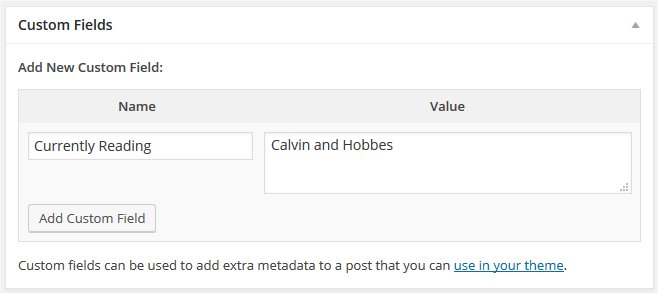
Thanks for your answer. I try that code, but it dosn’t display me the custom field box.
Maybe i did explain myself wrong.
What i’m looking for is, to have this box:
http://codex.wordpress.org/images/7/7f/custom_field_example.jpeg
So that i can add custom fields while i’m creating some portfolios.
Hi Steve,
Do you mean the LayerSlider or one of the slideshow element built within the layout editor? There is no real best image size for either and with the layerslider the whole thing is controlled by the global settings for each slideshow. There you can set the container size for your elements as well as set the overall width of the group of slides.
For the regular slideshow element, you would want to put it in a column to make it have full responsive functionality.
Regards,
Devin
Hi Mika,
I’m getting a 404 error on the link above so I’m not able to view what you have there.
We don’t decide on what goes into the theme, that is all Kriesi. My guess is just a personal preference but with 6000+ copies sold most users are pretty happy with the LayerSlider and the other built in avia sliders.
Regards,
Devin
So I added the code, still no change? I also changed the size of the photography image so what can I do now?
shanetucker.com
Doing a Div/span layer with html code didn’t work, either.
The test page I’m working on is here: http://fishreef.org/home/
The third slide is the one I’m trying to add text to without any luck. I was able to add an image that worked, but that’s it.
(The first slide works ok because I used the original slide, changed the background, edited one layer, and then duplicated it. Duplicated layers on the original slides seem to be ok)
I was hoping to build a true one-page portfolio using Enfold, where everything can be housed/accessed in one page. However, I cannot find a way to post video in my ajax previews. I only see the option to post preview images. That’s a big problem for me, since much of the content I’m hoping to showcase is video.
Before I noticed that, I also discovered the Avia Layout Builder can only be used to build separate portfolio pages, and not anything that can be viewed through the Ajax preview. Is there a possible workaround for this? Can we force the ajax preview to show what we can build with the Avia Layout builder, and not not just a limited preview which has to be laid out separately?