-
Search Results
-
Hi,
I’m using Enfold 4.5.2 and Toolset Types (3.2.4) and Toolset Forms (2.2.1.1).
Wordpress version 5.0.3I have a Toolset Forms form that is used to create and edit a custom post type (cpt) Blogikirjoitukset (i.e. Blog posts).
In the Form settings I have chosen that the Add media button is visible so users can add images to the post body.But the Add media button is not working.
It won’t open the upload / choose media window.I deactivated all other plugins and tried adding this to wp-config:
define(‘CONCATENATE_SCRIPTS’, false );
I tested the form with Twentynineteen theme and it worked.
So Enfold is messing with the wysiwyg (Tiny mce) somehow and preventing from uploading images through the form.Can Kriesi’s developers take a look at this?
On a side note.
It would be awesome if Enfold and Toolset would be compatible.
This has been requested many times before but nothing has happened.
Enfold is otherwise a great theme and it would be a shame to have to switch to another theme.
Even a toolset Widget or Toolset page template would be great.Otherwise keep up the good work!
Hi,
I am trying very basically to just activate google maps into the enfold theme. But on the google services page within the enfold menu when entering the freshly generated API key it says “no connection can be made”. then they ask me to :Troubleshooting:
Check if you typed the key correctly.
If you use the restriction setting on Google try to remove that, wait a few minutes for google to apply your changes and then check again if the key works here. If it does, you probably have a syntax error in your referrer url
If none of this helps: deactivate all plugins and then check if the API works by using the button above. If thats the case then one of your plugins is interfering.But all of this does not work.
So where is the problem? I just want to have google maps. So no rocket science normally… I am not the techni girl but managed fine until here and I love the intuitiveness of the Enfold theme. But here I surrender…
Thanks for your help, MarenI just updated WordPress and Enfold for my website and now I can’t use the Advanced Layout Builder, when I click on the button, it doesn’t pop up. Using the plugin Disable Gutenberg fixed the issue with the Advanced Layout Editor, but then I noticed that Text Block isn’t working properly either, I don’t have the option to switch between Visual and Editor, it only gives me the Editor view.
Hi,
first of all, this was my premier enfold experience, and this theme in combination with WP5 on PHP 7.2 was the most hastle-free, intuitive, quick responding, best documented WP project I have ever worked on. Multiple thumbs up.
To the meat: I want a form submission event pushed to datalayer when the contact form adds its “avia-form-success” heading element to the page, and not earlier, because the button click can occur multiple times without successful submission.
Basically this “dataLayer.push({‘event’: ‘contactReuquestSubmitted’});” on the ajax response. How could I wire it into the template?
Thanks and bw
PHi Enfold team,
I’m working on customising the dark contact form and was able to adjust quite a bit thanks to your documentation.
As of now everything I added is working except for some or the ‘button’ adjustments.
1. I’m trying to get the border-width of the send button to be 3px – even though I added it it is not changing on my site, but it does work when hovering over the button.
2. I’m trying to change the button font-color to be #cf3662
3. I trying to change the button hover font-color to be white4. Additionally I would like to change the font-size and color of the text I added to a check-box label and for the Captcha Text – but couldn’t find anything that was working
I’m posting what I have added to the Quick CSS styling area here. Please let me know if you need any further information. Thanks :)
#top div .av-dark-form input[type=’text’] {
border-color: #333333 !important;
background-color: transparent;
border-radius: 6px;
font-family: ‘montserrat-regular’
}#top .avia_ajax_form .text_area {
border-color: #333333 !important;
background-color: transparent;
border-radius: 6px;
font-family: ‘montserrat-regular’;
}.av-custom-form-color .button {
border-color: #cf3662 !important;
border-width: 3px !important;
font-color: #cf3662 !important;
background-color: transparent !important;
border-radius: 6px;
font-family: ‘montserrat-regular’;
font-size: 17px;
}.av-custom-form-color .button:hover {
border-color: #cf3662 !important;
border-width: 3px !important;
font-transform: #ffffff !important;
background-color: #cf3662 !important;
border-radius: 6px;
font-family: ‘montserrat-regular’;
font-size: 17px;
}#top .avia_ajax_form .error input[type=’text’],
#top .avia_ajax_form .error .text_area {
background: #ffffff!important;
}Topic: Cookie modal popup
Where can I translate strings like these?
[av_privacy_google_webfonts]Now the text next to the buttons is in English, should be in Dutch. Can’t find it in Enfold Settings > Privacy and cookies
It’s this text I need to translate: Click to enable/disable google webfonts.
Doesn’t seem to work with loco translator also.Hello!
I am missing my editor buttons when editing text blocks which are part of portfolio items and also the content is “white on white” when checking the text view. I tried to update to wordpress 5.0.3 to fix that and no luck. So I downgraded to 4.9.9 with no luck. I changed php from 7.2 to 5.6 and no luck. So I would really need your help to fix this.
Thank you in advance.
Topic: Hide social share buttons
Hi,
I read on your guide that social share buttons are hidden by default. Meanwhile on my website, on blog posts, the social share buttons are visible at the end of the post.I would like them to be only on the sidebar, so I’ve put them there using a text widget with these code
[av_social_share style='minimal' buttons='custom' share_facebook='aviaTBshare_facebook' share_twitter='aviaTBshare_twitter' av_uid='av-670mc8' custom_class='' admin_preview_bg='rgb(241, 241, 241) none repeat scroll 0% 0%']I also changed the style by pasting in style.css this code, from your guide
/*----------------------------------------
// CSS - Social Share style - 3
//--------------------------------------*/

/* Hide tool tip */
.av-social-sharing-box .avia-related-tooltip {
  display: none !important;
}

/* Remove icon border */
#top .av-social-sharing-box .av-share-box ul li {
    border-left-style: none;
    display: inline-block;
    vertical-align: middle!important;
   margin: 0 10px 0 0;
}

/* Icon style */
#top .av-social-sharing-box .av-share-link a {
   width: 30px!important;
   height: 30px!important;
   border-radius: 30px!important;
   padding: 3px 0 !important;

}

/* Icon color */
.av-social-sharing-box .av-share-link a:before {
  color:#1d1d1b;
  transition: all .5s ease;
}

/* Icon color on hover */
.av-social-sharing-box .av-share-link a:hover:before {
  color:#1d1d1b;
  transition: all .35s ease;
}

/* Icon background color on hover */
#top .av-social-sharing-box .av-share-link a {
  /*background: none!important; */
  background: #f0f0f0;

}

#top .av-social-sharing-box .av-share-link a:hover:before {
  color:#f4f7f9;
}
So, on the post pages, I see the social share buttons and they don’t use the style I set with the code above. Before posting I make sure that “show sharing buttons” isn’t selected in “sharing” tab, but still the buttons are there. Here an example, I’m fine with buttons on sidebar and their styling, but not with buttons at the end of the post. How can I remove them?
Otherwise, why they have different style from the one I set?
Hi,
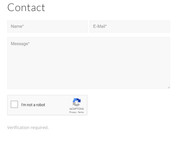
i found this solution here: https://kriesi.at/support/topic/how-can-i-put-in-the-google-captcha-in-the-enfold-contact-form/#post-1034310
But it doesn’t work.
I made two Keys. One for V3 and the other for V2.
If i check the contactform it doesn’t show the submitbutton anymore.
https://www.haudenlukas.at/#kontakt
i temporally deleted the code inside my child-functions.php, but added the V2 / V3 keys inside the private-content field down below.
Topic: product_page shortcode
Hello,
I love the enfold theme and I am very happy with the design I was able to create with it, just as I had imagined and wanted.
I am using woocommerce for the shopping cart, though I don’t want to use the woocommerce product pages as this is a big requirement for me to be able to have several products on one page. Like I want to be able to sell the original painting, cards and prints from the same main page.So for that as far as I can figure out, the best way seems to use product_page shortcode. I have each main artwork as a portfolio item, and on that page I added the product_page shortcode to display the purchase options. the products are variable products.
I am also trying to use wooswatches plugin to show nice buttons for picking out the variations,
Whe I view a particular product, say cards, just on the shop page (not a portfolio, but just as the woocommerce shop page) it looks really nice and clean
http://fv6.97e.myftpupload.com/wp-content/uploads/Capture.jpgWhen I add the product_page to a portfolio page, then this is what it looks like:the box smaller and squished to the right.
http://fv6.97e.myftpupload.com/wp-content/uploads/Capture1.jpgWhem I have the wooswatches: http://fv6.97e.myftpupload.com/wp-content/uploads/Capture2.jpg
Now when I tuen on the Advanced layout, which I would LOVE to use as I want to put each product on a separate tab and format the pge nicely, then
not only the box get squishes to the right and small but also the image gets tiny and gets pushed to the left
http://fv6.97e.myftpupload.com/wp-content/uploads/Capture3.jpgAnd when I have the wooswatches on withth e Advanced layout, in addition to the above, my swathes are gone and I cannot select my variations :(
http://fv6.97e.myftpupload.com/wp-content/uploads/Capture4.jpgI would like it to show as nicely as it shows on the original product page, if not, then like the page without the advanced layout builder where the image is not shrunk and way off to the left. Also I would like to be able to use the wooswatches and my variations look pretty.
This is really urgent as I have spent way too many days trying to get this to work. Please please help!!!
I am attaching the login details below