Forum Replies Created
-
AuthorPosts
-
Hi,
Envato has updated their API therefore you would need to update the theme manually this time – https://kriesi.at/support/topic/updating-to-enfold-4-5-and-validating-personal-token/
After that, could you please refer to this post again – https://kriesi.at/documentation/enfold/theme-registration/ and create second personal token and insert it in Enfold theme options?Cheers!
YigitHi,
Thanks for contacting us!
I am not sure if i understood the changes you would like to make clearly. Could you please post a screenshot and show?
Regards,
YigitHi,
Please go to Enfold theme options > Main Menu and choose alternate menu for mobile with submenus in “Alternate Menu for Mobile”. You would simply need to create additional menu without submenus and choose it as your main menu then choose the one with submenus as your mobile menu :)
Best regards,
YigitHi!
Sure, you can read more about child theme here – https://kriesi.at/documentation/enfold/child-theme/.
Files on your child theme would not require updating, as long as files you have modified are not updated in new Enfold versions. Let us say you modified footer.php file on your child theme and we have made changes in footer.php file. Then you would need to copy fresh copy of footer.php file to your child theme and make your modifications on the new file however that is rarely the case :)
Cheers!
YigitHey,
Please use code as following
@media only screen and (max-width: 1024px) {
#top #wrap_all h1 { font-size: 30px !important; }}
and make sure to flush cache. If that still does not help, please create temporary admin logins and post them here privately so we can look into it.
Regards,
YigitHi,
Glad Ismael could help! :)
For your information, you can take a look at Enfold documentation here – https://kriesi.at/documentation/enfold/
If you have any other questions or issues, feel free to start a new thread under Enfold sub forum and we will gladly try to help you :)Best regards,
YigitHey Jeffrey,
Please try adding this code to the Quick CSS section under Enfold > General Styling or to your child theme’s style.css file:
CSS Snippet:
.news-time, .date-container, .text-sep-date, .updated{
    display: none !important;
}
Best regards,
YigitHi Jeffrey!
Thanks for contacting us!
Please use this plugin – https://wordpress.org/plugins/loco-translate/ to change the strings. Your site is in English therefore you can add English as new language and translate those strings as needed.
Regards,
YigitMarch 1, 2019 at 11:11 am in reply to: Content section background overlapping fullwidth easy slider #1073026Hi,
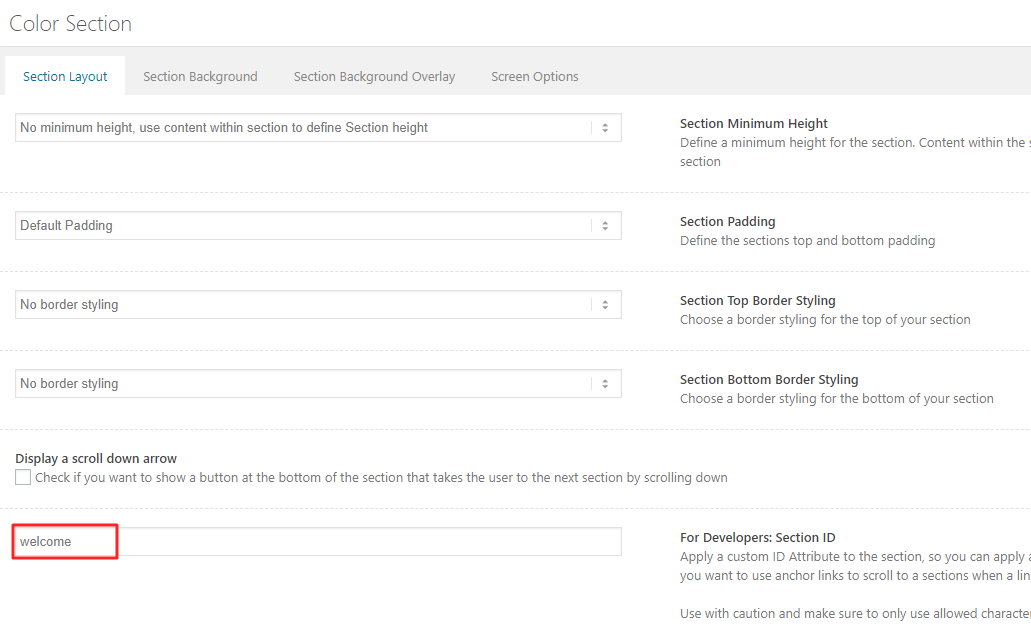
Please edit your pages and give your Color Section elements the same ID – https://kriesi.at/documentation/enfold/wp-content/uploads/sites/22/2018/08/anchors.png and use the code as following
#your-custom-id {
    position: relative;
    top: -55px;
    z-index: 9;
    background-color: transparent;
    margin-bottom: -55px!important;
}
Best regards,
YigitHi,
Please try adding this code to the Quick CSS section under Enfold > General Styling or to your child theme’s style.css file:
CSS Snippet:
.main_color .av-sort-by-term a.active_sort {
    background-color: #333333;
    color: #ffffff!important;
    padding: 12px 16px 10px;
    text-decoration: none;
}
.av-masonry-sort a { margin-right: 10px; }
.av-masonry-sort a {
    background-color: #FFFFFF;
    padding: 12px 16px 10px;
    border: 1px #333333 solid;
}
Best regards,
YigitHi Safet,
Please use a child theme – https://kriesi.at/documentation/enfold/child-theme/ and then refer to this post – https://kriesi.at/documentation/enfold/intro-to-layout-builder/#add-elements-to-alb and add /enfold/config-templatebuilder/avia-shortcodes/portfolio/portfolio.php file to your child theme and replace its content with – https://pastebin.com/KzXWNK1w
Best regards,
YigitHey,
Thanks for contacting us!
I am afraid the only way to get full support and theme updates is by having access to a Themeforest account which was used to purchase the theme.
The easiest way would be to get in touch with your developer and ask him for the purchase code and an API key. That would allow you to create a forum account here (one that got access to more than the pre-sale question area) and would also allow you to update the theme from your backend.
If you cant get in touch with your developer for whatever reason, you can also try to contact Envato support and ask them if its possible for them to credit the purchase to a Themeforest account of your own: https://help.market.envato.com/hc/en-us/requests/new
However this will probably only work if your developer already sent you a payment receipt or something similar for the purchase.Last option would be to create a themeforest account of your own and use it to re-purchase the theme.
I hope one of the first two options works out for you, but unfortunately we can’t help until we have a valid verification that the theme was purchased properly. This is necessary for us, since there are quite a few people out there who don’t buy the theme on themeforest and instead download it for free on illegal file sharing sites and then even have the audacity to ask us for support.
Sorry for that!
Best regards,
YigitHi,
Thanks for contacting us!
We have reset your forum account. Please find details in private content field below.
Regards,
YigitHey,
Thanks for contacting us!
We would definitely recommend our Enfold theme. You can check out included demos, which can be imported with a single click in within a few minutes, here – https://kriesi.at/themes/enfold-overview/. Enfold is the most powerful, flexible and user-friendly theme we have ever created therefore comparing to Propulsion theme, you can create more modern looking pages a lot easier on Enfold :)
I hope that helps! Let us know if you have any other questions!
Best regards,
YigitHi,
You are welcome! Let us know if you have any other questions or issues :)
Best regards,
YigitFebruary 28, 2019 at 10:36 am in reply to: post-title tag-page-post-type-title : change title #1072578Hi,
You are welcome! Let us know if you have any other questions or issues :)
Best regards,
YigitHi,
I attached the latest available version of Angular 4.1 in private content field.
Best regards,
YigitFebruary 28, 2019 at 10:30 am in reply to: Updating from Enfold 3.1 to new server with New Enfold with PHP 7.2 #1072573Hi Jörg,
Thanks for your kind words :) We are always happy to help!
I am closing the thread for now. If you have any other questions or issues, please feel free to start a new thread
Best regards,
YigitHi,
No, i went to Enfold theme options > Import & Export tab and exported theme options, updated the theme and then after updating the theme, i imported theme options in Enfold theme options > Import & Export tab again.
You are welcome, we are always happy to help :)
Best regards,
YigitHi,
Thanks. I exported theme options before updating the theme and after updating the theme, i simply imported them in Enfold theme options. Please review your website
Cheers!
YigitFebruary 27, 2019 at 9:42 pm in reply to: Updating from Enfold 3.1 to new server with New Enfold with PHP 7.2 #1072405Hi Sigmund,
The closest version i could find to Enfold 3.1 was 3.1.3 and i attached it in private content field. If you would like, you could check differences on files to find what kind of changes previous devs have made. They could probably modified style.css and possible functions.php files.
@michaelH thanks for your help :)
Best regards,
YigitFebruary 27, 2019 at 9:35 pm in reply to: if you click Masonry Gallery it should Open in New Tab #1072396Hey,
Can you please post a screenshot showing the changes you would like to make and a link to your page?
Best regards,
YigitHey NP,
Thanks for contacting us!
Could you please post a link to your website as well?
Best regards,
YigitHey Kim,
We would be glad to help you with this customization, but at the moment there is no easy way to do this by using a small custom code snippet, so I am afraid it’s out of the scope of our support. If that’s something you really need, you can always try to hire a developer for the task :)
Best regards,
YigitHey,
Could you please post a link to your page so we can make sure that we are providing you accurate code?
Best regards,
YigitHi,
Please refer to @DigitalEssence’s post above.
@DigitalEssence Thanks for your help :)Best regards,
YigitFebruary 27, 2019 at 9:00 pm in reply to: masonry Gallery doesn't always load – but resizing browser does make it load #1072384Hey!
I checked your website on Chrome, Firefox and Safari but all 19 images loaded fine on my end as well.
As Rikard mentioned, if you are/were using lazy load on images, that could have been the culprit.Best regards,
YigitHi Rob,
Character code was wrong in your code. I corrected it. Please review your website.
Best regards,
Yigit -
AuthorPosts