Forum Replies Created
-
AuthorPosts
-
Hi,
Please try this css:.avia-pricing-row { background: lightblue !important; }Best regards,
MikeHi,
Sorry for the late reply, I have added your IP to my hosts file and I do see a page, but when I try to find the login page at: /wp-admin/ I get a 404
Do you have a custom login?Best regards,
MikeJuly 20, 2019 at 8:25 pm in reply to: Sub-menu background and text color on a transparent main menu #1120473Hey kjwaggz,
Please try this code in the General Styling > Quick CSS field or in the WordPress > Customize > Additional CSS field:.header_color.av_header_transparency .main_menu ul ul,.header_color.av_header_transparency .main_menu .menu ul li a { background-color: transparent !important; } .header_color.av_header_transparency .av-main-nav ul li a { border-style: none !important; } #top #header.header_color.av_header_transparency .av-main-nav ul > li > a .avia-menu-text { color: #fff !important; }Then please clear your browser cache and check.
Best regards,
MikeJuly 20, 2019 at 8:04 pm in reply to: Tab section titles with accents generate not-user-friendly slugs #1120472Hey albertgarduno,
Sorry for the late reply, please try going to the list of pages and use the “Quick Edit” option to change the slugs.

Best regards,
MikeHi,
Sorry for the late reply, to change the background color for the table titles, Please try this code in the General Styling > Quick CSS field or in the WordPress > Customize > Additional CSS field:#top.page-id-647 .main_color .pricing-table-wrap:nth-child(2) .pricing-table li.avia-heading-row { background-color: red !important; } #top.page-id-647 .main_color .pricing-table-wrap:nth-child(3) .pricing-table li.avia-heading-row { background-color: blue !important; }To change each row and cell after that, please try this css and adjust the “.pricing-table li:nth-child()” for each row:
#top.page-id-647 .main_color .pricing-table-wrap:nth-child(2) .pricing-table li:nth-child(2) {
    background-color: red !important;
}
#top.page-id-647 .main_color .pricing-table-wrap:nth-child(3) .pricing-table li:nth-child(2) {
    background-color: blue !important;
}
Best regards,
MikeHi,
Please try using this css instead:.avia-heading-row,.pricing-extra { background: lightblue !important; }Best regards,
MikeHey ual84,
Sorry for the late reply, is this for one archive page or many? Please link to the page and what would you like it to say?Best regards,
MikeHey intimadecom,
Sorry for the late reply, I took a look at this issue and found that the error that Safari is giving is error: “Failed to load resource: Plug-in handled load”
I found this on wpmudev it’s about using a direct path url to the video instead of a WP path. Please give this a try.Best regards,
MikeHi,
@ridkadri, Sorry, it looks like we missed your post, typically in your case you will want to upload the images and then try to reinstall the demo, but sometimes just uploading the images works so please try both.Best regards,
MikeHi,
To have the top of all of the columns in line please change the second column so it’s not “highlight column”
But to have all of the buttons line up at the bottom we will need to ensure each cell has the same content length in each row.
Please try adding spaces to the cells so they will all be equal, but I’m not sure that this will look good.Best regards,
MikeHi,
I assume that you mean that this is solved and we can close it, correct?Best regards,
MikeHi,
What I was trying to say about the image is that on your site the image looks like this:
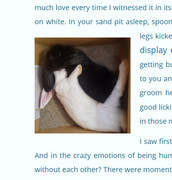
but this is the same way as it shows in the media library:
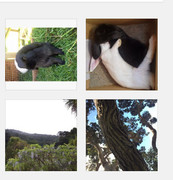
I also tried to add this image to your post but I couldn’t flip it the way you have it.
Is this just the way it turned out for you, or did you try for this?Best regards,
MikeJuly 20, 2019 at 3:33 am in reply to: How to migrate Enfold setting from A website to B website? #1120371Hi,
Sorry, I don’t know why this would have happened, try checking the settings and saving them again, or you could import the theme settings file from Enfold Theme Options > Import/ExportBest regards,
MikeHi,
Thank you for the FTP access, I renamed your current theme to “enfold-old” then I uploaded the new “enfold” and checked that your site is working correctly. Please also check for yourself.
Once you are happy you, (or I) can delete the “enfold-old” via ftp, (not the WP theme page)
Should for some reason you wish to roll-back to the old version, it’s easy to do, simply rename the new “enfold” to “enfold-new” via ftp and then rename “enfold-old” to “enfold” then refresh your page.Best regards,
MikeJuly 18, 2019 at 1:54 pm in reply to: Content not updating despite purging cache with W3 and browser cache puring #1119916Hi,
Following the steps above you will not lose your content, if you would like help with this please include ftp access in the Private Content area.Best regards,
MikeHi,
Sorry for the late reply, thank you for the feedback, I have tested your code block on my localhost and on your site without error.
Perhaps the error is from a plugin if this occurs again please try disabling your plugins to see if that helps.Best regards,
MikeHi,
Perhaps you could use this plugin: Service Area Postcode Checker with woocommerce.
Perhaps you could use a popup to ask the visitor to check their address.Best regards,
MikeHi,
Sorry, I don’t see a root cause for that. Please try disabling your plugins to see if one of them is affecting it.Best regards,
MikeHi,
To set the menu font, without css, please use Enfold Theme Options > Advanced Styling
With css we can set the font to be centered on some or all pages, please let us know how we can help.
For your image, I have not seen this before, but the image on your front end is correct, please take a look in your media library.
Did you want to rotate this?Best regards,
MikeJuly 18, 2019 at 2:28 am in reply to: Content not updating despite purging cache with W3 and browser cache puring #1119748Hi,
Thanks for the login, I see that you are using Enfold version 4.1.2 with WordPress v5.2.2
This version of Enfold needs to be updated.
The easiest and safest way to do this is to download the newest version from Theme Forest and rename your current theme to “enfold-old” via ftp then upload the new “enfold” and check that your site is working correctly.
Once you are happy you can delete the “enfold-old” via ftp, (not the WP theme page)
Should for some reason you wish to roll-back to the old version, it’s easy to do, simply rename the new “enfold” to “enfold-new” via ftp and then rename “enfold-old” to “enfold” then refresh your page.
Please don’t try to overwrite the theme folder, as this will leave old files behind and cause errors.Best regards,
MikeHi,
Thanks for sharing your solution. We will close this now. Thank you for using Enfold.For your information, you can take a look at Enfold documentation here
For any other questions or issues, feel free to start new threads in the Enfold forum and we will gladly try to help you :)Best regards,
MikeHi,
This is because the merged files are created when the theme options are saved, by disabling them they saved again on enabling and your cache was cleared.Best regards,
MikeJuly 17, 2019 at 11:34 pm in reply to: Modifying the Color Secton on WooCommerce default Shop page and Autoresponder #1119733Hi,
Glad we were able to help, we will close this now. Thank you for using Enfold.For your information, you can take a look at Enfold documentation here
For any other questions or issues, feel free to start new threads in the Enfold forum and we will gladly try to help you :)Best regards,
MikeJuly 17, 2019 at 10:34 pm in reply to: Child Theme Style.css does not effect main theme styles #1119707Hi,
Examples of css errors are missing “;” after rules and spaces in -ms- rule names, that is what I remember right off, but sorry I didn’t keep track of them.So the error occurs after 768px, up to that the css shows. So I believe that a bracket is missing from a “max-width: 767px” rule but it could be the other way too I guess.
I believe that the reason you don’t see the same errors from the Quick CSS is because of the order the css is loaded, the Quick CSS is loaded last so errors only affect the one file, since style.css is loaded before the error can take out an entire stylesheet that loads after. We will know more once we solve this, but the first step is to correct your css.
Best regards,
MikeJuly 17, 2019 at 10:06 pm in reply to: Hilfe in DEUTSCH bitte: Anzeige Blogposts falsch + Schriftart Footer #1119704Hi,
Bitte versuchen Sie diesen Code im Feld Allgemeines Styling> Schnelles CSS oder im Feld WordPress> Anpassen> Zusätzliches CSS :@media only screen and (max-width: 767px) { #av_section_1 { display: none !important; } }— Translated with Google —
Please try this code in the General Styling > Quick CSS field or in the WordPress > Customize > Additional CSS field:
@media only screen and (max-width: 767px) { #av_section_1 { display: none !important; } }Best regards,
MikeHi,
That is great news! We will close this now. Thank you for using Enfold.For your information, you can take a look at Enfold documentation here
For any other questions or issues, feel free to start new threads in the Enfold forum and we will gladly try to help you :)Best regards,
MikeJuly 17, 2019 at 2:17 pm in reply to: Child Theme Style.css does not effect main theme styles #1119582Hi,
Thanks for the feedback, I took a look at your child theme style.css, I found many errors in your css which I have adjusted for you, but there is one last error for a missing bracket which seems to be from a media query but I have not found which one it is yet.
When I test your page your css is showing for mobile screens, so this tells me the media query error is before the 768px brake.
To find the error I recommend removing the css and adding back a little at a time until the error is found.
Please give this a try and let us know if you find it.Best regards,
Mike -
AuthorPosts