

Forum Replies Created
-
AuthorPosts
-
March 31, 2026 at 6:19 am in reply to: Looking for some styling help on contact form with reCAPTCHA #1496456
Hi,
Thank you for the update.
You can use the following css to hide the badge message and force all the form elements including the submit button into the same row:
.avia_recaptcha_v3 .av-recaptcha-area,
.avia_recaptcha_v3 .av-google-badge-message {
    display: none;
}

.avia_recaptcha_v3 .form_element {
    display: inline-block;
    width: auto;
    vertical-align: top;
}
Add this to Enfold > General Styling > Quick CSS. Please make sure to purge the cache before testing.
Let us know the result.
Best regards,
IsmaelHey Philipp Nepraunig,
Thank you for the inquiry.
We are aware of the issue, and a fix will be included in the next patch. In the meantime, you can add the code provided in the following thread to the functions.php file:
— https://kriesi.at/support/topic/not-registered-dependencies-for-enfold-css-and-js/#post-1495467
Let us know the result.
Best regards,
IsmaelHi,
Thank you for the inquiry.
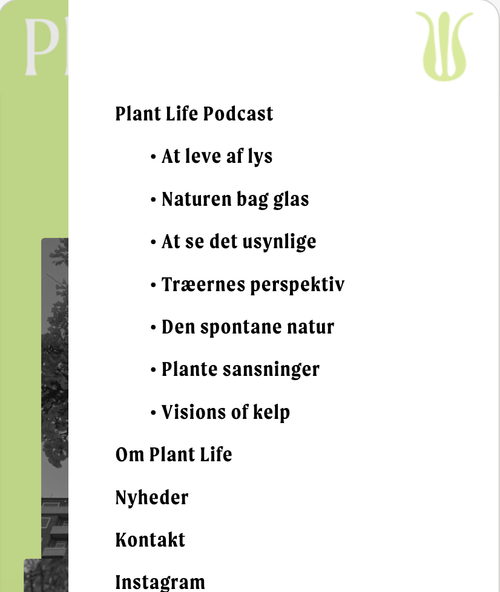
We couldn’t reproduce the issue when we checked the site on a mobile emulator. The mobile menu is correctly visible, overlaying above the content. Which browser are you using?
Best regards,
IsmaelHey mattb1169,
Thank you for the inquiry.
We are not seeing the widget in the header, only the submenu on the top header. Did you remove the header widget? Please add it again so we can inspect the elements properly.
Best regards,
IsmaelHey koomo,
Thank you for the info.
We took a look at the private link you shared. It looks like your site is running a very outdated version of the Enfold theme (5.6), and the current version is 7.1.4. This is likely causing the calendar issue, as a lot has changed between those versions.
We recommend updating the theme first before troubleshooting further. Please follow the steps in the docs below:
— https://kriesi.at/documentation/enfold/theme-update/
Also, please make sure to back up your site before updating, just to be safe. Once the update is done, clear your cache and check if the calendar is working again.
Let us know the result.
Best regards,
IsmaelHi,
Thank you for the update.
To handle all those URL patterns, you can add the following to your child theme’s functions.php. This covers both cases — empty query results and valid archive/query pages that you don’t want accessible:
add_action( 'template_redirect', function() {
    if (
        ( is_author() || is_attachment() || is_post_type_archive() || is_tax() || is_category() || is_tag() ) &&
        ! have_posts()
    ) {
        global $wp_query;
        $wp_query->set_404();
        status_header( 404 );
        nocache_headers();
        include( get_404_template() );
        exit;
    }
} );
This will redirect all the content listing URLs, category URLs and feed endpoints you listed to your custom 404 page. It covers author, attachment, post type archive, taxonomy, category and tag routes.
Let us know how it goes.
Best regards,
IsmaelMarch 30, 2026 at 4:55 am in reply to: Lost menu type size, body type size, site width main content… #1496429Hey jb84,
Thank you for the update.
Glad to know the issue is resolved. Regarding your question about admin-ajax.php returning 0 — yes, a response of 0 from admin-ajax.php is actually normal in WordPress when the ajax action completes without ereturning a value. It just means the request was processed and there’s nothing to return. You don’t need to worry about it.
To avoid the Quick CSS issue in the future, make sure every opening curly brace in your css has a matching closing brace before saving.
Please feel free to open a new thread if you have more questions.
Have a nice day.
Best regards,
IsmaelHey Munford,
Thank you for the inquiry.
The code you found is too general and will likely affect other elements on the page, not just the portfolio grid.
A cleaner approach is to add a custom css class to your portfolio element and target that instead. You can do this by opening the portfolio element in the layout builder, go to the “Advanced” tab and add a custom class name there (e.g., av-music-portfolio). Then add your spacing rule to Enfold > General Styling > Quick CSS:
#top .av-music-portfolio .isotope-item {
    margin-bottom: 20px;
}
This way the rule only applies to that specific portfolio and nothing else on the site.
For more details on adding custom css classes in Enfold, please refer to the documentation:
— https://kriesi.at/documentation/enfold/add-custom-css/
Let us know if the issue persists.
Best regards,
IsmaelMarch 30, 2026 at 4:47 am in reply to: Looking for some styling help on contact form with reCAPTCHA #1496427Hey mjrielly,
Thank you for the inquiry.
Did you set all fields’ Form Element Width to 1/3? Enabling security captcha will always push the submit button beneath it, but we might be able to modify it with css. Please provide the site URL in the private field so we can check the issue properly.
Best regards,
IsmaelMarch 27, 2026 at 4:16 am in reply to: Font in Menu is not changing after adjusting in Advanced Styling #1496370Hey JannyPolak,
Thank you for the inquiry.
Looks like the Advanced Styling settings may be getting overridden by another css rule, or the styles may be cached. Before anything else, please try to disable the Enfold > Performance > File Compression settings, save, and purge your cache, then check again.
If the styling still doesn’t apply, you can force the font and text-transform for the main nav links with this custom css added on the Enfold > General Styling > Quick CSS field:
#top .av-main-nav > li > a > .avia-menu-text {
    font-family: 'Josefin Sans', sans-serif;
    font-size: 30px;
    font-weight: 400;
    text-transform: uppercase;
}
Make sure Josefin Sans is loaded on your site. If you’re using it via Enfold > Advanced Styling, it should already be enqueued. If not, you may need to select it under Enfold > General Styling > Fonts.
Please make sure to purge the cache before testing.
Let us know if the issue persists.
Best regards,
IsmaelMarch 27, 2026 at 4:08 am in reply to: Container content remains too small despite stretched layout #1496368Hey JannyPolak,
Thank you for the inquiry.
The text not being full-width is expected behavior. Even with a stretched layout, the content inside sections is constrained by the container width. You can increase this by going to Enfold > General Layout > Dimensions > Maximum Container Width. The default is 1310px — try increasing this value to allow more content width.
Let us know the result.
Best regards,
IsmaelHi,
Thank you for the login info.
We found some invalid css in the Quick CSS field that was causing the issue. We have gone ahead and fixed that. Please make sure to purge the cache before testing again.
As for the cache plugin, most of them do the same job and it really comes down to personal preference. LiteSpeed Cache is a solid choice, so you can stick with that.
Let us know if the issue persists.
Best regards,
IsmaelHi,
Great! Glad to know this has been resolved. Please don’t hesitate to open another thread if you have more questions.
Have a nice day.
Best regards,
IsmaelHey bemodesign,
Thank you for the inquiry.
Try to use more specific selectors targeting the content wrapper — try to use this instead:
@media only screen and (max-width: 767px) {
    .template-page .entry-content-wrapper h1,
    .template-page .entry-content-wrapper h2,
    .template-page .entry-content-wrapper h3,
    .template-page .entry-content-wrapper h4,
    .template-page .entry-content-wrapper h5,
    .template-page .entry-content-wrapper h6 {
        text-transform: none !important;
    }
}
Please make sure to purge the cache before testing. Let us know if the issue persists.
Best regards,
IsmaelHey Elena,
Thank you for the inquiry.
The slider area on renders at 1702x760px on our end, but the uploaded image is only 1500x840px and with a different aspect ratio compare to the slider area — which is why part of the image is getting cut off.
To fix this, please upload a new slider image that is at least 1702x760px with an aspect ratio of approximately 16:7 (or 2.24:1) as the safest option going forward.
Let us know the result.
Best regards,
IsmaelHi,
Sorry for the delay. We’re now able to publish a page without issue. We edited the enfold/config-templatebuilder/avia-template-builder/php/class-shortcode-template.php file around line 2502:
$this->config['self_closing'] = is_array( $params ) && array_key_exists( 'content', $params ) && is_null( $params['content'] ) ? 'yes' : 'no';Please confirm if the fix is working on your end.
Best regards,
IsmaelMarch 25, 2026 at 2:36 pm in reply to: Bug report: filesize column shows pre-conversion size when attachment file is replaced #1496324Hey,
Thank you for the detailed bug report. We will forward the issue to our channel.
Best regards,
IsmaelMarch 25, 2026 at 2:18 pm in reply to: Enfold ALB save routine strips closing tags from _aviaLayoutBuilderCle #1496323Hi,
Sorry for the confusion. We misread your first post and thought that you were intentionally saving html with unclosed tags. Please post the html or content that you’re trying to add to the page and provide the login details in the private field so we can test this further.
Best regards,
IsmaelMarch 25, 2026 at 2:14 pm in reply to: Removal of my support request from your website/forum #1496321Hey Stefan,
Thank you for the inquiry.
We have moved the content of the thread to the private field so only you and the moderators can see the content. Let us know if there’s anything else we can help you with.
Best regards,
IsmaelHi,
Thank you for the update.
We saved the content of the Welcome page as a template called “welcome temp a”, applied it to another page, and added new elements, but we are unable to reproduce the issue. Please try editing the page in the private field to see if you can reproduce the issue there.
Best regards,
IsmaelHi,
Thank you for the update.
The screenshot is not displaying correctly on our end. Could you please share it again so we can better understand what you need help with?
Best regards,
IsmaelHi,
Glad to know that this has been resolved! Please don’t hesitate to open another thread if you have more questions.
Have a nice day.
Best regards,
IsmaelHey,
Thank you for the inquiry.
To add a custom social icon in the current version, you need to make sure the icon is registered through the iconfont manager. If you are using a custom fontello font, you need to upload it via Enfold > Import/Export first so the theme recognizes the font family and unicode character.
After uploading the icon pack, update your snippet like this:
function avia_add_custom_icon( $icons ) {
    $icons['spotify'] = array(
        'font'  => 'fontello',
        'icon'  => 'ue907'
    );
    return $icons;
}
add_filter( 'avf_default_icons', 'avia_add_custom_icon', 10, 1 );

function avia_add_custom_social_icon( $icons ) {
    $icons['spotify'] = 'spotify';
    return $icons;
}
add_filter( 'avf_social_icons_options', 'avia_add_custom_social_icon', 10, 1 );
A couple of things to check:
1. Make sure the code is placed in your child theme’s functions.php, not the parent theme.
2. Confirm the font family name in the uploaded pack is exactly “fontello” and the unicode value matches what is in the font.
3. Go to Enfold > Performance and disable file compression temporarily, then clear your cache and test.If the icon still does not appear after confirming those steps, please share a screenshot of your Enfold > Import/Export tab showing the uploaded font pack, and also let us know where exactly the icon is not showing up (social icons in theme options, or inside the page builder). You can post login details in the private field if needed.
You can also refer to the icon documentation here for more context:
— https://kriesi.at/documentation/enfold/icon/
Let us know the result.
Best regards,
IsmaelHey Advantage09,
Thank you for the inquiry.
After reviewing the page, we can see that there are three Separator/White Space elements placed below the Grid Row element. These are causing the large gap on mobile.
You have two options to fix this:
1. Remove the three Separator/White Space elements entirely if they are not needed.
2. Keep them but set their visibility to desktop only. You can do this by editing each Separator element, going to Advanced > Responsive, and adjusting the Element Visibility setting so they only show on desktop.Please make sure to purge the cache before testing. Let us know the result.
Best regards,
IsmaelHi,
Glad we could be of help! Please feel free to open another thread if you have more questions.
Have a nice day.
Best regards,
IsmaelHey,
Thank you for the update.
Sections disappearing from the page is usually caused by invalid html in one of the layout builder elements. If any Text Block or Code element on the page contains an unclosed html tag or malformed markup, it can break the structure of the entire page and cause sections below it to collapse or disappear entirely.
Could you check if you have added any custom html or script tags inside any of the elements on that page? If so, please make sure all tags are properly opened and closed. For example, a missing closing tag like div or section can silently break everything below it.
A quick way to test this is to temporarily disable elements one by one (starting from the top of the page) until the missing sections reappear. That will help narrow down which element is causing the issue.
If you are not sure where to start, please share your login credentials in the private field below and we will take a look directly.
Let us know the result.
Best regards,
IsmaelHey maryenvato,
Thank you for the inquiry.
There are a few things that could be preventing the Google Maps iframe from displaying correctly in Enfold.
First, check if Google Maps is enabled in the theme options. Go to Enfold > Google Services and make sure the Google Maps feature is not disabled there. If it is disabled, the map element will not render on the frontend.
Second, it’s possible that a privacy, cookie consent, or GDPR plugin is blocking the embedded map from loading. These plugins sometimes intercept external resources like Google Maps iframes and prevent them from rendering until the user gives consent. Please try disabling any such plugin temporarily to see if the map loads correctly without it.
You should also check the built-in cookie handling settings in the theme. Go to Enfold > Privacy & Cookies > Cookie Handling and review the settings there, as Enfold has its own conditional loading options for external services like Google Maps.
If you’re using the built-in Google Map element in the layout builder, make sure you have a valid API key entered under Enfold > Google Services as well, since Google now requires an API key for maps to load.
Let us know the result, and feel free to share a screenshot or the code snippet you mentioned if the issue persists.
Best regards,
IsmaelHey Gonmyr,
Thank you for the inquiry.
To get a header that look something closer to the samanthasiffring.com site, try to go to Enfold > Header > Header Layout and set Menu and Logo Position to “Logo center, Menu above”. On the specific page, open the Layout tab and set the header transparency to transparent or glassy. Build the hero section using a fullscreen Color Section or slideshow in the Advance Layout uilder.
For a full overview of the available header options, please check the documentation:
— https://kriesi.at/documentation/enfold/header/
Let us know if you have more questions.
Best regards,
IsmaelHey tchamp77,
Thank you for the update.
The duplicate title seems to be coming from a custom modification. We can see the extra title is wrapped in a .custom-loop-title container, which is not part of theme’s default output.
Could you check if any plugins or custom code were recently added that might be injecting that extra title? A good first step would be to temporarily deactivate your plugins one by one to see if the duplicate disappears. Also check if there are any custom php snippets in your child theme’s functions.php that might be hooking into the product loop.
Let us know the result.
Best regards,
IsmaelHey webzies,
Thank you for the inquiry.
It looks like the critical error is caused by the create_function() in your child theme. This function was deprecated in php 7.2 and completely removed in PHP 8.0, which is why switching to PHP 8.1 triggers a fatal error.
You’ll need to replace any instances of create_function() in your child theme. Since this change is in your child theme and not Enfold core, you’ll need to make those updates yourself. You can search your child theme files for “create_function” to locate all instances.
Let us know if the issue persists after making those changes.
Best regards,
Ismael -
AuthorPosts
