-
Search Results
-
Uncaught SyntaxError: Unexpected token ‘<‘ (at plugin.min.js?wp-mce-49110-202011
We have an error showing up on one of our Enfold installs. It’s the only one with this issue, and we’ve done all of the usual testing. We’ve deactivated plugins and removed all code from the child theme, cleared the server cache, cleared the browser cache, and tested on different machines… Nothing seems to fix this. I also re-installed a fresh version of WordPress and Enfold parent theme.
What’s really odd is this is a subsite of a MultiSite network that other sites use Enfold. Only this one has errors. Plugins and themes are all shared. So, that leads me to believe it’s something local just to this subsite.
Whenever a page, post, or other CPT, is made or edited, no matter which editor (advanced enfold, classic, or block), whenever you click the link icon in TinyMCE the box doesn’t show and the console reports another error:
plugin.min.js?wp-mce-49110-20201110:1 Uncaught TypeError: Cannot set properties of undefined (setting ‘tempHide’)
at tN.<anonymous> (plugin.min.js?wp-mce-49110-20201110:1:3403)
at c.exec.<computed> (tinymce.min.js?ver=49110-20201110:2:190487)
at pp.execCommand (tinymce.min.js?ver=49110-20201110:2:189626)
at tN.execCommand (tinymce.min.js?ver=49110-20201110:2:346040)
at t.cmd.t.onclick (tinymce.min.js?ver=49110-20201110:2:345166)
at c.fire (tinymce.min.js?ver=49110-20201110:2:197006)
at i.fire (theme.min.js?wp-mce-49110-20201110:1:28284)
at HTMLDivElement.o (theme.min.js?wp-mce-49110-20201110:1:32492)
at C (tinymce.min.js?ver=49110-20201110:2:10800)
at HTMLDivElement.d (tinymce.min.js?ver=49110-20201110:2:10946)It’s almost like a JS file is getting run as HTML.
If we use the basic text editor for html, that link button works great.
Here are the details:
Enfold 5.4
WordPress 6.1.1
php 8
WP Engine as the hostAny ideas where we need to look?
Topic: Fatal error: buttonrow
Hi,
I have a problem on the pages that have this shortcode. I can’t edit the page anymore because this message is displayed directly.
Can you help me ?Here is the error message:
Fatal error: Uncaught Error: Cannot unset string offsets in /home/clients/90d7a0d059b34dd8062fcb0d9f1ce928/sites/new2.lazwalla.com/wp-content/themes/enfold/config-templatebuilder/avia-shortcodes/buttonrow/buttonrow.php:875 Stack trace: #0 /home/clients/90d7a0d059b34dd8062fcb0d9f1ce928/sites/new2.lazwalla.com/wp-content/themes/enfold/config-templatebuilder/avia-shortcodes/buttonrow/buttonrow.php(1023): avia_sc_buttonrow->get_element_styles_item(Array) #1 /home/clients/90d7a0d059b34dd8062fcb0d9f1ce928/sites/new2.lazwalla.com/wp-includes/shortcodes.php(355): avia_sc_buttonrow->av_buttonrow_item(”, ”, ‘av_buttonrow_it…’) #2 [internal function]: do_shortcode_tag(Array) #3 /home/clients/90d7a0d059b34dd8062fcb0d9f1ce928/sites/new2.lazwalla.com/wp-includes/shortcodes.php(227): preg_replace_callback(‘/\\[(\\[?)(av_but…’, ‘do_shortcode_ta…’, ‘<br />\n[av_butt…’) #4 /home/clients/90d7a0d059b34dd8062fcb0d9f1ce928/sites/new2.lazwalla.com/wp-content/themes/enfold/config-templatebuilder/avia-template-builder/php/class-shortcod in /home/clients/90d7a0d059b34dd8062fcb0d9f1ce928/sites/new2.lazwalla.com/wp-content/themes/enfold/config-templatebuilder/avia-shortcodes/buttonrow/buttonrow.php on line 875
WordPress version 6.1.1
Thème actif : Enfold (version 5.2.1)
Extension actuelle : (version )
PHP version 7.4.33Hi there
I have a big problem: As soon as I add a button to my layout and attach a pdf for download, the Avia layout builder is not working anymore (spinning wheel).
I deactivated all Plug-Ins, increased the memory limit, and made sure I have the. most recent version of WordPress and the enfold theme.
What’s the problem with this?Hi,
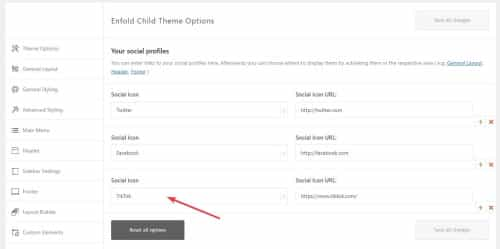
is it possible to add an button next to the social Media Buttons in enfold? In detail, I want to add a Button which links to the site’s shop.
kind regards!
Topic: theme bug
Hi,
I’ve bought your enfold theme licence Ad9roEu2B27gDD in order to update the template on http://www.domainedeguillau.fr
But your avia editor is still bugging: when we want to update pages, the editor open its windows but for all items except for code blocs, none of the changes are recorded. A click on the “save/update” button don’t do anything and a click on the closing cross don’t do anything aswell.
So or you can fix this bug using the accesses below or I’ll ask for a refund and we’ll use another editor.
No hard feelings
RegardsHi,
I setup modals to open on button/link clicks according to this post:
They used to work, but not anymore. The link just opens another tab in my browser. Should it still work in recent versions of Enfold? I’m currently using 5.0.1.
Topic: Support forum
Hi this has been dead in the water for a couple of days – I’ve got a secondary menu used in. the bar above the header, added coloured buttons but they are not outputting. Any ideas is this a bug? I’ve used coloured buttons in menus on other sites, first time using them in the top bar.
All the best
Topic: Colour 2nd button
Hi Enfold team,
I want to changed the colour of a button on one of my pages (id=8476). I did this via the CMS.
There are 2 buttons on this page.The first one is the right colour now (#00A8A8), but unfortunately the 2nd ons is still red.
Have I used the wrong code?I also see a sort of red line at the buttom of the green button. Do you see that as well?
Thanks for your help!
Topic: Button styling customisation
Hey guys,
Got a client who wants some very specific button styles that aren’t out of the box with Enfold and wondered if you could let me know if this is possible and point me in the right direction with CSS needed to accomplish it.
Note that the buttons have inverted styling when next to each other like in the example (probably using a Button Row element)
See private field for a screenshot of the styling.
Thanks,
Tim