

Forum Replies Created
-
AuthorPosts
-
Hi,
Thank you for the login, I took a look at the northwest quarter and it seems to be working good.
I can’t think of another way with better results.
But you could offer the larger images as an extra link on the page, so viewing it is an option.Best regards,
MikeHi,
I have adjusted the functions.php code to this:function custom_not_script(){ ?> <script> (function ($) { $(window).load(function() { if ($("body").hasClass("woocommerce-account") || $("body").hasClass("single-product")) { $('.auction-time-countdown').css({'opacity':'1'}); $('.time-left').css({'opacity':'1'}); } else { $('.auction-time-countdown').css({'display':'none'}); $('.time-left').css({'display':'none'}); } }); })(jQuery); </script> <?php } add_action('wp_footer', 'custom_not_script');by using the “display:none” I have removed the dead space.
Please clear your browser cache and check.Best regards,
MikeHi,
@Jan_FtFA sorry for the late reply, Thank you for the FTP access, I renamed your current theme to “enfold-old” then I uploaded the new “enfold” “beta 3” and checked that your site is working correctly. Please also check for yourself.
Once you are happy you, (or I) can delete the “enfold-old” via ftp, (not the WP theme page)
Should for some reason you wish to roll-back to the old version, it’s easy to do, simply rename the new “enfold” to “enfold-new” via ftp and then rename “enfold-old” to “enfold” then refresh your page.If this doesn’t help Please open a new thread so we can assist, and include the admin login and ftp access in the Private Content area as it does get confusing to mix different topics in one thread.
Best regards,
MikeHi,
@luckylobo10
Please try this latest beta, and Then clear your browser cache and any cache plugin, and check.Best regards,
MikeHi,
Please try this code in the General Styling > Quick CSS field or in the WordPress > Customize > Additional CSS field:@media only screen and (max-width: 989px) and (min-width: 768px) { .responsive.html_mobile_menu_tablet.html_header_top #top #main { margin-top: -20px !important; } }Best regards,
MikeHi,
I adjusted your code to this:add_filter('gettext', 'translate_reply'); add_filter('ngettext', 'translate_reply'); function translate_reply($translated) { $translated = str_ireplace('Billing & Shipping', 'Your info', $translated); return $translated; }It seems to be working now, please clear your browser cache and check.
Best regards,
MikeHi,
Glad we were able to help, we will close this now. Thank you for using Enfold.For your information, you can take a look at Enfold documentation here
For any other questions or issues, feel free to start new threads in the Enfold forum and we will gladly try to help you :)Best regards,
MikeHey Marina Kahle,
Thank you for your questions, the demos are not single themes, they are examples of the many possibilities the theme Enfold offers.
However, you can not install multiple demos at the same time. You can install the theme and the demos on a test site, and then copy the shortcodes and css of the pages you want for your real site.Best regards,
MikeHey neilpreston26,
Please try this code in the General Styling > Quick CSS field or in the WordPress > Customize > Additional CSS field:#top div.woocommerce-message { border-color: #8BAF5B !important; background-color: #E0F1B5 !important; color: #4F5F39 !important; }Please adjust to suit.
Best regards,
MikeHey wagfreer,
Please include an admin login in the Private Content area so we can take a look.Best regards,
MikeHey dianamaroney,
Please include an admin login in the Private Content area so we can take a look.Best regards,
MikeHey sumio17,
Please use our pre-built child theme
You will want to take a couple of steps, 1: please export your theme settings at: Enfold Theme Options > Import/Export > Export Theme Settings File to your computer, this is just for backup.
2: Once you install your child theme, please import your parent theme settings at:
Enfold Theme Options > Import/Export > Import Settings from your Parent Theme
Then you’ll need to re-set your menu options.
Finally, sometimes it is necessary to save your theme options one more time, to encourage the settings to be saved and activated in the merged /wp-content/uploads/dynamic_avia/ folder, a simple way to do this is to go to General Styling > Quick CSS field and place a space in the field so the theme options “Save all changes” button is clickable.You can then add your customizations to the child theme.
Best regards,
MikeHi,
I installed the demo and looked closer at the element, and it turns out that the full-width button is under a color section not in it.
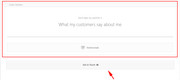
Please let us know if this helps.Best regards,
MikeJuly 23, 2019 at 11:52 pm in reply to: Child Theme Style.css does not effect main theme styles #1121332Hi,
The child theme style.css will override the core css with the correct sectors and specificity.
Please let us know if you would like some help with this.Best regards,
MikeHi,
Please try this code in the General Styling > Quick CSS field or in the WordPress > Customize > Additional CSS field:a.button.wc-forward { display: none !important; } a.button.checkout.wc-forward { display: block !important; }Best regards,
MikeHi,
Thanks for the feedback, when I look at your element I see that it is blue and it changes to gray on hover, but the button and background change at different times on hover.
So I know you asked for the button to be transparent, but what is your goal, to have both change at the same time, or no change at all?Best regards,
MikeHi,
Glad to hear you solved the issue, we will close this now. Thank you for using Enfold.For your information, you can take a look at Enfold documentation here
For any other questions or issues, feel free to start new threads in the Enfold forum and we will gladly try to help you :)Best regards,
MikeHi,
Glad this helped, I have not seen any reports of issues, If you have one please open a new topic.
Glad we were able to help, we will close this now. Thank you for using Enfold.For your information, you can take a look at Enfold documentation here
For any other questions or issues, feel free to start new threads in the Enfold forum and we will gladly try to help you :)Best regards,
MikeJuly 23, 2019 at 1:58 am in reply to: Change featured image in shop when category is selected #1121068Hey drewtarvin,
We can correct the tags with this css:.html_elegant-blog .blog-tags.minor-meta { display: inline-block !important; } .html_elegant-blog #top .post-entry .post-meta-infos { float: none !important; }but this will effect all posts as we can’t sort out the pages with no sidebar, so please check if this causes any issues with other pages.
Best regards,
MikeJuly 22, 2019 at 4:20 am in reply to: Change "add to cart" button text on a specific product #1120745Hey Javier,
Yes, this can be done with javascript, but I will need to see the page and examine the sectors.Best regards,
MikeHey marcoabis81,
I took a look at your page and found the headings have the correct font sizes, they match your screenshot. Please try clearing your browser cache and check again.
I also looked at the difference between H2 24px and H3 20px and find this is correct, please try making H3 smaller or H2 larger.Best regards,
MikeHi,
When I looked at your Advanced Styling > Main Menu Links the font size of the menu was set to “default”
I adjusted to 20px for demonstration and cleared your cache plugin, and then cleared my browser cache and the changes took effect.We have many tutorials and tips in our Enfold documentation
Best regards,
MikeJuly 22, 2019 at 3:44 am in reply to: Highlighting a Specific Header Menu for A Specific Post #1120735Hi,
The color is targeting the link, while the other css is targeting the li
The 2165 is part of the item ID, every ID must be different, thus the numbering.Best regards,
MikeJuly 22, 2019 at 3:30 am in reply to: Change featured image in shop when category is selected #1120733Hi,
I found a way to check the url for the term “bonji-dab” and then change the opacity.
Try adding this code to the end of your functions.php file in Appearance > Editor:function custom_dab_script(){ ?> <script> (function($){ $(document).ready(function(){ var url = location.pathname; if ("url:contains('bonji-dab')") { $(".post-type-archive-product .product_cat-bonji-dab .avia-product-hover").css({ 'opacity': '1' }); } }); })(jQuery); </script> <?php } add_action('wp_footer', 'custom_dab_script');Best regards,
Mike -
AuthorPosts
