
Viewing 30 results - 22,501 through 22,530 (of 244,515 total)
  • Author
    Search Results
  • #1367427

    In reply to: RESPONSIVE 2022

    Hi,

    We are sorry for the late reply!

    Website 1
    1- Ismael’s suggestion should have fixed this. To make sure that we are on the same page, you can edit your slide and go to Styling > Font Sizes and then click on the icons to set different font size for different screen sizes – https://imgur.com/a/4BWqPWN. If this is not working for you, could you please create temporary admin logins and post them here privately so we can look into it?
    2- Glad you figured it out!

    Website 2
    1- That is because of the following custom CSS code

    
    .logo img {
      padding: 25px 0;
    }
    

    Please add following code to Quick CSS field in Enfold theme options > General Styling tab to override it on smaller screens

    
    @media only screen and (max-width: 767px) { 
    .logo img {
      padding: 5px 0;
    }
    }
    

    2- Ismael’s suggestion should work here as well. If it does not, please post WP admin logins for this website privately as well.
    3- You have couple of custom CSS code to adjust the top padding on #main. If the issue is only on Careers page, please add following code to Quick CSS

    
    @media only screen and (max-width: 480px) {
    .responsive #top.page-id-6968 #wrap_all #main {
      padding-top: 121px !important;
    }}
    

    If it is on all pages in portrait mode, please use the code as following instead

    
    .responsive #top.page-id-6968 #wrap_all #main {
      padding-top: 121px !important;
    }
    

    4- There is not enough space in your 3rd custom HTML widget area. You can either use following code to display cut off part

    
    @media only screen and (max-width: 767px) { 
    #footer .widget {
      overflow: visible;
    }
    }
    

    Or use following one to switch column to fullwidth on screens below 820px

    
    @media only screen and (max-width: 820px) { 
    #footer .flex_column {
      width: 100%;
      margin-left: 0;
    }
    }
    

    For the pages with sidebar, please go to Enfold theme options > General Layout > Dimensions and adjust “Content | Sidebar Ratio”

    Best regards,
    Yigit

    #1367421

    Hi,

    1- Please add following code to Quick CSS field in Enfold theme options > General Styling tab and adjust padding as needed

    
    @media only screen and (max-width: 767px) { 
    .responsive #top .av-large-testimonial-slider.avia-testimonial-wrapper .avia-testimonial {
      padding: 0px 30px;
    }
    }
    

    By default, side paddings are 70px.

    2-

    
    @media only screen and (max-width: 767px) { 
    #top .av-large-testimonial-slider .avia-testimonial-meta .avia-testimonial-image {
      width: 50px;
      height: 50px;
    }
    }
    

    Default is 80px

    3- Please edit your element and go to Styling > Font Sizes and edit “Testimonial Name Font Sizes”

    4-

    
    @media only screen and (max-width: 767px) { 
    .avia-testimonial-image {
      display: none;
    }
    }
    

    Best regards,
    Yigit

    #1367414

    Hi Alessia,

    Could you try updating the theme to the latest version (5.1.2) to see if that helps please? https://kriesi.at/documentation/enfold/how-to-install-enfold-theme/#theme-update. If not, then please open a new thread and include WordPress admin login details in private, so that we can have a closer look at your site.

    Best regards,
    Rikard

    Thank you so much for responding.

    I should of mentioned previously that if you stop the page load and refresh, the page will load in a short time…not by much, maybe 14 to 60 seconds.
    I spent an hour with my hosting provider – domain.com. They checked both websites and could not find anything. They made some suggestions which I previously complied with – such as:
    Optimize photos – I did this by severely reducing the quality of pics to mere KB’s per photo.
    Delete plugins – I deleted unused plugins, whatever is there is what I use.
    Check others – I only use two API’s – MailerLite and reCaptcha…I used Mailchip but deleted that, and removed the html codes if you’re wondering.
    File Size – I’ve reduced my site to bare bones…videos stream in from YouTube, and I kept the page count small.

    My provider did optimize the cache and compression, and previously increased my memory to 512.

    I’ve gotten 1 subscriber since installing Enfold, and that was by luck they said – as they were about to leave the loading screen.

    I don’t know what’s happening. I do not use a VPS, rather a shared server, and they claim everything is good on their end. Please check out the site if you can – with credentials provides if you like. I am desperate and would appreciate any help or advice you can offer.

    Thank you

    #1367402

    In reply to: Masonry issue

    Hi Eva,

    Sorry for the late reply!

    When post does not have a featured image set, caption covers the whole area. You would like to display the caption below even if the post does not have a featured image, is that correct?

    If so, please add following code to bottom of Quick CSS field in Enfold theme options > General Styling

    
    #top .av-fixed-size .av-masonry-entry.av-masonry-item-no-image .av-inner-masonry-content, #top .av-caption-style-overlay .av-masonry-item-with-image .av-inner-masonry-content {
      display: block;
      position: absolute;
      height: auto;
    }
    

    If that is not what you meant, could you please post a screenshot and show the changes you would like to make? You can upload your screenshots on imgur.com and post the links here :)

    Best regards,
    Yigit

    #1367401
    Sovietovic
    Participant

    Hi,
    I’m trying to modify the widget that shows Latest news (blog posts). Can you please let me know if there is an easy way:
    1. Remove time/date of post. For now I’ve added this code but it still leaves the empty place there where the date was. Not sure if there is better one to use.
    .news-time {display: none; }
    2. Position heading to the place where date was (centered towards image). Example of expected output:

    I can make heading bigger inside of Enfold Theme settings, but I’m unable to position it properly.

    Thanks a lot

    #1367399

    I’ve tested adding them manually using HTML which can be workaround for my case.
    If this is fine and won’t break anything from Enfold side it might be enough for my case.

    If there is some other way you know, let me know. If not, feel free to close this afterwards.

    Hey,

    Thanks for contacting us!

    We are sorry for the late response but I see that Ismael has already replied to your thread – https://kriesi.at/support/topic/enfold-5-slowed-my-website-to-63second-load-time-unacceptable/.

    Let us continue there :)

    Best regards,
    Yigit

    #1367395

    Hi,

    Please go to Enfold theme options > Footer and update Copyright field – https://imgur.com/a/Y2hMzaz :)

    Best regards,
    Yigit

    #1367392

    Hi,

    Thanks for contacting us!

    Please make sure that you are using Enfold version 5.1.2(https://kriesi.at/documentation/enfold/theme-update/), WordPress 6.0.2 and PHP 8.0.x :)

    Regards,
    Yigit

    #1367390

    Topic: Enfold Recapcha color

    in forum Enfold
    galliulisse
    Participant

    How change only Enfold Recapcha color (4+0=)?

    #1367389

    Hi Valeria,

    Thanks for contacting us!

    We provide support to our registered users (https://kriesi.at/support/register/) who have valid support period. You can renew your support period by logging in to ThemeForest with the account you purchased Enfold and go to – https://themeforest.net/item/enfold-responsive-multipurpose-theme/4519990 to renew the support period.

    I hope that helps :)

    Best regards,
    Yigit

    #1367384
    valeria
    Guest

    dear sirs,
    we bought your enfold license on november 2016, for making our web site http://www.collarimacchine.it.
    We need assistance for our web site. Could you propose to us terms of assistance?
    Waiting for your comment.
    Best regards.

    Valeria Collari

    #1367383
    Sovietovic
    Participant

    Hi,
    Is there some “hack”or option how to add more entries to Widget: Enfold Advertising Area?
    I need 5/6 entries added there.

    I was trying to add 2 widgets underneath which would fix this for me, however there is a big gap located there (no heading specified)
    Is there maybe a simple way how to make this possible (remove gap, add more entries) without additional plugin?

    Thanks

    FdB_wp
    Participant

    Hallo Service
    Habe den Wechsel von normalem Menü auf Hamburger Menü bei kleiner Darstellung nicht mehr. Die responsive Funktion läuft seit dem Update von Enfold auf Version 5.1.2 (PHP-Version 7.4.28) nicht mehr. Arbeite mit ENFOLD CHILD. Ging immer einwandfrei.
    Habe schon einige ENFOLD Seiten für Kunden gestaltet. Nie Probleme gehabt.
    Mit freundlichen Grüßen
    Fred

    #1367378
    tomthielemans
    Participant

    Hi there,

    We have a situation. Our website crashed and is giving an error. The WP login is giving the same error but i am able to login in recovery mode. The WP 24h e-mail says this:

    Foutdetails
    ===========
    Een fout van het type E_COMPILE_ERROR werd veroorzaakt op regelnummer 313 van het bestand /customers/d/e/e/audioatwork.com/httpd.www/wp-content/themes/enfold/functions-enfold.php. Foutmelding: Unparenthesized a ? b : c ? d : e is not supported. Use either (a ? b : c) ? d : e or a ? b : (c ? d : e)

    Anyone that can help us??? It’s been down for a couple days, and we really don’t know how to fix this.

    Thanks!

    #1367372

    Hi!

    Thank you for the update.

    The site is up now. To remove the duplicated menu item or to hide the current language, please add this css code.

    .current-lang.current_page_item {
        display: none;
    }
    

    You may need to toggle or temporarily disable the Enfold > Performance > File Compression settings.

    Regards,
    Ismael

    #1367370

    Hey Ressources_Formation,

    Thank you for the inquiry.

    You have to add the custom post type in the list of supported post types by the Advance Layout Builder. Please check the documentation below for more info.

    // https://kriesi.at/documentation/enfold/intro-to-layout-builder/#alb-for-any-post-type

    There should be at least one taxonomy (category, tag or a custom one) in the post type.

    Best regards,
    Ismael

    Hey Tilman,

    Thank you for the inquiry.

    We edited the css code a bit and added the unique class name of the content slider. Please try it again.

    .av-l8rqkilm-a1c9f18a125a30ce747daaadf300bf94.avia-content-slider .slide-entry-title {
        font-size: 25px !important;
        color: white !important; 
    }

    Please toggle or temporarily disable the Enfold > Performance > File Compression settings after adding the css.

    Best regards,
    Ismael

    #1367368

    Hey ferbaruch,

    Thank you for the inquiry.

    We got a NET::ERR_CERT_DATE_INVALID error when we visited the login page. Please make sure that your SSL certificate is valid.

    After updating to the latest version, please try to toggle or temporarily disable the Enfold > Performance > File Compression settings, disable the cache and compression plugins and do a hard refresh before checking the site.

    Best regards,
    Ismael

    #1367367

    Hi,

    Both version of the logo (both blue) are not visible because the background color of header is also blue. Would you like to change the background color of the header on non-transparent pages to white?

    Please add this css code.

    .header_color .header_bg, .header_color .main_menu ul ul, .header_color .main_menu .menu ul li a, .header_color .pointer_arrow_wrap .pointer_arrow, .header_color .avia_mega_div, .header_color .av-subnav-menu > li ul, .header_color .av-subnav-menu a {
        background-color: #ffffff;
        color: #fff;
    }
    
    .header_color .sub_menu>ul>li>a, .header_color .sub_menu>div>ul>li>a, .header_color .main_menu ul:first-child > li > a, #top .header_color .main_menu .menu ul .current_page_item > a, #top .header_color .main_menu .menu ul .current-menu-item > a, #top .header_color .sub_menu li ul a {
        color: #000;
    }
    

    You may need to toggle or temporarily disable the Enfold > Performance > File Compression settings after adding the css.

    Best regards,
    Ismael

    #1367360

    Hey ThomasN001,

    Thank you for the inquiry.

    We cannot extend the background but we can apply a minimum height to the first section so that it covers most of the screen and push the footer further below. Please try to add this css code.

    #main .container_wrap_first, #main .avia-section:first-child {
        min-height: 400px;
    }
    

    Please toggle or temporarily disable the Enfold > Performance > File Compression settings after adding the css.

    Best regards,
    Ismael

    Hi,
    Glad we were able to help, if you have any further questions please create a new thread and we will gladly try to help you. Thank you for using Enfold.

    Best regards,
    Mike

    #1367352

    Hi Günni,

    unfortunately my understanding is not enough. i am looking for a way to continue to display the map fullwidth with the Enfold Theme and use Borlabs cookies to disable the map.

    I try [borlabs-cookie id=”googlemaps” type=”content-blocker”]<div> …. </div>[/borlabs-cookie] but i doesn´t work.

    Borlabs describes a solution for Avada (https://de.borlabs.io/kb/avada-und-google-maps/) but there is no solution for enfold-theme. I hope enfold will get an easy solution.

    Best regards!

    Tobias

    #1367350
    ferbaruch
    Participant

    Hi, when i’m editing the content on my front page y click on “update” buttom for saving but when i view the page on other new page the changes doesn’t save, so I go back to my editor an refresh the page and all the process have not saved as well.

    Can you help me please?

    I’ve tried updating the php version to 8.1 and the enfold version tath y have is 5.1.1. Also haved delete and created everything from begining; subdomain, users, data bases, instal WordPress, updates, instal enfold theme but anything’s working

    But if i put the enfold theme to 4.5 and my php to 5.6 it works!

    Really hope you can help me please

    #1367343

    Hi,

    Great, I’m glad that you got it working. I’ll close this thread for now then, please open a new thread if you should have any further questions or problems.

    Best regards,
    Rikard

    #1367336

    Hi,
    Glad to hear that you have this sorted out, if you have any further questions please create a new thread and we will gladly try to help you. Thank you for using Enfold.

    Best regards,
    Mike

    #1367332

    Hey Sovietovic,
    Thanks for the screenshot, we can assist with some custom css for these issues, but it would help if we could see your page to write the css.
    Please post us an admin login credentials (in the “private data” field), so we can take a look at your page.

    1. Install and activate ” Temporary Login Without Password “.
    2. Go to ” Users > Temporary Logins ” on the left-side menu.
    3. Click ” Create New “.
    4. Add the email address for the account ( you can use (Email address hidden if logged out) ), as well as the ” Role ” making that the highest possible and the expiry about four days
      ( to be sure that we have enough time to debug ).
    5. Click ” Submit “.
    6. You’ll now have a temporary account. Please provide us here in the private section the URL, so we can login and help you out.

    When your issue is fixed, you can always remove the plugin!
    If you prefer to not use the plugin, you can manually create an admin user and post the login credentials in the “private data” field.
    If you don’t feel comfortable with this then Enable the Avia Layout Builder Debugger
     and copy the page shortcode to a plain text document (.txt) and post a link to it via DropBox so we can test it on our demo site.

    Best regards,
    Mike

    #1367327

    In reply to: Google Maps

    Hi,
    Glad we were able to help, if you have any further questions please create a new thread and we will gladly try to help you. Thank you for using Enfold.

    Best regards,
    Mike

    #1367324
    dr_dominik
    Participant

    Hello

    I am using polylang in combination with your Enfold theme. Everything works fine. However, the mobile menu is a bit annoying. There are some things doubled which I dont want to be.
    1. If I click on the menu “Projekte” it immediately scrolls down to the # which set. I have set the correct settings. So this should not happen. (This has nothing to do with Polylang of course)
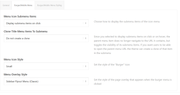
    Screenshot-2022-10-02-160028

    2. The polylang language switcher does work great, but is there a way to only show the other possible languages without the selected one?

    Screenshot-2022-10-02-160430

    Best regards
    Dominik

Viewing 30 results - 22,501 through 22,530 (of 244,515 total)