Viewing 30 results - 12,511 through 12,540 (of 244,545 total)
  • Author
    Search Results
  • #1423309

    Hi,

    Please follow the instructions here: https://kriesi.at/documentation/enfold/how-to-install-enfold-theme/#theme-update.

    If you haven’t registered your theme license, then please follow this: https://kriesi.at/documentation/enfold/theme-registration/

    Best regards,
    Rikard

    #1423303

    Hi,

    Thanks for letting us know, we’ll close this thread for now then. Please open a new thread if you should have any further questions or problems.

    Best regards,
    Rikard

    #1423299

    Hey mustafa-alani,

    Are you running the latest (5.6.6) version of the theme? If not, then please try updating: https://kriesi.at/documentation/enfold/how-to-install-enfold-theme/#theme-update.

    If you need further help, then please post a link to where we can see the actual problem.

    Best regards,
    Rikard

    #1423298

    In reply to: Change Shop #5

    Hi,
    The commas are not in the author links:
    Enfold_Support_3759.jpeg
    but please note that the entire product grid item is wrapped in a link to the product page:
    Enfold_Support_3761.jpeg
    What is your goal, do you want to change the color of the commas?
    Try this CSS in your Enfold Theme Options ▸ General Styling ▸ Quick CSS field:

    .inner_product.main_color a.woocommerce-LoopProduct-link {
    	color: #7d7d7d;
    }

    Best regards,
    Mike

    #1423296

    In reply to: Updated licence

    Hi,

    Thanks for that. Could you try updating the theme to the latest version (5.6.6) to see if that helps please? https://kriesi.at/documentation/enfold/how-to-install-enfold-theme/#theme-update.

    Also make sure to register your theme license: https://kriesi.at/documentation/enfold/theme-registration/

    Best regards,
    Rikard

    #1423269

    Hey Michael,
    Thank you for the link to your sites, as I understand your request you would like the two cookie consent buttons to always be side-by-side (inline) and the cookie consent text to be inline next to the buttons, but at smaller screens the text should become multiple lines and still inline with the buttons.
    Try this CSS in your Enfold Theme Options ▸ General Styling ▸ Quick CSS field for each site:

    .avia-cookie-consent .container {
      display: flex;
      flex-wrap: wrap;
      align-items: center;
      justify-content: space-between;
    }
    
    .avia-cookie-consent .avia_cookie_text {
      flex: 1;
      white-space: normal;
      margin: 0;
    }
    
    .avia-cookie-consent .avia-button {
      display: inline-block;
    }
    

    This is the expected result that I see when I test:
    Enfold_Support_3757.jpeg

    Best regards,
    Mike

    #1423261

    Hi,
    Thanks, but now I get this error:
    Enfold_Support_3754.jpeg
    please review.

    Best regards,
    Mike

    #1423260

    Hey CJGVD,
    Thank you for your patience, unfortunately it looks like the Leaflet Map is set to only show one popup at a time, it looks like there maybe a workaround if you modify the Leaflet Map script, but I was not able to make this work in my tests.
    Enfold_Support_3752.jpeg
    I looked for another plugin that offered this option but couldn’t find one.
    Perhaps if you would like to request this as a future feature, the Dev Team has opened a new Github Feature Request for users to place requests and follow them as the Dev Team reviews them.
    But unfortunately I don’t see an easy way to do this right now. Thank you for your understanding.

    Best regards,
    Mike

    #1423252

    what happens if you are copying the enfold shortcode – and create a new page – and save?
    What if you use this copied page to set as homepage?

    This reply has been marked as private.
    #1423245

    Hi,
    Odd, when I disable all of your plugins, except the temp login plugin, the spacebar works correctly:
    Enfold_Support_3750.jpeg
    perhaps you didn’t reload the page after disabling the plugins, please try again.

    Best regards,
    Mike

    #1423242

    Hey sitesme,
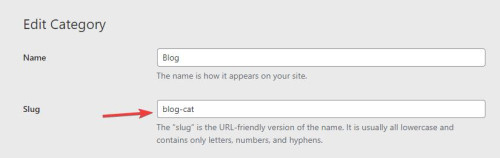
    Thanks for the login to your site, I see the your “blog” page has a special heading & a blog element & a magazine element, the reason thease are not showing is because your “blog” post category has the “slug” ▸ “blog”, so the URL for your-site.com/blog/ is the category page and not the “blog” page. I hope that I have explained this well.
    Enfold_Support_3746.jpeg
    So the solution is to change the “slug” for now I changed it to “blog-cat” but you can change it to anything you like.
    Enfold_Support_3748.jpeg

    Best regards,
    Mike

    #1423241
    frb1
    Participant

    Hi Kriesi,

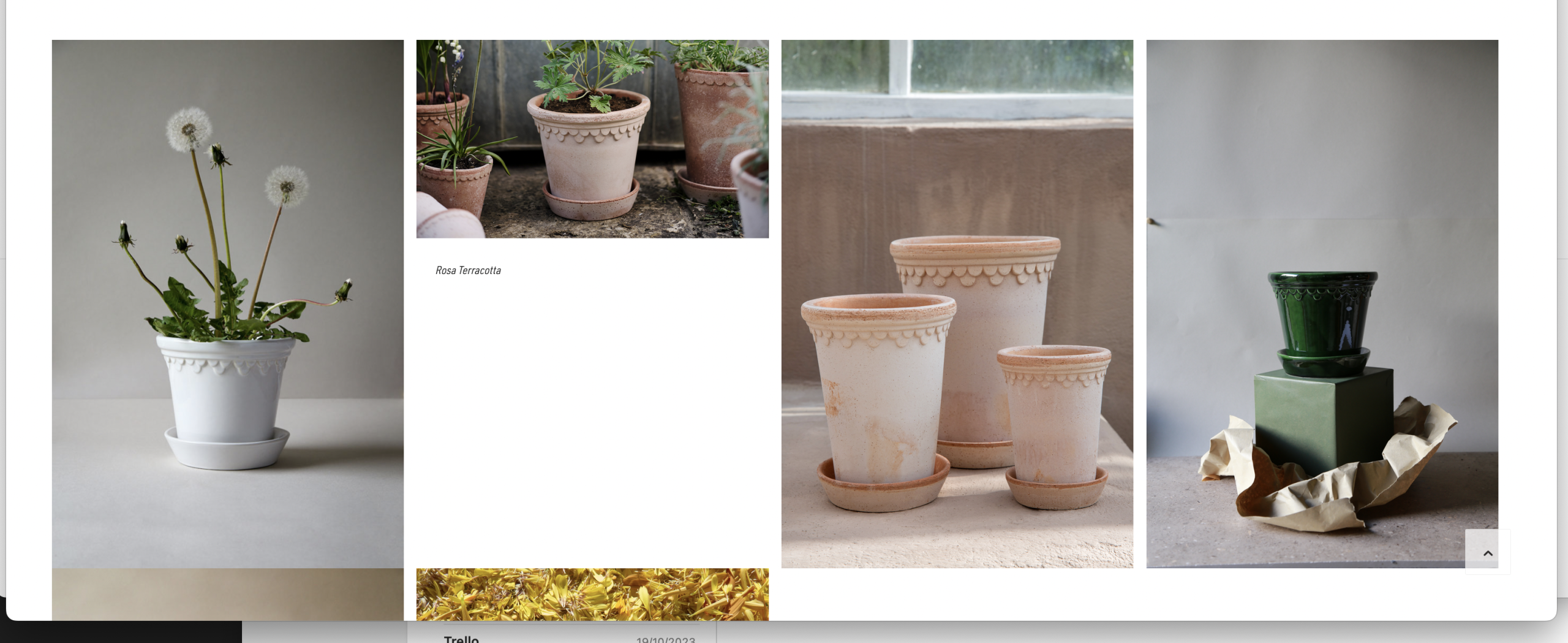
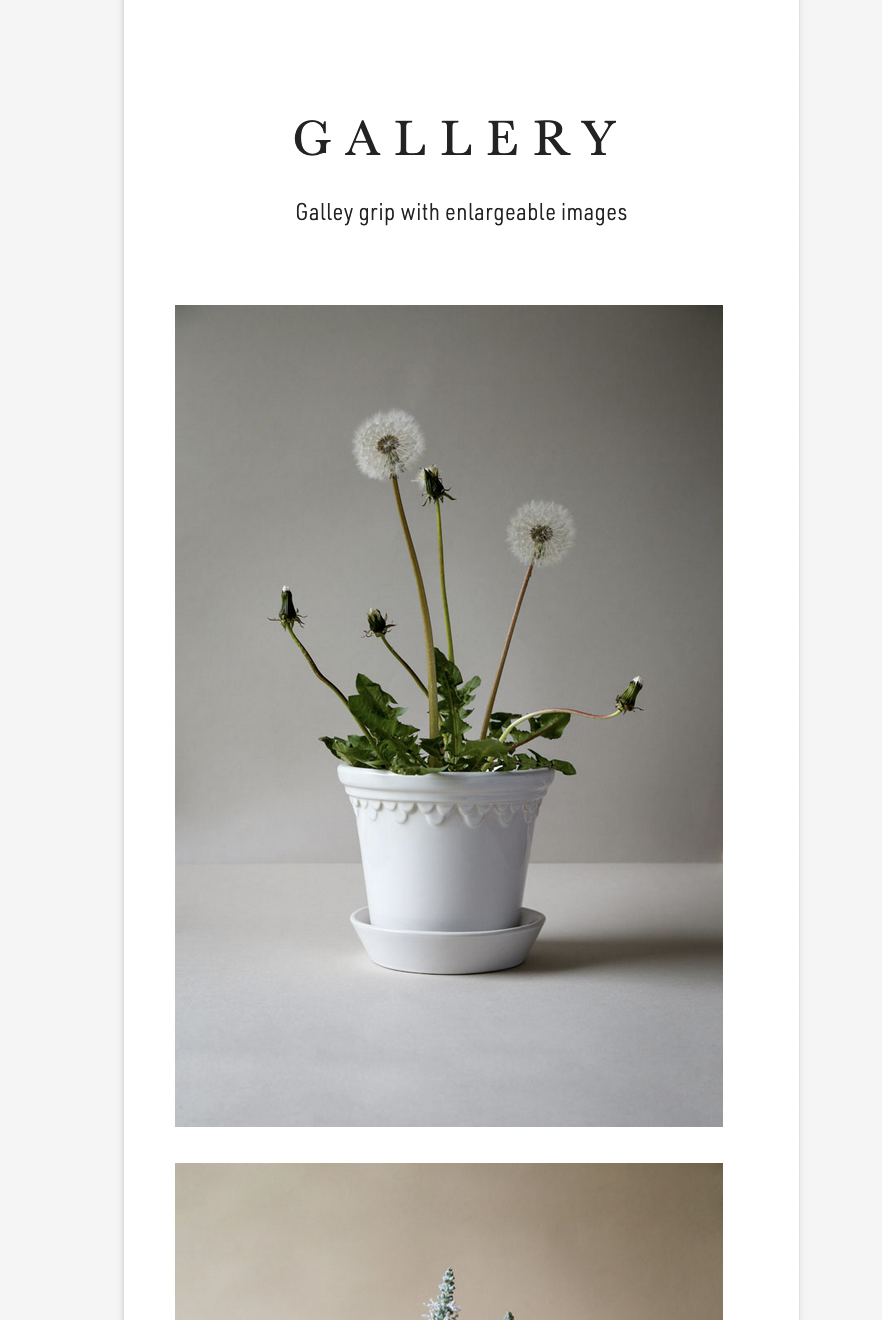
    I wonder if it’s due to my css, or is the Portfolio Grid module not completely centeraligned in the browserwindow? See how theres more whitespace to the right of the gallery, both in mobile and desktop break? To us, it’s the sum of such details that matters :)

    Desktop:
    https://www.bergspotter.info/wp-content/uploads/2023/10/Screenshot-2023-10-21-at-15.56.33.png

    Mobile:
    https://www.bergspotter.info/wp-content/uploads/2023/10/Screenshot-2023-10-21-at-15.56.16.png

    Perhaps you can clarify if this is intended from the Enfold template? Or perhaps I can adjust the horizontal position? Attached my code for the Portfolio Grid.

    /Frederik

    Hey molinesupport,
    Thanks for your question, I’m not familiar with “BatchLine”, but if this works with the shopfront WooCommerce theme, try going to Enfold Theme Options ▸ Shop Options ▸ Product gallery and choose WooCommerce 3.0 product gallery, I assume that you are currently using the Default enfold product gallery option now.
    On the page that you linked to I see the classes for the products that are showing the placeholder images: member-discount discount-restricted
    are you using a “membership” plugin? If you don’t use any restrictions do the images then show correctly?

    Best regards,
    Mike

    #1423235

    Topic: Portfolio grid

    in forum Enfold
    Stilecatalini
    Participant

    Hi, how to change the dimensions of those text?
    How you can see, these are not readable!
    (Grafica-Nautica-Trasporti) and Venticinque….

    Again, look at the titles: why the current section is not visible? How to change that color?

    There are a lot of errors in Enfold! All have to be modified! Damn!

    #1423226

    I have read several posts about this issue. Some coding issue in the enfold plugin

    #1423224

    Hey schweg33,
    Thanks for the link to your pages, I’m not sure what the issue is, is this the only page that this occurs on?
    Try this CSS in your Enfold Theme Options ▸ General Styling ▸ Quick CSS field:

    #top.page-id-15521 #av_section_1 {
    	height: 62vh;
    }

    After applying the css, please clear your browser cache and check.

    Best regards,
    Mike

    molinesupport
    Participant

    I’m building a bookshop
    Which will present 1000’s of books

    I have connected WooCommerce with the Book Importer as we use BatchLine for stocking supply:
    BCS BatchLine Book Importer (Its working well)

    The import creates 2 custom fields (relevant to my question) main_image and thumbnail_image both populated with url values.
    The Main image appears correctly within a product page.

    However I am trying to work out how I can update the relevant file for the grid, slider, and list Enfold features. I believe from research Enfold is using the shop thumbnail image? I can’t quite work out the structure and if I could develop the files to pull in the url from a Custom Field – thumbnail_image. I assume this is not a function.php solution but developing some code. Can anyone give me any points on how the code is even structured. It looks like it takes information for the html rendering from the WooCommerce files. Batchline inform me it works fine with the shopfront WooCommerce theme, so if anyone who’s the difference, I would be very grateful.

    Best Regards C

    #1423219

    In reply to: Upgrading to PHP 8.2

    Hello-

    I am having a similar issue. My site is now down after upgrading to the latest Enfold with PHP version 5.6.40.

    Site: https://landesco.com/

    Please assist.

    Thank you

    #1423218

    Hi,
    Thank you for the link to your site, I found that you were getting the error: Uncaught SyntaxError: Unexpected string I believe from this script in a widget:
    Enfold_Support_3734.jpeg
    once I removed it and cleared your cache you site showed correctly.
    I added the code into your child theme functions.php:
    Enfold_Support_3736.jpeg
    so now it shows with no errors:
    Enfold_Support_3738.jpeg
    I see that you have an empty avia-style.min.css css file in your child theme, I recommend removing this as it may cause a conflict in the future.
    Enfold_Support_3740.jpeg
    Best regards,
    Mike

    #1423209

    Let’s recap: about 30 days ago, I added a new header element to announce the restaurant’s opening. Following that action, the website experienced issues on the frontend, with images and fonts not displaying correctly. I would have never imagined that these two actions were related, but it seems they are. Today, I followed all the steps you provided, and after installing the Envato Market plugin and updating to the latest Enfold theme version, everything was working correctly again. However, when I added the announcement back to the header, both in English and Italian, the problem reoccurred. Images and fonts no longer display correctly on the frontend, even though everything in the backend appears to be in order.

    #1423206

    Hi,
    thanks to your suggestions, I managed to solve the problem. I created a token, installed the Envato Market plugin, and finally updated Enfold to the latest version. Now everything is back to normal.
    Thank you,
    Rebecca

    #1423200

    In reply to: form not working

    Hey jeel147,

    Please try the suggestions listed here: https://kriesi.at/documentation/enfold/contact-form/#my-contact-form-is-not-sending-emails-

    Best regards,
    Rikard

    #1423197

    Hey cluetzenkirchen,

    Thanks for the update, we’ll close this thread for now then. Please open a new thread if you should have any further questions or problems.

    Best regards,
    Rikard

    KCInvest
    Participant

    Hallo ich habe das Enfold Template 3x im Einsatz. Bei einer website (siehe private content) werden die Homepageinhalte nicht von Suchmaschinen gelesen und somit sind wir nicht sichtbar.
    Im WordPress ist die Funktion “lesen” nicht deaktiviert.

    Welche Einstellung führt dazu, dass die Suchmaschinen u.a. Google nichts anbieten?

    Viele Grüße
    Mario

    MichaelNickel
    Participant

    Hi Enfold team,
    a few days ago after the WordPress core update to 6.3.2 an issue started on the backend, when editing Woocommerce products using the classic editor. I have done several tests on my staging site and it is clear, the issue comes from the Avia framework (Enfold 5.6.6). If I switch to another theme like twentytwenty, the issue is gone. Having that said, here are the specifics:

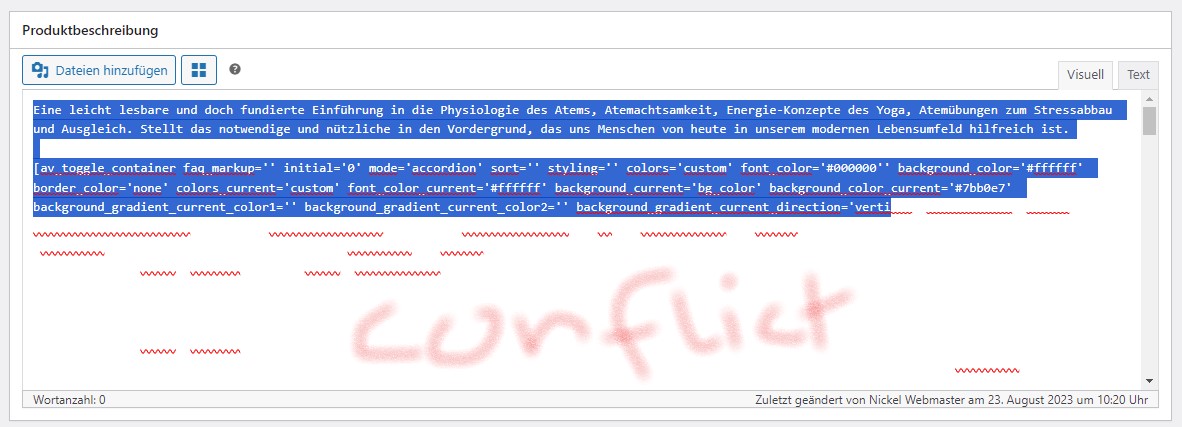
    On Woo product pages the classic editor (visual editor) is not accessible. The editor field is stuck on the “code editor” but at the same time the html code is displayed WHITE, so that at first it seems there is nothing. Only when highlighting text, one can see it. At the same time the Layout-Architect button does not work anymore.

    Here is what I have tested so far:
    * Theme: switching to another theme resolves the issue
    * Theme: switching between Enfold child and Enfold does NOT resolve the issue -> no child-theme issue …
    * Plugins involved: I have deactivated all plugins aside from Woo and then activated them sequentially. The test revealed that the conflict between core 6.3.2 and Avia occurs, when Gridbuilder plus WP Mail SMTP or Yaost Duplicate Post are active. I have rolled back those plugins, to test recent changes, but that’s not doing anything. Also, the problem dissapears with all those plugins active, when standard themes are use. Thus, all points to the Avia framework.

    I have gotten support from Gridbuilder. They tested all from their side and also did not find any issue in other themes. They suggested to look nto conflicts between Enfold and the latest WP Core update …

    Strange fact: While it is impossible to work with the editor for WordPress products, the editor behaves normally for posts, pages, etc. It is a very specific issue for WordPress products only.

    Here are some screenshots:
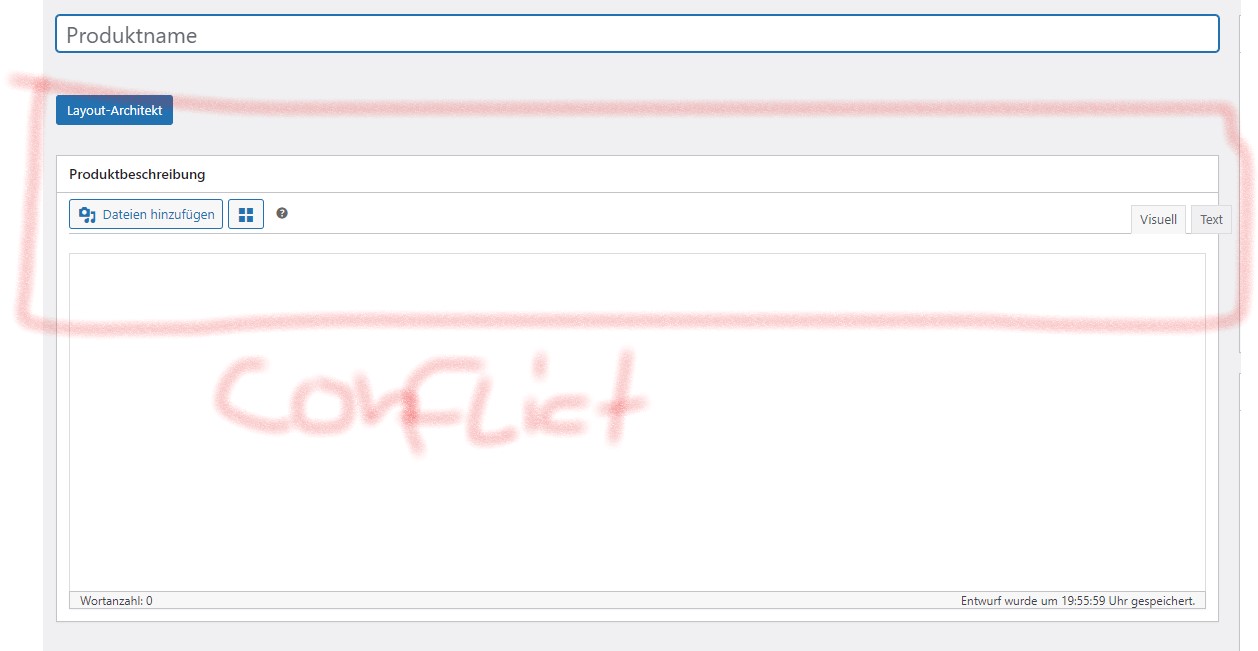
    Conflict behaviour

    Conflict behaviour wth highlighted text in editor field

    Additional info: I ran error display while testing and got no error massages. There is no issue on the frontend …

    Could you please look into that issue? For now, I can work around it when I need to edit products. However, it needs to be fixed. What I fear is that the issue spreads to other classic editor input fields like for pages and posts when wp core further evolves.

    Thank you and kind regards
    Michael

    #1423159

    Hello Ishmael,

    I found out that jumping to the top of the page when opening a tab in the Accordion only occurs if “Allow only one open toggle” (Accordion mode) is activated in the Accordion’s settings under “Behavior”.
    If you activate “Allow multiple open toggles (toggle mode)” then it doesn’t jump to the top of the page!

    I also deactivated all plugins and the problem still persists. I’m sure it’s not the plugins, but the current Enfold version. The problem did not exist before updating to the current version.

    #1423158

    In reply to: Size of video slider

    Hi Loveronika,

    Thanks for giving us admin access.
    I have adjusted the font sizes on smaller devices (you can see this when you edit the slide element, and you go to Style > Font Sizes, then you select those icons and set the font sizes). Then I added this CSS in Enfold > General Styling > Quick CSS, to adjust the height of the slider:

    @media only screen and (max-width:479px) {
        .home #full_slider_1, 
        .home #full_slider_1 .avia-slideshow, 
        .home #full_slider_1 .avia-slideshow-inner, 
        .home #full_slider_1 .avia-slide-wrap {
            min-height: 300px;
        }
    
        .home #full_slider_1 .avia-slide-wrap {
            background-size: cover !important;
        }
    }

    Please review your website.

    Best regards,
    Nikko

    #1423157

    Hi MikeTandySwag,

    I’m glad that we could help you :)
    Thanks for using Enfold and have a great day!

    Best regards,
    Nikko

    #1423156

    Hi jb84,

    You can follow the instructions in https://kriesi.at/documentation/enfold/import-demos/#how-to-manually-import-a-theme-demo
    1. Add this in your functions.php:

    add_theme_support( 'avia_demo_store_downloaded_files' );

    2. Get the demo you’d like to use in https://github.com/KriesiMedia/enfold-library/tree/master/demos
    3. Upload the demo (the zip file) to \uploads\avia_demo_files\ then extract it, so it should be like (I’ll use law for example), \uploads\avia_demo_files\law (law folder should have two files law.txt and law.xml)
    4. Go to Enfold > Theme Options > Import Demo, and when you hover over Law demo, it should show Click to Export (not Click to Download) and that should do it.
    If in case, it does not show Click to Export, try moving the law folder from \uploads\avia_demo_files\law to \uploads\dynamic_avia\avia_demo_files\law
    Hope it helps.

    Best regards,
    Nikko

Viewing 30 results - 12,511 through 12,540 (of 244,545 total)