Viewing 30 results - 91 through 120 (of 244,635 total)
  • Author
    Search Results
  • #1496733

    In reply to: error

    Hi,

    Thanks for that. Please try to update your PHP version to 8.1 or higher, and Enfold to 7.1.4.

    Best regards,
    Rikard

    #1496732

    Hey Tim van den Hombergh,
    Thanks for your input, but I was not able to reproduce the original post slug changing.
    I’m not sure why you are experiencing this, perhaps a plugin conflict, etc.
    If you would like the Dev Team to review this proposed change, please open a Github Feature Request this will allow you to follow along as the Dev Team reviews the proposed change.

    Best regards,
    Mike

    #1496726

    Hi,
    Glad that we could help, if you have further questions please open a new thread and we will try to help. Thanks for using Enfold.

    Best regards,
    Mike

    Hi,
    so after few days with the hoster support and deactivating the firewall, im coming back.
    In advance thk for your help, the issue is maybe near the end.

    So now i can save under ENFOLD settings everything is find at this point and Google verifying recaptcha works.
    But i have a very last (but big) issue:

    If i edit and update home page, on front end: only first half of the page display (only occure with homepage)
    I have to edit again and load a previous version and save to restore.

    So i tested cloning the homepage, make some updates and save, this is very strange because not only this cloned page load only first half (and enterely loose the rest if go back to modify) but the homepage itself (not the coned ones) have an error load the first banner image! For info i didn’t edit it in this test, just edit the cloned ones.
    To resum this issue is: making update on a page and save makes erasing a part of the codes.

    To finish, maybe it’s important, on the WP webpages list, in front of an old homepage it displays the text: homepage but the real one isn’t this one.

    I really need that we fix this soon because i can’t make any uptdate on my homepage! And i spend so much time on this issue…

    • This reply was modified 2 weeks, 5 days ago by jb84.
    • This reply was modified 2 weeks, 5 days ago by jb84.
    #1496716
    Guenni007
    Participant

    If Enfold were to read the fvar table during upload, the theme could automatically detect whether it is a variable font and change the @font-face rule from font-weight: 400; to font-weight: 100 900; (or the corresponding range).

    Uploading a varialble font works nice – but the @font-face rule is f.e.:

    @font-face {
      font-family:'montserrat-flex';
      src:url('https://webers-testseite.de/wp-content/uploads/dynamic_avia/avia_type_fonts/montserrat-flex/montserrat-flex.woff2') format('woff2');
      font-style:normal;
      font-weight:400;
      font-display:swap
    }

    here a font-weight: 100 900; will be nice to have.
    Because – i do not know what is used when setting a font to font-weight: 700
    Maybe it uses a “Faux Bold”:
    the browser often only artificially “boldens” the font when it thinks the only available weight is 400. With the correct range, it uses the actual vectors of the variable font.

    Edit:
    although the @font-face rule is not correct – it seems that even Safari uses the correct wght.
    But it would be nice to have the real ruleset for it.

    #1496714

    It could be a problem of font-display settings:
    If you have activated the option to load the fonts by swap – then it might be neccessary to exclude those icon-font files from that.
    it ist found on : Enfold Child – Performance – Show Advanced Options – Custom Font Display Behaviour.

    To exclude – put this to your child-theme functions.php:

    function my_custom_font_display( $font_display, $font_name ){
      // List of all icon fonts that are not allowed to “swap”
      $icon_fonts = array( 
        'entypo-fontello', 
        'entypo-fontello-extra', 
        'medical', // your custom icon-font files names
        'numbers',
        '3d-icons',
      );
    
      // Check whether the font name contains any of the icon terms (wildcard search)
      foreach( $icon_fonts as $icon_font ) {
        if ( strpos( $font_name, $icon_font ) !== false ) {
          return 'block';
        }
      }
    
      // Fallback for all other custom fonts from Enfold
      if( strpos( $font_name, 'avia-module-custom-font' ) !== false ) {
        return 'block';
      }
    
      return $font_display;
    }  
    add_filter( 'avf_font_display', 'my_custom_font_display', 10, 2 );

    this will then generated:

    Hey diefleischerei,

    Are you looking to password protect the whole site? If so, then there’s no functionality for that in Enfold unfortunately. Please try searching for a plugin in the WordPress plugin repository.

    Best regards,
    Rikard

    Hey berndn1,

    Could you try updating the theme to the latest version (7.1.4) to see if that helps please? https://kriesi.at/documentation/enfold/theme-update/. If not, then please try turning file compression off under Enfold->Performance.

    Best regards,
    Rikard

    #1496711

    Hey diefleischerei,

    Please try this out: https://kriesi.at/documentation/enfold/header/#transparent-header-on-mobile

    Best regards,
    Rikard

    #1496710

    Hey diefleischerei,

    Please try setting Enfold->Header->Header Size to custom pixel value. Then select your preferred height in the Header Custom Height option on the same page.

    Best regards,
    Rikard

    Hi,

    Great, I’m glad that Mike could help you out. Please open a new thread if you should have any further questions or problems.

    Best regards,
    Rikard

    diefleischerei
    Participant

    Wo kann ich gestalten was bei einer Passwortgeschützen Seite vor der Eingabe des Passworts zu sehen ist? Ich würde hier gerne texte und bilder einfügen? ist das möglich mit Enfold? Danke :)

    berndn1
    Participant

    Hello guys,

    we are currently experiencing an intermittent styling issue with our Enfold theme. In many cases, the website is not displayed correctly because a required CSS file cannot be loaded.

    More specifically, the dynamically generated CSS file from Avia is sometimes not found. For reference, I have attached a screenshot illustrating the issue.

    As a temporary workaround, we have been republishing an existing article, which seems to regenerate the CSS file and restores the styling. However, this fix is only short-term, and the issue reoccurs after some time.

    Do you have any idea what might be causing this problem or how we can resolve it permanently?
    Thank you in advance for your support.

    You can see the issue on our Blog on https://www.maxenergy.de/magazin/

    Best regards

    Tim van den Hombergh
    Guest

    Hi Enfold Support Team,

    I’d like to report an issue with the duplicate post functionality introduced in Enfold (class aviaDuplicatePost). We use the latest Enfold version 7.1.4 and WordPress 6.9.4

    Description of the issue

    When duplicating a post using the built-in “Duplicate” action, the system copies the original post’s slug (post_name) to the new draft. This leads to unexpected behavior:

    The duplicated post receives the same slug as the original post.
    WordPress then attempts to resolve the conflict.
    As a result, the original post’s slug is modified (e.g. my-post becomes my-post-2), while the duplicate may take over the original slug.

    This is problematic because:

    It silently changes live URLs.
    It can break SEO rankings and existing links.
    It creates confusion in content management.
    Steps to reproduce
    Create a published post with a defined slug (e.g. example-post).
    Use the “Duplicate” action in the post list or editor.
    Observe that:
    The duplicate gets the same slug.
    The original post slug may change unexpectedly.
    Root cause

    The issue appears to stem from explicitly setting the post_name when inserting the duplicated post:

    ‘post_name’ => $post->post_name,

    By forcing the same slug, WordPress is required to resolve the conflict and may reassign slugs between posts.

    Proposed solution

    The post_name should not be copied when duplicating a post. Instead, WordPress should be allowed to generate a unique slug automatically.

    Recommended change:

    Remove the post_name argument from the $args array in handler_admin_action_avia_duplicate_post():

    // Remove this line:
    ‘post_name’ => $post->post_name,

    This allows WordPress to:

    Generate a slug based on the new title (e.g. “(copy)”)
    Ensure uniqueness without modifying the original post
    Expected behavior after fix
    The original post slug remains unchanged.
    The duplicated post receives a unique, auto-generated slug (e.g. example-post-copy).

    Please let me know if you need further details or testing. I’d be happy to assist.

    Best regards,
    Tim van den Hombergh

    #1496696

    In reply to: error

    Hey Matt,

    Thank you for the inquiry.

    A JSON error when saving in the builder is usually caused by a plugin conflict, a server-side issue like a low PHP memory limit or max input vars, or cached/compressed files getting in the way.

    Please try to disable all plugins except Enfold-related ones and test saving again. Also go to Enfold > Performance > File Compression and disable css and js compression. If you’re still seeing the error, check with your host that your PHP memory limit is at least 256MB and that max_input_vars is set to at least 4000.

    If the issue persists, please register your purchase code first so you can post on the support forum, then share your login credentials in the private field so we can take a closer look.

    https://kriesi.at/support/register/

    Let us know the result.

    Best regards,
    Ismael

    #1496695

    In reply to: error

    Hey Matt,

    Thank you for the inquiry.

    A JSON error when saving in the builder is usually caused by a plugin conflict, a server-side issue like a low PHP memory limit or max input vars, or cached/compressed files getting in the way.

    Please try to disable all plugins except Enfold-related ones and test saving again. Also go to Enfold > Performance > File Compression and disable css and js compression. If you’re still seeing the error, check with your host that your PHP memory limit is at least 256MB and that max_input_vars is set to at least 4000.

    If the issue persists, please register your purchase code first so you can post on the support forum, then share your login credentials in the private field so we can take a closer look.

    https://kriesi.at/support/register/

    Let us know the result.

    Best regards,
    Ismael

    #1496694

    In reply to: Remove excessive space

    Hi,

    Thank you for the update.

    Please add this css to push the gallery down only on mobile:

    
    @media only screen and (max-width: 767px) {
        #portfolio {
            padding-top: 1500px;
        }
    }
    

    You can add this under Enfold > General Styling > Quick CSS. Please make sure to purge the cache before testing, and adjust the 1500px value up or down depending on how much space you need.

    Let us know if the issue persists.

    Best regards,
    Ismael

    #1496692

    Hey leloux,

    Thank you for the inquiry.

    Enfold does have a demo that uses The Events Calendar plugin, which you can import from the Enfold > Demo Import panel. However, it does not include the ticketing system from The Events Calendar.

    A few of the available demos do use Woocommerce along with the Woocommerce Bookings extension, which may cover the ticketing/booking functionality you’re looking for. You can check those out from the same Demo Import panel to see if they fit your use case.

    For more details on The Events Calendar and its ticketing features, please refer to their official documentation.

    https://theeventscalendar.com/knowledgebase/

    For the Woocommerce Bookings extension, you can find more info here.

    — https://woocommerce.com/document/woocommerce-bookings/

    Let us know if you have more questions.

    Best regards,
    Ismael

    #1496688

    Hey elenagrassi,

    Thank you for the inquiry.

    Looking at the site, the blog is using the elegant style. You can add the following code to the Enfold > General Styling > Quick CSS:

    To hide the category label above the title:

    
    .archive .av-heading-wrapper .blog-categories {
        display: none;
    }
    

    To make the excerpt text italic:

    
    .archive .entry-content-wrapper .entry-content p {
        font-style: italic;
    }
    

    To show the featured image below the title, try to adjust the Enfold > Blog Layout > Blog Layout and Blog Styling settings.

    Regarding showing the first few lines of article content before the “Continua a leggere” button — looking at the category page, the excerpt is already showing. If you want to show the whole content, you’ll have to modify the theme files.

    Please make sure to purge the cache before testing.

    Best regards,
    Ismael

    Damenwahl
    Participant

    Hallo,
    ich baue gerade wieder eine Seite mit enfold auf, welches mein absolutes Lieblingstheme ist. Mitten im Prozess sehe ich zwar im Backend die Slide Show volle Breite noch, im Frontend wird aber kein Bild mehr angezeigt. Das Bild/die Bilder WAREN aber zu sehen. Ich habe das Theme schon upgedatet und alle vorhandenen Plugins nach und nach deaktiviert – leider ohne Erfolg. Uach die CSS Codes, die ich im Netz zu diesem Problem gefunden habe:
    .responsive .container {
    width: 100% !important;
    max-width: 100% !important;
    }
    .av_slideshow_full {
    width: 100% !important;
    }

    , haben mir leider nicht geholfen. Deswegen brauche ich bitte Hilfe. Danke!

    #1496674
    leloux
    Participant

    Hi
    Is there a demo in enfold where it shows how the events calendar works with its ticket system?

    Tnx in advance

    Greetz
    Karin

    #1496668

    In reply to: Remove excessive space

    Hi,

    Thank you for the update.

    We logged in to the dashboard, but the account above doesn’t have admin rights, so it doesn’t have access to Enfold > Theme Options. Please set the user role or provide another admin account. Try setting the height value to 200px or larger, then purge the cache. 20px is a little too small.

    This is how it looks when we directly edit the height to 300px in the browser.

    View post on imgur.com

    Best regards,
    Ismael

    #1496663

    In reply to: Enfold Theme update

    Hey shanghaitomilan,

    I see that you are running an old version of the theme, could you try to update to the latest version (7.1.4) to see if that helps please? The update to 7.1.4 has to be done manually from the version you are running, please refer to my replies in this thread: https://kriesi.at/support/topic/enfold-4-5-theme-update-update-failed-download-failed-a-valid-url-was-not-pro/#post-1021541
    You can either update manually via FTP: https://kriesi.at/documentation/enfold/how-to-install-enfold-theme/#theme-update, or upload the theme as if it was new under Appearance->Themes->Add New Theme.
    If that doesn’t work then please try to delete the whole theme folder, then replace it with the new version. Make sure that you have backups of the site before starting updating.
    Also please read this after you have updated: https://kriesi.at/documentation/enfold/theme-registration/

    Best regards,
    Rikard

    #1496661
    shanghaitomilan
    Guest

    Hallo nach Austria,
    unser Kunde hatte wohl das Enfold Template bei euch gekauft und nach dem letzten PHP update funktioniert es nicht mehr. Aktuelle Version: 4.1.2.
    Wir würde gerne die neuste Verion kaufen, schickt uns bitte die Modalitäten.

    Danke und LG aus Bozen
    Jörg

    #1496659

    Topic: Like / Dislike system?

    in forum Enfold
    MORTULGAAH
    Participant

    Enfold doesn’t have a like dislike system on posts.

    Can you recommend an implementation that would work with it the best?

    The idea is to enable users to click upvote and downvote on posts.

    #1496658

    In reply to: Remove excessive space

    You can have ha look to the page casapumua.com to understand that now there is still a problem. If I increase in the css the height from 0 to 20px for example, nothing changes.
    Please solve this issue. If you heve elements that doesn’t work properly is better to remove from Enfold.

    #1496653

    Hey Munford,

    Thank you for the inquiry.

    You have to edit the custom layout in the Enfold > All Custom Layouts panel as shown in the screenshot below.

    View post on imgur.com

    For more information about custom layouts and dynamic content, please check this documentation: https://kriesi.at/documentation/enfold/custom-layout-and-dynamic-content/

    Best regards,
    Ismael

    Schmiddy
    Participant

    Hi dear support team
    I have bought a regular license for Enfold last year and have a valide token (generated on 15.12.2025).

    As I wanted to do some update for the website, all my pages in the advanced editor are grey (no possibilities to edit with the Advanced Layout Builder). So I checked my automatic updates and have seen that the latest version of enfold is 6.0.8. No further updates are possible.
    Why is this and what can I do?

    I also deactivated all plugins and cleared my cache to check from where this behavior could come, but no change… all the pages I want to edit stays gray.
    Thanks for your assistance and inputs on how to proceed.

    #1496630

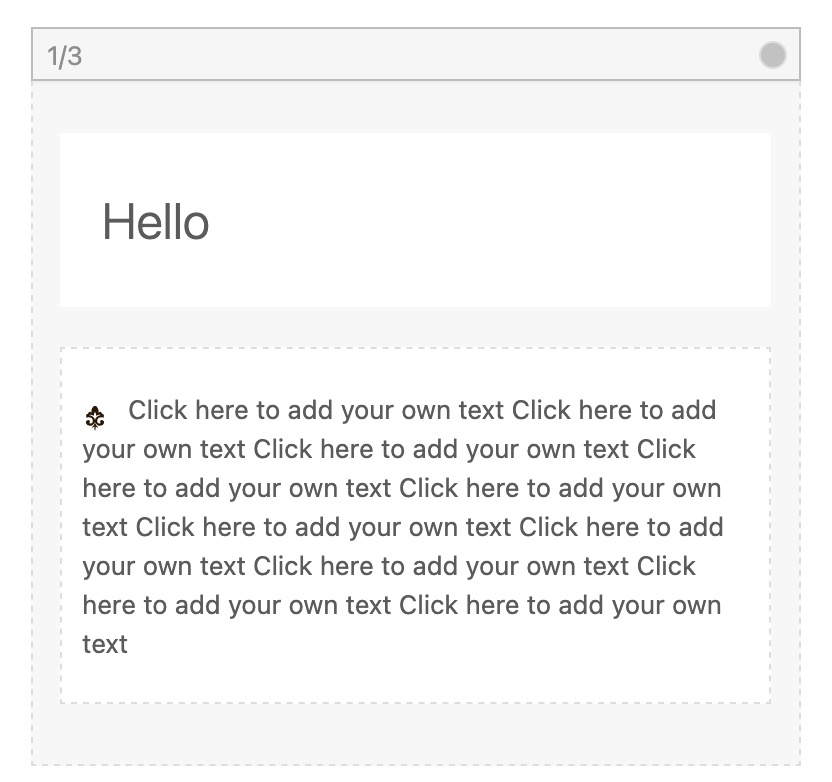
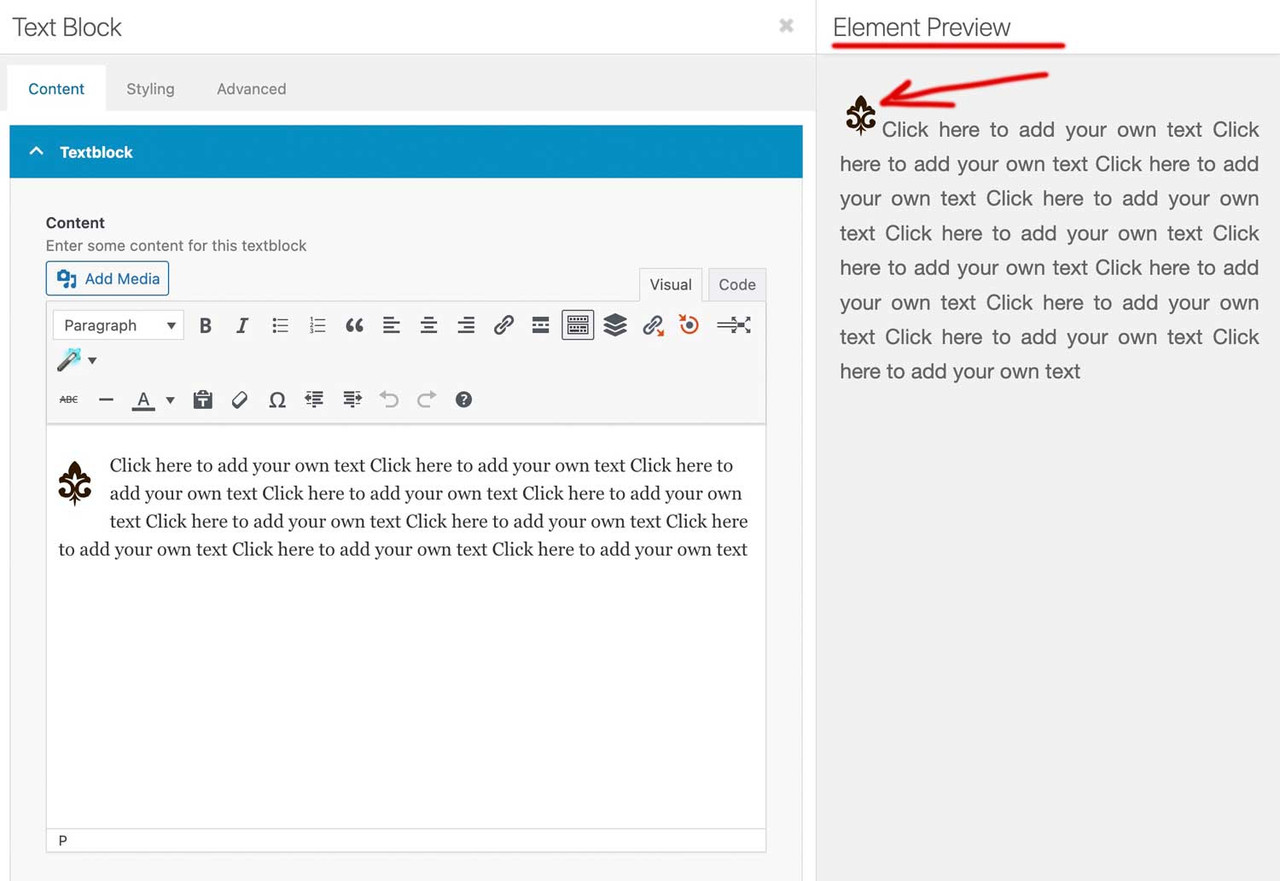
    how did you “when i add a SVG icon to a page,”

    if it is an Enfold Element like image or image with hotspot ect. – Enfold actually has CSS rules within avia-builder.css / avia-builder.min.css for these cases.
    if you like to influence the preview inside textblock and backend:

    you can set via child-theme functions.php that preview size.

    function admin_head_mod(){
    echo '<style type="text/css">
      .wp-admin .avia_textblock img[src*=".svg"] {width: 80px !important;height: auto !important;}
    </style>';
    }
    add_action('admin_head', 'admin_head_mod');

    the point is the even not inline svgs need an absolute dimension ( % and auto will not work )

    but:

    this part where enfold loads this css for the preview window is inside: class-template-builder.php
    there are filters we can use to influence the preview now.

    place a file custom-preview-fix.css inside enfold-child/css/

    add_filter('avf_preview_window_css_files', function($css) {
        $css[ get_stylesheet_directory_uri() . '/css/custom-preview-fix.css' ] = 1;
        return $css;
    }, 999);

    and have inside custom-preview-fix.css:

    #av-admin-preview img[src*=".svg"]:not([is-svg-img="true"]) {
      width: auto;
      height: auto;
      max-width: 100%;
      display: block;
    }
    
    #av-admin-preview .alignleft { float: left; margin: 0 20px 20px 0; }
    #av-admin-preview .alignright { float: right; margin: 0 0 20px 20px; }
    #av-admin-preview .aligncenter { display: block; margin-left: auto; margin-right: auto; }
Viewing 30 results - 91 through 120 (of 244,635 total)