This reply has been marked as private.
Thanks for the response.
yes, Dashboard – Settings – General – “Date Format” is using the intended setting.
In my ideal world I would try and avoid a child theme (I have not used them in any of my over 10 sites using Enfold).
Is there an option to use Quick CSS?
Hi Mike,
Thanks for reporting back on the issues Ref. the ‘threefold’ reasons….
1. Agreed, that was the selected option – single post with small preview (featured) image.
2. Re. the div.blog-meta {display:none; }….. you gave me some CSS code on 18th March to hide the thumbnails in the sidebar. I can’t recall adding any blog-meta hide….I wouldn’t have known how to!! (although maybe I picked it up here…. https://kriesi.at/documentation/enfold/blog-post/#change-archive-categorytag-blog-style ….which I was advised to look at by Ismael)
3. Again, that custom function may have been added via advice taken from the documentation. Although I can’t honestly remember doing that. (it’s hard to log every move and keystroke!)
Unfortunately your pointers don’t quite resolve all my issues.
A. The micro preview images on the sidebar links are still showing. As I said earlier in the thread (18th March), I don’t want these ON THE LINKS. But I do want the featured image in the post.
B. When I have no featured image for a post…..why is a grey placeholder image inserted? No featured image means I don’t want an image….any image! The grey placeholder is ugly.
C. Can the featured image in the post be aligned left (with the body of the text), and with a bit more white space between it and the post title? Probably jusst some simple CSS, but not sure what the selector is.
The main thing is NOIT to have little square preview images (meaninglessly small) on the sidebar links.
Thanks
Hugh
Hi,
Thank you for your patience try choosing a difference image size for your gallery element, or use No Scaling (Original Width X Original Height)

It looks like you are using the Square 180px size right now.
Best regards,
Mike
Hi,
Glad to hear that you have this sorted out, if you have any further questions please create a new thread and we will gladly try to help you. Thank you for using Enfold.
Best regards,
Mike
if you only want to show a custom side bar – see what the custom sidebar is named and put this to your child-theme functions.php:
– this will activate the sidebar for single post – if you do not like to set it in enfold options – you can use more detailed conditional tags
function avia_change_layout_for_searchresults($layout, $post_id) {
    if( is_single() ) {
        $layout['current'] = $layout['sidebar_right'];
        $layout['current']['main'] = 'sidebar_right';
    }
    return $layout;
}
add_filter('avia_layout_filter', 'avia_change_layout_for_searchresults', 10, 2);

// next will activate the custom sidebar by its name
add_filter("avf_custom_sidebar", function($custom_sidebar) {
    if( is_single() ) {
        $custom_sidebar = "Custom-Sidebar-Name";
    }
    return $custom_sidebar;
}, 10, 1);
on Dashboard – Enfold Child – Sidebar Settings – “Sidebar On Blog Page” – and “Sidebar On Single Post Entries”
make a decision there for your sidebar visibility.
Hi,
Thanks for the update, we’ll close this thread for now then. Please open a new thread if you should have any further questions or problems.
Best regards,
Rikard
Hey Illingco,
Thank you for the inquiry.
It might be a caching issue. Would you mind disabling the Siteground cache plugin temporarily and deactivate the Enfold > Performance > File Compression settings? You can re-enable them once you’re done editing the site.
Best regards,
Ismael
Thank you. I deleted all of the repeated files except the last two days and the website is loading fine. I also did the advanced options on the WP bug as the article shows. I will do this on all my Enfold sites. I selected the DELETE OLD CSS and JS to YES at the bottom of that page and clicked SAVE.
Thanks again!
Chris Cook
Hi,
Thanks for that. I can’t reproduce this problem using the latest version of the theme, could you try updating the theme to the latest version (5.6.12) to see if that helps please? https://kriesi.at/documentation/enfold/how-to-install-enfold-theme/#theme-update. If not, then please post admin WordPress login details in private.
Best regards,
Rikard
Hey Tanja,
You could try using the shortcodes which can be found here: https://kriesi.at/documentation/enfold/social-share-buttons/
Best regards,
Rikard
Hi,
Great, I’m glad that @guenni007 and Ismael could help you out. Please open a new thread if you should have any further questions or problems.
Best regards,
Rikard
Hi,
Thanks for that. Could you try updating the theme to the latest version (5.6.12) to see if that helps please? https://kriesi.at/documentation/enfold/how-to-install-enfold-theme/#theme-update. If not, then please try to activate the parent theme, or deactivate all plugins temporarily to see if that changes anything.
Best regards,
Rikard
Hey isaac304,
Could you try updating the theme to the latest version (5.6.12) to see if that helps please? https://kriesi.at/documentation/enfold/how-to-install-enfold-theme/#theme-update. If not, then please post admin WordPress login details in private.
Best regards,
Rikard
Hi,
Thanks for the update. I’m not sure exactly when the theme fully supported each of those PHP versions to be honest with you, maybe you could check the changelog?
Best regards,
Rikard
 Thijs Bouvy
Guest
Hello, can i hire you or do you have partners i can hire to speed up my website with the enfold theme enabled ? Right now mobile speed is 29 from 100
website is bouvy.nl
Hello,
when automatically translating pages using WPML (as defined here: https://kriesi.at/documentation/enfold/translation/#span-stylefontweight-400translate-everythingspan) Everything is automatically translated except buttons and special headings.
Once the page is translated if we enter in the advanced WPM translator, you can search the string and it appears without translation, then you can translate it manually.
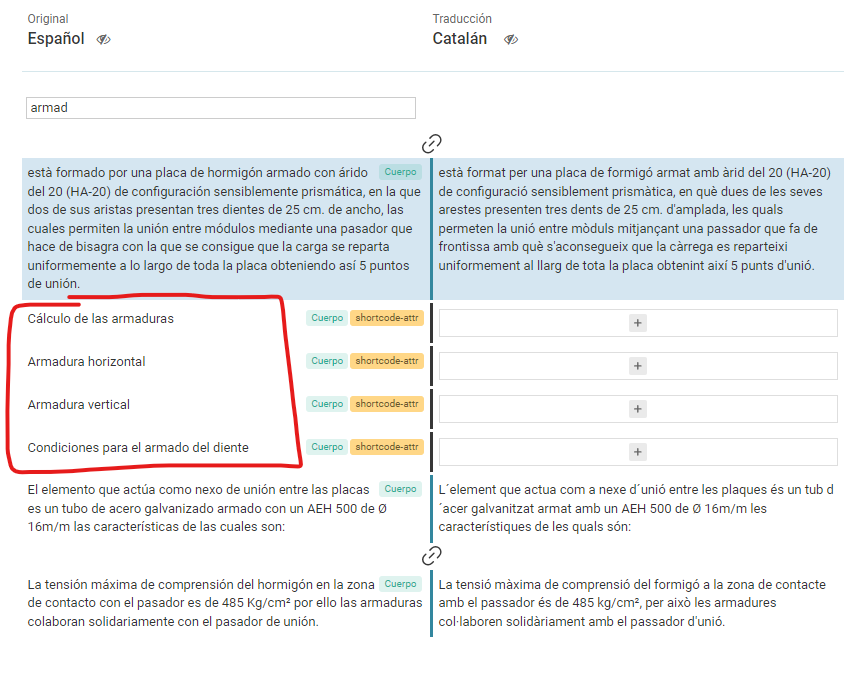
How can we automatically translate all page content including av_heading heading amb buttons?
Thanks in advance.
Hey CharlieTh,
Thank you for the inquiry.
I am trying to move the section that says Share This Sermon — including the icons and leave a reply and form form comment, etc.
Looks like the section was added inside a Column element. Have you tried manually moving the Column element down to the very bottom of the page or builder?
You disable the sidebar by adjusting the options in the Enfold > Sidebar Settings panel.
Best regards,
Ismael
Hi,
Thank you for the update.
Please use this css code instead:
#top .tribe-events-c-subscribe-dropdown__button-text {
   display: none !important;
}
You may need to toggle or temporarily disable the Enfold > Performance > File Compression settings after adding the code and make sure to purge the cache.
Best regards,
Ismael
Hi,
Thank you for the update.
We’ll provide you with the shortcodes for the Construction demo’s home page. You can place these shortcodes in the designated shortcode field, but first, you’ll need to switch the builder to debug mode. Please refer to the documentation below for more info:
// https://kriesi.at/documentation/enfold/intro-to-layout-builder/#debug-mode
This is the shortcode: https://wtools.io/paste-code/bUnL
Best regards,
Ismael
Hey Rens18,
Please try the following in Quick CSS under Enfold->General Styling:
#menu-item-254 .avia-menu-text {
  background-color: #0F4761;
}

#menu-item-610 .avia-menu-text {
  background-color: #0B897A;
}
Best regards,
Rikard
Hi,
It looks like in your grid cell you have the left & right padding set to 200px, try using the icons for the screen sizes to make this zero for mobile devices:

Best regards,
Mike
I have the problem that after updating a random plugin, parts of my website are broken, especially background images, etc.
After updating a plugin I see the following error message in my dev console:
wp-content/uploads/dynamic_avia/avia_posts_css/post-17.css – can not be found
That is strange because the file in question simply exists in the folder in question.
After clearing the cache (wp-rocket), the problem is solved and the file is found normally again.
After a lot of searching and trying, the following finally solved the problem:
– The old folder (from Enfold version 5.3 and older) called /wp-content/uploads/avia_posts_css was still on my server and also contained a file called avia_posts_css/post-17.css. After I completely deleted this folder the whole problem was solved! On all my 5 Enfold sites.
That is of course very nice, but also strange. The error message was specifically about the file in the wp-content/uploads/dynamic_avia/avia_posts_css/ folder. The old /wp-content/uploads/avia_posts_css folder did not give an error and should in principle have no effect because it is not used at all anymore (?).
And yet deleting the old folder is apparently the solution, can anyone explain that?
Hi,
I’m using the Enfold mobile menu in full screen mode.
Here’s my use case:
– I’m on my WordPress website on mobile.
– I open the menu with the burger button.
– I click on another page from the menu and navigate to it.
– I go back using the previous button.
-> Issue: The menu remains open.
I asked ChatGPT to generate some code for me. I inserted it into the page, and it works well. It automatically clicks on the burger button when I go back, closing the menu if it was open. Perfect!
However, if I change the page without opening the menu with the burger button, when I go back, it automatically clicks on the burger button and opens the menu. The opposite thing happens.
Here’s the code generated by ChatGPT that works only in the first case.
<!DOCTYPE html>
<html lang=”fr”>
<head>
<meta charset=”UTF-8″>
<title>Page avec gestion du menu</title>
<script>
window.addEventListener(‘pageshow’, function(event) {
// Vérifier si l’événement de pageshow est une traversée de l’historique
if (event.persisted) {
// Masquer le menu
var menuButton = document.querySelector(‘.av-hamburger.av-hamburger–spin.av-js-hamburger.av-inserted-main-menu’);
if (menuButton) {
menuButton.click(); // Simuler un clic sur le bouton de menu pour le masquer
}
}
});
</script>
</head>
<body>
<!– Contenu de votre page ici –>
<!– Bouton du menu (à remplacer par le sélecteur réel de votre bouton de menu) –>
<button class=”av-hamburger av-hamburger–spin av-js-hamburger av-inserted-main-menu”>Menu</button>
</body>
</html>
Can you help me ? Thank you
-
This topic was modified 2 years ago by
 greg47.
-
This topic was modified 2 years ago by greg47.
that is the reason why:
” Incidentally, I think it’s better to start a new thread when a topic was started that long ago. ”
To reach a Developer here is best to have a new topic – with more informative title.
or write to “Please submit your feature requests and suggestion directly on GitHub.”
you can see the links to those important enfold links in right sidebar
> a.av-av_button-60d3b58ef6e39d033d89831f5df0c979
I know that, but that can change. Copy paste the button and the “New” button is not working anymore. Whis a custom-class, the button is working everywhere with the same class name.
> see: https://pastebin.com/jT1B5XJa
> on line 758 i added that class as custom-class-button (which is added on line 764 to the wrapper element)
Thats how I do it right now. But that is only a workaround… I dont like to copy the elements to the child theme, as there is no update received with Enfold update.
Why not add a filter to all shortcodes automatically: like apply_filters(‘avia_shortcodes’,$output, $shortcode, $args); or something there everyone can modify the output befor been delivered to wordpress? Is there such a filter which I can hook in to propagate the class, which I didnt find yet?
Hey bmcinternet,
Thank you for the inquiry.
The error occurs due to the Enfold > Performance > File Compression settings. We recommend disabling the default compression options from the theme and use WP Rocket’s compression settings as an alternative.
Best regards,
Ismael



