-
Search Results
-
Topic: Plugin conflict:
we are having a conflict with this plugin https://www.wordpress-estimation-payment-forms.com on this page: https://hhomepage.com/kreditagentur/dev/
as soon as we put in the shortcode to display the form of the plugin on the page, the whole page crashes. I contacted the plugin support then, they replied that the conflict comes from the enfold script. we are not having any custom script in use, so I don’t know what to do here. can you help out how to fix it?——————PLUGIN SUPPORT———————
the conflict sound to come from this theme script :<script type='text/javascript'> jQuery(document).ready(function(){ jQuery(".avia_datepicker").datepicker({ beforeShow: function(input, inst) { jQuery("#ui-datepicker-div").addClass(this.id); inst.dpDiv.addClass("avia-datepicker-div"); }, showButtonPanel: true, closeText: AviaDatepickerTranslation.closeText, currentText: AviaDatepickerTranslation.currentText, nextText: AviaDatepickerTranslation.nextText, prevText: AviaDatepickerTranslation.prevText, monthNames: AviaDatepickerTranslation.monthNames, monthNamesShort: AviaDatepickerTranslation.monthNamesShort, dayName: AviaDatepickerTranslation.dayNames, dayNamesShort: AviaDatepickerTranslation.dayNamesShort, dayNamesMin: AviaDatepickerTranslation.dayNamesMin, dayNames: AviaDatepickerTranslation.dayNames, dateFormat: AviaDatepickerTranslation.dateFormat, firstDay: AviaDatepickerTranslation.firstDay, isRTL: AviaDatepickerTranslation.isRTL, changeMonth: true, changeYear: true, yearRange: "c-80:c+10" }); }); </script>It is visible at line 603 of the source code of the page : view-source:https://hhomepage.com/kreditagentur/dev/
But I can’t find it in the theme files .
It should be improved to avoid such conflicts, by replacing it by:<script type='text/javascript'> if(typeof(AviaDatepickerTranslation) != 'undefined'){ jQuery(document).ready(function(){ jQuery(".avia_datepicker").datepicker({ beforeShow: function(input, inst) { jQuery("#ui-datepicker-div").addClass(this.id); inst.dpDiv.addClass("avia-datepicker-div"); }, showButtonPanel: true, closeText: AviaDatepickerTranslation.closeText, currentText: AviaDatepickerTranslation.currentText, nextText: AviaDatepickerTranslation.nextText, prevText: AviaDatepickerTranslation.prevText, monthNames: AviaDatepickerTranslation.monthNames, monthNamesShort: AviaDatepickerTranslation.monthNamesShort, dayName: AviaDatepickerTranslation.dayNames, dayNamesShort: AviaDatepickerTranslation.dayNamesShort, dayNamesMin: AviaDatepickerTranslation.dayNamesMin, dayNames: AviaDatepickerTranslation.dayNames, dateFormat: AviaDatepickerTranslation.dateFormat, firstDay: AviaDatepickerTranslation.firstDay, isRTL: AviaDatepickerTranslation.isRTL, changeMonth: true, changeYear: true, yearRange: "c-80:c+10" }); }); } </script>Hi,
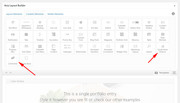
I am getting “Failed to initialize plugin: avia_builder_button” errors when editing the pages of my website.
I already selected to “always load all elements” in the “Disabling of template builder elements” option under Enfold->Performance.Example for error reproduction -> e.g. editing the text-blocks within the “home”-frontpage immediately generates this error.
Many thanks in advance!
Regards,
ChristineHello,
since the update to 4.6.1, the complete settings for data protection and cookies no longer work.
In detail:
The Cookie Consent Link and Info Button (link to data protection page)
The customized CSS for the Cookieconsent Buttons
The descriptions and functions of the checkboxes in the contact formsSince I still have to update many other enfold pages I would be very interested how I can downgrade to version 4.5.7 again ?
Thxs for your help
Topic: Update error 4.6 -> 4.6.1
Hi,
4 out of 5 enfold based websites have been successfully upgraded from 4.6 to 4.6.1.
Only one (new) website is not updating from 4.6 to 4.6.1.1. For this website, the Envato private token is still showing 4.6 as the most recent version – even when hitting the “check manually” button.
2. I installed the “Update Theme and Plugins from Zip File” plugin, but it did not help. I also deleted the .htaccess file and saved the permalinks.
I still get the following error after hitting the button “install now” (via upload theme):Nothing Found
Sorry, the post you are looking for is not available. Maybe you want to perform a search?Regards,
ChristineHi guys,
Even with updating Enfold to 4.6.1 I still have the cookie consent error. It keeps coming back after refresh, clicking on OK does not change anything.
I also had a problem with the video preview not showing up, you see just a black screen with a play button.When I disabled the cookie consent option, all of a sudden the video preview showed up after refresh.
This looks like a huge bug in Enfold? Is there a time table for the cookie fix, because according to the EU, I’m now breaking the law without a cookie consent?
Sincerely,
MortickaHello there
i updated Enfold 4.6.1 and WP is latest
In Cookie Consent Message Bar, the “link to another page” button seems not working
it closes the bar like Accept setting
do you know why ?
Thxs for your helpRikard,
As requested, new thread…
Background:
- Google Fonts being used (Merriwether serif and Lato sans serif) stopped working (or inconsistently in most browsers stopped working), following update to Enfold 4.6. All fonts then default to a sans serif font. Site now set to use Websafe fonts Georgia (serif) and Arial (sans serif).
- Site now updated to Enfold 4.6.1.
- Google Fonts were previously implemented via combination of General Styling, Advanced Styling and Quick CSS — but problem seems evidenced just via General Styling and/or Advanced Styling.
- (FYI: more recently, also having problems with Main Menu (small seperator and Advanced Styling button css/styling disappeared.)
Login details shared privately.
Topic: Enfolde Dark Photography
Hello could you please give me an answer to my previous message:
Hello, I like the template enfold dark photography. I would like to use this template for my blog. But i’m not a huge fan of the blog part. I mean i prefer how the pictures and the design of the home page than on the latest news page : https://kriesi.at/themes/enfold-dark-photography/blog/. I also prefer the portfolio page : https://kriesi.at/themes/enfold-dark-photography/portfolio-item/java/ than the blog post page: https://kriesi.at/themes/enfold-dark-photography/2017/04/19/this-is-another-blog-post/ But on the blog post page there is everything about article, i mean the share button and the comments. Things that doens’t exist on the portfolio page. My questions are: 1) Is possible to right an article and publish it as a portfolio page: https://kriesi.at/themes/enfold-dark-photography/portfolio-item/java/ 2) In this page (portfolio page) is it possible to add the comments and share button that we can find on the blog post? 3) the picture on the home page can redirect to a blog post? 4) On the blog post is it possible to add a slider of picture as there is on the portfolio page? 5) is it possible to change the dark background of the website with another color? 6) Is it possible to have different section on the menu with differente disposition of the images? Like on the home page picture are disposed in galery, is it possible to make a page with the picture as a carousel like this page: https://setsail.select-themes.com/destinations-carousel/ Thank you a lot, Maxime
Hello Enfold team,
Your latest changelog states that:
added: WhatsApp share button and social icon
When I checked the Whatsapp box to display this icon for blog posts, the result is the display of an unavailable icon, i.e. a little box with the letters F232 inside it. I’m guessing that the version of the entypo-fontello font that got packaged with this 4.6 update didn’t actually contain a glyph for that character.Not a huge issue; I’ve unchecked the WhatsApp option for now.
I have asked Yigit in this thread https://kriesi.at/support/topic/update-4-6-makes-cookie-consent-reload-every-time/page/2/ but guess it will be overlooked, so I am creating a separate thread.
The issue many of us had, was two missing shortcodes in the Essential Website Cookies section of the Modal Window. The team has created some workaround for the issue, but with the new legal situation in the EU, we really need to make sure that Enfold is configured correctly in order not to submit our customers to legal issues, so some clarity would be great.
I don’t understand how those shortcodes missing affect the whole cookie logic. Those two shortcodes are described in a very vague fashion, so I am hoping someone from the Kriesi team can explain this.
Looking at the shortcode descriptions, they say:
[av_privacy_allow_cookies] – allows a user to refuse cookies and hides message bar (needs 2 cookies for that, others are removed)
[av_privacy_accept_essential_cookies] – allows a user to opt out from essential theme and all other cookies (except 2 from av_privacy_allow_cookies)Here are my questions, numbered for easier answering:
- 1. So the first one refuses ALL cookies or only non-essential ones?
- 2. And the second one says “essential theme and all other cookies”, so in my understanding kinda contradicts the first one? Or is this only “enable essential cookies and NOT all others”?
- 3. Also the logic is not very clear: the shortcode is called av_privacy_allow_cookies and the description is talking about refusing them. So when the toggle is set to “on”, what exactly is happening. Alllow or forbid?
- 4. If I am creating a webpage with the available shortcodes, I can use [av_privacy_allow_cookies] and [av_privacy_accept_essential_cookies] as well as the buttons [av_privacy_accept_button wrapper_class="" id="" class=""] and [av_privacy_do_not_accept_button wrapper_class="" id="" class=""] on the same page. So on this page it should be possible to do all the privacy settings, right?
- 5. What do the “Accept Cookies” button and the “Do not accept” button do exactly?
- 6. Are the having an influence on the other two toggles as well?
- 7. Cookie Consent Message Bar: Are the Accept Cookies” button and the “Do not accept” button the same buttons as the accept and dismiss buttons from the cookie bar, i.e do they do the same thing? If not, what is the difference?
- 8. Modal Popup Window: Are the Accept Cookies” button and the “Do not accept” button the same buttons as the accept and dismiss buttons from the cookie bar, i.e do they do the same thing? If not, what is the difference?
Do you see where i am going with these question? The current solution might very well be good and working as intended, but the intention is not clear at all and we are kinda left in the dark and the on-page description is well meant but not very helpful.
It would be great, if you can describe the logic for each shortcode and how they all work together. Or maybe update the https://kriesi.at/documentation/enfold/privacy-cookies page for 4.6.1?Our (legal) requierements are actually pretty straightforward: Essentially we have these possibilities:
- User does nothing – no cookies are saved at all
- User denies cookies – 2 cookies are saved
- User allows essential cookies – some cookies are saved
- User allows all cookies – all cookies are saved
How does this translate to the cookie message bar and why have those 2 selectors like this? I am really confused or to stubborn/dumb to get this.
Thanks in advance for helping me and surely others with this.
Cheers,
MichaelHey,
I already discovered this and tried it that way: https://kriesi.at/documentation/enfold/contact-form/#add-on-click-event-to-the-contact-form-submit-button-I tried it with the following Code:
add_filter(‘avf_contact_form_submit_button_attr’,’avia_add_submit_attributes_to_cf’, 10, 3);
function avia_add_submit_attributes_to_cf($att, $formID, $form_params)
{
$att = “onclick=”fbq(‘track’, ‘Contact’);””;
return $att;
}I get this error: syntax error, unexpected ‘fbq’ (T_STRING)
Do you have any idea where the problem is and may be able to update your documentation?
Thanks in advance!
Topic: Blog
Hello,
I like the template enfold dark photography.
I would like to use this template for my blog. But i’m not a huge fan of the blog part.
I mean i prefer how the pictures and the design of the home page than on the latest news page : https://kriesi.at/themes/enfold-dark-photography/blog/.I also prefer the portfolio page : https://kriesi.at/themes/enfold-dark-photography/portfolio-item/java/
than the blog post page: https://kriesi.at/themes/enfold-dark-photography/2017/04/19/this-is-another-blog-post/But on the blog post page there is everything about article, i mean the share button and the comments. Things that doens’t exist on the portfolio page.
My questions are:
1) Is possible to right an article and publish it as a portfolio page: https://kriesi.at/themes/enfold-dark-photography/portfolio-item/java/
2) In this page (portfolio page) is it possible to add the comments and share button that we can find on the blog post?
3) the picture on the home page can redirect to a blog post?
4) On the blog post is it possible to add a slider of picture as there is on the portfolio page?
5) is it possible to change the dark background of the website with another color?
6) Is it possible to have different section on the menu with differente disposition of the images? Like on the home page picture are disposed in galery, is it possible to make a page with the picture as a carousel like this page: https://setsail.select-themes.com/destinations-carousel/
Thank you a lot,
MaximeHi there,
I just realized that my GDPR checkbox that usually displays when someone wants to write a comment is gone even though it seems to be activated in the theme itself. This happened after the latest Enfold update. Additionally, for some reason Enfold activated some things itself (like a WhatsApp share button, for example) besides the recent issue with the polylang plug-in that you fixed for me.
Not sure what the issues is, but GDPR requirements are quite strict in Germany, so I would need this checkbox. The checkbox does show up under the contact form. Just not for the comment form.
Best,
Karina