

Forum Replies Created
-
AuthorPosts
-
Hey Dean,
Sorry for the late reply, I found that the “floral-dark.png” should be available in the latest version, Please include an admin login & ftp access in the Private Content area so we can take a closer look.Best regards,
MikeHey schwabino,
Sorry for the late reply, I have recreated your “PDF Buttons” in an “HTML widget” and added it to your “Sidebar Blog” widget area:

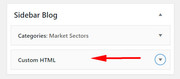
I recommend installing the Widget Options plugin to be able to control which pages and posts this widget shows on.Best regards,
MikeHey msutherin,
Sorry for the late reply, please try going to: Enfold Theme Options > Sidebar Settings > Sidebar on Archive Pages
and choose “no sidebar”

Best regards,
MikeHey mynoxin,
Sorry for the late reply,
Thanks for sharing your solution, we will close this now.Best regards,
MikeHi,
Sorry for the late reply, so I see that your sub-page is not a menu item and I assume that you are not going to add it or others to your menu?
The best approach would be to add your sub-pages as a sub-item in your menu, then they would be highlighted. You can hide the drop-down with this css:li.dropdown_ul_available:hover > .sub-menu { display: none !important; }Best regards,
MikeMay 25, 2019 at 10:36 pm in reply to: General/Advanced Styling Issue With Animations/Rollovers/Counters #1104222Hey hunter_ncmed,
Sorry for the late reply, I was not able to get to the WordPress login because the site has another password prompt before the login.
Please include. Also please explain a little more about your issue.
Also please ensure you are using Enfold v4.5.7 and your PHP is at least v5.6Best regards,
MikeHi,
Sorry for the late reply, I see that you are using Enfold v4.2 this is likely the issue, please update to v4.5.7 manually via ftp
Please note that if you update via FTP, you will need to remove the old theme folder “enfold” first (via FTP) then upload the new “enfold” folder at /wp-content/themes/enfold/
Please don’t try to overwrite the theme folder, as this will leave old files behind and cause errors.Best regards,
MikeHi,
Sorry for the late reply, I see that you are using Enfold v3.6 with WordPress v5.2.1, this version of Enfold is not WordPress v5 ready.
Please update your theme manually via ftp to v4.5.7
Please note that if you update via FTP, you will need to remove the old theme folder “enfold” first (via FTP) then upload the new “enfold” folder at /wp-content/themes/enfold/
Please don’t try to overwrite the theme folder, as this will leave old files behind and cause errors.Best regards,
MikeHey allyson3,
Sorry for the late reply,
I took a look at your site to assist with your requests above, but your site has a large error message on it: “The site is experiencing technical difficulties.”
I see that you are using Enfold v3.8.4 with WordPress v5.2.1
Please update to Enfold v4.5.7 manually via FTP
Please note that if you update via FTP, you will need to remove the old theme folder “enfold” first (via FTP) then upload the new “enfold” folder at /wp-content/themes/enfold/
Please don’t try to overwrite the theme folder, as this will leave old files behind and cause errors.Best regards,
MikeMay 25, 2019 at 10:02 pm in reply to: php warning(s) spamming errorlog – Enfold 4.5.6 WP 5.1.1 #1104216Hey Cornelia,
Sorry for the late reply, a similar post has identified the first error to be from the AMP plugin are you using this?
Please try disabling your plugins and clear your browser and server cache.
If this doesn’t help, please include an admin login in the private content area so we can be of more assistance.Best regards,
MikeHey Chris_85,
Sorry for the late reply, I tried to look at your example post but it seems to require a password, please include.Best regards,
MikeHi,
Sorry for the late reply, thank you for the login. I took a look at your site above and the Advanced Layout Builder is working good and I was able to make changes. I understand that there is another site you are using Enfold with and a different builder, but Enfold is designed to work with the built-in Advanced Layout Builder.
Please try to setup your other site the same way as the one you gave us access to.
Also note that every builder is different so if you started creating a page with the “Motopress” builder, you will not be able to edit it with any other builder. Also I don’t understand what you mean by “I don’t have Enfold layout builder” on your other site, because it can not be removed from Enfold without breaking it.Best regards,
MikeHey tremblayly,
Sorry for the late reply, I took a look at your form but didn’t find any errors that may cause this issue.
I recommend disabling your cache plugin and autoptimize and the theme’s js merging, perhaps other plugins for a clean test.
I tested your script on my localhost with the contact form which had a drop-down box and it worked good:jQuery(document).ready(function () { jQuery('#avia_4_2').val('500-1000'); jQuery('#avia_4_2').trigger('chosen:updated'); jQuery('#avia_4_2').trigger('change'); });
So I believe that your code should work fine with the current Enfold, I also note that when your page loads the “#wwlc_country” drop-down is activated so your script is targeting it and is trying to run. But without any error feedback it’s hard to say what is going wrong.
The only other thing I see is your autoptimize is triggering “Predictive Search — DEBUG” in the console, perhaps this “debug” is causing the issue, I don’t know.
Hopefully, this helps some.Best regards,
MikeHey Chris_85,
Sorry for the late reply, I see in your child theme you have an old version of the “header.php” please try updating to the latest version, please don’t forget to add your custom header code to the new header.php and save your current one as a backup.
Then clear your browser cache, if this doesn’t help try disabling your plugins and clear your browser cache again.Best regards,
MikeMay 25, 2019 at 7:50 pm in reply to: WordPress 5.2.1 + Enfold 4.5.7 = Error Avia Editor CODES #1104200Hey gsusalcaraz,
Sorry for the late reply, I’m not seeing the error, please explain how we can see the error.Best regards,
MikeHey DesignProvider,
Sorry for the late reply, this seems to be an opera browser issue, so there is not much we can do to correct this.Best regards,
MikeHey netztaucher,
Entschuldigen Sie die verspätete Antwort und fügen Sie einen Link zu der Seite hinzu. Ich gehe davon aus, dass Sie möchten, dass der Text des Elements in Ihrem Screenshot geändert wird, aber Ihr Beitrag in Google nicht gut übersetzt wird. Bitte versuchen Sie, etwas mehr zu erklären.— Translated with Google —
Sorry for the late reply, please include a link to the page.
I assume that you wish the change the text of the element in your screenshot, but your post is not translating well in Google.
Please try explaining a little more.Best regards,
MikeMay 25, 2019 at 7:23 pm in reply to: Issue with product alignment on WooCommerce Product Grid #1104197Hey dashofred,
Sorry for the late reply. Thanks for the login and the screenshots.
I have examined your elements and found that the “second line” of products are getting the class “first” which is causing this, but I also notice you are using Enfold v4.1.2 and WordPress v5.1.1, this version of Enfold is not WordPress v5 ready, please update to Enfold v4.5.7 to see if this corrects.
Please note you will need to update manually via ftp due to the change to license “Tokens” by Theme Forest.
Also note, please don’t try to overwrite the theme with the new version as this will leave old files behind and cause errors.Please try these steps, via ftp rename your current theme to “enfold-old” then upload the new “enfold” folder and check that your site is working correctly.
Once you are happy you can delete the “enfold-old” via ftp, (not the WP theme page)
Should for some reason you wish to roll-back to the old version, it’s easy to do, simply rename the new “enfold” to “enfold-new” via ftp and then rename “enfold-old” to “enfold” then refresh your page.Best regards,
MikeHey PIW,
Please try this code in the General Styling > Quick CSS field or in the WordPress > Customize > Additional CSS field:.cart_dropdown_link > span:first-child { font-size: 30px !important; }Please adjust the font size to suit, and Then clear your browser cache and any cache plugin, and check.
Best regards,
MikeHey erdalkarakocoglu,
Geç cevap için özür dilerim, giriş için teşekkürler, ancak lütfen DropBox yoluyla enfold’un son sürümüne bağlanın ve ftp erişimi ekleyin, böylece yardımcı olabiliriz.— Translated with Google —
Sorry for the late reply, thanks for the login, but please link to your latest version of enfold via DropBox and include ftp access so we can assist.
Best regards,
MikeMay 25, 2019 at 6:32 pm in reply to: Updating to newest version disables the merging and compression #1104191Hey Rusty,
Sorry for the late reply, you have the updated version installed so we can activate it to examine the issue by activating the version?
If not please include ftp access and an admin access so we can examine the issue.Best regards,
MikeHey Einstein456,
Please link to the zip file via dropbox you are trying to upload so we can examine it.
Typically you will need to upload the “enfold.zip” which is inside the “themeforest-4519990-enfold-responsive-multipurpose-theme-wordpress-theme.zip” file.Best regards,
MikeHi,
Please explain further how the widget is not working for you and include an admin login so we can examine the issue closer.
I didn’t find a blog on your site so I couldn’t examine your display title and excerpt issue. Please explain further.Best regards,
MikeHi,
Sorry, we have been working on one that is included with the captcha in the latest version, which works very good for most people. But our contact form offers basic functionally when compared to a plugin that only focuses on a contact form, We are always improving Enfold and each element, but if your site is “under attack” I recommend taking the action above.Best regards,
MikeHey stefpasi,
This is most likely due to the bundled LayerSlider, the layerslider team releases many minor updates so this notification often shows, but the bundled version is only updated with each theme update. You can read more about this here.Best regards,
MikeHey Stuart Burrows,
Thanks for contacting us, I see you are using Enfold v3.8.4 with WordPress v5.11
Please update your theme to v4.5.7 and ensure your PHP version is at least 5.6Best regards,
MikeHey Colin Burke,
Thank you for contacting us, but we don’t create websites, we create the software to allow you to create your own site and webshop.
You can read more about this and see our demos at: Enfold – Responsive Multi-Purpose ThemeBest regards,
MikeHi,
Sorry for the late reply, I re-read your post about using WP SMTP, so to add the visitor email to the reply, try adding this code to the end of your functions.php file in Appearance > Editor:add_filter('avf_form_from', 'enfold_contact_form_change_from', 10, 3); function enfold_contact_form_change_from($from, $new_post, $form_params) { global $enfold_visitor_from; $enfold_visitor_from = $from; $from = "info@domain"; return $from; } add_filter( 'avf_form_mail_header', 'enfold_contact_form_add_replyto', 10, 3 ); function enfold_contact_form_add_replyto( $header, $p1, $p2 ) { global $enfold_visitor_from; $header .= 'Reply-To: ' . $enfold_visitor_from . "\r\n"; return $header; }please adjust the “info@domain” in the code to your email address.
Best regards,
MikeMay 25, 2019 at 1:58 pm in reply to: Replace the default color bar with custom colors in the color picker #1104165Hi,
This is not a feature at this time, but I have added a request for the dev team to review.Best regards,
MikeHi,
Glad to help, to make your slider text bold I added this css in the General Styling > Quick CSS field :#full_slider_1 .slideshow_caption { font-weight: bolder !important; }For your footer widget I added this css to adjust the widget title from 28px to 18px:
#text-4 h3.widgettitle {
font-size: 18px !important;
}
please adjust to suit.
For the footer width, I added this css:#footer > div { width: 70% !important; }Please clear your browser cache and check.
Best regards,
Mike -
AuthorPosts
