

Forum Replies Created
-
AuthorPosts
-
Hey João,
Sorry for the late reply, we do not have a placeholder for a Language Switcher, but if you are using WPML, Enfold will display a Language Switcher.Best regards,
MikeHi,
It’s working correctly for me:
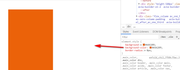
Please ensure you are using the latest version of Enfold and try disabling your plugins and clear any minified js.
If this doesn’t help, please include an admin login in the private content area so we can be of more assistance.Best regards,
MikeHi,
Glad Guenni007 could help, Thank you Guenni007 and thanks for using Enfold.Best regards,
MikeHey Stefan,
Sorry for the late reply and thanks for the screenshots and link.
Please try this code in the General Styling > Quick CSS field or in the WordPress > Customize > Additional CSS field:@media only screen and (max-width: 989px) and (min-width: 768px) { .responsive #top.home #wrap_all #main .container { width: 75%; max-width: 75%; margin: 0 auto; padding-left: 0; padding-right: 0; float: none } .responsive #top.home #main .container .av-content-small,.responsive #top.home #wrap_all #main .flex_column,.responsive #top.home #wrap_all #main .av-flex-cells .no_margin { margin: 0; margin-bottom: 20px; width: 100% } .responsive #top.home #wrap_all #main .flex_column:empty { margin: 0 } }After applying the css, Please clear your browser cache and check.
Best regards,
MikeHey FeedXL2019,
Sorry for the late reply and thanks for the well explanation and screenshots, the difference between the two menus is the setting at Enfold Theme Options > Main Menu > Burger/Mobile Menu > Menu Icon Submenu items which was set to Display submenu items on click but you wanted Always display submenu items

I have made this change for you, please clear your browser cache and check.
Now the reason it was different between your parent theme and child theme is that somewhere down the line the default setting was changed in the parent theme settings, probably an accident or the mouse scroll wheel was used while other changes were made and it was not noticed when the theme settings were saved.
Please note that the parent theme and child theme store their theme settings independently.Best regards,
MikeHi,
Sorry for the late reply, Please try this code in the General Styling > Quick CSS field or in the WordPress > Customize > Additional CSS field:form.variations_form.cart td.label { display: none !important; } form.variations_form.cart .single_variation_wrap { margin-left: 0 !important; }After applying the css, Please clear your browser cache and check.
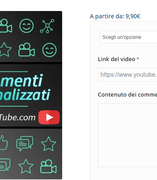
Best regards,
MikeHi,
Sorry for the late reply, Try adding this code to the end of your functions.php file in Appearance > Editor:function remove_custom_tooltip(){ ?> <script> jQuery(window).load(function(){ jQuery('.av-masonry-entry').removeAttr('title'); }); </script> <?php } add_action('wp_footer', 'remove_custom_tooltip');Best regards,
MikeHey Franz,
Sorry for the late reply, our list of browser support is on Theme Forest, but if you are going to use a list of browsers in a contract I recommend specifying the term “latest version” and not a version number and I would not list IE only Edge. I also recommend including wording for known browser bugs because we can do little to correct them.Best regards,
MikeHi,
Sorry for the late reply, this can be achieved with some css like this:@media only screen and (max-width: 767px) { #top.page-id-2927 .post-entry-2927 .entry-content-wrapper { display: flex !important; flex-wrap: wrap !important; } #top.page-id-2927 .post-entry-2927 .flex_column.first.avia-builder-el-9 { order: 2 !important; } #top.page-id-2927 .post-entry-2927 .flex_column.avia-builder-el-12 { order: 1 !important; } #top.page-id-2927 .post-entry-2927 .flex_column.first.avia-builder-el-22 { order: 4 !important; } #top.page-id-2927 .post-entry-2927 .flex_column.avia-builder-el-26 { order: 3 !important; } }Please try this code in the General Styling > Quick CSS field or in the WordPress > Customize > Additional CSS field, but I notice the buttons also change their order, so to correct please put the pair of columns that make the right sided images into a color section so we can target them better. So you will then have two color sections each with two columns.
Best regards,
MikeHi,
Sorry for the late reply, when I test the fullscreen slider with a self hosted video it auto plays with or without “Mute Video Player” checked. But I did see that trying to change the volume caused the control to hide, for this check that the performance setting “Self hosted videos and audio features (WP-Mediaelement scripts)” is set to “Always load media features (= WP default behaviour)” and that “Load jQuery in your footer” setting is off and that your caching plugin, Autoptimize plugin, Jetpack plugin, etc is not loading your jQuery in your footer. Also temporarily disable “Javascript file merging and compression” and do a hard reload. Then try this css code in the WordPress > Customize > Additional CSS field:div.mejs-button.mejs-volume-button.mejs-unmute:hover > a { display: block !important; }Best regards,
MikeNovember 2, 2019 at 1:42 pm in reply to: Burger menu not working for blog post pages on mobile? #1153256Hi,
Ok, I have sorted it out, you see your blog posts menu is a copy of your full-width sub-menu that is injected via your child theme functions.php, after carefully comparing the code I found it was missing the class “av-switch-768”. It is now working as expected.
Please clear your browser cache and check.Best regards,
MikeHi,
Glad we were able to help, we will close this now. Thank you for using Enfold.For your information, you can take a look at Enfold documentation here
For any other questions or issues, feel free to start new threads in the Enfold forum and we will gladly try to help you :)Best regards,
MikeHey Bernd,
I took a look at your gallery and I see what you mean, but I also note that if you hover over the very edge of the image anywhere it also works correctly, coupled with looking at the source code of the elements and not finding any other div’s for the element, I suspect a plugin conflict. Please try disabling your plugins and clearing your browser cache to see if that helps. I didn’t want to try this without your permission.Best regards,
MikeHey hugovandoor,
I believe that a plugin would work best in this situation, I found Authors List it has a lot of options, please give it a try.
I didn’t try the plugin, but I see that it uses shortcodes and I would recommend using these in a code block element if the other elements cause any issues with the plugin.
I did find DIY options but they don’t offer the same options.Best regards,
MikeNovember 2, 2019 at 12:32 am in reply to: Enfold textblock element without developers class after update to 4.6.3.1 #1153163Hi,
Glad we were able to help, we will close this now. Thank you for using Enfold.For your information, you can take a look at Enfold documentation here
For any other questions or issues, feel free to start new threads in the Enfold forum and we will gladly try to help you :)Best regards,
MikeHi,
True, it is not exactly the same because the site you are trying to model is using the bootstrap framework and a different icon set. To get an exact match is going to take quite a bit more customization than what our scope covers here.
You could hire a freelancer and they could build it out for you in a few hours.Best regards,
MikeHi,
When I look at your example site the phone and mail icons are next to the text links, so to achieve this I changed your custom html widget<ul class="contact1"><li class="phone"><span class="in1"><a href="tel://1-555-555-5555">[av_font_icon icon='ue854' font='entypo-fontello' size='20px'][/av_font_icon]1-555-555-5555</a></span></li> <li class="mail"><span class="in1"><a href="mailto: (Email address hidden if logged out) ">[av_font_icon icon='ue805' font='entypo-fontello' size='20px'][/av_font_icon] (Email address hidden if logged out) </a> <a href="#">Free Consultation</a></span></li></ul>and added this css:
.in1 {display: inline-block !important; }
.contact1 ul,.contact2 ul {
	list-style: none!important;
	list-style-type: none!important;
	vertical-align: bottom !important;
}
ul.contact1 li {
	display: inline!important;
	vertical-align: bottom !important;
}
.phone a,.mail a {
	font-size: 20px;
	line-height: 20px;
}
Please clear your browser cache and check, and feel free to adjust to suit.
Best regards,
MikeHi,
Sorry for the late reply, Try removing the other code and adding this code to the end of your functions.php file in Appearance > Editor:function custom_script(){ ?> <script> jQuery(window).load(function(){ jQuery( '#header_meta' ).each(function() { jQuery( this ).find( '.social_bookmarks_facebook' ).appendTo( "#av-burger-menu-ul" ); }); }); </script> <?php } add_action('wp_footer', 'custom_script');then add code in the General Styling > Quick CSS field or in the WordPress > Customize > Additional CSS field:
@media only screen and (max-width: 479px){
.responsive #top #wrap_all #header .social_bookmarks,.responsive #top #wrap_all #header .phone-info  {
    display: block !important;
}
}
Best regards,
MikeOctober 31, 2019 at 1:04 pm in reply to: Burger menu not working for blog post pages on mobile? #1152689Hi,
Sorry for the late reply, I see that your pages has a different menu style than your posts, but I don’t recall how we did that, even after reviewing your custom code and I’m a little weary of taking everything apart.
Another option would be to add the brown background color to the menu that is transparent right now?Best regards,
MikeHi,
Sorry for the late reply, and thanks for the login, but it looks like you have already sorted out the widget area so it is inline with the logo. Is this resolved now?Best regards,
MikeHi,
@eee_lala the translations have been updated quite a lot in the past week from generous users in this thread and this post has the latest German files these will be in the next update but it seems every few days the German files are being improved by the users so I recommend following that thread.Best regards,
MikeHi,
Glad we were able to help, we will close this now. Thank you for using Enfold.For your information, you can take a look at Enfold documentation here
For any other questions or issues, feel free to start new threads in the Enfold forum and we will gladly try to help you :)Best regards,
MikeOctober 31, 2019 at 10:59 am in reply to: Customized Portfolio Grid Layout (or maybe a post slider?) #1152650Hi,
Glad that this helped, you will want to create a template for your new CPT and add it to your child theme, you can copy the current single.php template which is for single posts or page.php, for pages. I recommend checking out some videos on YouTube.
From looking at your wireframe I believe that your CPT would work well as a shortcode, allowing you to place it in a specific section on your page. Besides checking YouTube, this article may also help.Best regards,
MikeHi,
Glad to hear you have it sorted out now. Thanks for using Enfold.Best regards,
MikeHi,
Sorry for the late reply, thank you for the ftp access, I uploaded the fallback textblock file and it is now working.
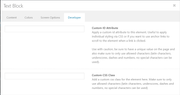
Please clear your browser cache and check.Best regards,
MikeHi,
Sorry for the late reply, Please try this code in the General Styling > Quick CSS field or in the WordPress > Customize > Additional CSS field:.header_color .header_bg, .header_color .main_menu ul ul, .header_color .main_menu .menu ul li a, .header_color .pointer_arrow_wrap .pointer_arrow, .header_color .avia_mega_div, .header_color .av-subnav-menu > li ul, .header_color .av-subnav-menu a { background-color:transparent !important; } .header_color.av_header_transparency .header_bg, .header_color.av_header_transparency .main_menu ul ul, .header_color.av_header_transparency .main_menu .menu ul li a, .header_color.av_header_transparency .pointer_arrow_wrap .pointer_arrow, .header_color.av_header_transparency .avia_mega_div, .header_color.av_header_transparency .av-subnav-menu > li ul, .header_color.av_header_transparency .av-subnav-menu a { background-color:transparent !important; border-color: transparent !important; } #top .header_color #header_meta.container_wrap_meta { background: transparent !important; border-bottom-width: 0 !important; } #top #header_main { border-bottom-width: 0 !important; } #top .av_header_transparency #header_meta { border-bottom: 0 !important; } #top #header_main.container_wrap { border-top-width: 0 !important; } #header:not(.av_header_transparency) .av-hamburger { background-color: #fff; }After applying the css, Please clear your browser cache and check.
Best regards,
Mike -
AuthorPosts

