Forum Replies Created

Viewing 30 posts - 5,401 through 5,430 (of 11,875 total)
  • Author
    Posts
  • in reply to: Put buttons at the bottom of the columns #1225781

    but the class avia-section is allready there so for you only : box-servizi – no dot before that will be done by enfold

    avia-section is the standard class for all Enfold color-sections.
    a custom-class is added to the section so on css rules there will be no space between them and the dot is the separator on that

    .avia-section.custom-class { … }

    I have included the standard class in the rules to keep a better overview. So you can see directly in the Quick css that it is a rule which is applied to an element within a color-section.

    but in the input field of the Adavanced Laoyut Builder Element ( color-section etc. pp) there should not be a dot but if you like to add multiple classes to the element – separated by a space.

    • This reply was modified 5 years, 6 months ago by Guenni007.
    in reply to: Small artifacts around images in Safari #1225755

    i do not have on the page what you have on your screenshots. i only the the machine itself without the small thumbnails under it.
    On that image – that could be seen in the lightbox too ! i have no artefacts on my safari ( Version 13.1.1 (15609.2.9.1.2) )

    no the whole code – try yourself – this is one of my pages:
    https://webers-testseite.de/3columns/

    [av_section min_height='' min_height_pc='25' min_height_px='500px' padding='default' margin='' custom_margin='0px' color='main_color' background='bg_color' custom_bg='' background_gradient_color1='' background_gradient_color2='' background_gradient_direction='vertical' src='' attach='scroll' position='top left' repeat='no-repeat' video='' video_ratio='16:9' video_mobile_disabled='' overlay_enable='' overlay_opacity='0.5' overlay_color='' overlay_pattern='' overlay_custom_pattern='' shadow='no-border-styling' bottom_border='no-border-styling' bottom_border_diagonal_color='#333333' bottom_border_diagonal_direction='scroll' bottom_border_style='scroll' scroll_down='' custom_arrow_bg='' av-desktop-hide='' av-medium-hide='' av-small-hide='' av-mini-hide='' id='' custom_class='' aria_label='' av_element_hidden_in_editor='0' av_uid='av-39o199']
    [av_heading heading='Flex Box Model with 1/3 Columns' tag='h2' style='blockquote modern-quote' subheading_active='subheading_below' size='36' av-medium-font-size-title='' av-small-font-size-title='' av-mini-font-size-title='' subheading_size='24' av-medium-font-size='' av-small-font-size='' av-mini-font-size='' color='' custom_font='' margin='' margin_sync='true' padding='10' link='' link_target='' id='' custom_class='' av_uid='av-kbi07d5u' admin_preview_bg='']
    one color-section with custom-class:   <strong>custom-css</strong> - or what ever you like.
    
    only your 3 columns in this color-section no other elements in it!
    
    columns on individual height !
    [/av_heading]
    [/av_section]
    
    [av_section min_height='' min_height_pc='25' min_height_px='500px' padding='default' custom_margin='0px' custom_margin_sync='true' color='main_color' background='bg_color' custom_bg='#e8e8e8' background_gradient_color1='' background_gradient_color2='' background_gradient_direction='vertical' src='' attachment='' attachment_size='' attach='scroll' position='top left' repeat='no-repeat' video='' video_ratio='16:9' overlay_opacity='0.5' overlay_color='' overlay_pattern='' overlay_custom_pattern='' shadow='no-border-styling' bottom_border='no-border-styling' bottom_border_diagonal_color='#333333' bottom_border_diagonal_direction='' bottom_border_style='' custom_arrow_bg='' id='' custom_class='custom-css' aria_label='' av_element_hidden_in_editor='0' av_uid='av-b33mwt']
    [av_one_third first min_height='' vertical_alignment='av-align-top' space='' row_boxshadow_color='' row_boxshadow_width='10' margin='0px' margin_sync='true' mobile_breaking='' border='' border_color='' radius='0px' radius_sync='true' padding='30px' padding_sync='true' column_boxshadow_color='' column_boxshadow_width='10' background='bg_color' background_color='rgba(176,43,44,0.3)' background_gradient_color1='' background_gradient_color2='' background_gradient_direction='vertical' src='' attachment='' attachment_size='' background_position='top left' background_repeat='no-repeat' highlight_size='1.1' animation='' link='' linktarget='' link_hover='' title_attr='' alt_attr='' mobile_display='' id='' custom_class='' aria_label='' av_uid='av-k3unnj4d']
    
    [av_heading heading='Column1' tag='h2' link='manually,http://' link_target='' style='blockquote modern-quote modern-centered' size='' subheading_active='' subheading_size='15' margin='' padding='10' color='' custom_font='' custom_class='' id='' admin_preview_bg='' av-desktop-hide='' av-medium-hide='' av-small-hide='' av-mini-hide='' av-medium-font-size-title='' av-small-font-size-title='' av-mini-font-size-title='' av-medium-font-size='' av-small-font-size='' av-mini-font-size='' av_uid='av-1q98xr1'][/av_heading]
    
    [av_textblock size='' font_color='' color='' av-medium-font-size='' av-small-font-size='' av-mini-font-size='' id='' custom_class='' av_uid='av-k3unomjx' admin_preview_bg='']
    <strong>Ich bin der Geist, der stets verneint!
    Und das mit Recht; denn alles, was entsteht,
    </strong>
    [/av_textblock]
    
    [av_button label='Click me' icon_select='yes' icon='ue800' font='entypo-fontello' size='small' position='center' label_display='' title_attr='' color='theme-color' custom_bg='#444444' custom_font='#ffffff' link='manually,http://' link_target='' id='' custom_class='' av_uid='av-ka5b3zfy' admin_preview_bg='']
    
    [/av_one_third][av_one_third min_height='' vertical_alignment='av-align-top' space='' row_boxshadow_color='' row_boxshadow_width='10' margin='0px' margin_sync='true' mobile_breaking='' border='' border_color='' radius='0px' radius_sync='true' padding='30px' padding_sync='true' column_boxshadow_color='' column_boxshadow_width='10' background='bg_color' background_color='rgba(237,174,68,0.3)' background_gradient_color1='' background_gradient_color2='' background_gradient_direction='vertical' src='' attachment='' attachment_size='' background_position='top left' background_repeat='no-repeat' highlight_size='1.1' animation='' link='' linktarget='' link_hover='' title_attr='' alt_attr='' mobile_display='' id='' custom_class='' aria_label='' av_uid='av-2i3x1ml']
    
    [av_heading heading='Column2' tag='h2' link='manually,http://' link_target='' style='blockquote modern-quote modern-centered' size='' subheading_active='' subheading_size='15' margin='' padding='10' color='' custom_font='' custom_class='' id='' admin_preview_bg='' av-desktop-hide='' av-medium-hide='' av-small-hide='' av-mini-hide='' av-medium-font-size-title='' av-small-font-size-title='' av-mini-font-size-title='' av-medium-font-size='' av-small-font-size='' av-mini-font-size='' av_uid='av-15b35rx'][/av_heading]
    
    [av_textblock size='' font_color='' color='' av-medium-font-size='' av-small-font-size='' av-mini-font-size='' id='' custom_class='' av_uid='av-k3unomjx' admin_preview_bg='']
    <strong>Ist wert, daß es zugrunde geht;
    Drum besser wär’s, daß nichts entstünde.
    </strong>
    [/av_textblock]
    
    [/av_one_third][av_one_third min_height='' vertical_alignment='av-align-top' space='' row_boxshadow_color='' row_boxshadow_width='10' margin='0px' margin_sync='true' mobile_breaking='' border='' border_color='' radius='0px' radius_sync='true' padding='30px' padding_sync='true' column_boxshadow_color='' column_boxshadow_width='10' background='bg_color' background_color='rgba(238,238,34,0.3)' background_gradient_color1='' background_gradient_color2='' background_gradient_direction='vertical' src='' attachment='' attachment_size='' background_position='top left' background_repeat='no-repeat' highlight_size='1.1' animation='' link='' linktarget='' link_hover='' title_attr='' alt_attr='' mobile_display='' id='' custom_class='' aria_label='' av_uid='av-21n5vr1']
    
    [av_heading heading='Column3' tag='h2' link='manually,http://' link_target='' style='blockquote modern-quote modern-centered' size='' subheading_active='' subheading_size='15' margin='' padding='10' color='' custom_font='' custom_class='' id='' admin_preview_bg='' av-desktop-hide='' av-medium-hide='' av-small-hide='' av-mini-hide='' av-medium-font-size-title='' av-small-font-size-title='' av-mini-font-size-title='' av-medium-font-size='' av-small-font-size='' av-mini-font-size='' av_uid='av-r67z19'][/av_heading]
    
    [av_textblock size='' av-medium-font-size='' av-small-font-size='' av-mini-font-size='' font_color='' color='' id='' custom_class='' av_uid='av-k3unomjx' admin_preview_bg='']
    <strong>So ist denn alles, was ihr Sünde,
    Zerstörung, kurz, das Böse nennt,
    Mein eigentliches Element.
    </strong>
    
    <strong>So ist denn alles, was ihr Sünde,
    Zerstörung, kurz, das Böse nennt,
    Mein eigentliches Element.</strong>
    [/av_textblock]
    
    [av_button label='Click me' icon_select='yes' icon='ue800' font='entypo-fontello' size='small' position='center' label_display='' title_attr='' color='theme-color' custom_bg='#444444' custom_font='#ffffff' link='manually,http://' link_target='' id='' custom_class='' av_uid='av-ka5b3zfy' admin_preview_bg='']
    
    [/av_one_third]
    [/av_section]
    
    [av_section min_height='' min_height_pc='25' min_height_px='500px' padding='default' margin='' custom_margin='0px' color='main_color' background='bg_color' custom_bg='' background_gradient_color1='' background_gradient_color2='' background_gradient_direction='vertical' src='' attach='scroll' position='top left' repeat='no-repeat' video='' video_ratio='16:9' video_mobile_disabled='' overlay_enable='' overlay_opacity='0.5' overlay_color='' overlay_pattern='' overlay_custom_pattern='' shadow='no-border-styling' bottom_border='no-border-styling' bottom_border_diagonal_color='#333333' bottom_border_diagonal_direction='scroll' bottom_border_style='scroll' scroll_down='' custom_arrow_bg='' av-desktop-hide='' av-medium-hide='' av-small-hide='' av-mini-hide='' id='' custom_class='' aria_label='' av_element_hidden_in_editor='0' av_uid='av-2jwmt9j']
    
    [av_one_full first min_height='' vertical_alignment='' space='' row_boxshadow='' row_boxshadow_color='' row_boxshadow_width='10' custom_margin='' margin='0px' mobile_breaking='' border='' border_color='' radius='0px' padding='0px' column_boxshadow='' column_boxshadow_color='' column_boxshadow_width='10' background='bg_color' background_color='' background_gradient_color1='' background_gradient_color2='' background_gradient_direction='vertical' src='' background_position='top left' background_repeat='no-repeat' highlight='' highlight_size='' animation='' link='' linktarget='' link_hover='' title_attr='' alt_attr='' mobile_display='' id='' custom_class='' aria_label='' av_uid='av-1fft953']
    
    [av_codeblock wrapper_element='' wrapper_element_attributes='' codeblock_type='snippet' alb_description='' id='' custom_class='line-numbers language-css' av_uid='av-ka8ikqjt']
    .custom-css .entry-content-wrapper:before,
    .custom-css .entry-content-wrapper::after{
      display: none;
    }
    
    .custom-css .entry-content-wrapper {
      display: flex;
      flex-flow: row wrap;
      justify-content:  space-evenly;
      align-items: stretch
    }
    
    .custom-css .entry-content-wrapper .flex_column {
      flex: 0 1 30%;
      margin:0;
      padding: 0;
      margin-bottom: 3%;
      width: unset !important
    }
    
    @media only screen and (min-width: 990px) {
      .custom-css .entry-content-wrapper .flex_column {
        flex: 0 1 30%;
      }
    }
    
    @media only screen and (min-width: 600px) and (max-width: 989px) {
      .custom-css .entry-content-wrapper .flex_column {
        flex: 0 1 47%;
      }
    }
    
    @media only screen and (max-width: 599px) {
      .custom-css .entry-content-wrapper .flex_column {
        flex: 0 1 100%;
      }
    }
    [/av_codeblock]
    
    [av_hr class='short' icon_select='yes' icon='ue808' font='entypo-fontello' position='center' shadow='no-shadow' height='50' custom_border='av-border-thin' custom_width='50px' custom_margin_top='30px' custom_margin_bottom='30px' custom_border_color='' custom_icon_color='' id='' custom_class='' av_uid='av-kbhzyilt' admin_preview_bg='']
    
    [av_codeblock wrapper_element='' wrapper_element_attributes='' codeblock_type='snippet' alb_description='' id='' custom_class='line-numbers language-css' av_uid='av-ka8ikqjt']
    // if you like the 3rd column to be expanded on bottom then change the one media query to:
    
    @media only screen and (min-width: 600px) and (max-width: 989px) {
      .custom-css .entry-content-wrapper .flex_column {
        flex: 0 1 47%;
      }
      .custom-css .entry-content-wrapper .flex_column:nth-of-type(3) {
        flex: 0 1 96%;
        text-align: center
      }
    }
    [/av_codeblock]
    
    [/av_one_full][/av_section]

    if you insert this in the debug field the whole page will be there after saving.

    Or you do install a plugin like Duplicate Post – then you can clone your pages/posts on list-view:

    Don’t know how polylang makes the correlation between the translations. But i guess you can set the cloned page as translation of the page.

    If you are working with the advanced layout builder – the site structure is build with shortcodes. Each Element has its own shortcode.
    You can see the whole site shortcode if you activate the debug mode.
    Put this to your functions.php of your child-theme:

    add_action('avia_builder_mode', 'builder_set_debug');
    function builder_set_debug(){
      return 'debug';
    }

    after that you will have under the editor fiele an additional field with the shortcodes f.e.:

    the whole code can be copied and on a new created page in advanced layout builder mode pasted into that field – then save the page and the alb on top will show the layout structure then.

    in reply to: Put buttons at the bottom of the columns #1225745


    if two classes are needed here on that input-field there had to be no dot between the classes – The input field will add it to the element as classes just without dot only with one space between each class.

    but the class avia-section is allready there so for you only : box-servizi – no dot before that will be done by enfold

    ___________

    the second row of coulumns is not set to equal height !
    the first column on the left gives the setting for the rest in the line. Even if you have 8times 1/4 columns- you had to set all left columns.
    And even worse, should you ever rearrange the columns and move a column from back to front, you’ll have to edit that column again. Otherwise, it’ll default to the default settings.

    • This reply was modified 5 years, 6 months ago by Guenni007.
    in reply to: Logo left, menu below #1225733

    yes that is first right. We had now to add css to get the right position. But – without seeing the site it is nearly impossible to give here concrete help.
    So – either you can post here the link – then i could tell you how to reach the correct position – or post the link into Private Content Area – then you had to wait til Mods are here.

    in reply to: Bug with Masonry on scroll #1225731

    Yesterday you haven’t activated the animation effect of the masonries. ( that delayed animation when masonry comes into viewport )
    And yesterday i have the described “bug” even sometimes on the other sections too – which would not support your supposition of the reason for this.

    in reply to: Suchfunktion im Header #1225729

    ich sehe du hast es auch ohne script geschaft – muss ich mir anschauen, gestern im schnellen drüber schauen sah ich keine Möglichkeit.
    Schau dir aber auch bitte an, wo dein Ajax Suchergebnis Feld landet. Das liegt dann an der flex einstellung das beim Erscheinen der ergebnisse das alles nicht mehr stimmt.

    Hier mal meine Lösung :

    um ein child-theme shrinking script zu haben – platziere dieses hier in deiner Child-theme functions.php:

    function wp_change_sticky_header_script() {
       wp_deregister_script( 'avia-sticky-header' );
       wp_enqueue_script( 'avia-sticky-header-child', get_stylesheet_directory_uri().'/js/avia-snippet-sticky-header.js', array('avia-default'), $vn, true);
    }
    add_action( 'wp_enqueue_scripts', 'wp_change_sticky_header_script', 100 );

    das hier ins quick css:
    entferne die obigen Einträge dann wieder zuerst.

    #top #searchform  {
      position: relative;
      height: 100%;
      width: 220px;
    }
    
    #top #avia-menu #searchform > div:first-child {
      opacity: 1 !important;
      display: block !important;
      max-width: 220px;
      border: 1px dotted #2d5c88;
      top: 22px
    }
    
    #top #searchform .ajax_search_response {
      background-color: rgba(255,255,255,0.8);
      position: relative;
      top: 22px;
      border: 1px dotted #2d5c88;
    }
    
    #top .menu-item-search-dropdown > a, 
    #searchform #searchsubmit, .av_ajax_search_image, .iconfont {
      font-size: 16px;
    }
    
    #top .av_minimal_header #s {
      padding: 8px 47px 8px 5px;
    }

    _______________________
    nur zur Info – darf ignoriert werden
    wenn du dir deinen Header anschaust, geht der von 88px auf 44px höhe zurück beim shrinken. Das ist normales Shrinkverhalten bei Enfold ( Hälfte )
    ich habe mir jetzt die Position des Searchform divs angeschaut und rein empirisch ermittelt: für den Anfang wären ca. 22px top abstand ok – nachher sollten es nur noch 1px sein.
    Diese Abnahme des Topabstandes muss ich mit der Variable koppeln, welch die header höhe repräsentiert ( in dem Script ist das newH ).
    Mir war klar, dass ich es nur durch Faktoren nicht hinbringen würde – eine konstante musste noch dabei sein.

    88x - y = 22
    44x - y = 1

    zwei Gleichungen zwei Unbekannte
    Lösung: x ≈ 0.477 und y= 20

    daher die neue Kalkulation innerhalb des scriptes:
    search_form.css({'top': (0.477*newH) - 20 + 'px'});

    ich hatte noch vor die search results unterhalb mit einzubinden, da die aber noch garnicht im DOM sind wenn die Seite lädt – kann eine ähnliche Berechnung nicht greifen.
    – leider –

    in reply to: Suchfunktion im Header #1225573

    bei einem shrinking header muss ich nochmal in mich gehen. Damit das mitläuft beim verkleinern

    habe versucht das umzustellen, aber wenn ich es hinbekomme das ich das relativ positionieren kann mit top: 50% und transformY(-50%) dann haut es beim öffnen der Suchvorschläge raus.

    Einzige Möglichkeit, die top position an das shrinkscript koppeln.
    Das ist ein wenig arbeit. Oder du verzichtest auf das ohnehin sehe dezente shrinken ( da du ja einen kleinen header gewählt hast )

    hier ist mal das veränderter shrink script – ich erklär die nachher oder Morgen wie es geht.
    https://pastebin.com/sKnhYq4a Download: Link

    nach dem Download zurückbenennen in das original: avia-snippet-sticky-header.js

    • This reply was modified 5 years, 6 months ago by Guenni007.
    in reply to: Put buttons at the bottom of the columns #1225506

    That is the reason for:

    i would give a custom class to the section it concerns

    you give a custom class f.e. to the color-section where all those columns are in. Then the selector is the trigger for using this code.

    .avia-section.custom-class .avia-button-wrap {
      position: absolute;
      bottom: 10px;
      left: 50%;
      -webkit-transform: translateX(-50%);
      transform: translateX(-50%);
    }
    
    .avia-section.custom-class .av_textblock_section {
      padding-bottom: 30px;
    }

    so whenever you come to an same setting you only had to give that custom-class to the color-section to which the columns belong.
    But it has to be the same setting. You see that a little padding is given to the last but one element in the column to have distance to the absolut positioned buttons. If this is something different than a textblock you had to adjust this.

    by the way – same setting – on your home page are these columns in the second line real equal height columns ?

    in reply to: Bug with Masonry on scroll #1225499

    i can see it too: but on firefox it is very rare – on Chrome and Safari i see it allways but not only on stages – on the other section i have this too.
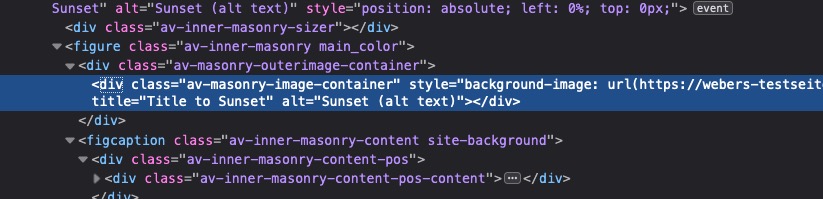
    You might even reduce the value of av-masonry-entry by a few tenths of a percent.

    .av-masonry-col-3 .av-masonry-entry {
        width: 33.2%;
    }

    Maybe it’s because of your very nice Captions presentation

    this is hard to test only with developer tools because i had to reload the page to see the effect.

    in reply to: Logo left, menu below #1225445

    you can read in the documentation on that in detail: https://kriesi.at/documentation/enfold/header/#header-widget-position

    see here first to add a header widget area: https://kriesi.at/documentation/enfold/header/#adding-a-header-widget-area
    ( PS dear MODS – this ID is not unique on that page ! )
    so logo left – menu below – read: Customization

    add_action( 'ava_main_header', 'enfold_customization_header_widget_area' );
    function enfold_customization_header_widget_area() {
    dynamic_sidebar( 'header' );
    }

    little tip : if you activate the shortcode function for widget area by this in your child-theme functions.php:
    add_filter('widget_text', 'do_shortcode');
    you can then insert avia shortcodes to a widget area – so prepare your buttons and that graphic in a post – and copy the shortcode for all that and insert it into that header widget area.

    if you need further help let us know

    in reply to: Bug with Masonry on scroll #1225441
    in reply to: Put buttons at the bottom of the columns #1225418

    i would give a custom class to the section it concerns – i have now only the code for you site specific and with the section ID:
    to address the colorsection it concerns it might be nice to have a unique selector.

    #top.page-id-16223 #av_section_2 .avia-button-wrap {
      position: absolute;
      bottom: 10px;
      left: 50%;
      -webkit-transform: translateX(-50%);
      transform: translateX(-50%);
    }
    
    #top.page-id-16223 #av_section_2 .av_textblock_section {
      padding-bottom: 30px;
    }

    i can reproduce it on my browsers here. Even on Chrome – not always but it is there.
    the one thing that i see is a setting – which i do not have on my installation:

    .avia_sortable_active .isotope .isotope-item {
        margin-bottom: 5px !important;
    }

    even the 0px setting is not in my standard installation
    when deactivating this rule in developer tools and scroll up and down the inital sequence comes back again – and after that no rearangement is seen.

    in reply to: Search – number of displayed results #1225408

    But as you can see on my test installation – that is what you like to have.
    And you have the normal implemented Search function of Enfold – or do you have relevansi or something else on start?
    Try to deactivate all your plugins to see if there is something hampering that function. On my testpage it is Enfold 4.7.5.

    in reply to: Make a specific are of an Image clickable #1225374

    an image of the code is not so nice for me to look into it.
    But why don’t you download that svg to see what i had done: https://webers-testseite.de/pureinstall/wp-content/uploads/test2.svg

    in reply to: Search – number of displayed results #1225369

    and you inserted it to your child-theme functions.php ?
    and you are shure ? All caching tools resettet? all merging refreshed? All browser cache deleted? etc. pp

    see here my test page: https://webers-testseite.de/
    Limit set to 3
    search for youtube or masonry Then see the results page

    even if you get it to work on respecting the aspect ratios of the background-image – if content in the grid-cell gets bigger than the height of the image it will not work:

    see example page: https://webers-testseite.de/grid-row-layout/
    these two images are in an aspect ratio of 16:9 so if no crop should be there the cell should be 50vw width and 28.125vw of height.
    on responsive case i decided to have the text first then the image
    Shrink the screen width.
    And see what happend to the 2nd grid-row when content height is bigger

    in reply to: Search – number of displayed results #1225307

    you do not want to limit the number on the search results page – only on the preview in the ajax search ?

    put this to your child-theme functions.php:

    add_filter('avf_ajax_search_query', 'avf_modify_ajax_search_query', 10, 1);
    function avf_modify_ajax_search_query($search_parameters){
    	parse_str($search_parameters, $params);
    	$params['numberposts'] = 5;
    	$search_parameters = http_build_query($params);
    	return $search_parameters;
    }

    to limit the results per page on the search-results page there are some codes here on the board. To get rid of the pagination with css is easy.

    in reply to: Suchfunktion im Header #1225275

    Am Besten wäre es du stellst das Search Icon wie üblich an : Enfold-Child – Hauptmenu – “Fügt Suchsymbol zum Menü hinzu”
    Dann fügst du das hier in deine child-theme functions.php ein:

    function avia_append_search_nav ( $items, $args ){ 
      if(avia_get_option('header_searchicon','header_searchicon') != "header_searchicon") return $items;
        if ((is_object($args) && $args->theme_location == 'avia') || (is_string($args) && $args = "fallback_menu")){
            global $avia_config;
            ob_start();
              $getform = get_search_form(false);
            $items .= '<li id="menu-item-search" class="noMobile menu-item menu-item-search-dropdown">'.$getform.'</li>';
        }
        return $items;
    }
    add_filter( 'wp_nav_menu_items', 'avia_append_search_nav', 10, 2 );

    das in das Quick css:

    #top #avia-menu #searchform  {
      position: relative;
      height: 100%
    }
    
    #top #avia-menu #searchform > div {
        opacity: 1 !important;
        display: block !important;
        top: 25px;  /**** musst du noch anpassen an deine Header Dimensionen *****/
    }
    
    #top #avia-menu #searchform .ajax_search_response {
        background-color: rgba(255,255,255,0.8);
    }

    wenn du den placeholder Text zentriert haben möchtest:

    #top #avia-menu ::-webkit-input-placeholder { text-align: center }
    #top #avia-menu :-moz-placeholder { text-align: center }
    #top #avia-menu ::-moz-placeholder { text-align: center}
    #top #avia-menu :-ms-input-placeholder { text-align: center}
    • This reply was modified 5 years, 6 months ago by Guenni007.
    in reply to: Suchfunktion im Header #1225226

    Wie sieht denn dein Header aus? Also die ganzen Einstellungen deines Headers : logo left, menu right, sticky , transparent , shrinking or not etc. pp.

    Wenn du also keine Link hast, dann wäre das mal ein Ansatz, wo man bessere Hilfe geben kann.
    Oder ist der Link nicht ganz jugendfrei ? ;)

    • This reply was modified 5 years, 6 months ago by Guenni007.
    in reply to: Several requests #1225215

    wenn du ( und das ist ja meist der Fall ) über Apache Server unterwegs bist kannst du das alles bequem auch über die htaccess datei im root Verzeichnis einstellen. Der entsprechende mod heißt: mod_expires.c

    Bist du vertraut mit dem Umgang einer htaccess datei?

    das sind so einträge, die ich standardmäßig gesetzt habe:

    <IfModule mod_expires.c>
        ExpiresActive on
        ExpiresDefault                                      "access plus 1 month"
    
      # CSS
        ExpiresByType text/css                              "access plus 1 year"
    
      # Data interchange
        ExpiresByType application/atom+xml                  "access plus 1 hour"
        ExpiresByType application/rdf+xml                   "access plus 1 hour"
        ExpiresByType application/rss+xml                   "access plus 1 hour"
    
        ExpiresByType application/json                      "access plus 0 seconds"
        ExpiresByType application/ld+json                   "access plus 0 seconds"
        ExpiresByType application/schema+json               "access plus 0 seconds"
        ExpiresByType application/vnd.geo+json              "access plus 0 seconds"
        ExpiresByType application/xml                       "access plus 0 seconds"
        ExpiresByType text/xml                              "access plus 0 seconds"
    
      # Favicon (cannot be renamed!) and cursor images
        ExpiresByType image/vnd.microsoft.icon              "access plus 1 week"
        ExpiresByType image/x-icon                          "access plus 1 week"
    
      # HTML - No Caching
        ExpiresByType text/html                             "access plus 0 seconds"
    
      # JavaScript
        ExpiresByType application/javascript                "access plus 1 year"
        ExpiresByType application/x-javascript              "access plus 1 year"
        ExpiresByType text/javascript                       "access plus 1 year"
    
      # Manifest files
        ExpiresByType application/manifest+json             "access plus 1 week"
        ExpiresByType application/x-web-app-manifest+json   "access plus 0 seconds"
        ExpiresByType text/cache-manifest                   "access plus 0 seconds"
        
    # Update 2020: Google recommendation: cache duration increased to 1 year
    # @see: https://web.dev/uses-long-cache-ttl/    
    
      # Media files
        ExpiresByType audio/ogg                             "access plus 1 year"
        ExpiresByType image/bmp                             "access plus 1 year"
        ExpiresByType image/gif                             "access plus 1 year"
        ExpiresByType image/jpeg                            "access plus 1 year"
        ExpiresByType image/png                             "access plus 1 year"
        ExpiresByType image/svg+xml                         "access plus 1 year"
        ExpiresByType image/webp                            "access plus 1 year"
        ExpiresByType video/mp4                             "access plus 1 year"
        ExpiresByType video/ogg                             "access plus 1 year"
        ExpiresByType video/webm                            "access plus 1 year"
    
      # Web fonts
    
        # Embedded OpenType (EOT)
        ExpiresByType application/vnd.ms-fontobject         "access plus 1 year"
        ExpiresByType font/eot                              "access plus 1 year"
    
        # OpenType
        ExpiresByType font/opentype                         "access plus 1 year"
    
        # TrueType
        ExpiresByType application/x-font-ttf                "access plus 1 year"
    
        # Web Open Font Format (WOFF) 1.0
        ExpiresByType application/font-woff                 "access plus 1 year"
        ExpiresByType application/x-font-woff               "access plus 1 year"
        ExpiresByType font/woff                             "access plus 1 year"
    
        # Web Open Font Format (WOFF) 2.0
        ExpiresByType application/font-woff2                "access plus 1 year"
    
      # Other
        ExpiresByType text/x-cross-domain-policy            "access plus 1 week"
    </IfModule>
    • This reply was modified 5 years, 6 months ago by Guenni007.
    in reply to: Several requests #1225189

    btw: ich bin hier auch nur Teilnehmer.
    bezüglich Schriften: schau dir mal die eigenschaft: font-display an. Eventuell hilft das schon weiter.
    https://css-tricks.com/google-fonts-and-font-display/

    Enfold hat jetzt unter: Performance – show advanced options “Custom Font Display Behaviour” an: und stell mal auf swap

    Bin mir aber nicht sicher, ob das auch auf die selbstgehosteten Fonts auswirkung hat. Sonst musst du es selbst implementieren.
    Wahrscheinlich hast du ja über @font-face geladen dann z.B. dort einfach einfügen:

    @font-face {
      font-family: 'Arvo';
      font-display: swap;
      src: local('Arvo') …;
    }
    in reply to: Text vor Burger-Menü einfügen #1225182

    hier ist mal eine ausführliche Anleitung die zeigt, wie man einem Menu-punkt eine benutzerdefinierte Klasse zuordnet.
    Nicht jeder weiss, wie die entsprechenden Felder einzublenden sind : https://kriesi.at/support/topic/how-put-logo-on-full-screen-mobile-menu/#post-1223295

    Was muss man machen um einen solchen Menupunkt dort zu platzieren?:
    Einen Menüpunkt anlegen: Über uns
    Diesem Menupunkt die Klasse: menu-item-avia-special geben
    Diesen Menupunkt kannst du eigentlich überall ablegen. Am Besten ganz unten

    __________

    here is a detailed tutorial that shows how to assign a custom class to a menu item.
    Not everyone knows how to show the corresponding fields : https://kriesi.at/support/topic/how-put-logo-on-full-screen-mobile-menu/#post-1223295

    What do you have to do to place such a menu item there?
    Create a menu item: Über uns
    This menu item has the class: menu-item-avia-special
    You can actually place this menu item anywhere. Best at the bottom

    in reply to: Text vor Burger-Menü einfügen #1225175

    Das von Dir oben erwähnte dient lediglich dazu Menschen, die ein Hamburger Symbol nicht direkt als Menu Symbol erkennen eine Hilfestellung zu bieten.

    Das von dir angestrebte würde jedoch den Sinn des Hamburger Menu Buttons ad absurdum führen. Der soll ja nun das Menu öffnen, wäre es möglich den mit einem Link zu belegen, würde der Link öffnen und das Hamburger Menu schließen.

    Es ist jedoch möglich neben dem Hamburger Menu – Menupunkt zu haben, die ähnlich der Lupe sichtbar bleiben, und auch bei geöffnetem Hamburger Menu oben stehen bleiben.

    ___________

    But that would take the meaning of the Hamburg menu button ad absurdum. It is supposed to open the menu, if it were possible to assign a link to it, the link would open and close the Hamburg menu.

    But it is possible to have menu items next to the hamburger menu, which remain visible like a magnifying glass, and remain on top even when the hamburger menu is open.

    in reply to: How To Make The SubMenu Sticky On Mobile #1225174

    Not too complex ?
    If you need additonal help – tell me

    in reply to: Several requests #1225171

    zum 1. Punkt auch nomal was allgemeines: Viele Dinge die wichtig für z.B WAI-ARIA sind werden immer noch von den Validierungstools als Warnung herausgegeben. Roles zB.

    – den Punkt: “An element with role=tab must be contained in, or owned by, an element with role=tablist” könnte man mal an die Devs hier weiterleiten.

    – warum speak : none als Fehler gilt ?

    Die Eigenschaft speak hat sechs Werte. Die folgenden Werte sind in CSS2.1 angegeben:

    • none
    • normal
    • spell-out

    Andere Werte werden in CSS3 angegeben:

    • auto
    • never
    • always

    _____________

    to the 1st point also nominally something general: Many things that are important for e.g. WAI-ARIA are still issued by the validation tools as a warning. Roles e.g.

    – the point: “An element with role=tab must be contained in, or owned by, an element with role=tablist” could be forwarded to the devs here.

    – why speak : none is an error ?

    The property speak has six values. The following values are given in CSS2.1:

    • none
    • normal
    • spell-out

    Other values are given in CSS3:

    • auto
    • never
    • always
Viewing 30 posts - 5,401 through 5,430 (of 11,875 total)