Hey Munford,
Thank you for the inquiry.
Only muted videos are allowed to autoplay on most major browsers, including Chrome. You’ll find this information here.
Chrome’s autoplay policies are simple:
Muted autoplay is always allowed.
Autoplay with sound is allowed if:
The user has interacted with the domain (click, tap, etc.).
On desktop, the user’s Media Engagement Index threshold has been crossed, meaning the user has previously played video with sound.
The user has added the site to their home screen on mobile or installed the PWA on desktop.
Top frames can delegate autoplay permission to their iframes to allow autoplay with sound.
— https://developer.chrome.com/blog/autoplay/
Unfortunately, there is no way to override this policy on our end. You’ll have to mute the videos in order for them to play automatically on page load.
Best regards,
Ismael
Hi
Thank you for the information.
This is actually the same fix that we proposed above. Please check: https://kriesi.at/support/topic/not-registered-dependencies-for-enfold-css-and-js/#post-1495756
Let us know if this resolves the issue for you so we can confirm the fix.
Cheers!
Ismael
Dear Team:
I’ve worked with Enfold for years, and haven’t really focused on mobile friendly versions. I need some help making this site mobile friendly, which I hope will help me with another one as well.
What do you recommend, beyond selecting mobile friendly options within the theme settings, to improve issues like image proportions and text that doesn’t adjust, causing it to be cut off the page?
Note the top of the page is not holding its proportion to the rest of the page, it looks weak and small, vs impactful. Also note, the title “heads” like “Be courageous” that gets cut off.
Your guidance here would be most appreciated!
Thank you!
Dan
Hi
My client has a background video at the top of the landing page that is fine on all browsers except Safari. It’s on mute.
I know Safari has different rules around autoplay videos but can’t find a solution. The site is live now and the video is pretty important.
Is there a way to force it to play the video? Right now I get a media error message – and the file that I can download is the webm file and not the mp4 that I have in the fullscreen slider content. ?
thanks
Nancy
Hey christina495,
Thank you for the inquiry.
Looks like you’re using a third-party plugin for the filter. We recommend reaching out to the plugin developer for additional assistance. In the meantime, you could try this script to set it to automaticall scroll to the product section after clicking any of the category items.
add_action( 'wp_footer', function() {
    if ( ! function_exists( 'is_woocommerce' ) || ! is_woocommerce() ) return;
    ?>
    <script>
    jQuery(document).ready(function($) {
        var $products = $('main.template-shop');

        if (sessionStorage.getItem('av_scroll_products') && $products.length) {
            sessionStorage.removeItem('av_scroll_products');

            setTimeout(function() {
                $('html, body').animate({ scrollTop: $products.offset().top - 20 }, 400);
            }, 200);
        }

        $(document).on('click', '.sidebar .bellows-target', function(e) {
            if (window.innerWidth >= 990) return;
            if ($(e.target).closest('.bellows-subtoggle').length) return;

            sessionStorage.setItem('av_scroll_products', '1');
        });
    });
    </script>
    <?php
}, 20 );
Let us know the result.
Best regards,
Ismael
Hey jb84,
In the above css this is wrong:
/* Sticky header on mobile */
@media only screen and (max-width: 767px) {
.responsive #top #main
}
/* Margin top value should be equal to header height*/
margin-top: 0px;
}
.responsive #top #wrap_all #header {
position: fixed;
}
You have a rouge closing bracket making the margin-top do nothing and also close the @media rule so the last rule works on desktop.
Your first snippet was correct:
/* Sticky header on mobile */
@media only screen and (max-width: 767px) {
.responsive #top #main {
/* Margin top value should be equal to header height*/
margin-top: 0px;
}
.responsive #top #wrap_all #header {
position: fixed;
}
}
Best regards,
Mike
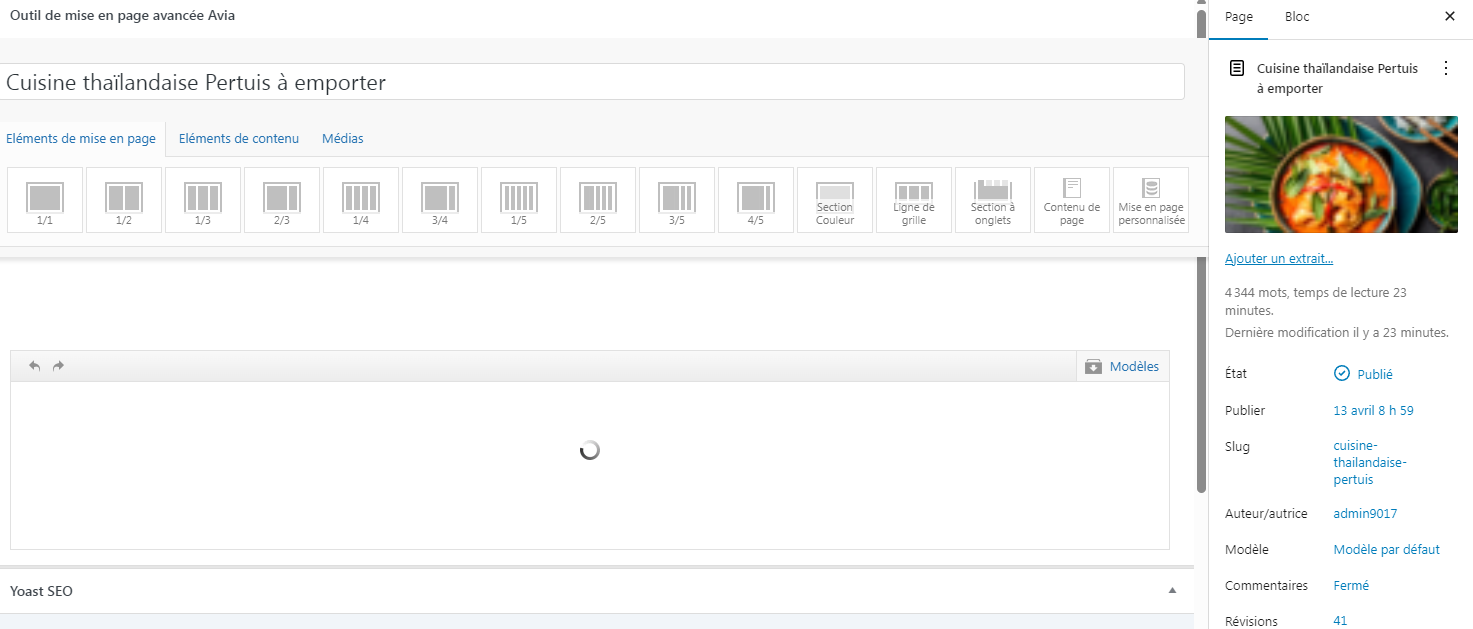
My website was running well.
I just updated my home page and some code on the quick css updated by itself (i do not change anything here).
It puts wrong value as you can see with { and this } :
time.slide-meta-time {
display: none!important;
}
.av-inner-tab-title {
font-size: 15px;
font-weight: bold;
}
#top .av_header_glassy.av_header_transparency #header_main {
background-color: rgba(255,255,255,0.8);
}
/* Sticky header on mobile */
@media only screen and (max-width: 767px) {
.responsive #top #main {
/* Margin top value should be equal to header height*/
margin-top: 0px;
}
.responsive #top #wrap_all #header {
position: fixed;
}
}
——————————————————
So i tried to clean up as below :
——————————————————-
time.slide-meta-time {
display: none!important;
}
.av-inner-tab-title {
font-size: 15px;
font-weight: bold;
}
#top .av_header_glassy.av_header_transparency #header_main {
background-color: rgba(255,255,255,0.8);
}
/* Sticky header on mobile */
@media only screen and (max-width: 767px) {
.responsive #top #main
}
/* Margin top value should be equal to header height*/
margin-top: 0px;
}
.responsive #top #wrap_all #header {
position: fixed;
}
1-Can you confirm the codes are correct?
2-but i still have issue because H2 are now in Bold and do not use the default type family
3-I tryed to erase all quick CSS but it doesn’t solv anything.
4-AND the homepage don’t display anymore on backend : https://thaigourmet.fr/enfold.png
-
This topic was modified 3 days, 16 hours ago by
 jb84.
jb84.
Hi,
Thank you for your patience, unfortunately changing the Isotope and the JavaScript calculation used would require the Dev Team to address this in the core files. Please create a request here for the Dev Team to review and you can follow along and share your input directly with them.
Best regards,
Mike
I ran into some trouble with mobile pagination. Swipe left/right is cool in theory, but not very intuitive. Those gestures are too similar to the browser’s own back/forward navigation, so users either trigger the wrong thing or don’t realise the option exists at all.
On desktop there are previous/next post links, but I think it would work better to simply place them at the bottom of the article, on both desktop and mobile. A plain click left/right is far more discoverable than expecting visitors to hunt for the navigation.
Is there a simple way to implement this?
Hey ChristosP,
The update to 7.1.4 has to be done manually from the version you are running, please refer to my replies in this thread: https://kriesi.at/support/topic/enfold-4-5-theme-update-update-failed-download-failed-a-valid-url-was-not-pro/#post-1021541
You can either update manually via FTP: https://kriesi.at/documentation/enfold/how-to-install-enfold-theme/#theme-update, or upload the theme as if it was new under Appearance->Themes->Add New Theme.
If that doesn’t work then please try to delete the whole theme folder, then replace it with the new version. Make sure that you have backups of the site before starting updating.
Also please read this after you have updated: https://kriesi.at/documentation/enfold/theme-registration/
Best regards,
Rikard
Hey laptophobo,
Thank you for the inquiry.
This is possible, but you may need to directly modify the themes/enfold/config-templatebuilder/avia-shortcodes/headline_rotator/headline_rotator.js file. Unfortunately, this type of request is beyond the scope of support.
Best regards,
Ismael
Hi,
We adjusted the modifications. The first row of the masonry gallery should now be clickable on both desktop and mobile view. The 3-column section should not be covering the masonry gallery on smaller screens. Please make sure to purge the cache before checking.
Best regards,
Ismael
Hi,
Thank you for the update.
Did you add this css code? This overrides the default style of the h2 heading.
#top h2 {
    font-size: 24px;
}
You can also adjust the style of the headings in the Enfold > Advanced Styling panel.
Best regards,
Ismael
Within your headline rotator, is there a way to stop the rotation of the “rotating text” to 1 rotation? I’ve tried using the CSS style: animation-iteration-count: 1; animation-fill-mode: forwards;
but, that doesn’t work.
Hi,
I’m using the directions from this thread but it didnt work. I attached the code I added. See pirvate
Hi Ismael,
The cause of the error lies in a setting of the wp-media folder in joomunited. In the main settings, the option “load Gif file on page load” must be enabled. However, this only applies when using the “Slide Show Full width” in combination with the “Video” media element. We have not investigated the reason for this further.
You can close the topic.
Regards
We continue to have issue since a lot of weeks.
You haven’t fixed anything yet. In the mobile version, the masonry gallery continues to appear behind the text boxes. The desktop version is correct, but the link to open the photos in the first row of the masonry gallery doesn’t work.
I ask you to fix please fast these problems because I’m late with my work.
Thanks
Hi!
We added the css code again and it seems to be working as expected. Please note that the changes here are only applied on mobile view and should not affect the desktop view.
— https://kriesi.at/support/topic/remove-excessive-space/#post-1496694
Please make sure to purge the cache before checking.
Cheers!
Ismael
Hallo Zusammen,
ich möchte, dass sich die Schriftgröße meines bodys für die Ansicht am Desktop über Media Query vergrößert.
Genauso hätte ich gerne die Schriftgröße der Überschrift in meinem Hero größer als die restlichen Ü1 Überschriften. Wenn ich über den Avia Site BUilder reingehe, dann ist 40px das Maximum. Ich habe es schon übers CSS versucht, aber da nimmt er die Größe nicht an. Das devtool sagt die Schriftgröße kommt aus dem root und da häng ich jetzt. Beim Body dasselbe.
Könnt ihr Euch, das mal anschauen?
LG René
Hi, following up on this issue with an update and a request for a fix in a future version of Enfold. (BTW the forum sidebar still says the next update is coming out in January so you might want to change that.)
Using AI, I think I identified the root cause. The page uses an Isotope masonry gallery above an anchor link target. Isotope sets the gallery container height dynamically via JavaScript using absolute positioning on each item. On the first click of an anchor link, Isotope has not yet finished calculating the final grid height, so the container is shorter than its fully-loaded state. This causes the page to scroll to the wrong position. On the second click everything has loaded and the anchor lands correctly.
As a temporary workaround I have set a fixed minimum height on the color section containing the gallery, hardcoded to the fully-loaded pixel height of the grid. This works but is fragile — the value needs to be manually updated any time images are added or removed from the gallery, and it also varies by screen size.
A fix might be for Enfold to initialize Isotope and complete the layout calculation before any anchor scroll events fire. Specifically, the issue is that when a user clicks an anchor link, the browser calculates the target element’s position based on the current document height at that moment. If Isotope has not yet finished positioning all items and setting the final container height, the document is shorter than it will be once layout is complete, causing the scroll to undershoot the target. One approach would be to delay anchor scroll handling until after Isotope fires its layoutComplete event. Another approach would be to have Isotope run its initial layout synchronously on DOMContentLoaded rather than waiting for images to load, so the container height is stable before any user interaction is possible. A third approach would be a layout reservation strategy — for example, setting an explicit height on the container equal to the calculated grid height before images begin lazy loading, so the document height is consistent from the start regardless of image load state.”
Appreciate your feedback / advice on this as I use this element all the time and am concerned about my workaround.
Thanks!
Rob
A lot of issue with codes!
With this code gallery is in correct position on mobile. Now it is visible. But on desktop box have changed size. Lenght Become thin!
@media only screen and (max-width: 767px) {
#portfolio {
padding-top: 1500px;
}
}
With this code I can click on the firs line of the galley but the text boxes have disappeared in the mobile version.
.home #portfolio {
z-index: 11;
}
Is it possible send a solution that solve issue and don’t create other ones?
Why Enfold is so full of bugs?
Hey Enfoldfanatic,
Thank you for the inquiry.
You can add an actual slider element for mobile view in place of the default grid for desktop. To toggle the visibility for different screen sizes, edit the element, then go to the Advanced > Responsive > Element Visibility settings. Please check the screenshot below.
View post on imgur.com
Best regards,
Ismael
Hi,
Thank you for the inquiry.
You can add this css code to add a bottom margin to the portfolio items.
#top .grid-sort-container .no_margin.av_one_third.grid-entry {
    width: 30%;
    margin-right: 3%;
    margin-bottom: 3%;
}
Make sure to purge the cache before rechecking the page.
Best regards,
Ismael
How to create space all over the Portfolio Gallery view? I can get the side ok, but small space on top and bottom would be nice also. How?
No, it does not work. The mobile view is using only the main menu.
It will work, when i set it to the main menu here

But then this menu will be shown also on desktop.
This all comes form moving the sub menu to the align right. With this the sorting changes.. mnybe there is another option to move it to the right so that the sorting would not be changed?
I tried but when i add the copy as Enfold Child Main Menu then the main menu for desktop is broken.
Use the mobile menu without add the checkbox here Enfold Child Main Menu it is not visible mobile.
Yes, i also add the mobile menu in the burg section to display.
Can you check it .. maybe i have overseen something
Sorry Mike for leting you wait so long with an answer.
in the private content you will find the links. If you mouse over on the mainmenue “Jescava Behandlungen” you can see that the distance between the subs are not equal from the width. Have you got aCss-for this?
You already gave me this:
/* ANFANG Mega Menü Größe*/
#top #header .avia_mega_div > .sub-menu {
display: flex;
flex-wrap: wrap;
}
#top #header .avia_mega_div > .sub-menu > li {
display: block;
width: 25% !important;
}
/* ENDE Mega Menü Größe*/
Same is with the 5 picts at the link1
Thanks for your feedaback!
Best regards
Michael F Kraus
Hello,
I have been working on this for hours and am hoping you can help me.
On this page:
https://www.thomashenthorne.com/2395-sobre-vista-road-sonoma-ca/
There are quick links at the top to go to different sections using anchor links (I have also tried code blocks BTW) to color sections. The links that go to the sections below the large masonry gallery with 70 plus photos set to lazy load do not work on the first click, they overshoot the target. If you go to the top of the page and try them again, they work perfectly. I think the page is having a hard time calculating the position to load them correctly. If I turn off lazy loading, they work fine.
I have tried this css amongst others:
/* Fix anchor link overshoot caused by sticky header */
#gallery,
#highlights,
#floorplans {
    scroll-margin-top: 40px;
}

#map {
    scroll-margin-top: 60px;
}
and have tried color sections, no color sections, code blocks, setting color section of the large photo gallery to 100% height so it knows what to calculate, etc.
Thank you for your help,
Rob
Hallo,
based on this ticket: https://kriesi.at/support/topic/mega-menu-flyout-make-right-sided/ the menu moved to the right nut with this css add the sorting of the menu items changes, so i need to rearrange them in the menu (last to first position aso.) .. this works on desktop BUT the same sorting is on mobile now – the wrong one with last at first position.
Is there another trick with the css to move menu right without changing the sorting? Or do i have to create second menu only for mobile?
Current page is online now: https://vogtreichenburg.ch/ -> bad menu e.g.