-
Search Results
-
Hi
I have been informed by the webhost IT support there is an issue with Enfold that is causing an Error message in WordPress.Can you please evaluate this WordPress error – Notice: Function WP_Styles::add was called incorrectly. The style with the handle “avia-module-testimonials” was enqueued with dependencies that are not registered: avia-layout. Please see Debugging in WordPress for more information. (This message was added in version 6.9.1.) in /home/credo/public_html/wp-includes/functions.php on line 6131
The webhost support team say: The notices are caused by Enfold enqueueing admin CSS/JS modules with dependencies such as avia-layout, avia-shortcodes, and avia_builder_js before those base handles are registered in that admin context. In WordPress 6.9.x this is now surfaced as notices more clearly.
I have Enfold 7.1.4 running on WordPress 6.9.4
Thank you
NickHello,
I will need your technical assistance in order to update a productive website from very old Enfold version to the latest one.
The website is running Enfold 4.4.1 and due to this version is also stuck in WordPress 4.9.29 and PHP 7.4
Since there is no automatic update procedure available, I will need specific step by step instructions on how to update.
If you will need access to the site I will be more than happy to setup access account for you.
Thank you in advance for your prompt reply.
Hi Support-Team, hi all,
Unfortunately, I’m stuck when it comes to adding new logos to the menu. I thought SVG would be a good idea. Unfortunately, my attempts were not successful. Even reverting to the previous state didn’t work properly. I’ve spent quite some time troubleshooting and would really appreciate your help.
Setup: Enfold 7.1.4, child theme active, WordPress 6.9.4. PHP memory limit is set to 256M. Active plugins are listed in the separate system info section.
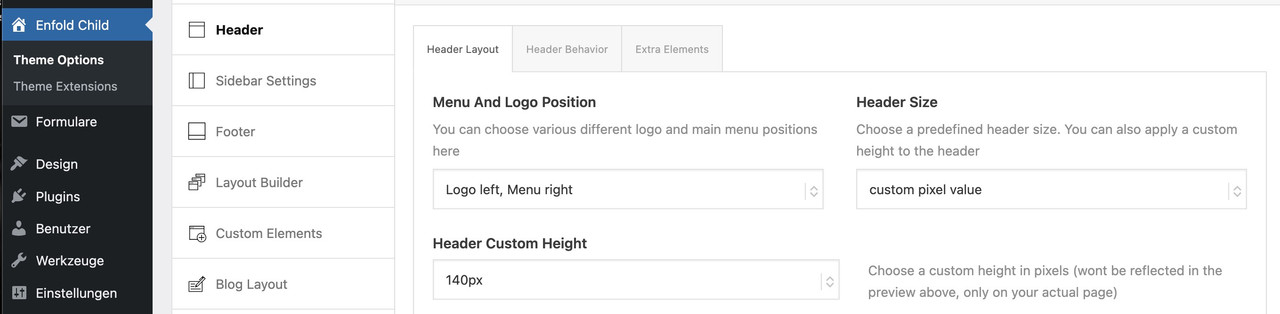
1. Logo too large: Uploaded PNG (600×44 px) displays oversized. Enfold renders height=”100″ width=”300″ regardless of actual dimensions. Header Size set to “slim”.
2. SVG logo won’t save: Uploaded SVG (877×64 px) to media library successfully. Clicking “Use Image as logo” with Full Size selected does nothing. Safe SVG 2.4.0 active.
3. Transparency logo not loading: Default logo (dark version) is set. White version is uploaded via Enfold → Header → Transparency Options → Transparency Logo. But when scrolling up to the transparent header area, the white logo does not appear — only the dark logo is shown on the dark banner.
4. Child theme CSS ignored: Custom CSS added to child theme style.css via SFTP (file content verified). CSS never loads on frontend. Autoptimize bundles all CSS and serves old cached versions. Deleted /wp-content/cache/*, emptied Autoptimize cache, hard reloaded — no effect. URLs still contain .pagespeed.ce. suffixes from server-level PageSpeed cache that cannot be cleared from WordPress.
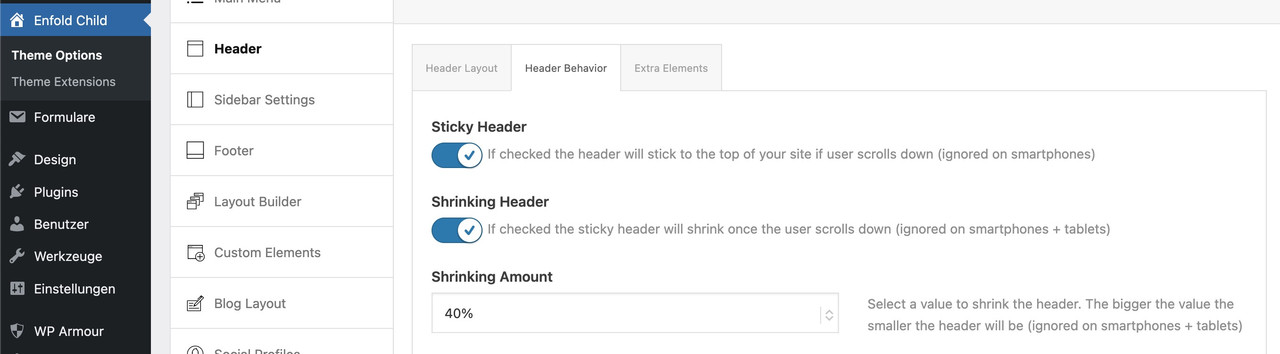
5. “Saving didnt work”: Every save attempt in Enfold Theme Options (including Quick CSS) fails with this error. Interestingly, some changes (like switching the logo image) do seem to take effect despite the error message — but I cannot be sure which changes are actually saved and which are not. Tested in a different browser, deactivated SG Security – error persists. PHP memory limit is 256M, so that shouldn’t be the cause.What I’ve already tried:
Clearing all caches (Autoptimize, WP Super Cache, admin bar “Delete Cache”)
Manually deleting /wp-content/cache/* via SFTP
Hard reload (Ctrl+Shift+R) and incognito/private browsing
Deactivating SG Security
Increasing WP_MEMORY_LIMIT to 256MQuestions:
Do you have any ideas on how I can successfully incorporate both new logos?
Why does Enfold hardcode width=”300″ height=”100″ on logo images ignoring actual dimensions?
Why does SVG logo selection not save?
Why does the transparency logo not display on the transparent header?
What causes the persistent “Saving didnt work” error — and why do some changes save despite the error?
How to make child theme CSS load when Autoptimize + server-level PageSpeed cache everything?Many thanks for your help!
Kind regards,
bleistiftTopic: Position of widget in header
Hello!
I was able to add the code provided in the documentation to child theme functions.php, and create a header widget. It’s defaulting to the upper left of the header area. I have a Center Logo, Menu Below, header, custom size (173px height). I want the widget to be placed on the right side of the open space in the header. When I implement the CSS to place the widget it breaks the styling and creates a hamburger menu. (a login graphic with link to another site), and offsets the primary logo. Is there a different solution? Back up would be a secondary menu in the small bar at the top, but I’d want that to be a button, not just text.Hello Kriesi Team,
I am writing here, because I couldnt find a “Report Theme Issues/Bugs” Form.
With Enfold 7.1.4, a large number of PHP notices are generated as soon as WordPress debug mode is enabled.
The notices are mainly:
• Function WP_Scripts::add was called incorrectly
• Function WP_Styles::add was called incorrectlyDid you already notice this issue, and are you currently working on a fix?
Below is what I found during debugging.Kind regards,
Hi,
my website was perfect but, the day after i lost menu size type, submenu size type, width of the main window content (normally full width), body size type…
All my enfold/advanced styles are her. So I tryed to reset some but no effect (tested a MENU type size to 40px but it display on front end a kind of small 10px for example).
The ENFOLD cookies tool seems to have an issue too… When trying to disable it i have this message: Saving didnt work! Please reload the page and try again.7.1.4 ENFOLD RUNNING and reinstalled for testing
PHP : 8.3.23For info: i installed/tested Forminator, CRM Peks Form, Eventon.
I try to deactivated all plugins. No resultsEDIT*** Now the ENFOLD Save all update button each time gives: “Saving didnt work! Please reload the page and try again.”
Enfold 7.1.4, no active plugins, no child-theme modifications in functions.php or header.php.
Transparent header logo is an SVG.
On normal pages like /fuer-geschaeftskunden/ the logo is visible.
On single blog posts with date-based URLs like /2026/03/23/story/ the logo is not visible.
Inspector shows the transparency logo rendered as:<img src="../wp-content/uploads/2026/03/logo_b.svg" />If I replace that with the absolute URL, the logo loads correctly.
So it looks like the transparency SVG logo is rendered with a relative path that breaks on single post permalinks.Access in PC
Subject: CRITICAL: Enfold 7.1.4 Redirect Failure & PHP Fatal Error (get_page_permastruct on null)
“Dear Enfold Support Team,
I am experiencing a critical issue with Enfold 7.1.4 on a site running the latest WordPress version and PHP 8.1 (also tested with 8.2 and 8.3).
The Problem:
A registration form (created with DigiMember) has stopped functioning correctly. While the user is successfully registered in the database, the AJAX redirect to the thank-you page fails completely. The button does not trigger the redirect, leaving the user stuck on the form page.Technical Analysis & Error Logs:
The error logs show that the process is interrupted by a Fatal Error within the WordPress core, triggered during an AJAX call. Even with PHP 8.1, I get the following stack trace:PHP Fatal error: Uncaught Error: Call to a member function get_page_permastruct() on null in …/wp-includes/link-template.php:435
Stack Trace highlights:
#0 …/wp-includes/link-template.php(397): _get_page_link()
#1 …/wp-includes/link-template.php(197): get_page_link()
#2 …/plugins/digimember/…/payment_handler.php(878): get_permalink()
Additionally, the log is flooded with hundreds of deprecated warnings regarding the Enfold core:
PHP Deprecated: Class avia_style_generator was called with an argument that has been deprecated since version 5.3! Trying to set protected/private property: avia_style_generator::print_extra_output.Environment:
Enfold Version: 7.1.4WordPress: Latest (6.9.1)
PHP: 8.1.34
Active Plugins: Cookiebot, DigiMember, GetResponse.
It seems that the way Enfold handles the style generator or AJAX environment is causing WordPress to lose its permastruct context, leading to the null error during the redirect.
Do you have a temporary fix, a filter for my child theme’s functions.php, or a patch to resolve this redirect failure? This is currently breaking my sales funnel.
Best regards,”