I know that I cannot nest columns. And, I know that I cannot put a grid row in a color section. But, I am trying to achieve an effect like the one below:
View post on imgur.com
In a perfect world, this would be a color section with a blue background (easy to do). Within the color section would be two columns, each with a white background and an orange border (easy to do). Within each column is an image on the left and a text block on the right. (where I am stuck). Can this be done through an Enfold element or via a set of CSS?
Thank you
Roger

PHP 8.0 crashes:
/enfold/config-templatebuilder/avia-template-builder/php/Class-assetpmanager.php on line 880
Hey LMS,
We are sorry for the inconvenience!
Adding following code to Quick CSS in Enfold theme options > General Styling would fix the issue
.av-single-event-meta-bar.av-single-event-meta-bar-desktop {
  display: none;
}
However, that should have not been necessary. I am not sure if we have overlooked something or this is related to your installation. I would like to look into it. If you do not mind, could you please create temporary WP admin and FTP logins and post them here privately? :)
Regards,
Yigit
Hi Team,
After update to Enfold 5.2, the Event Meta of events is displayed twice (above + below the related events section). For our website, it should only be displayed above the related events section which is more intuitive to the user (according to feedback that we received).
Is there a fix planned?
Hi,
Could you please go to Enfold theme options > Performance and disable JS file merging and compression, check to delete old CSS and JS files, save theme options and check if that helps? After that you can re-enable JS file merging and compression option.
If that does not help, please create temporary admin logins and post them here privately :)
Best regards,
Yigit
Well I just saw the that our website was not working anymore. So I started troubleshooting tests, changing htascces file name for checking as well as the plugin folder name via ftp. From that point I knew it has to be something more tricky. I added wpbebug code to the wpconfig to see if I can handle it from there (see my first post of today with the message of debug). Then I removed the enfold theme via ftp and I had access for my wordpress backend. I tried to bring up my backup via updraft plus of oktober 17th and it failed. afterwards it started with the new fatal error.
Hi,
I activated local fonts as descibed here: https://kriesi.at/documentation/enfold/typography/#toggle-id-13-closed
But even if the iinspector says the font is present, it loads Helvetica. Wahts teh problem here?
I post you two versions of the site in the private area, one with google-online, one with local stored fonts.
There are two different font-styles use: “Oswald” for H1-Hn and Open Sans for Text
and now this one… whats going on with enfold?
Fatal error: Uncaught Error: Call to undefined function av_icon_css_string() in /mnt/web418/b1/70/5603570/htdocs/wp-content/themes/enfold/css/dynamic-css.php:1094 Stack trace: #0 /mnt/web418/b1/70/5603570/htdocs/wp-content/themes/enfold/includes/admin/register-dynamic-styles.php(234): require() #1 /mnt/web418/b1/70/5603570/htdocs/wp-content/themes/enfold/functions.php(783): avia_prepare_dynamic_styles() #2 /mnt/web418/b1/70/5603570/htdocs/wp-includes/class-wp-hook.php(307): avia_custom_styles() #3 /mnt/web418/b1/70/5603570/htdocs/wp-includes/class-wp-hook.php(331): WP_Hook->apply_filters() #4 /mnt/web418/b1/70/5603570/htdocs/wp-includes/plugin.php(476): WP_Hook->do_action() #5 /mnt/web418/b1/70/5603570/htdocs/wp-settings.php(598): do_action() #6 /mnt/web418/b1/70/5603570/htdocs/wp-config.php(171): require_once(‘…’) #7 /mnt/web418/b1/70/5603570/htdocs/wp-load.php(50): require_once(‘…’) #8 /mnt/web418/b1/70/5603570/htdocs/wp-admin/admin.php(34): require_once(‘…’) #9 /mnt/web418/b1/70/5603570/htdocs/wp-admin/themes.php(10): require_once(‘…’) #10 {main} thrown in /mnt/web418/b1/70/5603570/htdocs/wp-content/themes/enfold/css/dynamic-css.php on line 1094
Hi,
Glad Ismael could help, if you have any further questions please create a new thread and we will gladly try to help you. Thank you for using Enfold.
Best regards,
Mike
Yes this is my destination.

Loading the “third party garbage” will be avoided by enfold cookie tool.
Hi @pikkuapuri,
No, there is not any changes regarding WPML. Have you disabled the flags in Enfold theme options > Header > Extra Elements > Enfold WPML Language Flags?
Best regards,
Yigit
Next : this here is a usefull compression tool – and i have never had conflicts with it in using it with enfold.
if i create edited file and compress myself – regarding the enfold nomenklatur ( avia-snippet-sticky-header.min.js ) – how do i have to enque that custom js file with condition ?
( Uploading both files then to child-theme )
Can you give us a link to that page?
Developer tools will tell us where it comes from. But best on doing that is to switch of merging and compression tools.
Yes you are right that on default “Elegant Red” – lato is set for default_font.
But did you change that on Enfold Options. Either by using a websafe font or by uploading Lato font with custom font manager ?
You can hamper Enfold from loading google fonts from google servers by:
(in child-theme functions.php:)
function my_output_google_webfonts_script( $activate ){
  return false;
}
add_filter( 'avf_output_google_webfonts_script', 'my_output_google_webfonts_script', 10, 1 );
Hey Rob,
I checked mforams2 but it seems like there are 2 Enfold installations and both of are version 5.1.2. There was a jQuery error in console. I also tried disabling JS file merging and compression and deleted old files but it did not help.
Glad it is working fine now though! If issue re-occurs, please check console for jQuery error. It might help plugin authors :)
I am marking this thread as resolved. Let us know if you have any other questions and enjoy the rest of your day :)
Regards,
Yigit
After updating to 5.2, Captions disappeared from my Masonry galleries. Am I the only one noticing this? I couldn’t find any other message in the forum about that.
Can you please check it?
In “Private” you’ll find all details…
THX
Bye,
A.-
Hi Yigit,
Thanks, I will try that and contact the plugin author about it.
However, regarding this: it seems the issue has resolved “all by itself” after my last tryout, at least it doesn’t happen at the moment. By the way, I also discovered I wrongly informed you earlier about PHP, it’s not 8.1.1 but 8.1.11 (I typed too quickly) :-)
On mforams2
– downgraded Enfold to 5.1.2 (ftp copy)
– disabled CSS & JS merge & compress
– updated Enfold to 5.2, saved theme options
– saved permalinks again
– re-enabled Performance CSS & JS merge & compress, saved theme options
Much to my own surprise, no more issues. One of those things that has me scratching my head…
Anyway, both mforams2 and mforams8 now run Enfold 5.2 and Booking Calendar seems to work fine in both languages.
Perhaps the permalinks saving again did the trick, I don’t know. You can check it for yourself if you want on the two stagings.
So thanks for your time and effort, I guess this can be closed for now. I will keep an eye on it and in case the problem resurfaces I will open a new one.
Thanks and have a good day!
Rob
Hi,
You are welcome! :)
For your information, you can take a look at Enfold documentation here – https://kriesi.at/documentation/enfold/
If you have any other questions or issues, feel free to start a new thread under Enfold sub forum and we will gladly try to help you :)
Enjoy the rest of your day!
Best regards,
Yigit
Hi,
Thanks for the info!
I went to Enfold theme options > Performance, disabled JS file merging and compression, saved theme options, enabled the option and saved again and that helped.
Please review your website :)
Best regards,
Yigit
Hi,
Great, I’m glad that you found the cause of the problem, and thanks for the update. I’ll close this thread for now then, please open a new thread if you should have any further questions or problems.
Best regards,
Rikard
Hi Yigit,
Thanks for taking a loook. However, I don’t understand why the plugin author of Booking Calendar should be involved :-)
Nor do I understand why deactiviating plugins would help.
On MforAms8 (Enfold 5.1.2) everything works perfectly in both languages.for the Booking Calendar
On MforAms2 (upgraded to Enfold 5.2) the default language (EN) Booking Calendar does not load anymore, but it does on the translated page (NL).
Neither the Booking Calendar nor the Falang translation plugin were touched before the Enfold update, ergo it is something in the Enfold 5.2 update which caused this, I think.
I would appreciate if you could look for any possible culprit code in the latest Enfold update. I will try my luck with the authors of Booking Calendar and Falang, but I fail to see how they could have caused something which in Enfold 5.1.2 worked just fine.
Kind regards,
Rob
-
This reply was modified 3 years, 5 months ago by
 rob2701. Reason: fixed typo
Thanks Vera – i do know that – but if on performance reasons i like to show a vimeo or youtube video – and block til opt-in – we see a black preview area!
Downloading or creating an own fallback image is possible – but if it could be automated this will be nicer.
See here my solution with borlabs cookie solution and enfold – on visit – deny ( Ablehnen ) all cookies.:
https://webers-web.info/videos/
you see that even the videos with no custom image do have a preview image – and it is local hosted.
Borlabs can download those thumbnails to a local folder – and we can use them for that.
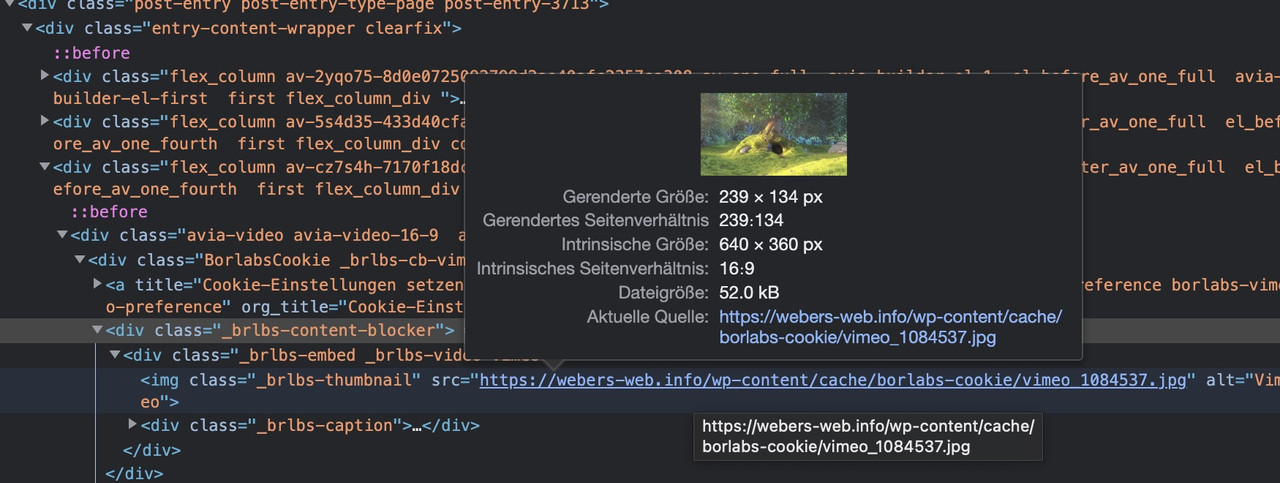
After optIn – then the thumbs from youtube/vimeo are loaded.
That was my intention for Enfold own cookie consent tool.
Hi uniquefu,
Thanks for contacting us!
Please refer to this post – https://kriesi.at/documentation/enfold/theme-update/ and update Enfold to the latest version 5.2.
If you are already using the latest version, please post temporary WP admin and FTP logins here privately so we can look into it :)
Cheers!
Yigit
Hi,
Glad to hear that you have this sorted out, if you have any further questions please create a new thread and we will gladly try to help you. Thank you for using Enfold.
Best regards,
Mike
Hi,
Glad we were able to help, if you have any further questions please create a new thread and we will gladly try to help you. Thank you for using Enfold.
Best regards,
Mike
Hi,
I guess I misunderstood, the Google Fonts only gives the fonts in .ttf, so I downloaded your font zip with the .woff fonts and used the transfonter site that Guenni007 recommended, thanks Guenni007 and created a new zip for you open-sans-woff.zip and imported it for you and now you have the multiple woff fonts:

You can delete the other two fonts, I then changed the Enfold Theme Options ▸ Advanced Styling for H3 tags as a test, note that you must choose the font weight:

and now on the test page the font is the 300 woff font

Best regards,
Mike
Hi,
Great, I’m glad that you found a solution, and thanks for sharing the link to it. I’ll close this thread for now then. Please open a new thread if you should have any further questions or problems.
Best regards,
Rikard
Hi,
Thanks for the update and clarification, we’ll look into your suggestions and remarks.
You cannot use the Enfold Layout Builder with any other themes.
Best regards,
Rikard
Hi,
Thanks for the update, I’ll go ahead and close this thread for now then. Please open a new thread if you should have any further questions or problems.
Best regards,
Rikard
Meanwhile we updated to the latest Enfold 5.2 and the error still exists.
What we found out is that it consists while clicking too fast: Choosing start and end date very quickly creates the errors, either the first or second (as seen in the screenshot). Waiting a bit before choosing the dates results in a successful shopping cart action.
For the backend performance:
Before the update we disabled the LayerSlider Plugin in the Theme Settings and the performance was fast again.
After the update we had to enable it, because all our sliders were gone, even if we didn’t use the LayerSlider Plugin!
Dear Support, I am facing a serious problem with WooCommerce Image Sizes on various pages with Enfold (different versions, greater than 5.1) and WooCommerce (different versions, greater than 6.8) installed. Today I updated one page to Enfold 5.2 and WooCommerce 7.0, hoping that the lastest versions could help in solving the issue but it remains.
I want the images in the product catalog to be uncropped. Setting in the Customizer WooCommerce Tab is:
Thumbnail width: 300
Uncropped
Older products are shown in the right way. If I add new products a strange cropped 450 x 450 px image size is loaded and saved. I can see it directly in the editing screen of the product. On older products I see the uncropped 300 x whatsoever px images size (“medium”) in the sidebar. On the newer products I see the square 450 x 450 px image …
I already changed the settings. Created new thumbnails a lot of times. But still the wrong size is loaded and saved for the new products.
The strangest thing: In the product grid ALB element the correct uncropped “medium” image is loaded. Even with the square 450 x 450 shown in the backend. But on the shop overview page and in the upsell/crossell sections it displays the wrong cropped size despite the settings in the Customizer.
I need your help since the shop pages look weird and I need a solution for this problem! Can I somehow deactivate the 450 x 450 image size completly? How is the image size saved? Do you have any ideas?
Thanks in advance!!
Best regards, Daniel



