Hi
I have already Version 4.0
WordPress Version: 4.0
WooCommerce Version: 2.2.6
WooCommerce Datenbank-Version: 2.2.6
PHP Version: 5.4.32
MySQL Version: 5.5.37
Name des Themes: Enfold
Theme-Version: 3.0.1
cheers Jean-Pierre
Hey bensmithdesign!
Thank you for using Enfold.
Can you please give us an example or screenshot of what you’re trying to do?
Best regards,
Ismael
Hi dogooder!
Thank you for using Enfold and for pointing that out.
You can add this on Quick CSS or custom.css to change the header color:
.avia-msie-8 .av_header_sticky_disabled#header {
    background-color: blue;
}
Or use this to move the #main container upwards:
.avia-msie-8 .html_header_transparency #main {
    padding-top: 0px !important;
    top: -88px;
    position: relative;
}
Best regards,
Ismael
Hi Victor!
Thank you for using Enfold.
1.) No, this will require major customization between the theme and the woocommerce plugin. I’m sorry but we can’t help you regarding that matter.
2.) Right now, it’s not possible to create link with image hot spots. You can vote or request the feature on our Feature Requests page.
Best regards,
Ismael
Hey DROR!
Thank you for using Enfold.
We will need a temporary login details to get to the account page. Please post it here. I’m sorry but we don’t provide support for third party plugins. Please contact the plugin author.
Best regards,
Ismael
Hi!
Thank you for using Enfold.
The wp-content folder does not have the correct file permission. Please contact your host then ask them to change it. After that, toggle any theme options then save changes. It should be working by then.
Regards,
Ismael
Hi profil77!
Thank you for using Enfold.
Can you please give us a link to the actual page? A screenshot of the issue will help.
Regards,
Ismael
Hey jugalbandi3!
Thank you for using Enfold.
Did you add any css customization for the fullscreen slider? Please download the latest version Enfold 3.0.1 from your themeforest account then update the theme via FTP. Please refer to this link for more info: http://kriesi.at/documentation/enfold/updating-your-theme-files/
Cheers!
Ismael
Hi DROR!
Thank you for using Enfold.
The screencast is not loading in my end. Can you please give us a link to the actual page with the issue?
Regards,
Ismael
Hey Ben!
Thank you for using Enfold.
Looks like the theme has been heavily modified. Please switch your advance layout builder to debug mode. Edit function.php, find this code:
if(isset($avia_config['use_child_theme_functions_only'])) return;
Below, add this code:
//set builder mode to debug
add_action('avia_builder_mode', "builder_set_debug");
function builder_set_debug()
{
return "debug";
}
Copy the shortcode of the page and the css modifications on the Quick CSS field. Place it on pastebin.com. We would like to test it on our installation.
Cheers!
Ismael
Hi Guys,
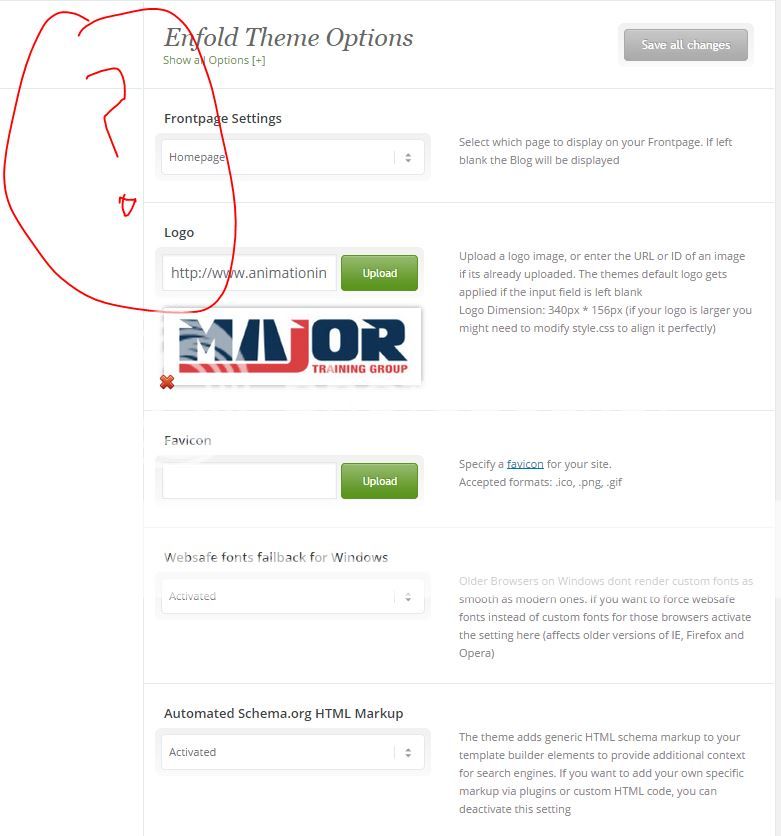
I have updated to wordpress 4 and latest enfold theme. For some reason I’m missing the Enfold The options tabs.
-
This topic was modified 11 years, 6 months ago by
 Animationink.
Hey!
Did you activate the Hide Mobile Menu Submenu Items setting on Enfold > Header > Mobile Menu panel?
Cheers!
Ismael
Hey Heathcliffe!
Thank you for using Enfold.
Please add this on Quick CSS or custom.css:
ol, ol li {
list-style-type: decimal !important;
}
Cheers!
Ismael
Hey Digilocker!
Thank you for using Enfold.
Please give us a link to the actual website. We would like to check it. Try to disable the Auto Minify settings of the cloudfare then test it again.
Cheers!
Ismael
Hi xyzb!
Thank you for using Enfold.
So far, I have only been able to reproduce the issue when opening an icon box modal and clicking the X to close it.
Have you noticed the issue while adding, closing or saving any other shortcode item?
I am submitting a bug report for kriesi to have look and we shall get back to you with a fix soon.
Regards,
Arvish
Hi!
I’d suggest using Universal Analytics instead, you can make use of the already defined classes in your different buttons for this, basically you’d just need to include the following custom JS (either via wp_footer insertion or even in the Enfold Google Analytics field):
<script>
(function($){
  $(window).load(function() {
    $('.button-1 a').on('click', function() {
         ga('send', 'event', 'button', 'click', 'button-1');
     });
    $('.button-2 a').on('click', function() {
         ga('send', 'event', 'button', 'click', 'button-2');
     });
    $('.button-3 a').on('click', function() {
         ga('send', 'event', 'button', 'click', 'button-3');
     });
  });
})(jQuery);
</script>
Reference:
https://developers.google.com/analytics/devguides/collection/analyticsjs/events
Cheers!
Josue
Hi there,
since last Enfold update, the woocommerce cart integration can not be removed anymore in my child theme.
in enfold woocomerce config.php : there is add_action( $position, ‘avia_woocommerce_cart_dropdown’, 10);
and in my child theme woocomerce config.php i have :
remove_action( ‘ava_main_header’, ‘avia_woocommerce_cart_dropdown’, 10);
before enfold 3, it works nicely, and now it does not work anymore.
it seems that my woocommerce config is loaded before enfold woocommerce config
basically i want to remove this cart and add it somewhere else, in the secondary menu actually with my own code.
any help appreciated please
Cheers
Hi!
Essentially Custom Post Type loop are the same as normal post loop with the addition of your custom post type name parameter. Consider this code:
$args = array( 'post_type' => 'product', 'posts_per_page' => 10 );
$loop = new WP_Query( $args );
while ( $loop->have_posts() ) : $loop->the_post();
  the_title();
  echo '<div class="entry-content">';
  the_content();
  echo '</div>';
endwhile;
Reference: http://codex.wordpress.org/Post_Types
For your purpose, replace “product” with your CPT.
Enfold’s page templates follows exactly the same principle as wordpress page templates.
Simply add your code anywhere after get_header() and get_footer() in your page template.
Best regards,
Arvish
Hi, i’m very happy with the Enfold theme. I have 2 questions i’m trying to figure out:
– Is there any way I can have the checkbox form elements prechecked?
– I need a change language option for English and French, with the URL pages for French having /fr after the domain name. Ideally i’d like the change option as a drop down or link select in the header. What’s the best way to go about that? Can WPML accomplish that?
Appreciate any help on the above. Thanks!
I am trying to make a video slider for my home page (like the same style that is on the home page of the site at http://www.worldofdance.com/, titled FEATURED VIDEOS ). Is this possible to do with Enfold as is, or do I need to install a special video slider?
Thank You.
Barry
Hi cobalt_blue_1!
Please go to Enfold theme options > Header > Header Behaviour and uncheck “Shrinking Header”
Regards,
Yigit
Hey Lilipie!
You are currently using a very old version of Enfold which is not compatible with WordPress 4.0. Please update Enfold to the latest version 3.0.1 via FTP – http://vimeo.com/67209750
Please note that you may need to re-configure some options/elements such as header – http://kriesi.at/documentation/enfold/portfolio-item/intro-to-the-header-configurator/
Regards,
Yigit
Hi!
Please consider sharing your website on Enfold showcase :)
Cheers!
Yigit
Hey!
Yes, please go to Enfold theme options > Header > Transparency options
Regards,
Yigit
Hi!
Can you please update Enfold to the latest version 3.0.1 via FTP – http://vimeo.com/67209750
and update WordPress to version 4.0.
Please also try to increase the allocated memory to 128M: http://codex.wordpress.org/Editing_wp-config.php#Increasing_memory_allocated_to_PHP
You can contact your service provider and they can do it for you.
Cheers!
Yigit
Hi Adrià!
Please add following code to Quick CSS in Enfold theme options under General Styling tab
@media only screen and (max-width: 480px) {
#top .av-submenu-container { height: 160px; }}
Cheers!
Yigit
Hi socialadvice!
Please add following code to Quick CSS in Enfold theme options under General Styling tab
@media only screen and (max-width: 1290px) {
.av-main-nav > li > a { padding: 0 6px; }}
@media only screen and (max-width: 1140px) and (min-width: 990px) {
.logo img { max-height: 70%; }}
Regards,
Yigit
Hey Carolina!
Please make sure that you are using the latest version of Enfold which is 3.0.1. Then go to Enfold theme options > General Layout and change the position of “Logo and Main Menu”
Regards,
Yigit
Hi!
You are welcome, glad we could help :)
For your information, you can take a look at Enfold documentation here – http://kriesi.at/documentation/enfold/
And if there are features that you wish Enfold had, you can request them and vote the requested ones here – https://kriesi.at/support/enfold-feature-requests/
For any other questions or issues, feel free to post them here on the forum and we will gladly try to help you :)
Cheers!
Yigit
Hey rira!
Please add following code to Quick CSS in Enfold theme options under General Styling tab
.registration .sidebar { display: none!important; }
.registration .content { width: 100%!important; border: none!important; }
Cheers!
Yigit



