Hey rixi,
Thank you for the inquiry.
You can enlarge the mobile/burger menu by adjusting the Menu Icon Style settings from the Enfold > Main Menu > Burger/Mobile Menu panel. Reset it from “Small” to “Default”.
Best regards,
Ismael
Hi Mike,
thank you for the answer.
Yes, this problem is solved. We had to mark in enfold header “Show the default language flags”.
In the version before the update, this was not allowed.
Translation is coming later.
The problem with the underlined links solved my partner with a lot of tricky css. It is working now.
Still not solved:
on the blog sidebar the link to the archive page is not working. It opens always the startpage
Maybe you can help me with this.
Thank you and have a good new year!
Barbara
The source for the Masonry images ( and portfolio images ) is not the featured image, but here on your page it is the 495×400 png as shown in the DOM. This is the standard image format, which is otherwise taken for this (hence the name for this Enfold image format: portfolio) – but this can be changed in the ALB – as already noted above.
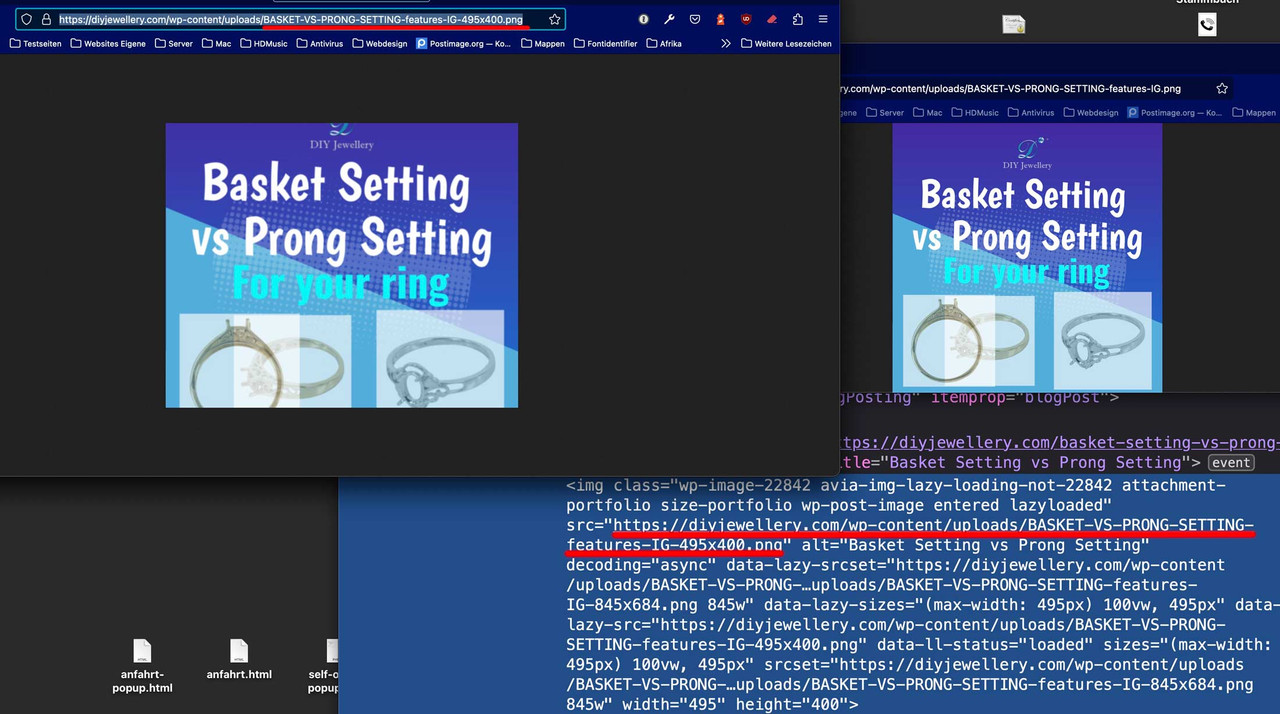

Why don’t you just try what I said above?
It would be worth a test, wouldn’t it? If your images are square in the original and larger than the 705px of the “masonry image format”, then also here in the portfolio preview the images should all be square and uncropped.
Hello everyone,
I’m looking for a way to have a transparent dark background behind my main header and header since they are above an image and barely visible.
This is a special title and text block.
A link to my website is in my profile
In addition, I would like to know how to change the color of the details in the main menu only when I hover over them. Thank you!
Hi,
Glad to hear that you have this sorted out, if you have any further questions please create a new thread and we will gladly try to help you. Thank you for using Enfold.
Best regards,
Mike
Hey Dr. Dominik Foerschler,
Thanks for your question, it looks like you are using version 4.1.2 which doesn’t support PHP v8, please update to the latest version of Enfold v5.3.1.1
You probably won’t be able to update from within the theme because v4.1.2 used the Envato (Theme Forest) API which is no longer in use for updates, Envato (Theme Forest) now use the Envato Token so you will need to first update your theme by logging into your Envato (Theme Forest) and download the latest version.
Then after you update you can create an Envato Token from inside your Envato (Theme Forest) account for future updates.
To update your version of Enfold you will need to download the latest installable WP version from your Theme Forest account and upload it to your WordPress ▸ Appearance ▸ Themes ▸ Add Themes ▸ Add New

after you choose the zip file and click install, you will see a This theme is already installed message because you are updating, you can continue

then you will see the Theme updated successfully message.

Best regards,
Mike
 Dr. Dominik Foerschler
Guest
Sehr geehrte Damen und Herren von Kriesi,
wir nutzen das von Ihnen entwickelte WordPress Theme Enfold schon lange erfolgreich,
wir wollten auf PHP 8.0 aktualisieren, dabei kommt bei uns auf den Webseiten überall die gleiche Fehlermeldung,
könnten Sie uns hierzu bitte Feedback geben, wie eine Lösung aussehen kann?
Fatal error: Unparenthesized a ? b : c ? d : e is not supported. Use either (a ? b : c) ? d : e or a ? b : (c ? d : e) in /homepages/38/d336501379/htdocs/clickandbuilds/WEBSEITE/wp-content/themes/enfold/functions-enfold.php on line 265
Vielen Dank. Wir freuen uns auf Feedback von Ihnen.
Mit besten Grüßen und einen guten Start ins Neue Jahr 2023
Dominik Foerschler
——————————————————————–
Dear ladies and gentlemen of Kriesi,
we have been successfully using the wordpress theme Enfold developed by you for a long time,
we wanted to upgrade to PHP 8.0, but we get the same error message everywhere on our websites,
could you please give us some feedback on how to solve this?
Fatal error: Unparenthesized a ? b : c ? d : e is not supported. Use either (a ? b : c) ? d : e or a ? b : (c ? d : e) in /homepages/38/d336501379/htdocs/clickandbuilds/WEBSEITE/wp-content/themes/enfold/functions-enfold.php on line 265
Thank you a lot. We look forward to receiving feedback from you.
Best regards and have a good start into the new year 2023
Dominik Foerschler
Hey Steve,
Thank you for your question, you can see all of our pre-built demos here.
Our theme is only available on the Envato Marketplace, we have an exclusive contract with them, so we can not sell licenses anywhere else or directly.
Best regards,
Mike
Hi,
Thanks for your patience and the link to your site please try saving your current /enfold/includes/loop-index.php file for fallback and upload this one
This is the expected results:

Best regards,
Mike
-
This reply was modified 3 years, 3 months ago by
 Mike.
Mike.
Hey Sammy Saleh,
Thanks for your question but we don’t build web sites, we create the WordPress Theme Enfold so you can build your own website. Our theme is Multi-Purpose with many built-in Demos and a Support Forum for your questions and to help.
Best regards,
Mike
Hey Barbara,
If you don’t have any way of getting your old license back, then I would recommend that you purchase a new license. Once you have done so, then the update to 5.3.1.1 has to be done manually from the version you are running, please refer to my replies in this thread: https://kriesi.at/support/topic/enfold-4-5-theme-update-update-failed-download-failed-a-valid-url-was-not-pro/#post-1021541
You can either update manually via FTP: https://kriesi.at/documentation/enfold/how-to-install-enfold-theme/#theme-update, or use a plugin to upload the theme zip file: https://wordpress.org/plugins/update-theme-and-plugins-from-zip-file/
If that doesn’t work then please try to delete the whole theme folder, then replace it with the new version. Make sure that you have backups of the site before starting updating.
Also please read this after you have updated: https://kriesi.at/documentation/enfold/theme-registration/
Best regards,
Rikard
 Barbara Jazbec
Guest
Hi!
I manage a website rexbrown.net. Rex Brown is a renowed musician currently on tour with Pantera. Enfold theme was purchased a few years ago by a developer who cannot be contacted anymore thus we don˙t have neither Themeforest User Name nor API key. The website is currently running on 3.8.5 version. Since the Enfold Theme cannot be updated we are experiencing constant crashes, many features don˙t work anymore etc..
Please let me know what is the best way to fix this issue. Shall we buy Enfoold Theme again? How can we update a theme in WordPress once we buy it?
Your help will be much appreciated.
Thank you!
Best regards,
Barbara
Hey Hoang Vu,
It’s not possible unfortunately, it’s only available as a demo with the Enfold WordPress theme.
Best regards,
Rikard
 Hoang Vu
Guest
I would like to purchase the HTML version of Enfold Paralax theme (not Wwordpress theme), is is possible? If yes, how much does it cost? Thank you.
Hey Eugene,
Thanks for your question, Envato (Theme Forest) no longer uses the API for updates they now use the Envato Token so you will need to first update your theme by logging into your Envato (Theme Forest) and download the latest version.
Then after you update you can create a Envato Token from inside your Envato (Theme Forest) account for future updates.
To update your version of Enfold you will need to download the latest installable WP version from your Theme Forest account and upload it to your WordPress ▸ Appearance ▸ Themes ▸ Add Themes ▸ Add New
after you choose the zip file and click install, you will see a This theme is already installed message because you are updating, you can continue
then you will see the Theme updated successfully message.
Best regards,
Mike
Hi,
Glad Ismael could help, let us know if you have any further questions regarding this issue and we will gladly try to help you.
Thank you for using Enfold.
Best regards,
Mike
Hey Jaro,
Thanks for the screenshot and the link to your site Pagespeed test, this is false result, the menu element that the test says is not in a parent ul is in fact in a ul so no action is needed.


I’m not sure why the Pagespeed result in wrong but as you can see from the screenshot there is no action needed.
Best regards,
Mike
Hi,
Thank you for the link to your staging site, as I see your language switcher looks like this:

I see this on both sites, and the url changes on both sites to /en/ for English but the text doesn’t change to English on them, when I check the backend neither seem to have any translated pages:

is this what you mean?
Best regards,
Mike
Hi,
Thanks for the link to your site, when I check I see this css:
#top .horizontal-icon-list .avia-icon-list {
    display: grid;
    grid-template-columns: repeat(2,1fr);
}
causing this layout:

Try this css instead:
#top .horizontal-icon-list .avia-icon-list {
    display: grid;
    grid-template-columns: repeat(3,1fr);
}
#top.home #av_section_1 .flex_column.first.flex_column_div {
	padding: 0;
}
for this expected result

Best regards,
Mike
Hey Angelo,
Try using the button row shortcode so the buttons will be side-by-side, you can use the shortcode wand to copy the shortcode.
Best regards,
Mike
Hi,
Glad to hear that you have this sorted out, if you have any further questions please create a new thread and we will gladly try to help you. Thank you for using Enfold.
Best regards,
Mike
Hey vdlpwp,
unfortunately, your screenshot is not working so I’m not sure what you meant, perhaps you made an error in your custom post type, try using the /enfold/includes/admin/register-portfolio.php file for reference and see this thread.
Best regards,
Mike
Hey AgenturLanzinger,
Thanks for your patience and the link to your site, but I’m not sure that I understand because product descriptions typically don’t display in the product grid, here is a link to our Shop Demo shop page and the product grid only shows the image and title.
If you meant something different please link directly to the page and perhaps a link to the corresponding Shop Demo page.
Best regards,
Mike
Hi,
I have installed Enfold 5.3.1.1 via FTP, activated your child theme and there were no errors. I activated default theme once again.
Please review your website :)
Merry Christmas and Happy New Year! 🎅 🎆
Best regards,
Yigit
Hi,
Glad we were able to help, if you have any further questions please create a new thread and we will gladly try to help you. Thank you for using Enfold.
Best regards,
Mike
Hi,
Great, I’m glad that you found a solution. I’m not sure which PHP limit you had before, but your current one is actually a bit low for premium theme like Enfold. If everything is working as it should though, then please keep what you have in place for now.
Best regards,
Rikard
Merhabalar Bilal,
Glad you liked Enfold! Unfortunately, we are unable to offer you any discount as we are not able to create coupon codes on ThemeForest.
Please feel free to subscribe to our newsletter though. We send out a newsletter when the theme is on sale :)
Happy New Year! 🎅🎆
Regards,
Yigit
The svg code itself – that might be possible – hope that linebreaks in the svg code do not disturb that solution.
i will inform you about that trial.
…
Edit: that works – if you have set to the enfold options a transparency logo on default. If it is set – we can replace that – with your snippet.
Is solved – Thanks
Fatal error: Uncaught TypeError: count(): Argument #1 ($value) must be of type Countable|array, string given in /home/coffeeworks/public_html/wp-content/themes/enfold/framework/php/function-set-avia-frontend.php:2256 Stack trace: #0 /home/coffeeworks/public_html/wp-content/themes/enfold/includes/admin/option_tabs/avia_performance.php(363): avia_count_active_plugins() #1 /home/coffeeworks/public_html/wp-content/themes/enfold/includes/admin/register-admin-options.php(296): include(‘/home/coffeewor…’) #2 /home/coffeeworks/public_html/wp-content/themes/enfold/framework/php/class-superobject.php(269): include(‘/home/coffeewor…’) #3 /home/coffeeworks/public_html/wp-content/themes/enfold/framework/php/class-superobject.php(220): avia_superobject->_create_option_arrays() #4 /home/coffeeworks/public_html/wp-content/themes/enfold/framework/php/class-superobject.php(166): avia_superobject->init() #5 /home/coffeeworks/public_html/wp-content/themes/enfold/framework/php/class-superobject.php(580): avia_superobject::instance() #6 /home/coffeeworks/public_html/wp-content/themes/enfold/framework/avia_framework.php(101): AviaSuperobject() #7 /home/coffeeworks/public_html/wp-content/themes/enfold/functions.php(215): require_once(‘/home/coffeewor…’) #8 /home/coffeeworks/public_html/wp-settings.php(585): include(‘/home/coffeewor…’) #9 /home/coffeeworks/public_html/wp-config.php(84): require_once(‘/home/coffeewor…’) #10 /home/coffeeworks/public_html/wp-load.php(50): require_once(‘/home/coffeewor…’) #11 /home/coffeeworks/public_html/wp-blog-header.php(13): require_once(‘/home/coffeewor…’) #12 /home/coffeeworks/public_html/index.php(17): require(‘/home/coffeewor…’) #13 {main} thrown in /home/coffeeworks/public_html/wp-content/themes/enfold/framework/php/function-set-avia-frontend.php on line 2256
Hello Support,
As I posted via post #1377170… a client site crashed Wednesday (Pacific Time) with a critical error that was traced to Enfold theme.
The site is: https://coffeeworks.com/.
I was able to work with GoDaddy and switch the theme to Twenty Twenty-Three. I have a temporary homepage which basically lets people know the site “crashed” and allows them to purchase online.
The owner really likes the way the site looked – and we’re hoping to resolve the critical error with your support.
I will copy/paste the error that showed when the Enfold theme was active – I couldn’t get into the Admin without switching themes.
Please note ADMIN access in private content.
Fingers crossed,
Greg



