Viewing 30 results - 1,201 through 1,230 (of 243,983 total)
  • Author
    Search Results
  • #1488131

    Hi,

    Great, I’m glad that Ismael could help you out. Please open a new thread if you should have any further questions or problems.

    Best regards,
    Rikard

    #1488124
    VitaMedTech
    Participant

    Hi,

    We have a license for support though envato, and are currently encountering site errors associated to the Enfold theme:

    Notice: Function _load_textdomain_just_in_time was called incorrectly. Translation loading for the health-check domain was triggered too early. This is usually an indicator for some code in the plugin or theme running too early. Translations should be loaded at the init action or later. Please see Debugging in WordPress for more information. (This message was added in version 6.7.0.) in /home/customer/www/hairscience.com/public_html/wp-includes/functions.php on line 6121

    Warning: Cannot modify header information – headers already sent by (output started at /home/customer/www/hairscience.com/public_html/wp-includes/functions.php:6121) in /home/customer/www/hairscience.com/public_html/wp-includes/pluggable.php on line 1450

    Can you please contact me directly to resolve them?

    Mike w/ Hair Science
    hairscience.com

    Jason E
    Participant

    Somehow in the last couple weeks of development on a test site, many of the commonly used Avia elements like Text blocks, special headlines, etc. have changed all of the text to question marks in square blocks. I cannot figure out what has changed and there are only a couple plugins installed. Disabling them does nothing to fix it. It is driving me NUTS, because like in the Headline element, you have no idea what text is in there.

    In the text element, it shows question mark blocks in the visual side, but the code in the other.

    Latest WP, Latest Enfold

    I can provide access, if needed.

    #1488106

    Hi,

    Thanks for that, but I can’t see any problems using Firefox either. I can’t test using Safari since I don’t have an iphone unfortunately.

    Please follow this for transparent header on mobile: https://kriesi.at/documentation/enfold/header/#transparent-header-on-mobile

    Best regards,
    Rikard

    #1488097

    Hi,
    Glad Rikard could help, if you have any further questions please create a new thread and we will gladly try to help you. Thank you for using Enfold.

    Best regards,
    Mike

    #1488096

    Hi,
    Glad Ismael could help, if you have any further questions please create a new thread and we will gladly try to help you. Thank you for using Enfold.

    Best regards,
    Mike

    #1488092

    In reply to: Update theme

    Hey Bregje Verschaeren,

    Thank you for the inquiry.

    You will need to generate a private token to update the theme in the future. However, due to the age of the current version, you will need to update the theme manually via FTP for now. Please refer to the documentation for more info.

    https://kriesi.at/documentation/enfold/theme-update/#update-via-ftp
    https://kriesi.at/archives/the-complete-guide-to-updating-enfold

    Once the theme is updated to the latest version, you can generate a private token by following the instructions in the link below. This token can be used in the Enfold > Theme Update panel to update the theme automatically from the dashboard.

    https://kriesi.at/documentation/enfold/theme-registration/

    Best regards,
    Ismael

    #1488091
    Bregje Verschaeren
    Guest

    Good morning, I’ve had an Enfold theme for years. Recently, I’ve been getting a message that my website isn’t PHP-compatible and that the theme is the problem. I see that I have an old version of Enfold, 4.1.2. In WordPress, I can update Enfold, but it asks for my username and API key. I can’t find those details in my account. Can you help me make my website secure again? If I have to pay for that, that’s not a problem. Thanks in advance.
    Kind regards, Bregje Verschaeren

    #1488088

    Hey Chris,

    Thank you for the inquiry.

    You may need to set Enfold > Performance > Disable Template Builder Elements > Disabling of Template Builder Elements to the first option (Always load elements). This ensures that the styles for the default contact form from the theme are loaded, even if the form is not present on the page. Let us know the result.

    Best regards,
    Ismael

    #1488074

    Hi,
    Try this CSS in your Enfold Theme Options ▸ General Styling ▸ Quick CSS field:

    .avia-content-slider .slide-meta time {
      display: none !important;
    }
    .slide-content .slide-meta .slide-meta-del {
    	display: none;
    }

    After applying the css, please clear your browser cache and check.
    Screen Shot 2025 08 14 at 3.50.23 PM

    Best regards,
    Mike

    #1488073

    Hi,
    The correct address to post a support question is https://kriesi.at/support/forum/enfold/#new-post
    not https://kriesi.at/support/
    Please open a new thread, you are posting in the “Pre Sale Questions” and not as a logged in member of support.
    The “Pre Sale Questions” is not appropriate for support questions.
    Thank you for your understanding.

    Best regards,
    Mike

    #1488072

    In reply to: Menu changes color

    Hi,
    Glad Ismael could help, if you have any further questions please create a new thread and we will gladly try to help you. Thank you for using Enfold.

    Best regards,
    Mike

    #1488062
    icarogioiosi
    Participant

    Hello everyone.
    We’re using your “Lifestyle Blog Demo” (https://kriesi.at/themes/enfold-lifestyle-blog/) for a project.
    On laptops, post image previews are visible.
    00
    On smartphones, they aren’t displayed, either in portrait or landscape mode.
    01
    02
    What could be the cause?

    #1488060
    Chris mssn
    Participant

    Hello there,

    I am new to the Enfold theme, and also to the coding of forms.
    I made a CF7 form and styled it with the post I found on this forum:
    https://kriesi.at/support/topic/styling-contact-form-7-as-enfold-contact-form/

    Now everything works fine and the layout is perfect in preview.
    2 colums side by side…..

    But when I publish the form, the layout is lost.
    I also have put some styling code in the extra CSS for items in CF7.
    Can someone point me in the right direction?

    #1488059
    icarogioiosi
    Participant

    Hello everyone.
    We’re using your “Lifestyle Blog Demo” (https://kriesi.at/themes/enfold-lifestyle-blog/) for a project.
    When creating or editing a post, if I need to use the Advanced Layout Editor, the final result changes completely:
    – the photo isn’t displayed
    – the title has completely different formatting
    – the author, date, and category disappear
    00
    01
    02

    All this happens even if no changes are made.
    When I return to the default editor and save, the post returns to normal.
    And in any case, the editor isn’t the same as the one shown in the first image.
    03

    What could be the cause?

    #1488058

    In reply to: Enfold theme update

    Hi,

    Thanks for the update. Are you sure that you are trying to install the correct file? When you have downloaded the theme package from Themeforest, then you might have to unpack that file on your local machine. Select the enfold.zip file located inside of the unpacked directory.

    Best regards,
    Rikard

    #1488056

    Topic: Fullscreen slider

    in forum Enfold
    andreas_anselm
    Participant

    Hi Enfold Team,

    I’am using Fullscreen Slider with several pictures, fullwidth, parallax.
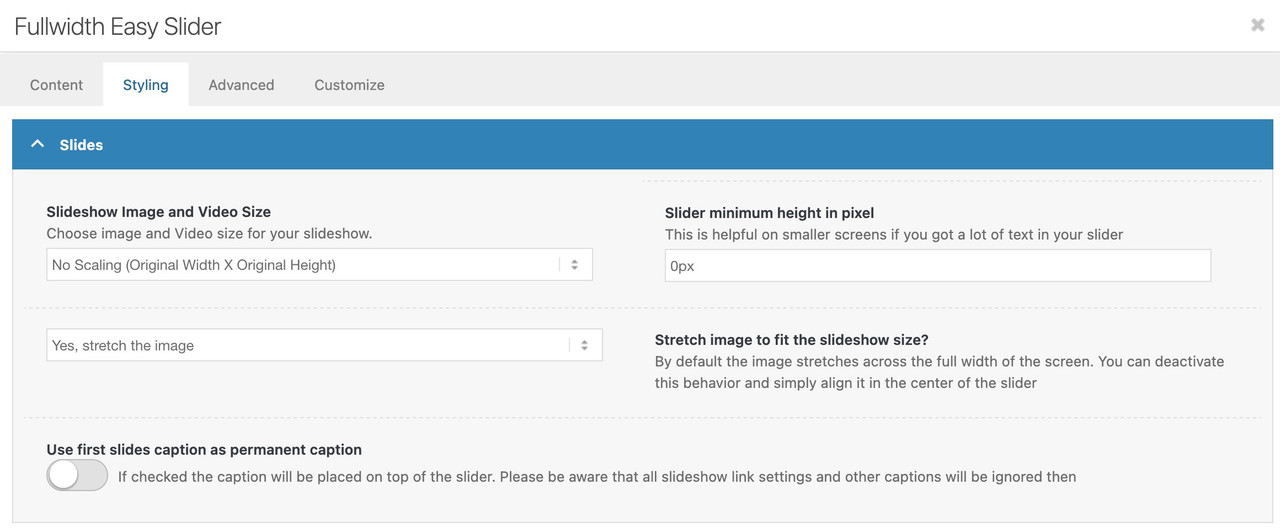
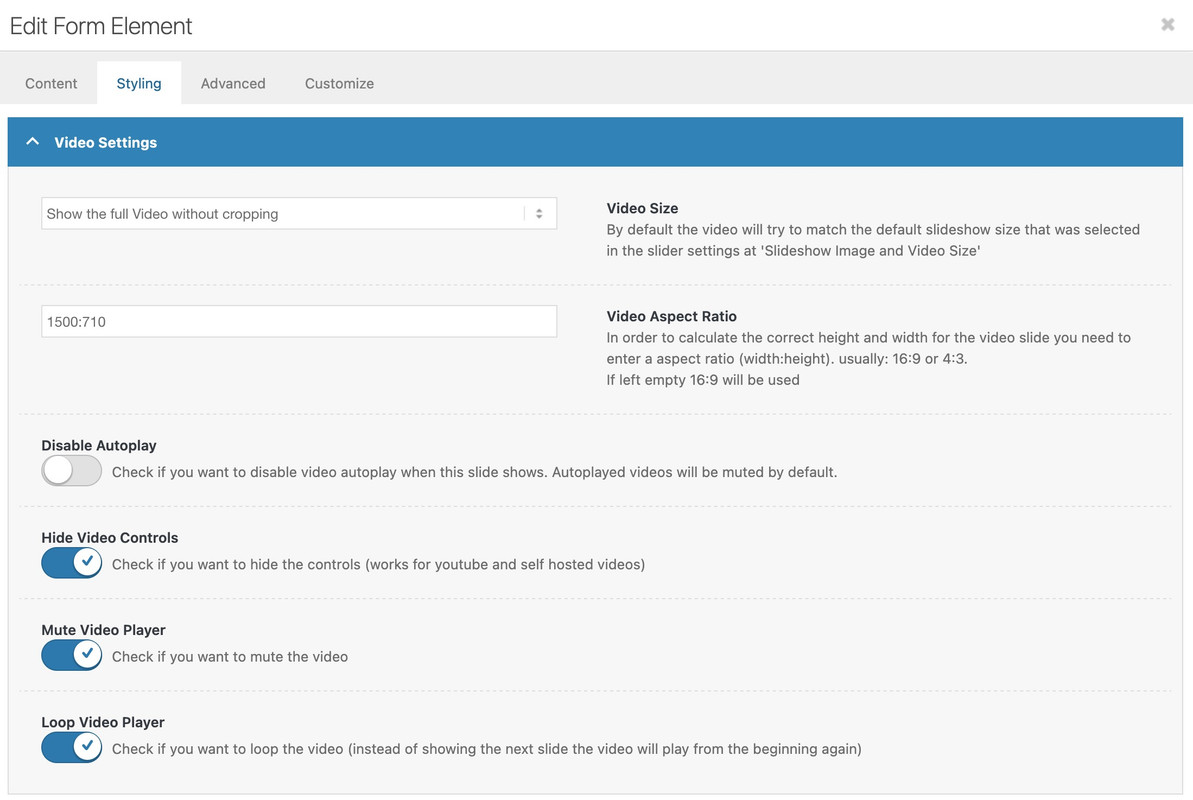
    Now I’ve tryed to ad a video (16:9) witch I would like to have displayed allways using the full hight, so that there is no space beyond or above the video. I’ve tried both options given in the slide, got every time the black space above and beyond. I’ve tried also the ccs from your documentation site for customizing. But it wont work.
    What I’am doing wrong?

    cheers Andreas

    #1488053

    Hi,

    Please try this instead:

    .avia-content-slider .slide-meta time {
      display: none !important;
    }

    If it still doesn’t apply after that, then try toggling the file compression options under Enfold->Performance. You could also try to activate the option to delete all old CSS and JS files on the same page.

    Best regards,
    Rikard

    #1488051

    In reply to: Enfold theme update

    Hey KJ Charles,

    If you don’t have access to the Themeforest/Envato account which was used to purchase your license, then I would suggest that you purchase your own. Otherwise you will have the same problem each time that you need to update or access the theme files. Once you have access to the theme files, then the update to 7.1.1 has to be done manually from the version you are running, please refer to my replies in this thread: https://kriesi.at/support/topic/enfold-4-5-theme-update-update-failed-download-failed-a-valid-url-was-not-pro/#post-1021541
    You can either update manually via FTP: https://kriesi.at/documentation/enfold/how-to-install-enfold-theme/#theme-update, or upload the theme as if it was new under Appearance->Themes->Add New Theme.
    If that doesn’t work then please try to delete the whole theme folder, then replace it with the new version. Make sure that you have backups of the site before starting updating.
    Also please read this after you have updated: https://kriesi.at/documentation/enfold/theme-registration/

    Best regards,
    Rikard

    #1488047
    KJ Charles
    Guest

    Hi

    My website was set up for me about ten years ago by a third party. They used Enfold theme. The theme now gives me a critical error on php 7.4 and I need to update for at least 8.2.

    Can you let me know how I go about getting this? Do I need to buy it again?

    #1488044

    Topic: Center content

    in forum Enfold
    c6dl1985
    Participant

    Hi support,

    I’m still in the setup phase of my site, but I’m struggling with centering my content.
    I would like the content area (text and images) to be centered on the page.

    I attached a screenshot for clarification.

    photo1

    photo2

    I’ve also tried to play with the elements, but not succeeded.
    Could you advise me on the best way to achieve this in Enfold?

    Thanks in advance!

    • This topic was modified 5 months, 2 weeks ago by c6dl1985.
    #1488033

    Hi,

    Great, I’m glad that Mike could help you out. Please open a new thread if you should have any further questions or problems.

    Best regards,
    Rikard

    #1488007

    Hey Michael F,

    Thank you for the inquiry.

    Try to add this code in the Quick CSS field to adjust the width of the mega menu columns.

    #top #header .avia_mega_div > .sub-menu {
        display: flex;
        flex-wrap: wrap;
    }
    
    #top #header .avia_mega_div > .sub-menu > li {
        display: block;
        width: 25% !important;
    }

    Please make sure to toggle or temporarily disable the Enfold > Performance > File Compression settings to make sure that the changes take effect.

    Best regards,
    Ismael

    #1487999

    A developer colleague helped me review the environment. We found that the web application firewall in Plesk (WAF) was configured with the OWASP rule set. I then began working to add exceptions to the rule set to allow for normal WordPress functions and Enfold functions. That OWASP rule set was too restrictive. We selected a different rule set (Atomic Standard) and removed the custom ModSecurity and nginx rules that I had put in place to try and make it work. The errors subsided after that change. The Advanced Layout Builder now functions properly.

    Takeaway: If you’re having trouble and you have the OWASP rule set, try the Atomic Standard rule set for your WAF. That might help.

    #1487992

    In reply to: icon color link hover

    Hey Munford,

    Thanks for the update. Please open a new thread if you should have any further questions or problems.

    Best regards,
    Rikard

    #1487991

    Hi,
    Glad we were able to help, if you have any further questions please create a new thread and we will gladly try to help you. Thank you for using Enfold.

    Best regards,
    Mike

    #1487990

    Hi envatojlc,

    You can do that under Enfold->Advanced Styling. Look for the linked image overlay option.

    Best regards,
    Rikard

    eliazfrozz
    Guest

    i want to ask about enfold themes before i buy, can enfold themes make navigation with curve background like this? the position of the menu is below the slideshow
    , usually all navigation enfold is in header. Ccan you give solution for this situation, the website that i want to make is like this https://ntn.com.sg/, please check, and you can inform me.

    thanks sir

    #1487974
    werbeagenturlauf
    Participant

    Link to screenshot

    Hi @enfold!

    how can i set the mega menue to 4 collums and 3 rows, so that allsice is the same?
    Thanks for your Feedback

    Michael F Kraus

    #1487966
    M-Graphics24
    Participant

    Good morning,

    Please can you assist me with troubleshooting why I am unable to embed the eLFSight plugin code into my Enfold website? The Google reviews shows for a second and then disappeared, and only showed the code text after that.

    Is there a troubleshoot for this issue

Viewing 30 results - 1,201 through 1,230 (of 243,983 total)