Hi,
Thank you for the update.
No, it is not required by Enfold, but it has now become a standard. Some browsers block non-secure HTTP requests, which could lead to mixed content issues and prevent scripts and other resources from functioning correctly.
How can we reproduce the issue? We tried editing a page and updating it, and it seems to work as expected.
Best regards,
Ismael
Hi,
Thank you for the inquiry.
You can find the documentation related to Google services at the following links:
// https://kriesi.at/documentation/enfold/contact-form/#what-is-captcha
// https://kriesi.at/documentation/enfold/google-analytics/
Regarding the error, please ensure that you’re generating the token for the correct version of the ReCAPTCHA API. There are only V1 and V2.
We’ll forward the info about the changes related to the tracking code or the Analytics Measurement ID.
Best regards,
Ismael
Hey tiago,
Thank you for the inquiry.
The background color of the header is black both initially and when scrolling, when we checked. Have you tried adjusting the color value in the Enfold > General Styling > Logo Area > Logo Area Background Color field?
Best regards,
Ismael
anchor links in enfold: how? (documentation links are broken)
1st attempt:
some themes have a component for anchoring: not found
2nd attempt:
default editor set at sidebar an option for anchoring in the block (like: https://shorturl.at/h31G6): not found!
3rd attempt:
some oldschool themes allow anchoring as a widget, created a widget area but haven’t found any anchoring widget..
4th attempt:
1. tryied name a section at:
trying to name #Products in a color section for anchoring
2. saved
3. doesnt work:
https://novo.strokmatic.com/#Products
im out of ideas how to anchor a section in home to main-menu
-
This topic was modified 1 year, 7 months ago by
 tiago.
Hope you can help! I’ve been using Enfold since a couple of years but today I activated the Enfold Health demo on my website. I like it but I uploaded my own logo and when you scroll down its visible, but on the top it switches to the default Enfold Health logo. How can I change this please?
My site:
Hi,
Please try to deactivate file compression under Enfold->Performance to see if that helps.
Best regards,
Rikard
 db
dbGuest
I have a purchase code for Enfold and would like to know how I can download the latest version.
Thank you
Google has created a “dogs-breakfast” of a User interface.
The USER experience is daunting.
That said, I believe the Google has now changed the name of the Google Analytics Tracking Code
to “Analytics Measurement ID”
If you can verify this change, perhaps you can also make this change in the ENFOLD Theme Options, (It is listed as TRACKING CODE) as I spent the better part of a day trying to track down the Analytics Tracking Code which does not seem to exist anymore.
Is there a proper tutorial for Enflod showing how we integrate Captcha and the Google tracking ID (Ahem, Analytics Measurement ID) into a site?
It has gotten so complicated with their stupid drill-down of information my artist head explodes.
Hey Ben,
Please try the following in Quick CSS under Enfold->General Styling:
body.mpcs-course-template-default {
  max-width: 100%;
}
Best regards,
Rikard
Hey M. Dornkam,
Thanks for reaching out to us. All images which are included in the demos are free to use on your website running Enfold.
Best regards,
Rikard
Can you explain how the issue of page updates not working is related to SSL?
Does every site using the Enfold theme need to have SSL applied?
I’ve been using Enfold for over 10 years, but in recent years, I’ve been experiencing this issue. I’d like to know what might be causing it.
Best regards,
ds yoon
yes – afaik – enfold got no option to have fixed background videos for color-sections.
but we can set it with quick css to fixed when reaching the top.
see following example page : https://webers-testseite.de/snowfall-video-3/
but as you can see – your example page from ny goes on mobile view to scroll the video bg !
on desktop view – first is to place it absolute – reaching the top will go to fixed positioning.
so we can misuse the overlay option of enfold on that – to have all DOM elements we need. Because if you use it – enfold will generate an av-section-color-overlay container.
The settings there are not for us important – just the fact that a container is created in the right position.
See: https://webers-testseite.de/snowfall-video/
for even more usability it might be nice to have an observer if the section is in viewport or not – my script now only is working with scroll top value and a given range to top ( here in my example 400px)
if that is o.k. for you just scroll to the end of the page to see code-snippet.
Trick is to use a huge inset shadow with rgba values – and the scroll amount will influnce the a-value of that color.
Hi,
Glad that you have this sorted out, please note that the Dev Team is open to Feature Requests but they also have to be careful about how these might affect other users. If you still think that this should be added to the core please submit directly, thank you.
If you have any further questions please create a new thread and we will gladly try to help you. Thank you for using Enfold.
Best regards,
Mike
Thanks, Ismael. It works. However, this method is not good for a large-scale website, and i hope Enfold’s great team solves it.
Going back to your original question and a solution for you:
It would be an excellent feature for Enfold to Automatically do its own version of Remove unused CSS to bring the number of JS and CSS files down per page.
However if you wanted to do this using a plugin WP-Rocket and others come with remove unused CSS or RUCSS as it is known. I have had good results with Enfold and RUCSS in WP-Rocket. Seems to work without specifying any fallback css or exceptions.
RUCSS is not perfect however. So if Enfold could add an option to only load the CSS for used elements per page it would be a 100% compatible way of doing RUCSS without the unreliability of systems that attempts to work it out after css file generation.
I’d be keen to know what Gunter thinks of this idea. It is essentially an extension of the current only load used elements function.
Performance advice and how it works in reality
All of this said – Once a browser has downloaded the files – Assuming you have a long cache life on your CSS and JS files in your HT Access file (Or set this value with a plugin like WP-Rocket or WP Super cache, etc.) then those files wont be re-downloaded by the visitors browser per page visit. So even if they have to download 100kb worth of CSS and JS to view page 1. page 2,3,4,5,6 etc onwards will use the cached css loading instantaneously.
The minimum requirement for this to happen is page caching with a good cache life.
If you want any more advice on this sort of thing let me know.
https://www.hirekaraoke.co.uk/
The site above is one of ours and passes web vitals. They are the UKs largest Karaoke Hire company. So a national business. This site uses our performance stack including page caching and some bespoke settings. The actual booking pages are completely uncached (Which is why the TTFB score is a little higher on desktops – brings the average response time up). The site just serves minified CSS. It is not necessary to RUCSS to pass web vitals if everything else is done correctly.
-
This reply was modified 1 year, 7 months ago by
 thinkjarvis.
Hey Konrad,
Thank you for the inquiry.
Please add this css code to disable the fold/unfold fade transition:
.avia-fold-unfold-section .av-fold-unfold-container,
.avia-fold-unfold-section .av-fold-unfold-container::after {
  transition: none !important;
}
You may need to toggle or temporarily disable the Enfold > Performance > File Compression settings afterward.
Best regards,
Ismael
Hey Tiziano,
Thank you for the inquiry.
If you don’t have access to the old account or token, you may need to purchase another license using a different ThemeForest account and generate a new token. However, please note that automatic updates will no longer work with the current version (4.7.5) because it’s quite old. You’ll need to update the theme manually via FTP. Please check the link below for more info.
// https://kriesi.at/documentation/enfold/theme-update/#update-via-ftp
Best regards,
Ismael
Hi,
Mouse over on the images, Title and introduction text. Can this be done within Enfold??
This is possible but it will require a bit of modifications such as assigning custom fields to the portfolio items. If you want to continue, please follow these steps:
1.) Add this code in the functions.php file to register a new attribute the portfolio image which uses the value of the av_portfolio_hover_image custom field.
function avf_add_custom_field_as_hover_image($attrs, $entry) {
    $hover_image_url = get_post_meta($entry->ID, 'av_portfolio_hover_image', true);

    if (!empty($hover_image_url)) {
        $attrs['data-hover-image'] = esc_url($hover_image_url);
    }

    return $attrs;
}
add_filter('avf_portfolio_image_attrs', 'avf_add_custom_field_as_hover_image', 10, 2);
2.) Then add this script to create the hover effect:
function ava_custom_script_hover_image() {
    ?>
    <script>
        (function ($) {
            function hoverImageChange() {
                $('.grid-sort-container .grid-entry img').each(function () {
                    var $img = $(this);
                    var originalSrc = $img.attr('src');
                    var hoverImage = $img.data('hover-image');

                    if (hoverImage) {
                        $img.hover(
                            function () {
                                $img.stop().fadeOut(200, function () {
                                    $img.attr('src', hoverImage).fadeIn(200);
                                });
                            },
                            function () {
                                $img.stop().fadeOut(200, function () {
                                    $img.attr('src', originalSrc).fadeIn(200);
                                });
                            }
                        );
                    }
                });
            }

            $(document).ready(function () {
                hoverImageChange();
            });
        })(jQuery);
    </script>
    <?php
}
add_action('wp_footer', 'ava_custom_script_hover_image');
3.) Edit any portfolio items, apply the av_portfolio_hover_image custom field and place the URL of the hover image.
4.) Add this css code to disable the default image overlay
.grid-entry a .image-overlay {
  display: none !important;
}
Best regards,
Ismael
This reply has been marked as private.
Hey Mike, Thank you so much for all the effort you put into my question. I indeed bought an enfold template again. But there are some changes how I want to display the portfolio items in the portfolio grid I do not really see how to adapt the styling of the grid. See link to how I would like to make it work.
Mouse over on the images, Title and introduction text. Can this be done within Enfold??
Hi Ismael. do you mean in every single post I must use comment elements?!!! it is awful. Why Enfold can not show WordPress comments automatically? could you please show to me where can find the comments element?
 Tiziano
Guest
Hi, I have a old site with Enfold premium theme version 4.7.5 and want to update because I see that there is a vulnerability XSS exploit. The person that made the site isn’t available so I don’t have a update token. I want to migrate all site to a version more secure (now I have wordpress 6.6.1).
It’s possible and how much it costs the update?
Best regards
Hey Huy,
Thanks for using Enfold :-)
If your sites are all on the same domain, then one license is enough.
Best regards,
Rikard
Hi,
Please try the following in Quick CSS under Enfold->General Styling:
#custom_html-4 {
  z-index: 1000;
}
Also please add the rest of the content in the widget.
Best regards,
Rikard
Greetings;
I tried to install Enfold 6.0.4 this morning and got this error. I did not follow through and “went back” on the install.
I have been battling this “ob_end_flush():” error since the installation of 6.0.3. It places this error in the footer.
Installing theme from uploaded file: enfold.zip
Unpacking the package…
Notice: ob_end_flush(): failed to send buffer of zlib output compression (0) in /hermes/bosnacweb08/bosnacweb08as/b1016/ipg.dchapple/chappledesign_2024/wp-includes/functions.php on line 5427
Installing the theme…
Notice: ob_end_flush(): failed to send buffer of zlib output compression (0) in /hermes/bosnacweb08/bosnacweb08as/b1016/ipg.dchapple/chappledesign_2024/wp-includes/functions.php on line 5427
Destination folder already exists. /hermes/bosnacweb08/bosnacweb08as/b1016/ipg.dchapple/chappledesign_2024/wp-content/themes/enfold/
Notice: ob_end_flush(): failed to send buffer of zlib output compression (0) in /hermes/bosnacweb08/bosnacweb08as/b1016/ipg.dchapple/chappledesign_2024/wp-includes/functions.php on line 5427
This theme is already installed.
Active Uploaded
Theme name Enfold Enfold
Version 6.0.3 6.0.4
Author Kriesi Kriesi
Required WordPress version – –
Required PHP version – –
Hi,
It sounds like you have this sorted out, when I test on our demo I don’t see any errors and it seems to work as expected. Shall we close this thread then?
If you would like to summit this as a feature the Dev Team has opened a new Github Feature Request for users to place requests and follow them as the Dev Team reviews them.
Best regards,
Mike
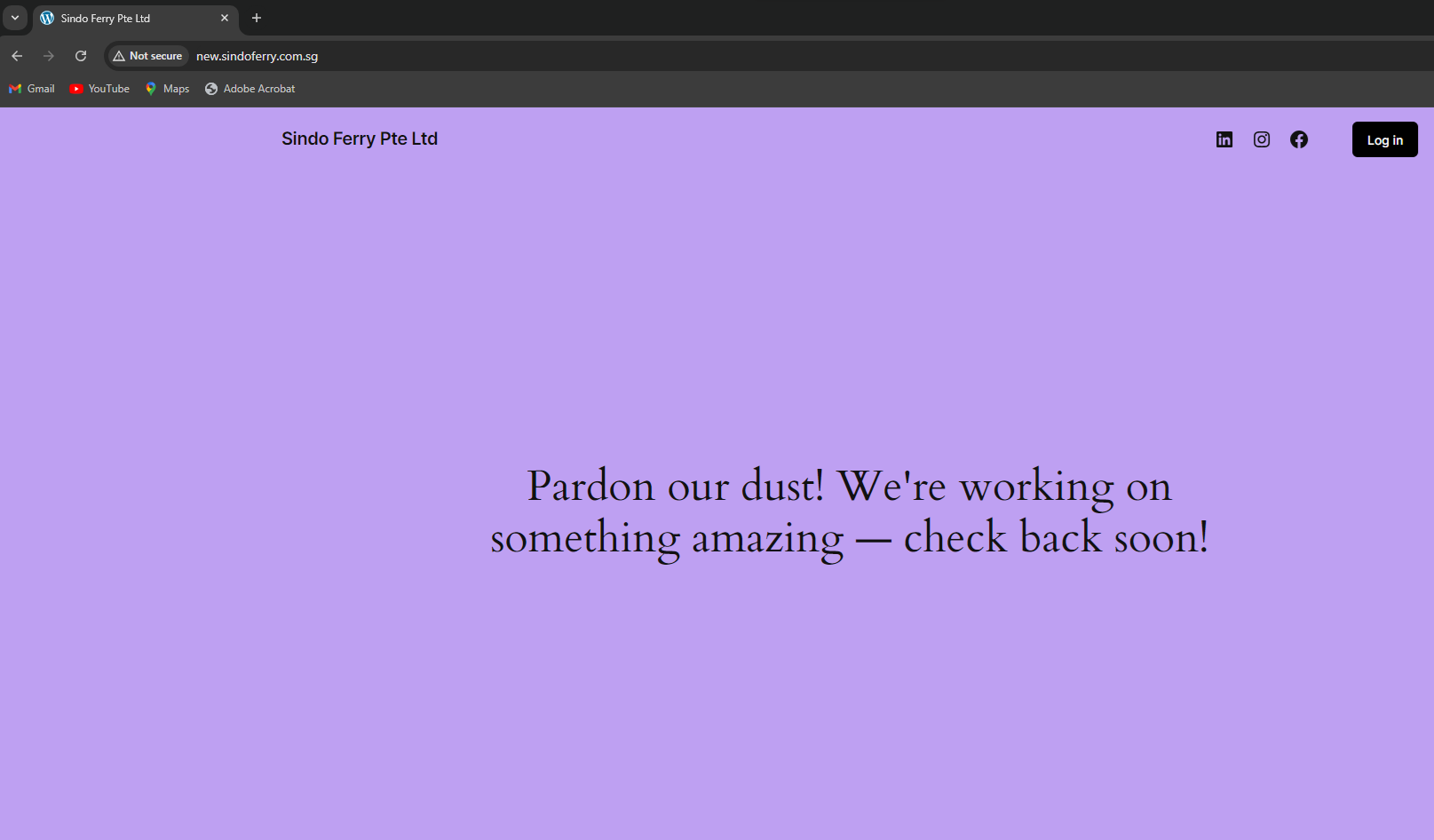
we had imported Travel Demo, but the site seems randomly to have different design
-
This topic was modified 1 year, 7 months ago by
 heyfann.
Hi,
Just to let you folks know, our developers addressed this issue and we will release Enfold 6.0.4 very soon.
Best regards,
Yigit
Hey Ben,
Just to let you know, our developers addressed this issue and we will release Enfold 6.0.4 very soon.
Cheers!
Yigit



