-
Search Results
-
Topic: boxes moving
Hello,
The theme I picked has moving boxes. Some things I don’t want a moving box. I’m trying to create a footer across the bottom, but I don’t know how to just make a full column, edge to edge, that doesn’t move. I don’t know how to accomplish this in Enfold. I hope you can help.(It’s the Pink box on the bottom of the page that says “For the Latest Updates…..”
Topic: Logo sliding option in bar
Hello,
I am trying to create a bar across the home page that houses logos (showing the whole width) that automatically moves across inside the bar. I do not want this whole bar to move… I want it end to end. Plus, I want to show the whole logo. I don’t know how to accomplish this in Enfold. I hope you can help.Hello,
I’ve been trying te make a site with Enfold. It works very fine.
I’ve tried different ways but I can get the solution for a object whit a negative margin.
On the site https://dekoersvanhumo.nl is a red block in a backgroundimage.
This block should have a negative margin (-50px) so it start in the white space above and be placed over the image.I’ve tried the negative margin on the background image end on the white section above, the z-index, and so on.
But it seems that the red block cannot over this content-section.
Is this possible to make work?
Thanx!Hey everyone,
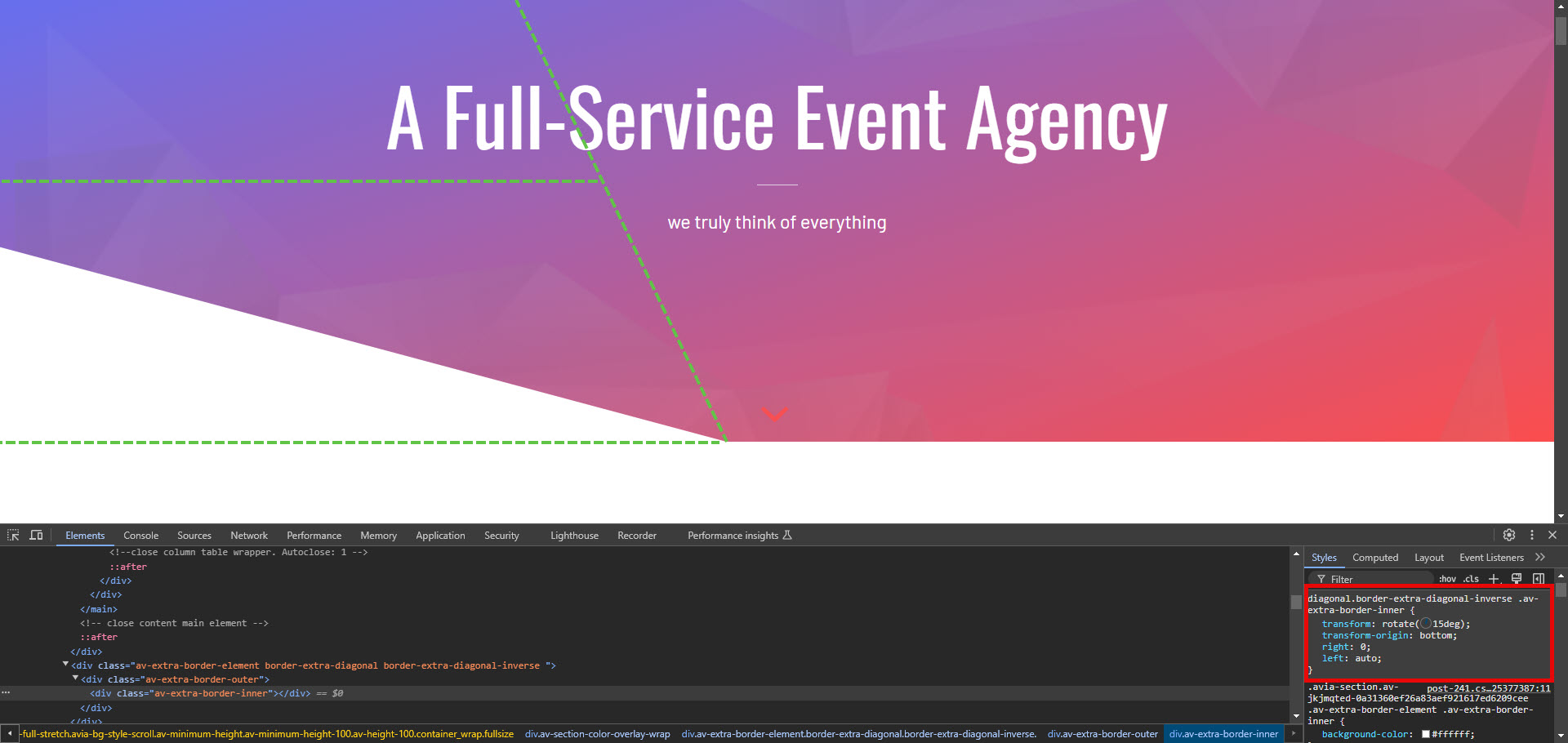
I’m currently working on a website and we would like to create a section that looks something like this: click here. I think diagonal color sections will do the trick, hence the post title, but I’ve never really used them before and before I embark on a journey of a trial and error only to find out what I’m trying to do isn’t possible, I figured I’d ask for some feedback first.
To give you a better and maybe clearer idea of what this would look like in a live website, I’ve made some adjustments on of the enfold demo websites: see here
1. Are diagonal color sections the right way to approach this?
2. If they’re not, what would you recommend instead?Thank you!
I’m using Enfold’s Avia Layout Builder in the WP classic editor to create a table using the Table content element. For the heading row at the top of the table, I’ve found that I can use the Button Row option to create nice-looking popup headers.
This worked great the first time out on a page where I wanted the “button headings” to actually have links. But now I am trying to use a clone of the same table to create a new table on a page where I don’t want the button headings to have links. Alas, I find that the buttons only have two options: link and download. If I leave the link box in the settings blank, the button just links back to the same page.
So my question is: Is there a way using the Avia Table content element to have the buttons in the heading row as purely graphic elements, without them being active as a link (or download)?
Hi Enfold,
On a website we maintain, there is an error with the combination of the use of tabs and GravityForms. It happens that the height of the tab content is set to be the same height of the original content. However, when an error message in GravityForms happens, it takes up a lot of space and puts error messages on top of the fields, thus increasing the height. This manages to break the layout and break the tab structure. Activating AJAX on the GravityForms submission does fix some of the problems but it still happens to cut off certain information. I have made a video regarding the issue:
https://vimeo.com/1045345744Could you look into this issue? I think it is a theme issue, as using the Troubleshooting mode makes me believe it is something with recalculating the height whenever such an event has been triggered.
It seems to happen on the second tab mostly, the first tab seems fine. AJAX does solve some of the problems, but still some space is occupied then.
Kind regards,
SietseHey there,
we just came across one of those nasty scaling issues on a clients site of ours.
They run Enfold with nearly 1k posts (real post_type=”post”) besides even more pages and other CPTs.
Yesterday they hit “a wall” causing reproducible OOMs on their posts in the editor as well as on the Frontend and other parts of the website.Some context information (although mostly irrelevant):
PHP 8.1
Enfold 6.0.6
WP 6.7.1
Max Mem: 512M
Avg Max Mem Consumption on Posts in Frontend and Backend: ~80MWe dug deep and ran APM Traces on the problematic posts. We figured out that a combination of the following UI Builder Element(s) and Post Config is a guarantee to hit the OOM at some point in time:
– Create a Post and add it to Category “A”
– Add the following ALB Element(s) to the Post:
— “Blog Posts” with “Show Blog Posts” and select Category “A” to display (<– The clients have this configured to be recursive as the same post will be displayed in the list itself – don’t think they did this intentionally they just did not set an offset)
— “Entry Slider” with some other Category than “A”
– Create many of these PostsFor reasons we have not analyzed in the Enfold code yet the APM clearly showed a loop triggered between “do_shortcode” and “load_template”. With many occurences in “locate_template”, “get_template_part”, “avia_sc_blog::shortcode_handler” and “aviaShortcodeTemplate::shortcode_handler_prepare”.
As the whole OOM is gone when the “Show Blog Posts” element is removed from the Post we assume that the Blog Post Element kind of itself “renders” the content of all of it’s displayed blog posts, leading to a rendering of all of the selected blog Posts of the Blog Posts element on that page, leading to a rendering of all of the selected blog Posts of this element…… [-loop-].
The issue is so wide spreading that all of the posts being using this Element with the Category “A” are OOM. Some other functions of the site were OOM as well but we did not analyzed deeper as these errors were gone as soon as we solved the issue with the Post. I assume they might have some relationship to one of the “OOM posts”.
To fix the wide spread OOM we simply needed to move the latest post to the trash. Restoring it lead to OOM at all effected posts again. Or removing the Blog Posts Element.
Increasing the memory of the site did not help at all. Within the WordPress backend editor there is no obvious high memory consumption when analyzing with Query Monitor for example.The findings clearly indicate that there is a loop that needs to be stopped at some point.
Hope you can assist and find way to allow our clients to continue using the elements with referencing their posts internally.
If you believe this can be solved by a configuration change in one of the UIB Elements, let me know. But I fear they will not be happy if they have to change several hundreds of posts ;-).Thank you very much and best regards,
Jan
Hi.
I am using latest WordPress and Enfold theme and have had an issue ever since installing Enfold. I am using Classic Editor for editing pages, posts and customs posts from other plugins. For some reason every time I hit save-button, the page/post is saved but immediately after there is a draft created… So it doesn’t matter how many times I save a page/post, if I re-visit the editor for that page/post there is a message that there is a newer version of this page/post available.
I tried disabling all plugins and changed to default wordpress theme and the fault is gone. I enabled all plugins with wordpress default theme and the fault is gone. Only when I switch to Enfold-theme this issue is back.
So why aren’t I able save pages/posts correctly without having a auto-draft created?
Viewing 30 results - 4,411 through 4,440 (of 244,499 total)