-
Search Results
-
Topic: PHP Undefined Index error
Trying to figure out this PHP error that might be causing me 502 issues:
PHP Notice: Undefined index: controls in /var/www/wp-content/themes/enfold/framework/php/function-set-avia-frontend.php on line 746This is for an Enfold-themed site hosted on MediaTemple.
Separately, I’m getting a PHP deprecated message:
PHP Deprecated: media_buttons_context is deprecated since version 3.5.0! Use media_buttons instead. in /var/www/wp-includes/functions.php on line 5088Hi there,
I created a custom search box/ This is the code:
<form id="searchform" action="https://www.bramfietst.nl/" method="get"> <div style="text-align: center;"><input id="searchsubmit" class="button avia-font-entypo-fontello" type="submit" value="" /> <input id="s" autocomplete="off" name="s" type="text" value="" placeholder="Zoek op jouw plaatsnaam..." data-swplive="true" data-swpengine="default" data-swpconfig="default" aria-describedby="searchwp_live_search_results_5ede6fc967c8f_instructions" aria-owns="searchwp_live_search_results_5ede6fc967c8f" aria-autocomplete="both" /> <p id="searchwp_live_search_results_5ede6fc967c8f_instructions" class="searchwp-live-search-instructions screen-reader-text">When autocomplete results are available use up and down arrows to review and enter to go to the desired page. Touch device users, explore by touch or with swipe gestures.</p> </div> </form>The div should align in the center, but it doesn’t. Whats going wrong? How can I align a searchbox in the center of my page in the enfold theme?
Hi!
I have a problem with the spacing of the menu bar items. The whole navigation is centered, the first line of the menu is filled with 8 menu buttons, the second line is filled with 6 menu items. The spacing in the second line looks a bit weird – to much space between the menu buttons. . How can i add a specific width to the navigation bar, so that the spacing is more consistent/naturale? Is there a way to define a specific width to the first line of the navigation bar to get kind of a line break?Following code has already be added in Quick CSS
following code to Quick CSS in Enfold theme options > General Styling
.html_header_top.html_logo_center #header_main_alternate .main_menu ul:first-child {
display: flex;
flex-flow: wrap;
}
.av-main-nav li {
flex-grow: 1;
}/* Activate burger menu */
@media only screen and (max-width: 1040px) {
#top #header .av-main-nav > li.menu-item {
display: none!important;
}
#top #header .av-burger-menu-main {
cursor: pointer;
display: block!important;
}}Thanks in advance,
JuergenTopic: Plugin Shariff
dear support team
a customer of mine would like to display buttons on facebook and instgram on her website elianfe.com. The lawyer commissioned by her with regard to data protection has stated in this regard that we need an additional tool (plug-in) for the data protection-compliant use of the social media buttons and YouTube so that the data is not transferred to the third-party providers when the page is called up (2-click principle). This can e.g. implemented by the “Shariff” tool.
Now there is a plugin called “Shariff Wrapper” for the possible plugins or alternatively the plugin “Shariff for WordPress”.
Are these two plugins compatible with the ENFOLD version and do they fulfill the stated purpose? Or would you recommend another plugin?
When calling the “Shariff for WordPress” plugin, the following is added to the baking: Untested with your version of WordPress.
What recommendation could you give us?Thank you very much and best regards Diana
Hello Enfold-Team,
Our output of the price for a chosen variant unfortunately does not work correctly. Normally after choosing a variant the price of a variant is displayed, like here:
But this is not the case with us, see here:
Our product detail page is built with the “Avia Layout Architect”. The “Product Purchase Button” module is used for pricing. We have attached screenshots for this.
Can you please fix the problem? Or is there another way to display the price of the variant?
Thanks and greetings,
GloriaHi,
I’m using easy digital downloads, and I always have a weird flickering on my purchase buttons which are created from a shortcode.
You can see it at the attached url for instance: on page load, the button is like doubled for a short moment.
And when I edit the page, the button is also “doubled” in the preview area! cf screenshot here : https://ibb.co/HrG1kp7
I contacted easyDigitalDownload about it, and here is their answer :I see what you’re describing and it’s not anything specific to EDD, it’s just the way your theme/coding is handling the “button” element. More than likely there is a default “button” style and then when it loads, another style is being called in so you see the “flicker”.
I would recommend talking to your theme developer about this if you’d likeSo what’s your view on that? Is that an Enfold bug? Do you have any pointers about how I can fix that?
Thanks,
CharlesHi,
I’ve got a problem with (what I think is) a conflict between Enfold and the Yoast SEO plugin on a site that I’m supporting.
The problem occurs when I try to make changes in Yoast on a page in WordPress. When I click the ”Update” button the button deactivates and the ”save circle” begin to spin besides but then nothing happens. It never continues forward and the changes are not saved.I’ve run the site in Troubleshooting Mode and I first tried to activate just the Yoast plugin (without Enfold activated), and then it worked fine to save the changes. I then activated the other plugins one at a time and tried to save the changes after every plugin I activated, and it worked fine all the time. It wasn’t until I activated Enfold that the problem occured and that’s why I think it is a conflict between Enfold and Yoast.
I’ve got the latest versions of WordPress, Enfold and Yoast installed.
Do you have any idea what causes the problem and how to solve it?
Kind regards, Isak
Hello Kriesi Support Team
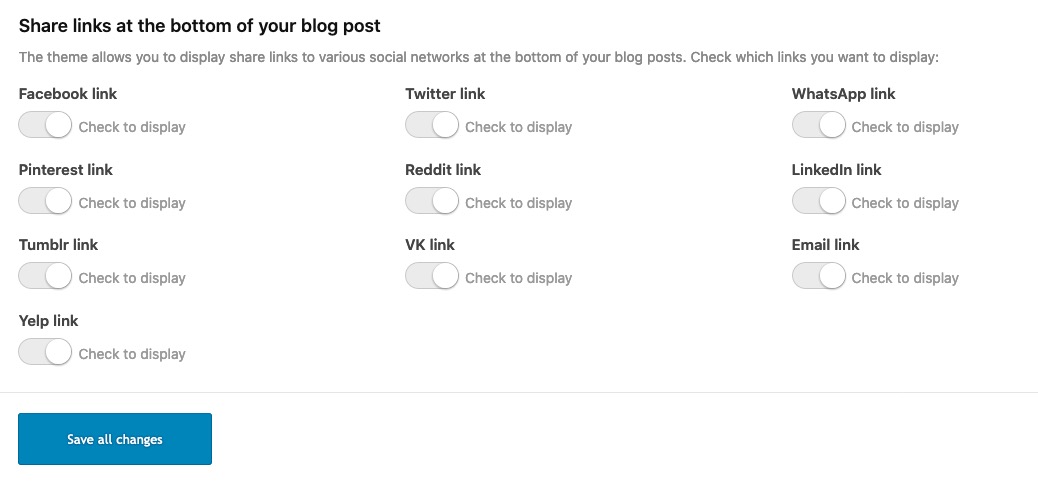
We are using the Social Share button element on a custom layout blog post and for some reason it is not displaying all share icons on mobile view, only 2 are displayed. It is showing it if I resize the screen to mobile size on the desktop but not if I view it on my iphone / safari / latest iOS and release. All up to date and I did empty the cache.
Here how it displays on mobile:
https://www.dropbox.com/s/zkluh56efshnkxe/IMG_2845.PNG.png?dl=0Here the settings in Enfold:
https://www.dropbox.com/s/ejty7xbkynl638e/Screenshot%202020-06-29%2019.56.00.png?dl=0Any help is appreciated. Thanks so much.
CorinaFound this little trick , and it is working well. Just sharing if someone wants to use it too.
Credit goes to:
https://medium.com/hackernoon/removing-that-ugly-focus-ring-and-keeping-it-too-6c8727fefcd2Put a file named “my_custom_scripts.js” in child theme js folder.
See https://kriesi.at/documentation/enfold/add-custom-js-or-php-script/Contents:
(function($)
{
    "use strict";

// function to see if the user is using tab navigation instead of mouse function
handleFirstTab(e) {
    if (e.keyCode === 9) { // the "I am a keyboard user" key
        document.body.classList.add('user-is-tabbing');
        window.removeEventListener('keydown', handleFirstTab);
    }
}
window.addEventListener('keydown', handleFirstTab);

// Add more functions here

}(jQuery));
Now you can hide the dotted outline and/or background for everyone except the users that have hit the “I am a keyboard user” key (tab).
CSS example:
/* Accessibility focus with lightblue background and dotted outline */
.user-is-tabbing a:focus,
.user-is-tabbing button:focus,
.user-is-tabbing input:focus,
.user-is-tabbing select:focus,
.user-is-tabbing textarea:focus {
  background-color: lightcyan !important;
  outline: dotted !important;
}
/* hide the lightblue background for everyone except tab navigation users */ body:not(.user-is-tabbing) a:focus, body:not(.user-is-tabbing) select:focus, body:not(.user-is-tabbing) textarea:focus { /* background-color: transparent; */ /* optional */ /* outline: none; */ /* optional */ }I’ve been using Enfold for some time now. I just got a new copy for another client to spruce up the look of their website I have put the theme on a subdomain and the main site. the tinyMCE buttons are not showing on the main site but are visible on the Archive site. they are also visible on the the original site I created using Enfold. I can’t figure out what is different and why they are not showing up.
What do I need to do or install to make them show up?
I’m using the most current version of Enfold 4.7.5 and Enfold child theme. WP is 5.4.2 I have the classic editor installed
Buko
Hi,
I have a custom JS module and need to call a custom function by pressing Enfold button. So on click I need to call Module.customFunction(‘foo’);
How can I handle it?
Thanks,
Regards, VitalTopic: Broken Layouts / stylesheet
We bought a new enfold and started designing on a domain hosted by wordpress.com. I’m having very weird experiences with Text blocks, Images, Special headers, and buttons appearing properly in a color box with a background image. I’m using the enfold lawyer demo.
Items completely disappear to the user, but are visible on the source code when inspected with a developer tool. Other than jetpack, there’s not much in the way of plugins that can have conflicts like this. There are no caching plugins installed either
Any advice is greatly appreciated – we use enfold on every site and have never seen this sort of issue.
I’m using the button row shortcode which is perfect:
But how can I change the icon? There is an icon=’4′, icon=’5′ and icon=’6′ in the shortcode. But I want LinkedIn, Facebook and Instagram. How do I know the number of those icons? Where can I find it?
Thanks a lot!PS. I want the social media icons in an iconbox, that’s why I need to use the shortcode. When I use icon shortcode in text block, I can’t center 3 icons next to eachother. Whit the button row I can!
If there is another way, let me know. Thanks!
Hello Enfold Team,
As the topic states, the bundled version just quit working after the theme update. I am using a child theme, did not add new plugins, etc. After the update, I can’t even rebuild the existing sliders – clicking a button anywhere inside the Layerslider plugin has no effect; maybe the theme update got botched somehow but I am unable to re-upload a zipped theme file. Example, if I try to click the “Add New Slider” button, nothing happens.
As this is a live site, your timely help is much appreciated.
For now, I have added a static banner using the full-width banner element so that I don’t have a blank area where the layerslider is supposed to be.