

Forum Replies Created
-
AuthorPosts
-
Hi,
Please try this solution, basically you will add jQuery to your functions.php and add custom classes to the button and the container to show and hide.Best regards,
MikeHi,
I tested your page with Safari v12.03 (14606.4.5) and I found no issues
I then updated to v12.1.1 (14607.2.6.1.1) and again couldn’t reproduce the error.
I was hoping that the error would occur so we could isolate the issue to the Safari version, but perhaps Yigit will find something on his end and this test helps.Best regards,
MikeJune 22, 2019 at 7:10 am in reply to: Footer (own page) too high / Footer (eigene Seite) zu hoch #1112521Hey bullzeyemedia,
Sorry for the late reply, I took a look at your page, but the only difference I could see was the section with the text:
Project Management Institute (PMI): ….
but I don’t believe that is the extra section you referred to, or is it?Best regards,
MikeHi,
Sorry for the late reply, I have taken a look at your page and found some errors in your functions.php code, I corrected it to reflect the code above. So I see that you have two “toggle” images and 3 buttons, I made the top two open & close toggle 1 and the bottom one open & close toggle 2
I was able to have two different buttons on one page by using this functions.php:function avia_custom_accs(){ ?> <script> jQuery(document).ready(function(){ jQuery('.accsb a').click(function() { jQuery('#accs').slideToggle('fast'); }); jQuery('.accsb1 a').click(function() { jQuery('#accs1').slideToggle('fast'); }); }); </script> <?php } add_action('wp_footer', 'avia_custom_accs');I did this as an example for your page, if you don’t need this functionalty, then just remove:
jQuery('.accsb1 a').click(function() {
                jQuery('#accs1').slideToggle('fast');
        });
from the code.
I also removed the css, as I don’t believe it’s necessary.
Please clear your browser cache and check.Best regards,
MikeHi,
Sorry for the late reply, I have checked your site with Chrome, Firefox, & Edge, but I don’t see the image title on hover, but I do on the header image.
I see that you are using Enfold v4.5.5, please try updating the theme, you may need to update manually via ftp.
Please don’t try to overwrite the theme folder, as this will leave old files behind and cause errors. Please note that you should rename the “enfold” folder in /wp-content/themes/ to “enfold-old” via FTP, then upload the new “enfold” folder, once you see the new “enfold” is working you can delete the “enfold-old” folder.
Otherwise if it doesn’t work, rename the new enfold folder to “enfold-new” and rename the “enfold-old” back to “enfold” and let us know.Best regards,
MikeHi,
Sorry for the late reply, which online converter did you try?
Please try going to fontello.com and upload your svg, fontello.com should convert it.
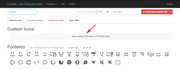
this has worked for the svg files that I have tested.Best regards,
MikeHi,
Thanks for the login, I set the Classic Editor to be the default editor to ensure your issue was not related to the Block Editor, I also see that your PHP version is 7.3.6, please try lowering it to v7.1 to see if that helps, this is typically a one click operation in your webhost.Best regards,
MikeHi,
Glad to hear it’s now working, perhaps it was a caching issue.
Unless there is anything else we can assist with on this issue, shall we close this then?Best regards,
MikeJune 22, 2019 at 4:33 am in reply to: Issue with uploaded font disappearing when SSL certificate is applied. #1112471Hi,
Thanks for the screenshots, I see that you are using a stencil font that is in .woff format. I viewed your site with my Android and the font loaded fine. My research found that the .woff format is not recognized by Android natively, this means that typically if the user opens an email link or is redirected from an app or lands on the page from some ad redirects the built-in browser will be used to view the page, and the font won’t work. But if the user is using a mobile browser such as Chrome the font will work. I believe this is why it works for me.
Please check if this is your case, you can recognize the native browser by it’s lack of bookmarks and toolbar.Best regards,
MikeJune 21, 2019 at 1:50 pm in reply to: Issue with product alignment on WooCommerce Product Grid #1112328Hi,
@tech Thanks for the login to see the site, I would like to login to the backend but as this is not your thread, posting your login details will not be private here.
Please start a new thread with your login details in the Private Content area and post a link to that thread here so I can find it easier. Thank you.Best regards,
MikeHey zerodotnine,
You are getting the error:Access to XMLHttpRequest has been blocked by CORS policy: No 'Access-Control-Allow-Origin' header is present on the requested resource.Which means highlife.ie is not allowing your site, try asking them to allow your site.
Best regards,
MikeJune 21, 2019 at 4:33 am in reply to: Issue with uploaded font disappearing when SSL certificate is applied. #1112181Hey bauchope,
Thanks for the login, please explain an example for where the font is not working for mobile, a text phrase would be helpful.
I didn’t see a mismatched font on mobile right off.Best regards,
MikeHey kjwaggz,
Please post us your login credentials (in the “private data” field), so we can take a look at your backend.- Install and activate ” Temporary Login Without Password “.
- Go to ” Users > Temporary Logins ” on the left-side menu.
- Click ” Create New “.
- Add the email address for the account ( you can use (Email address hidden if logged out) ), as well as the ” Role ” making that the highest possible and the expiry about four days
( do be sure that we have enough time to debug ). - Click ” Submit “.
- You’ll now have a temporary account. Please provide us here in the private section the URL, so we can login and help you out.
When your issue is fixed, you can always remove the plugin!
If you prefer to not use the plugin, you can manually create an admin user and post the login credentials in the “private data” field.Best regards,
MikeHi,
Interesting, I couldn’t reproduce this, does the “normal space” also work for all browsers?Best regards,
MikeHi,
Thanks, I found your pdf and created a link for it, but I noticed that the link has a light gray color, so if you would like to have it darker or change the color totally, please adjust this css:.socket_color a { color: #000 !important; }Best regards,
MikeJune 21, 2019 at 3:03 am in reply to: How do I add that scroll down arrow button in my Advance Layerslider? #1112166Hi,
To remove the gap, Please try this code in the General Styling > Quick CSS field or in the WordPress > Customize > Additional CSS field:#top.home #av_section_1 { display: none !important; }If you would like us to look deeper into the cause, please include admin login in the Private Content area so we can be of more assistance.
Best regards,
MikeHi,
1: the sliders seem to play automatically for me using Chrome on Windows, is it one slider causing the issue or all of them?
What browser & OS are you using?
2: thanks for the screenshot, but I’m not sure what you are trying to show or what the issue is, please explain.Best regards,
MikeHi,
Thank you for the links, I have checked the image overlay for each image and find that the title of each is bold.
Please see the screenshots in Private Content area.
I also found that your font doesn’t allow “bolder”, not all fonts do they have to be coded that way, so while they are showing as “bold” it is a small difference. Perhaps a different font will give you a bigger “bold”.
Another option is to “fake” the “bolder” with text-shadow css which will add 1px to the font.
Please try this css instead:.avia-image-container strong { color: #fff !important; text-shadow: 1px 0 0 currentColor; }If you try this Please clear your browser cache before checking.
Best regards,
MikeJune 20, 2019 at 1:23 pm in reply to: Issue with product alignment on WooCommerce Product Grid #1111935Hi,
Please include a link to the page in the Private Content area so we can examine.Best regards,
MikeJune 20, 2019 at 1:20 pm in reply to: Updating WordPress version / Enfold Theme / PHP Questions #1111932Hi,
Glad to hear, Yes the latest WP version works well with Enfold.Best regards,
MikeHi,
Glad to help, we will close this then, but please open a new thread if there is anything we can help with.
Have a great day and thanks for using Enfold.Best regards,
MikeJune 20, 2019 at 4:51 am in reply to: Updating WordPress version / Enfold Theme / PHP Questions #1111794Hi,
I believe the reason your site was broken was because you overwrote the v3.8.5 theme files. Please try the steps above where the new files are in a new folder called “enfold-new”
If you would like a hand with this Please include an admin login & FTP access in the Private Content area.
Also upload your updated theme as a zip to your theme’s folder.Best regards,
MikeHi,
To add new links to the Enfold Theme Options > Footer > Copyright field, simply add your html like this:<a href="https://www.yourdomain.com/link">Link</a>I checked the copyright field again and see that the text is already floating to the left, meaning that it aligns to the left of the page, so you should be all set.
Best regards,
MikeHi,
Glad to hear this helped. Please link to an example page that has a hero image that you want to remove because there is no fallback image. Also include another page that does have a fallback image and you don’t want to remove so I can check my code.
Is this for only certain screen sizes? I’m not really sure of your goal, or the space you are referring to:
…the actual space where the fallback image is supposed to go…
typically the fallback image takes the same space as the missing image.Best regards,
MikeJune 20, 2019 at 3:59 am in reply to: IconFont Manager: Uploading fontello font server error #1111789Hi,
I tested your icon zip file on my localhost but it still gave the same error, I tried to create a new file for you but I couldn’t find the same icons on fontello.
I assume that you simply choose them and downloaded the zip file, I choose 6 new icons and uploaded them with no issues, please check. Were these icons from their stock choices?
Please try re-creating your file and upload again.Best regards,
MikeHi,
Thanks for the login, I see that your default color for the “strong” tag is red, while you can change this in your Enfold Theme Options > Advanced Styling > Strong I will assume that there are cases on your site that you wish to continue with this color scheme. So please try this code in the General Styling > Quick CSS field or in the WordPress > Customize > Additional CSS field:.avia-image-container strong { color: #fff !important; }This will give you the white color on this element.
Each of the titles are “strong” but I don’t see your COMMUNITY & CONNECTIONS title to see if it’s also “strong” is this on a different page? I searched your pages but didn’t find that title.Best regards,
MikeHi,
Please include an admin login in the Private Content area, so we can examine closer.Best regards,
MikeHi,
Sorry for the late reply, thanks for the login, I see that your Privacy Policy link in your copyright section of your footer contains no link.
You will want to create a link like this:<a href="https://www.yourdomain.com/Privacy-Policy">Privacy Policy</a>I tried looking for your Privacy Policy page to create the link for you but I found none. If you would like help with this please link directly to the Privacy Policy page.
Best regards,
MikeHi,
Sorry for the late reply, please add more content so we can create 4 columns instead of two. It’s too bad that the plugin doesn’t offer some basic css but I’m sure we can help.
Your screenshot shows 4 items each for “my auctions” and “watchlist” which are two different elements.Best regards,
MikeJune 18, 2019 at 1:55 pm in reply to: IconFont Manager: Uploading fontello font server error #1111303Hi,
Your icon font fontello-7b142a38 is already installed:
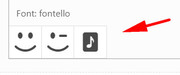
But I could removed it and reinstalled it.
Your other fontello-64e06485 is giving this error:admin-ajax.php Failed to load resource: the server responded with a status of 500 (Internal Server Error)Please ask your webhost if the server log shows an error for this.
Best regards,
Mike -
AuthorPosts
