
Forum Replies Created
-
AuthorPosts
-
Hey Dundee,
Thanks for the links, so on your ski page I see you have a full width slider, then 3 smaller images, then a full width gray text block.
So I make the 3 image section have a max-width 80% with margin auto to center them. In between the images and the slider was a white area so I hide it to look better, but feel free to adjust to suit.
Please try this code in the General Styling > Quick CSS field or in the WordPress > Customize > Additional CSS field:#homepage-section-overlay { max-width: 80%; margin: auto; } #after_full_slider_1 { display: none; }After applying the css, Please clear your browser cache and check.
Please see the screenshot in Private Content area of the Expected results.Best regards,
MikeHey Charlotte,
Please try this code in the General Styling > Quick CSS field or in the WordPress > Customize > Additional CSS field:.avia-menu.av-main-nav-wrap.av_menu_icon_beside { padding-right: 0 !important; margin-right: 0 !important; } .social_bookmarks.icon_count_2:after { content: url(https://img.icons8.com/officexs/16/000000/great-britain.png) url(https://img.icons8.com/officexs/16/000000/switzerland.png); }Best regards,
MikeHi,
Thank you for the link and screenshots, I see that you are using the grid row and the images are backgrounds of the cells, so what you need to do is add a “white space” element to the cells with enough padding to force the height you wish for mobile. Right now the cells think they are empty so they are collapsing down.Best regards,
MikeHey marcoabis81,
Sorry for the late reply, which kind of gallery are you going to be using?
The default WordPress gallery
Gallery with Preview
Small Thumb Gallery
Bigger Gallery were additional images are available via lightbox
or the horizontal gallery
you can see most of them here.
1: With the default WordPress gallery adding a background-color will show as thin lines between the images, but the other galleries have a white border around each image so this doesn’t work, but it does change the hover overlay color because opacity is used.
This is an example css:#top div .avia-gallery { background-color: red;2: adding radius to the gallery would be different for each one, but here is an example:
#top div .avia-gallery { border-radius: 20px;3: when you add images to your gallery you will see this option:

4: Typically the related posts at the bottom of a post are added automatically so to add anything under it could be done with jQuery, we would have to see the page to be able to assist with this.I know this answers are a little vague, but there are many different possibles here depending on which gallery you use, once you start putting together your page we can assist further when we can see it.
Best regards,
MikeHey Carsten,
Sorry for the late reply, I have looked at your site on mobile but I don’t see that your header is disappearing on scroll up, I only see it return to the transparent state. Which browser are you seeing this on?
I also looked at your css above, but don’t see anything that might cause this.
Do you have the ability to make a screencast of the error and post the link to it in the Private Content area?Best regards,
MikeMarch 1, 2020 at 6:43 pm in reply to: Blog Posts – pagination (stay in the same element when go to next page) #1189240Hey cukrmi,
Sorry for the late reply, the only way I could find to change this is to append your section ID to the pagination links with jQuery.
Try adding this code to the end of your functions.php file in Appearance > Editor:function custom_pagination_script(){ ?> <script> (function($){ $(document).ready(function(){ $(".pagination-wrap.pagination-slider nav.pagination a").each(function() { var $this = $(this); var _href = $this.attr("href"); $this.attr("href", _href + '#novinky'); }); }); })(jQuery); </script> <?php } add_action('wp_footer', 'custom_pagination_script');also please ensure that this theme setting is disabled: Enfold Theme Options > Performance > Load jQuery in your footer
Best regards,
MikeHi,
Sorry we were not more helpful, we will close this as requested. Thank you for using Enfold.For your information, you can take a look at Enfold documentation here
For any other questions or issues, feel free to start new threads in the Enfold forum and we will gladly try to help you :)Best regards,
MikeHi,
To add a screenshot please try using https://postimages.org/ and pasting the image URL in your post.
Or you can upload screenshots and videos to DropBox and post the urls in the Private Content area.Best regards,
MikeHi,
Glad we were able to help, we will close this now. Thank you for using Enfold.For your information, you can take a look at Enfold documentation here
For any other questions or issues, feel free to start new threads in the Enfold forum and we will gladly try to help you :)Best regards,
MikeHi,
Thank you for the login, in order to make the left column sticky and retain it’s width and position and a fluid feel I recommend using jQuery. So the first step is to add a custom ID to your left column so we are only targeting this one, in the future if to create another page like this with the sticky column on the left and the distance from the top of 330px, you can use the same ID to also target it.

then we will add this code to the end of your functions.php file in Appearance > Editor:function sticky_column(){ ?> <script> (function ($) { $(window).scroll(function (e) { var $sticky = $('#sticky-column'); var width = $(window).width() var position = ($sticky.css('position') == 'fixed'); if ($(this).scrollTop() > 100 && width >= 767 && !position) { $sticky.css({ 'position': 'fixed', 'top': '330px', 'width': $sticky.innerWidth() }); $sticky.next().css('float', 'right'); $sticky.addClass('fixed_element_style'); } if ($(this).scrollTop() < 100 && position) { $sticky.css({ 'position': 'static', 'top': '0px', 'width': '' }); $sticky.next().css('float', 'left'); $sticky.removeClass('fixed_element_style'); } }); })(jQuery); </script> <?php } add_action('wp_footer', 'sticky_column');Then in your theme settings this option needs to be unchecked: Enfold Theme Options > Performance > Load jQuery in your footer
Now you will see the column is sticky, you may need to clear your browser cache.
The only issue is that you are not using a Child Theme so on your next update this customization will be lost. Please consider reading about child themes and using one.Best regards,
MikeHi,
Sorry for the late reply, I have taken a look at your pages and it looks like /monova2/ is correct now, but your screenshot to the other site is not but we don’t have a link to it, only a screenshot.
Please include a link to the other site.Best regards,
MikeHey polilili,
Please try this code in the General Styling > Quick CSS field or in the WordPress > Customize > Additional CSS field:#main .entry-content .wp-block-button__link { background-color: #b90239; color: #fff; }this will make your button background color magenta and the text white, feel free to adjust to suit.
After applying the css, Please clear your browser cache and check.Best regards,
MikeHi,
Sorry for the late reply, and thanks for the login, I took a look at your site and see that you are using Enfold v4.2 with WordPress v5.3.2, so you will need to manually update via FTP because of the API/Token changes with Envato.
The easiest and safest way to update is to download the newest version from Theme Forest and rename your current theme folder to “enfold-old” via ftp then upload the new “enfold” folder and check that your site is working correctly.
Should for some reason you wish to roll-back to the old version, it’s easy to do, simply rename the new “enfold” folder to “enfold-new” via ftp and then rename “enfold-old” to “enfold” then refresh your page.
Once you are happy you can delete the “enfold-old” folder via ftp, (not the WP theme page)
Please don’t try to overwrite the theme folder, as this will leave old files behind and cause errors.I didn’t find your error:
Warning: Cannot modify header information – headers already sent by (output started at /home/intera65/public_html/wp-content/plugins/search-filter-pro/includes/class-search-filter-post-cache.php:1513) in /home/intera65/public_html/wp-admin/post.php on line 223but this is caused by the plugin
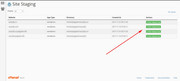
search-filter-proso I recommend disabling until after you update your theme and all plugins, perhaps then the conflict will be resolved.I also recommend checking with your webhost to see if you have the one click staging site option, this is a option in most cPanels to create a staging clone of your site so you can test updates on it and your live site will stay up and running untouched. This is a good practice should updating cause any issues that take time to resolve. You can always ask your webhost to help you with setting this up if you want.
Here are some screenshots of what it would look like:

Best regards,
MikeHi,
We would adjust the “Trip Advisor” code above to Telegram, but I checked fontello.com and found no “Telegram” icon font, so first you will want to find a Telegram svg and drag it into fontello.com to create a icon font:

Please note that colored SVG’s will not work, fontello.com should convert them into black and white.
then you will have the icon code needed for the function.Best regards,
MikeHi,
Sorry for the late reply and thank you for the login to the staging site, I see you have the same css in your child theme stylesheet and in your Quick CSS, which can make it a little tricky to manage your styles, you may wish to keep your css in one place.
Anyways I commented out these two lines in both places:/*#top #header_main > .container .main_menu ul:first-child > li > a { line-height: 155px !important; }*/ /*#top .header-scrolled #header_main > .container .main_menu ul:first-child > li > a { line-height: 60px !important; }*/and now your mobile menu items are a natural size and expand well within the group, please clear your browser cache and check.
Best regards,
MikeHi,
Glad Ismael was able to help, we will close this now. Thank you for using Enfold.For your information, you can take a look at Enfold documentation here
For any other questions or issues, feel free to start new threads in the Enfold forum and we will gladly try to help you :)Best regards,
MikeHi,
Glad we were able to help, we will close this now. Thank you for using Enfold.For your information, you can take a look at Enfold documentation here
For any other questions or issues, feel free to start new threads in the Enfold forum and we will gladly try to help you :)Best regards,
MikeHi,
It sounds like this is sorted out now, shall we close this then?Best regards,
MikeHey Sam,
Your error message is from Google Maps been disabled in your theme option:

If you want to use Google Maps then please enable it and follow the steps on the option page to setup a Google Maps account with a payment type, and add your API.
Is your contact page suppose to be black with no padding or margin? Your Autoptimize plugin is causing this, I recommend disabling it for a while.Best regards,
MikeHey peterolle,
Typically this is the best way to show content in a lightbox, a possible reason you are getting the error could be because your site is loading the jQuery in the footer, perhaps via a caching plugin, Autoptimize, JetPack, or the setting at Enfold Theme Options > Performance > Load jQuery in your footer
If we can login and take a look we can probably sort this out.Best regards,
MikeHi,
Thank you for the login, I see that you have enabled the menu Description field so I assume that question is solved now.
As for editing your pages I see you have the “Visual Composer” page builder activated and can foresee future issues since Enfold has it’s own built-in Advanced Layout Builder that is not compatible with other builders.
Please disable the other builders.Best regards,
MikeHi,
Thank you for the login, I see this is not a true sidebar and is a 1/4 column, which is fine, but will this also be on other pages or only on this one? If you add this to other pages please add a custom class to them all so the same css with work on all of them.

I see that some of your other pages have a true sidebar, do you want the background color changed for those too?
For the page you linked to, Please try this code in the General Styling > Quick CSS field or in the WordPress > Customize > Additional CSS field:#main > div > div.flex_cell.no_margin.av_one_fourth { background-color: #dddddd; }After applying the css, Please clear your browser cache and check.
Best regards,
MikeHey bitterlemmer,
Do you mean that you would like a Tiktok social icon in the header or footer next to the others, or do you mean a Tiktok social share button in the box after the posts?
The social share box button will require a request because of the linking involved, but a social icon can easily be added.
You can add more social profiles by following the steps outlined here in our documentation.
Then you can upload your new icon to the Enfold Theme Options > Import/Export > Iconfont Manager from http://fontello.com/
I didn’t find your Tiktok icon on fontello so you will need to find a SVG of it to drag into fontello to create the icon font:

The icon font will be black and white which css will color, so you don’t need to find a colored SVG, it won’t work. But if you find a png with a transparent background then you can convert it here.
Please give this a try and let us know if you need a hand with it.Best regards,
MikeHey mary301187,
You can add more social profiles by following the steps outlined here in our documentation.
Then you can upload your new icon to the Enfold Theme Options > Import/Export > Iconfont Manager from http://fontello.com/
I didn’t find your Beatport icon on fontello so you will need to find a SVG of it to drag into fontello to create the icon font:

The icon font will be black and white which css will color, so you don’t need to find a colored SVG, it won’t work. But if you want to use the png you linked to because it has a transparent background then you can convert it here.
Please give this a try and let us know if you need a hand with it.Best regards,
MikeFebruary 29, 2020 at 10:46 pm in reply to: Is it possible to insert a catalogue in a Accordion Toggle #1189109Hey peter51,
To get the shortcode of the catalog please use the shortcode wand

and then paste into the accordion in the “text” tab

Best regards,
MikeFebruary 29, 2020 at 10:34 pm in reply to: Mobile view on iPad/tablet (for single elements) #1189108Hi,
Thank you for enabling 2 articles, but only one is loading on page load then when the next/prev buttons are clicked the second is loaded with jQuery, so we won’t be able to change this behavior with css.
But to move the next/prev buttons up to the image for iPhone this css seems to work:@media only screen and (max-width: 767px) { #top .avia-content-slider .avia-slideshow-arrows a { top: 20% !important; } }After applying the css, Please clear your browser cache and check.
Best regards,
MikeFebruary 29, 2020 at 10:13 pm in reply to: Navigation menu is showing up twice on mobile devices #1189106Hi,
Glad we were able to help, we will close this now. Thank you for using Enfold.For your information, you can take a look at Enfold documentation here
For any other questions or issues, feel free to start new threads in the Enfold forum and we will gladly try to help you :)Best regards,
MikeHi,
Glad we were able to help, we will close this now. Thank you for using Enfold.For your information, you can take a look at Enfold documentation here
For any other questions or issues, feel free to start new threads in the Enfold forum and we will gladly try to help you :)Best regards,
MikeFebruary 29, 2020 at 10:11 pm in reply to: "Password Protected" Plugin Not Working Well With Enfold #1189103Hi,
When I examined your site I didn’t find any errors, and saw that you were not using the Enfold Theme Options > Performance > JS & CSS file merging and compression at this time, but in the future if you add a caching plugin or Autoptimize please don’t minify the JS files twice, that is once in Enfold and again in a caching plugin.
Also please don’t enable Enfold Theme Options > Performance > Load jQuery in your footer or have another plugin Load jQuery in your footer, it can cause strange behavior.
So right now I don’t see anything that could be causing an error.Best regards,
Mike -
AuthorPosts

