

Forum Replies Created
-
AuthorPosts
-
can you show me a link to the image you like to influence?
maybe a clip-path is a nice solution:
https://bennettfeely.com/clippy/the clip-path is like a “keyhole” through which you can see. Look: https://webers-testseite.de/clippy/
January 30, 2023 at 9:53 am in reply to: Need Help Creating A Custom Site Template (NOT Page Template) #1395872on DOM you will see this structure then :
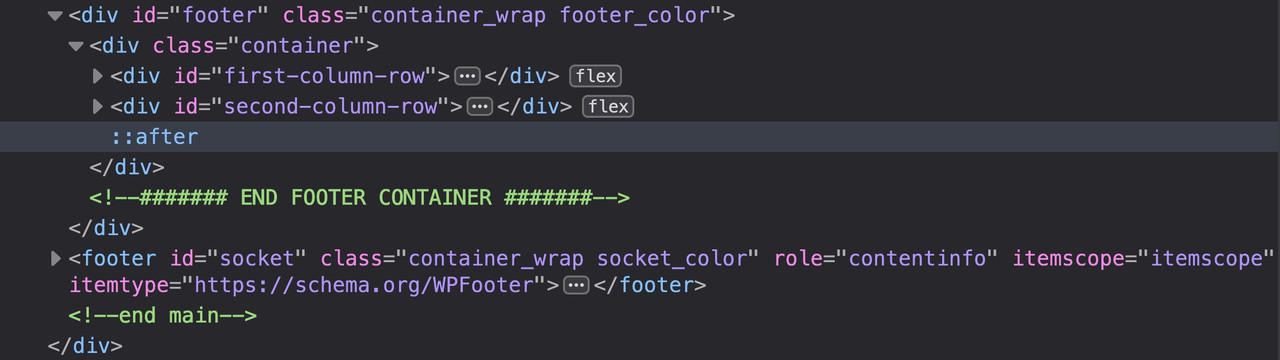
so this will work even with curtain effect – because i do use the same surrounding container for that second footer row.
I had once intended to implement it in the metabox that you can decide whether the first, second or both footer rows are shown. I have not yet had the time to do this.
So you would have to either hide the not needed footer row via css, or go your way and create a new template that then only shows footer row 2 and leaves footer row 1 completely out.
January 30, 2023 at 9:47 am in reply to: Need Help Creating A Custom Site Template (NOT Page Template) #1395870long time ago i managed to implement a second footer row.
on Enfold Options you will see:
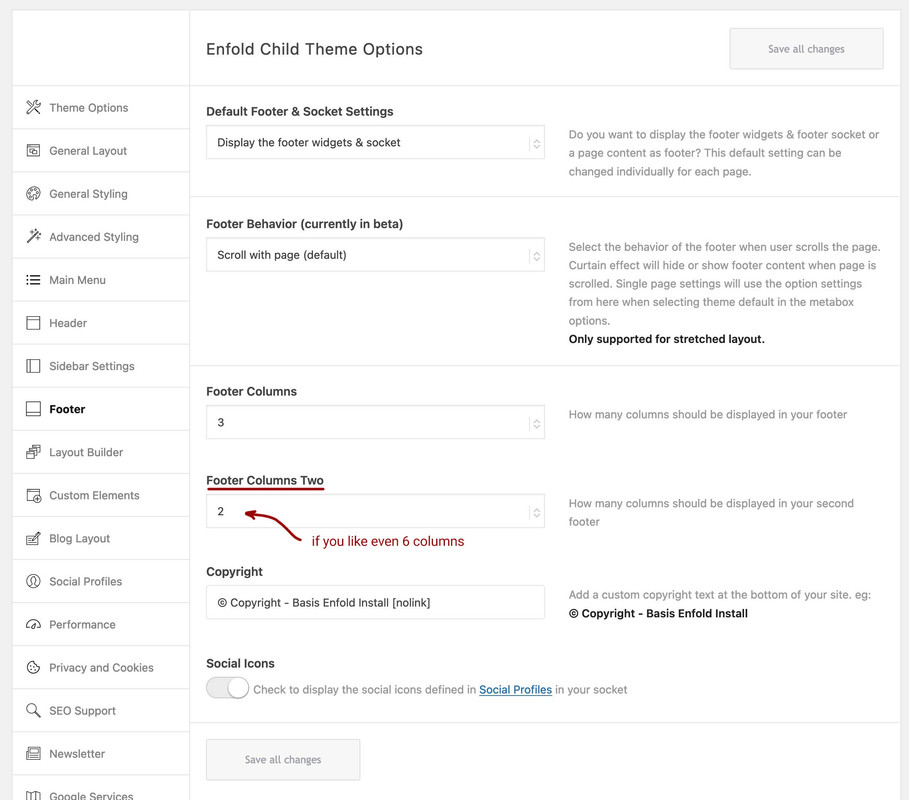
On widgets your will have :
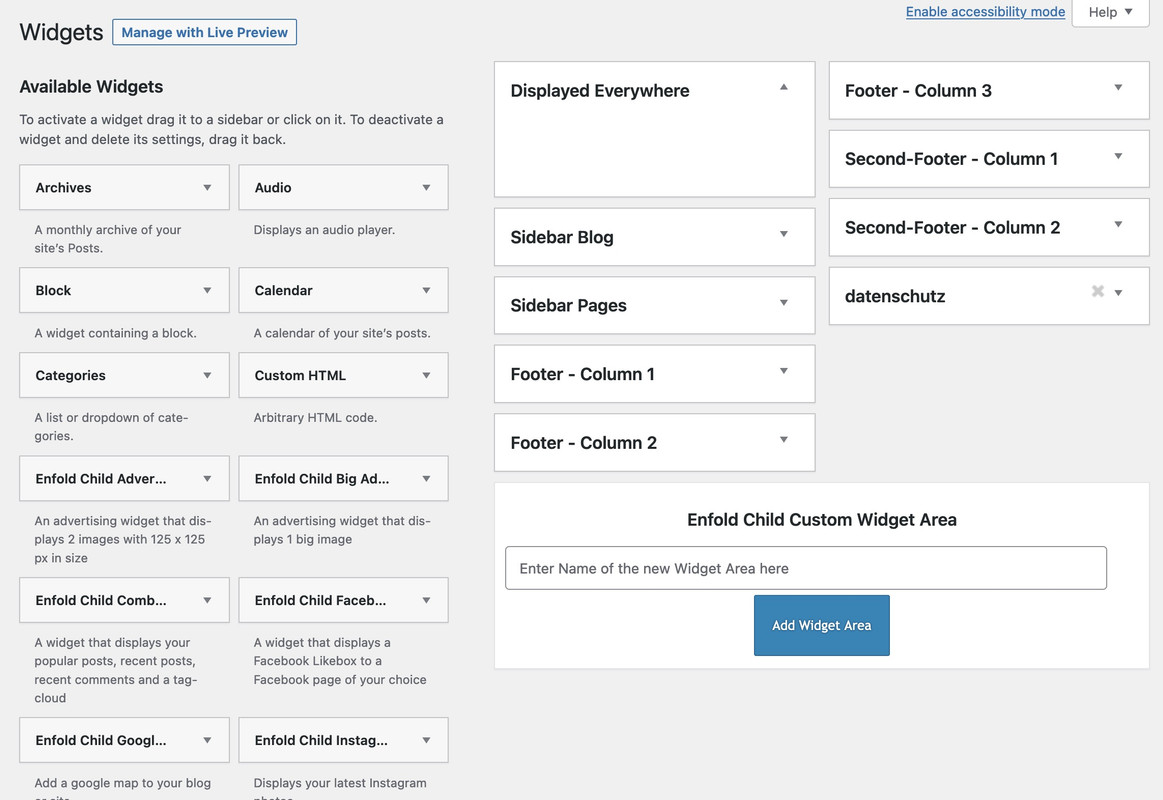
you will need for it a child-theme footer.php a child-theme functions.php snippet and less code for quick css.
The snippet is:
/***** insert the options dialog to Enfold Footer segment. Just after the other footer_columns ****/
function my_avf_option_page_data_add_elements( array $avia_elements = array() ){
  $slug = 'footer';
  $id = 'footer_columns';

  $new_element =  array(
  "slug"  => "footer",
  "name"  => __("Footer Columns Two", 'avia_framework'),
  "desc"  => __("How many columns should be displayed in your second footer", 'avia_framework'),
  "id"  => "footer_two_columns",
  "required"  => array( 'display_widgets_socket', '{contains_array}all;nosocket' ),
  "type"  => "select",
  "std"   => "4",
  "subtype" => array(
    __('1', 'avia_framework') =>'1',
    __('2', 'avia_framework') =>'2',
    __('3', 'avia_framework') =>'3',
    __('4', 'avia_framework') =>'4',
    __('5', 'avia_framework') =>'5',
    __('6', 'avia_framework') =>'6')
  );

  $found = false;
  $index = 0;

  foreach( $avia_elements as $key => $element ){
  $index++;
    if( isset( $element['id'] ) &&  ( $element['id'] == $id ) && isset( $element['slug'] ) && ( $element['slug'] == $slug ) ) {
      $found = true;
      break;
    }
  }
  if(! $found ){
    $avia_elements[] = $new_element;
  }
  else {
    $avia_elements = array_merge( array_slice( $avia_elements, 0, $index ), array( $new_element ), array_slice( $avia_elements, $index ));
  }
  return $avia_elements;
}
add_filter( 'avf_option_page_data_init', 'my_avf_option_page_data_add_elements', 10, 1 );

/*** Register new footer widget areas */
function footer_two_widgets_init() {
  $footer_two_columns = avia_get_option( 'footer_two_columns', '6' );
  for ($i = 1; $i <= $footer_two_columns; $i++){
    register_sidebar(array(
      'name' => 'Second-Footer - Column '.$i,
      'before_widget' => '<section id="%1$s" class="widget clearfix %2$s">',
      'after_widget' => '<span class="seperator extralight-border"></span></section>',
      'before_title' => '<h3 class="widgettitle">',
      'after_title' => '</h3>',
      'id'=>'av_footer_two_'.$i
    ));
  }
}
add_action( 'widgets_init', 'footer_two_widgets_init' );
#footer .container > div { display: flex; flex-flow: row wrap; align-items: stretch; } #second-column-row { position: relative; margin-top: 10px; }the edited footer.php can be found ( on basis of Enfold 5.4 ) : PasteBin
A page like this: https://kriesi.at/themes/enfold-health-coach/
Or just without all ( header, footer, socket ) ?
Note, however, that an image that must always maintain screen height will need to be cropped if the screen width is variable.PS – same here – but this will generate your android icons too : https://realfavicongenerator.net/
It is the same implementation as mentioned above – but for the android icons there will be a site.webmanifest ( or some xml files ) file in additon<link rel="manifest" href="/wp-content/uploads/icons/site.webmanifest">Google yourself a little – there are many online favicon generators – one will definitly fit to your needs
how to insert it into the head area is described above.Do you only accept responses from developers/mods?
I tried to find a solution for you – but it is actually the same result on my test environment.howto:
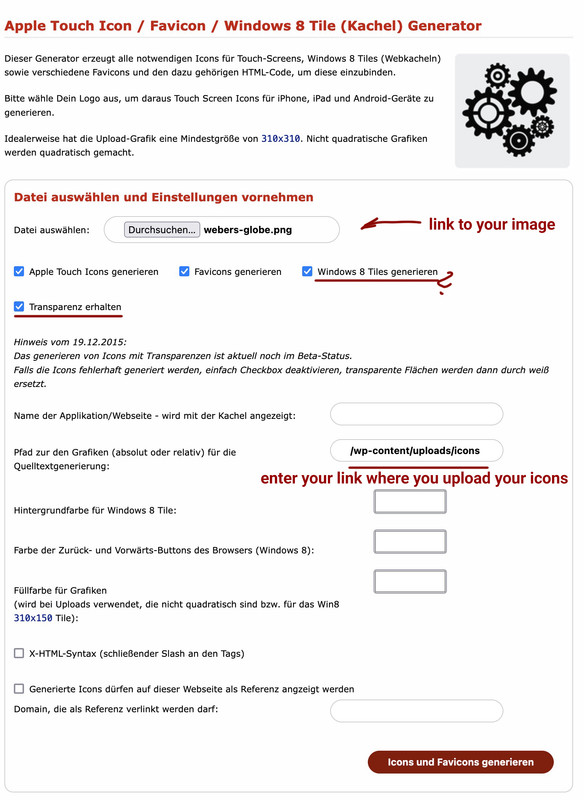
the zip you can download then show the structure you have choosen:

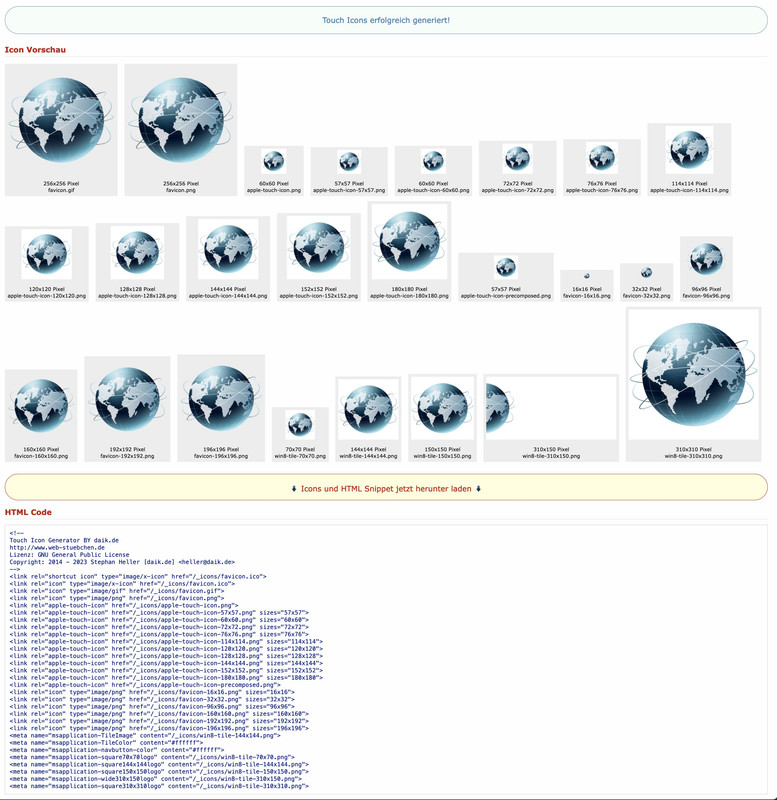
this is a german website – but i guess you can manage to know how to use it: https://web-stuebchen.de/
the code generated can be ( in an edited form – depends on the path where you upload those favicons ) loaded via child-theme functions.php:
function ava_add_icons() {
?>
// here is the place for that snippet offered by that downloaded zip file
<?php
}
add_action('wp_head', 'ava_add_icons');
you had to manually generate a win8-tile-310×150.png icon ( if you need this )
I tested it on an installation now – and all images – except the background-images were replaced by the cloudinary images.
I could not see why this is the fact. SorryJanuary 26, 2023 at 10:52 pm in reply to: How to remove the “title attribute” in post title link #1395463Again, from a third place: the quotation marks are not text and do not belong to the Title Text.
You can easily check this yourself by hovering the mouse over the link. Then the browser shows you the title in a tooltip.
There you see – no quotation marks. They belong to the attributes of a tag! Nothing more. As with every alt-tag, title-tag src etc. pp …(click to enlarge)

__________
next: https://html.spec.whatwg.org/multipage/links.html#link-type-bookmarkwhy does it disturb your?
on my end your code looks good to me – but you can shift those icons by postitioning them:
.avia_textblock.bullets li::before { content: url(https://cdn0.iconfinder.com/data/icons/gloss-basic-icons-by-momentum/16/bullet-red.png); position: relative; top: 5px; }maybe it is better to set it for the inner-masonry
#top .container .av-masonry.av-large-gap .av-inner-masonry {
    padding: 15px 0 0 15px;
}
btw: why is there a css with 102% width set ? is it just for opera mini that could not use calc for width?
on tribe-events we got a little bug with breadcrumbs and double slashes – is there a similar behavior on woocommerce ?
January 25, 2023 at 10:39 am in reply to: How to remove the “title attribute” in post title link #1395101@Yigit : please think of changings inside jQuery 3.x
it is nowjQuery(window).on('load', function(){maybe you look inside documentation too if there are older snippets.
OK – has now been updated
For the unbelievers among us ;)
you can also test something like this in the developer tools of the browser. The script (pure without php part) is entered via the console – new CSS instructions can then also be tested in the simulation.private content is only visible for mods / devs – so : not for me – so you have to wait.
January 23, 2023 at 2:37 pm in reply to: Testimonial Grid brake with every change on the page #1394781Es liegt sehr wahrscheinlich an der Verwenung von “kleiner als” Symbol – dies wird in der Umgebung als anfang eines Tags gewertet.
ich habe mich sehr willkommen gefühlt <3.
Wenn du sowas nicht häufig benötigst, dann nutze ein html entity : ( erste spalte denke ich wäre ok : & lt ; ( ohne spaces ) )

Ein Link zu der Seite wäre besser – um beurteilen zu können woran es denn nun wirklich liegt.
sorry – no private Content for me ( participant as you are )
this line:
jQuery(window).load(function(){must be changed to :
jQuery(window).on('load', function(){it is always the title what is shown on hovering. this is not an enfold feature – it is simple browser behavior.
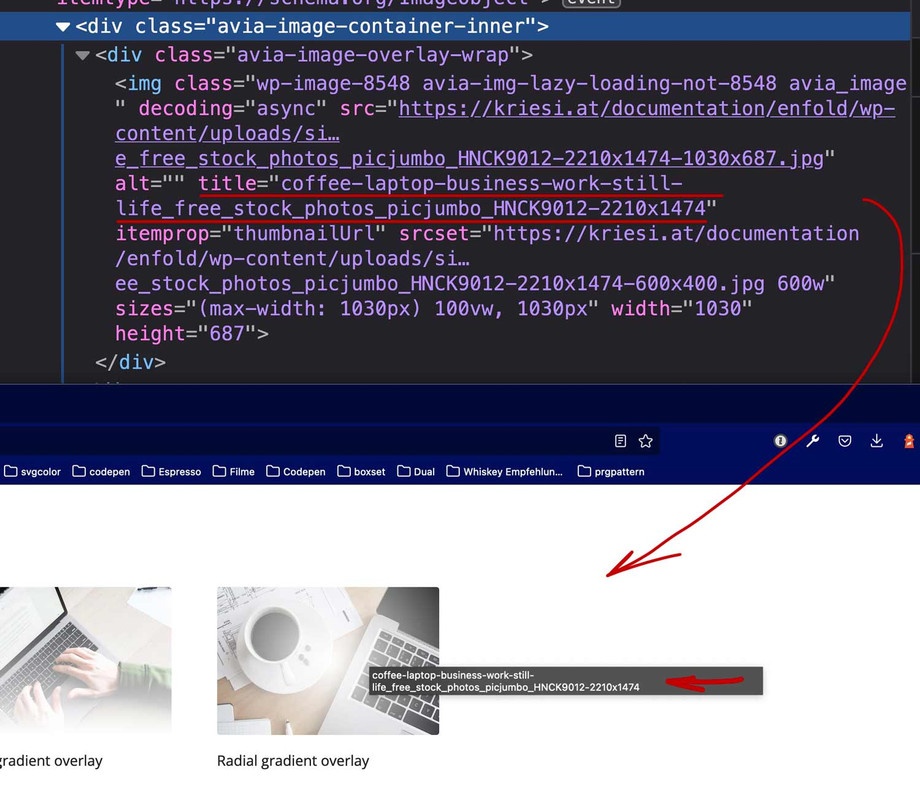
could you post a link to your gallery?
or do you mean the lightbox bottom info – even there you have title as default – but you can switch to description ( title as fallback)

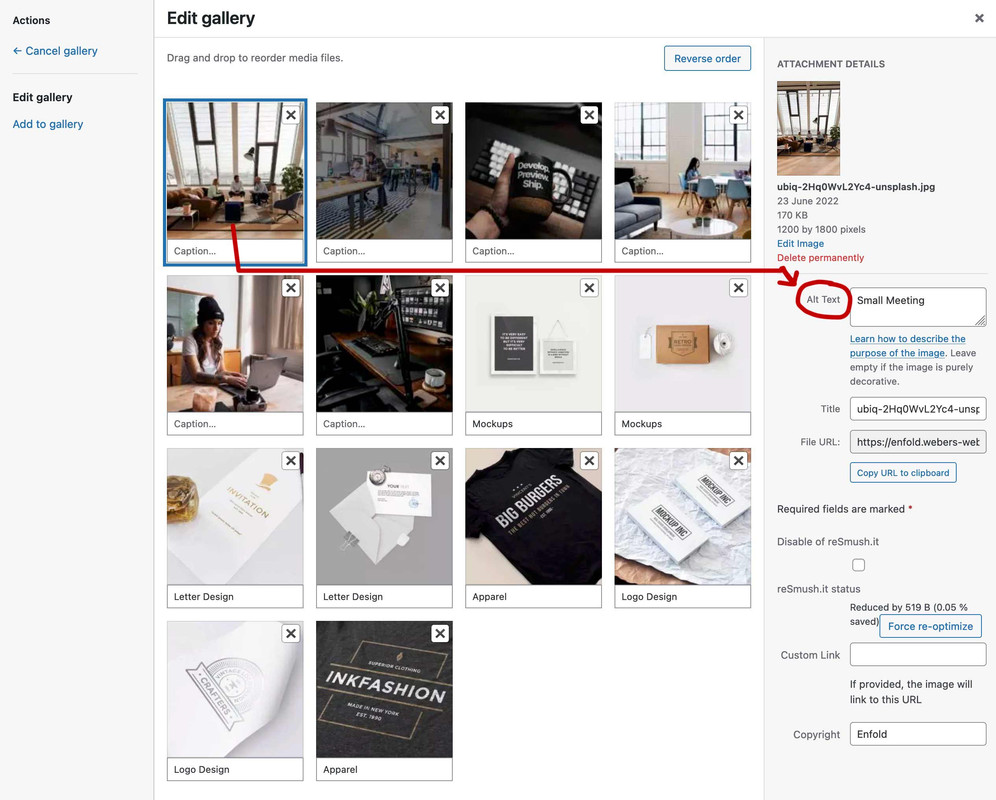
there are functions.php snippets to show on that lightbox the alt tag.
well – in principle it also works via the Gallery ALB element itself, but you have to be aware that here it is not like with an Image ALB element, where you can only decide for an alternative entry here. If you enter the Alt Tags here in the Gallery, they will be changed in the Media Library, and that means globally.
yes – they changed the server and something on board soft. So my post is located in the endless expanses of the Internet clouds.
Here is my second trial:i would do the following to keep the similar usage as the entypo fontello icons:
Download the free Fontawesome – unzip it and extract the svg folders. There are probably three. Open one of these folders – e.g. the solid folder. Now go to the fontello page. There is a custom icon field at the top. Drag all – or only the svg icons you want into it. Activate all of them (you can do this by dragging the left mouse button). Give them a name in the upper right corner ( e.g. fontawesome-solid ) and download this set.
Upload this zip to Enfold – Import/Export – Iconfont Manager.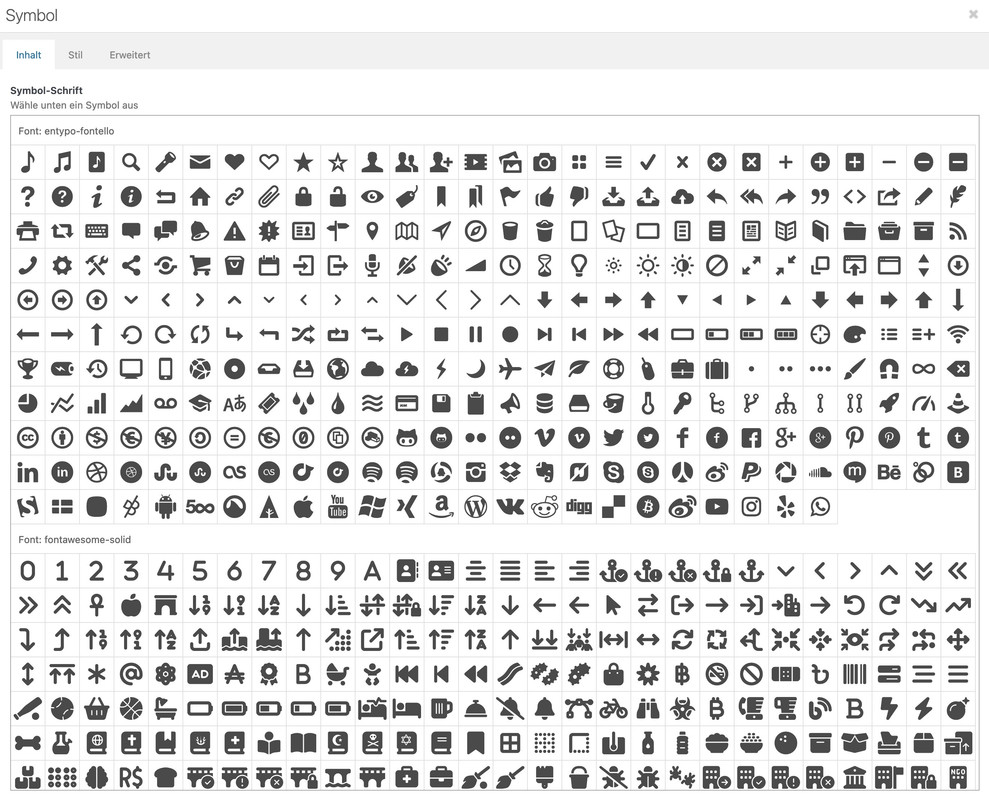
-
This reply was modified 3 years, 1 month ago by
Kriesi.
Hm? i do not see my post on submitting. – i try again:
To maintain the usability of the icon usage of Enfold I would not do the recommended installation ( as plugin ), but proceed as follows?
Download of the free package. Open the zip file – then extract the svg folders.
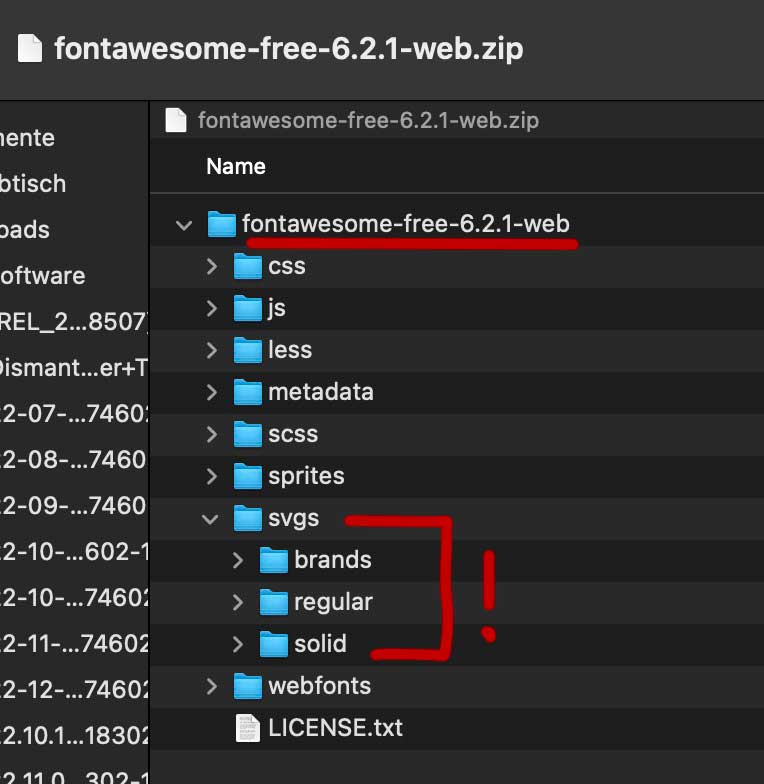
Open the Fontello page and drag the complete contents of one of the folders into the Custom Icons field. Now all the svgs will be uploaded. Then activate all of them there in the Custom-Icon field ( or only selected icons ). Assign a name – here in my case fontawesome-solid and download that package.
Rename the zip file if you like and upload it via import to Enfold.
Now you can choose these files like the entypo-fontello files in your alb elements.The flipbox was completely changed to flexbox layout.
The spacing can be set in the ALB for items in a row and for the distance between the rows.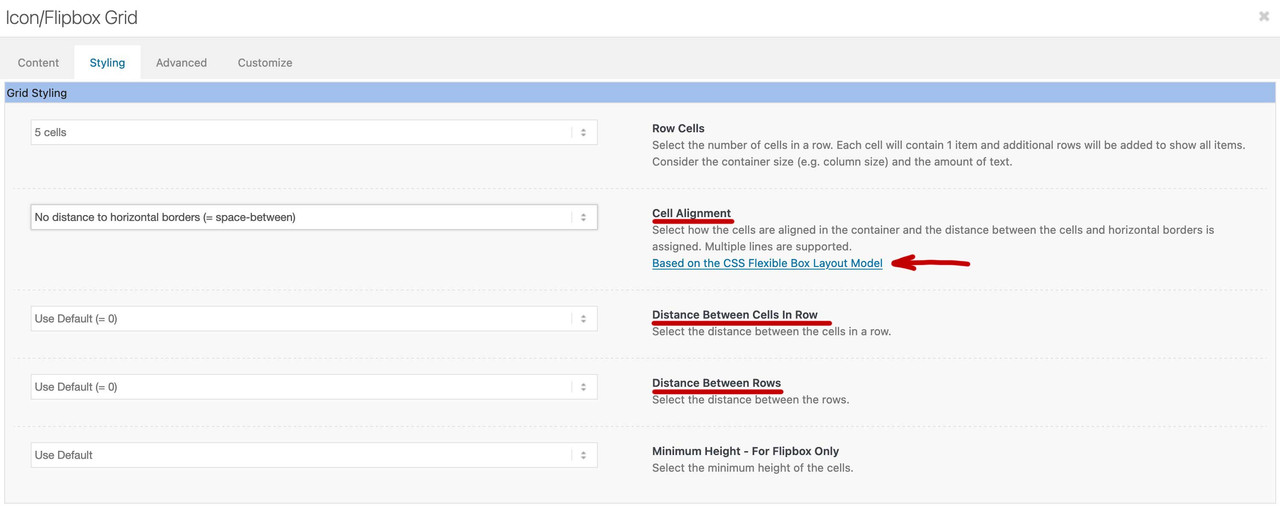
Now you have to know the possibility to distribute the items in a way that the outer items have no distance to the edges ( space-between ) and the remaining space is divided evenly.
The next would be “space-around” – there the distance to the outside is half as big as the distance between the cells.
With “space-evenly” the outer distances are equal to those between the cells.simple Answers could be seen – but if there are images or links inside – these answers are not visible for Participants!
we Participants could not see the answers !
now it seems to work – so i try that double post:The flipbox was completely changed to flexbox layout.
The spacing can be set in the ALB for items in a row and for the distance between the rows.Now you have to know the possibility to distribute the items in a way that the outer items have no distance to the edges ( space-between ) and the remaining space is divided evenly.
The next would be “space-around” – there the distance to the outside is half as big as the distance between the cells.
With “space-evenly” the outer distances are equal to those between the cells.your script is working – but i would play a bit with your colors to get a better usability:
#top #wrap_all .av-subnav-menu > li.current-menu-item a { text-decoration: none !important; } #top #wrap_all .av-subnav-menu > li.current-menu-item a > .avia-menu-text { background-color: #678908; border-color: #678908; }Many thanks – that is doing the job now.
and that line:
const anchors = ["#top", "#barrierefrei", "#geberit", "#perma-trade"];could not be generated automatically from the submenu itself?
and the opening code tag has no closing one ?______________
i try to implement it as normal script – not via enqueue inline script.
function observe_submenu() {
?>
<script type="text/javascript">
window.addEventListener("DOMContentLoaded", function () {
(function($) {
	const setActive = (entry) => {
		$("#top .av-subnav-menu a").parent("li").removeClass("current-menu-item");
		let item = $('#top .av-subnav-menu .menu-item a[href*="' + entry + '"]');

		if(!item.attr("href").includes(entry)) return;

		let list = item.parent("li");
		let parent = list.parent("#menu-sub-menu");

		if(list.is(".current-menu-item")) return;

		parent.find("li").removeClass("current-menu-item");
		list.addClass("current-menu-item");
	}

	const createObserver = (entry) => {
		let el = document.querySelector(entry);

		const observer = new IntersectionObserver(function(entries) {
			if(entries[0].isIntersecting === true) {
				setActive(entry);
			}

			}, {
				root: document,
				"rootMargin": "-5% 0% -15% 0%",
				"threshold":  0.95
			});

		observer.observe(el);
	}

	const anchors = [];
	$('#top .av-subnav-menu .menu-item a[href^="#"]').each(function(){
	  anchors.push( $(this).attr('href') );
	})

	anchors.map(anchor => {
		createObserver(anchor);
	});
})(jQuery);
});
</script>
<?php
}
add_action( 'wp_footer', 'observe_submenu', 999 );
( maybe it is better for performance reasons to implement this only for the page where the submenu is located )
-
This reply was modified 3 years, 1 month ago by
-
AuthorPosts

