Hi all,
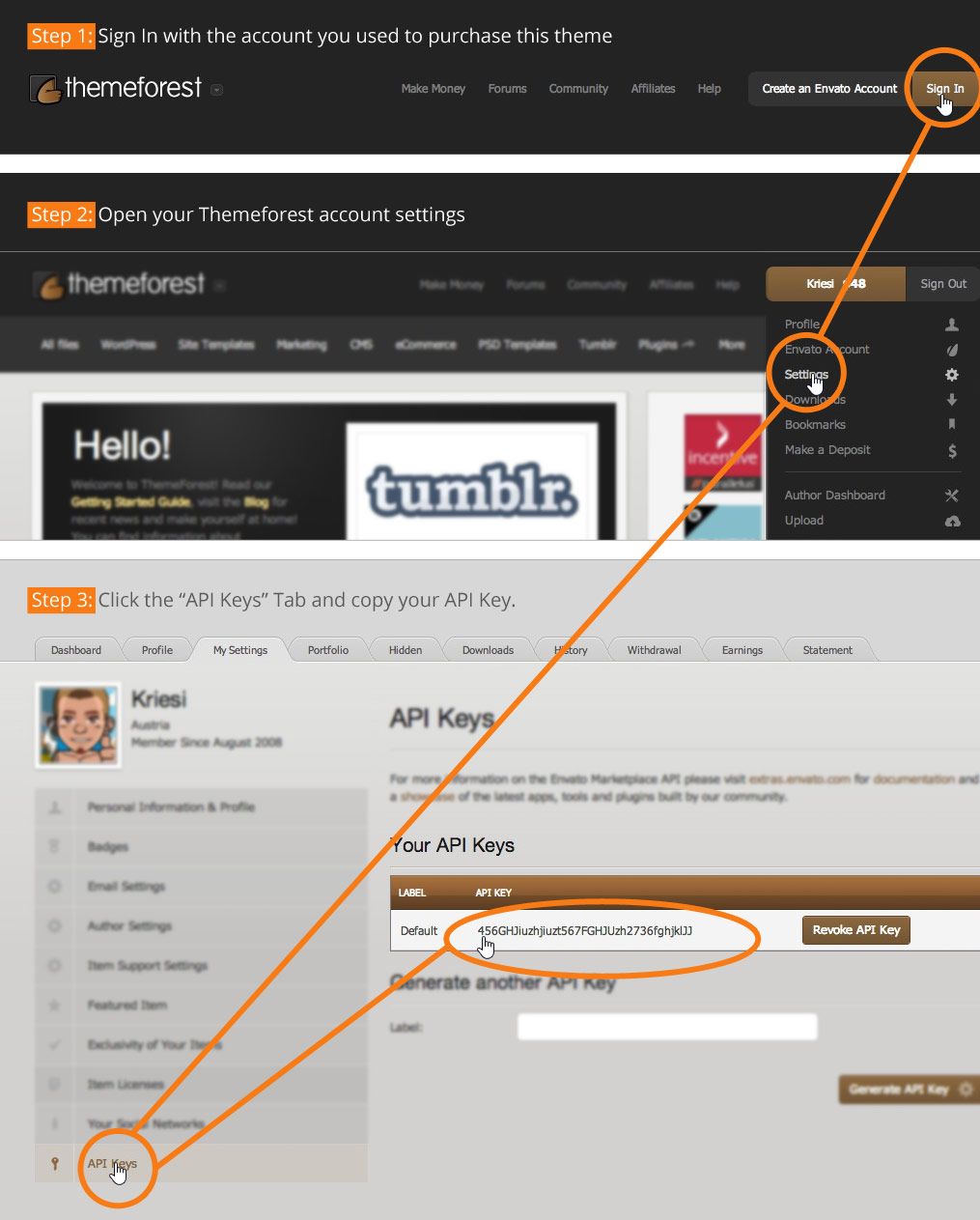
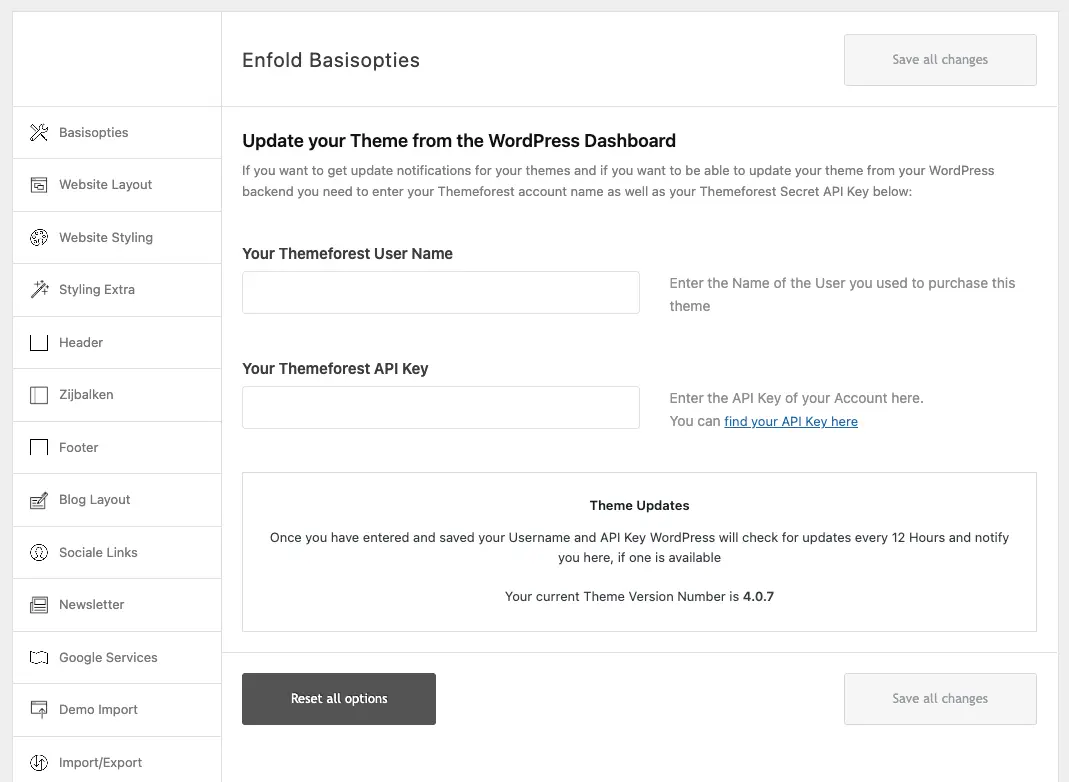
I’ve bought the Enfold template through themeforest. However, the instructions from the plugin (https://moniquerijksen.nl/wp-content/themes/enfold/framework/images/layout/FIND_API.jpg) are not up to date anymore. I cannot upload my license to the plugin settings, because the fields don’t match.
Does anyone know how I can add my license to update the plugin? I cannot update my php version now because the site keeps crashing. I’ve mailed Kriesi support a bunch of times but got no answer whatsoever. Any answer is highly appreciated.
This is the current set up: https://moniquerijksen.nl/wp-content/uploads/2026/04/screenshot-2026-04-02-at-11-14-45.webp
Thank you very much.

Hey morijksen,
The update to 7.1.4 has to be done manually from the version you are running, please refer to my replies in this thread: https://kriesi.at/support/topic/enfold-4-5-theme-update-update-failed-download-failed-a-valid-url-was-not-pro/#post-1021541
You can either update manually via FTP: https://kriesi.at/documentation/enfold/how-to-install-enfold-theme/#theme-update, or upload the theme as if it was new under Appearance->Themes->Add New Theme.
If that doesn’t work then please try to delete the whole theme folder, then replace it with the new version. Make sure that you have backups of the site before starting updating.
Also please read this after you have updated: https://kriesi.at/documentation/enfold/theme-registration/
Best regards,
Rikard