Hi I’m referring to the following topic, wich Rikard closed that morning:
https://kriesi.at/support/topic/how-to-update-embedded-layerslider/
I just made the last update of enfold, but the layerslider didn’t update… I’m still having version 5.6.5 but the newest is 5.6.7. This is a bit embarrassing ‘cos some pages who has these sliders integrated doesn’t work anymore.
I’ve my own license and downloaded the zip by myself, but now no idea how to update.
Thank you for helping!
Regards,
Schmiddy
Hey!
I changed your code to following one
@media only screen and (max-width: 480px) {
h2.avia-caption-title { font-size: 14px !important; }
.caption_bottom .slideshow_caption .slideshow_inner_caption { padding: 0 !important; }
}

@media only screen and (max-width: 1024px) {
#mobile-advanced, #advanced_menu_toggle, #advanced_menu_hide { display: block; }
nav.main_menu { display: none!important; }}

@media only screen and (max-width: 1024px) and (min-width: 990px) {
.html_header_top.html_header_sticky #top #wrap_all #main {
    padding-top: 124px !important;
}}
and there was an additional ” which should not be there in your custom CSS, i removed it. Please review your website now
Best regards,
Yigit
Hi !
On my home page (desktop screen) I have a first section full page and the menu appears once I scrolled.
On mobile, my menu is fixed on the top of the screen, BUT I would like the same thing that on my desktop screen… to let appear the menu just after the first section… Is it possible ?? How can I do ?
Thanks a lot for your help !
Bubarama
Same behavior on my side… Some pages can be opened some not and the wheel spins for ever…
Frontend page can’t be displayed in all browsers the way it should. (header with nav is loading, rest is not displayed)
I read the topic of troubleshooting since the WP-update 4.5, I also put the temporary fix into the funktion.php to check out if it could be one of the plugins, but its still the same! No idea what it could be.
Please help us on that problem, dear Kriesi Team, Thank you very much!
Regards,
Schmiddy
P.S.: Link and FTP credentials are in the private content field
Hi,
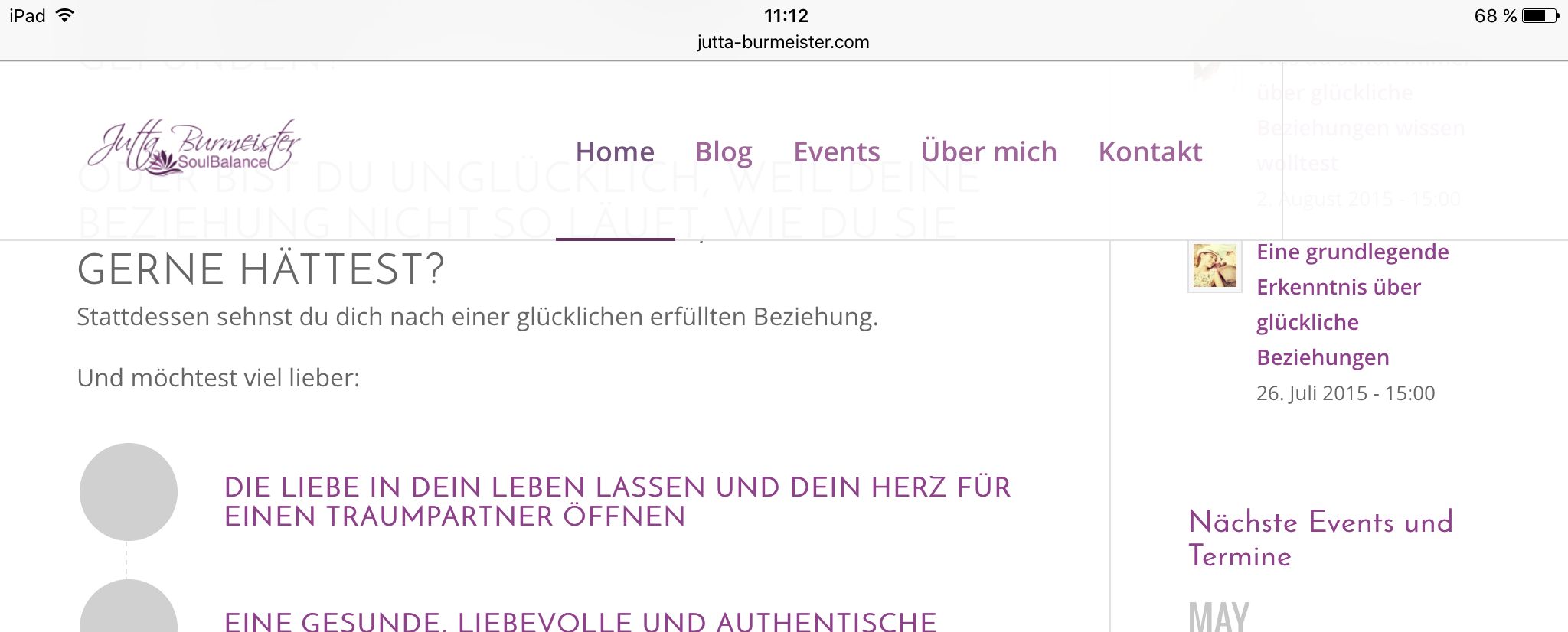
the social media icons and some icons on my homepage are not visible on some devices. On an desktop with 1920*1080 and Firefox (first picture) all visible. On notebooks with different browser, tablets and smartphones not visible (second picture).
I hane all (theme, Plugin, WordPress) on newest version. I have deaktivate some older plugins – nothing changed. I have changed from PHP version 5.5 to 7.0 – nothing changed.
Some ideas???
Regards
Site: http://jutta-burmeister.com
Picture 1:

Picture 2:
Hi, I have this site marketsamurai.it and the plugin Q2W3 Fixed Widget is not working properly in Chrome. I tried to install another plugin to fix the widget on top but same issue.
I tried already to instert some CSS code found in other threads but nothing has worked so far.
The problem is also in other site with Enfold installed.
Can you please help to figure out what to do?
Thanks,
Alex
-
This topic was modified 9 years, 10 months ago by
 ProMarketer.
Hi,
Great, let us know if you should need any more help on the topic.
Thanks,
Rikard
Hey Ismael,
still have some understanding problems about displaying an image for best view in a fullwidth header.
LAYER-SLIDER
I use an image lets say 1366 x 466 with a logo to the very left and a persons face to the very right. When I choose this image in a layer fullwidth 100% I neither can see the logo in full nor the face in full in a browser resolutin for 1366×768. This is something I do not get. Then I thought about using it in a layer as the bottom layer. Then I have always a white vertical bar of around 50pixel to the left, although layer settings are: top:0px; left: 0px. How can I fix this as I see you sometimes use header images of 1920 x 1280pixel, which are even bigger and it works somehow.
SECOND ISSUE: LETS SAY I USE A COLOURED SECTION
When I choose a background here, I can adjust it in the SECTION LAYOUT with Section Minimum Height (&Section Padding) and in the SECTION BACKGROUND with Background Image Position.
Lets say I have an Image of around 1272×300 – I cannot see it in full by a browser resolution of 1366×768 with NO MINIMUM HEIGHT!
So I choosed to change it to At least 50% of the browser window height – and still I cannot see it in full. So I changed it to a custom pixel height of 350 – the crazy thing is: instead of showing more of the image itself, it seems that the image is zoomed and the background image is still not to be seen completely.
What’s the point here?
Would be great if you can assist.
Thanks Stephan
Hi –
So I added that code but all it did was add a blue space above the slidier both in the mobile and desktop versions.
Please advise how to make this work only on mobile an not overlap on the layerslider.
Thanks!
Hi Rikard,
thanks for getting back to me – no I still see it in FireFox exactly as the screen shot – I have the latest version of FF using a Windows 7 laptop
what are you viewing on?
Many thanks
Chris
HI,
I also don’t see any difference in settings of those two products. I have deleted the variations and created new once – the same problem – no price..
here is more information:
– when I enable functions.php in my child theme (there were the code added by your team disscussed on the post #621469) the variation tab and the attribute tab stop working – it just hangs.
– when I create a new product with variations – the price shows
– when I enable the advanced layout editor in this new product – price shows, when I disable it back – the price disappears.
You may say the price doesn’t show up when the advanced layout editor is enabled, but how about this products? http://1ac.33e.myftpupload.com/product/mystica-rashguard-zipper-thumb-holes/
I hope this info could help find out the reason of the problem and the solution.
Please see the access in private data and feel free to solve the problem if possible
Thank you.
Hi,
Please try this if you want to hide it:
@media only screen and (max-width: 768px) {
.responsive #top .slideshow_caption h2.avia-caption-title {
    display:none !important;
}
}
Best regards,
Rikard
Hi,
Great, please let us know if you should need any more help on the topic.
Best regards,
Rikard
Hi MarieAn,
Are you using the builder to create your posts? If so you will need to add the excerpt manually in the excerpt field, if you can see it you can select to show it under Screen Options in the top right hand corner of your screen. You could also try to save the post while in the default editor.
Regards,
Rikard
Hey mcraig77,
You can try the following in combination with the CSS you posted:
#layer_slider_1 {
    margin-top: 82px !important;
}
Regards,
Rikard
Hi,
If you are using the builder to create your posts you will have to add the excerpt manually, if you can’t see the excerpt field then you can select to show it under Screen Options in the top right hand corner of your screen. You could also try to save the post when using the default editor.
Thanks,
Rikard
Hi,
Ok, please let us know if you should need any more help on the topic.
Regards,
Rikard
Thank you. I see it works, but adding this code destroys the variation tab on my product page backend. its all time loading and doesn’t work when the code is enabled.
I am not sure if it has anything to do with this problem https://kriesi.at/support/topic/price-on-the-productpage-doesnt-show-up/. Please check.
Thank you
Hi,
Your code looks correct if you want to add padding, you could try to add !important to the CSS though:
#top .avia-button-fullwidth {
padding: 10px !important;
}
Regards,
Rikard
Hallo,
mein Option Panel wird nicht richtig dargestellt. Laut Console werde viele Dateien falsch aufgerufen. D.h. vom Domainroot weg, und nicht vom Themeverzeichniss.
Beispiel:
Anstelle von http://www.meine-domain.de/wp-content/themes/enfold/css/avia_colorpicker.css?ver=4.5.2 wird versucht aufzurufen: http://www.meine-domain.de/css/avia_colorpicker.css?ver=4.5.2
Meine erste Vermutung war das dies ggf. an einem Umzug der Site lag und irgendwo in der Datenbank aus einer ursprünglich relativen URL eine Absolute geworden ist – jedoch habe ich dazu nichts gefunden. Ebenso habe ich das Theme deinstalliert und erneut installiert.
Ich verwende das aktuellste Theme + Child-Theme. Auch WordPress ist up-to Date.
Ich weiß nicht ob dieser Thread mit dem Problem in Zusammenhang steht, jedoch hat auch das keine Hilfe gebracht:
https://kriesi.at/support/topic/having-problems-after-updating-to-wordpress-4-5-please-read-this-first/
Bin über jeden Tipp dankbar!
LG Jens
Hey hagege,
I’ve tagged the topic for our german speaking moderator, please wait for his reply.
Regards,
Rikard
Hi Tilman,
Please try the following in Quick CSS under Enfold–>General Styling:
#top .avia-button-fullwidth {
    padding: 10px !important;
}
Regards,
Rikard
Hi,
Ok great, please let us know if you should need any more help on the topic.
Best regards,
Rikard
Hey nini_bacher,
I’ve tagged the topic for our german speaking moderator, please wait for his reply.
Grüss,
Rikard
I’m sorry… the second site listed (added the url to the private comments below. It is using the theme slider, and the issues have been the same as the revolution slider. I have had a few occasions that the slideshows stop displaying. I have to go in and clear the GoDaddy Cache, as well as do a hard reset on the browser.
Hey Janinifee,
Thank you for using Enfold.
Please add this in the Quick CSS field:
#socket .social_bookmarks {
    float: none;
    position: absolute;
    left: 50%;
    -webkit-transform: translateZ(-50%);
    transform: translateZ(-50%);
}

#top #wrap_all .social_bookmarks li:hover a {
    color: gray !important;
    background-color: transparent !important;
}
That should center align the social icons container and remove the hover effect.
Best regards,
Ismael
Hey narasopa,
Thank you for using Enfold.
We checked the links above but we get an “ERROR 502 – BAD GATEWAY” notification. Where did you add the modifications? What lines? You can use the “avf_masonry_loop_prepare” filter to add more content to the masonry items without modifying the actual shortcode. Example here: https://kriesi.at/support/topic/inject-category-name-into-masonry-element/#post-617984
Best regards,
Ismael
I have several minor questions with the theme.
1. I removed borders which caused the contact form to no longer have borders on the fields. I added the following custom css: .avia_ajax_form input, .avia_ajax_form textarea { border: 1px solid #e1e1e1!important;}
I no longer have the fields or boxes highlighted when I hit enter without filling in the fields.
2. I would like to leave the social media icons on the left sidebar men but would like them to be closer together and highlight smaller like the social media icons at the top of this forum.
Thank you.
Diane
Hey JasonC,
Thank you for using Enfold.
That is the default template of the single product pages in the theme. If you want to move the sidebar to the left or right, please follow the instructions provided here: https://kriesi.at/support/topic/sidebar-rechts-single-page/#post-580220
Best regards,
Ismael



