-
Search Results
-
Hi, I follow the instruction on this page https://kriesi.at/documentation/enfold/example-of-the-menu-left-logo-center-overflow-widget-right and get the results exactly as shown on the page. However, this option only use the burger menu. I just have 2 things I need to clarifies:
Is it possible NOT to use the burger menu on desktop?
Is it possible to use social icon on the right instead of the Widget?Thank you very much.
Hey Community. Responses are welcome.
My Missing Features:
– A responsive social media bar as element for implement into page, widgets, footer, or something else, based from the defined social media profiles in the theme options, sortable, with different designs (rectangle, round) and icons, colored as original colors, with and without hover. Social media is one big thing. Why should you hide this in such small top bars or in the base? No, the post bar is not a real alternative. Not only does it look horrible, as from previous years, it is a “share” bar, not even with the links to the owners’ Social-Media channels. And I don’t want to integrate countless plugins
– round image option also for team members including color options for field below
– tab section has no color options, like theme options
– alignment options (like center) for footer elements (for mobiles as example)
– one section for “real” full width images for different devices. It’s so complicated to use your elements. We must jump between slider elements and color sections to implement image sets for every responsive view, that the image (and content in foreground like H1+H2) and Buttons looks good everywhere at every device. Can you make this better, more intuitive, easier? Today, we must define for 6 devices like 28″ desktop, a 19″ desktop, a Tablet and small and bigger mobiles. It’s clear, a little Artwork in Photoshop is a must-have. But to create many sections: I#M not sure it is a chance to improve it. Same for content in foreground: h1+h2, + buttons: Many scenarios, at which place (right, top, bottom) is it shown (to cut no faces or important objects). Not an over dimensioned layer slider which load massive code.
– diagonal section border: on top option is missing, and top + bottom with degree would be nice. And of course: Some more SVG/CSS options would be nice, and Theme color option / alternative option.
– all fonts and contents (also from google API, CAPTCHA, maps etc): “host (cache) local option”. There is too much traffic, which is loaded from other sources which push the page speed time. Please try, to use local server caching instead Google fonts or other stuff is loaded from other sources, like far away US-Servers. In my example: I have engaged a Dev: For YouTube videos: The preview image and fonts is loaded and cached and shown: Nothing is loaded from other servers at page load. Only, if user click the play button, than is all loaded (with Hint to GDPR)., I must not upload a preview image or something else. Please think about. I can deliver the script.
I work many years with enfold on many clients. But this cases occur again and again, and eta man extra hours or extra elements or workarounds.
Please let your users decide, it is useful and recommended.
Best
Hi.
We have updated the theme to the latest version and we see that the Social Media of the Widgest Area does not appear the icons.
See problem in the url at the bottom of the page: https://cabodemarcas.com/portfolio-item/maiberflex-branding-sector-industrial/What can we do?
Thank you.
I have inserted footer icons into my Widgets. They stopped displaying. I have the latest theme in place.
Hello Kriesi.
I cannot solve my issue with my website. Since I created it on WordPress, all social media icons, and any other widgets are represented with square boxes. Can you help me to fix that step by step please. I have seen on the forum that other people have this issue but I didn’t understand your answers or what to do exactly and how.
ThanksI am using a left sidebar, like your demo version “consulting”
My options are “Logo and Main Menu” placed in a sidebar,
Below Logo > Menu there is the Social-Icons and a possibility for a widget-area.Is it possible, and how, to reorder those elements like:
1. Logo
2. Widget-Area (basically i want to display a Telephone-Number below the Logo, but the Header-Options where i can do this usually is not available
3. Social-Icons
4. MenuTopic: Tweaks
Hi Team,
A Few tweaks I need your assistance withDESKTOP VERSION
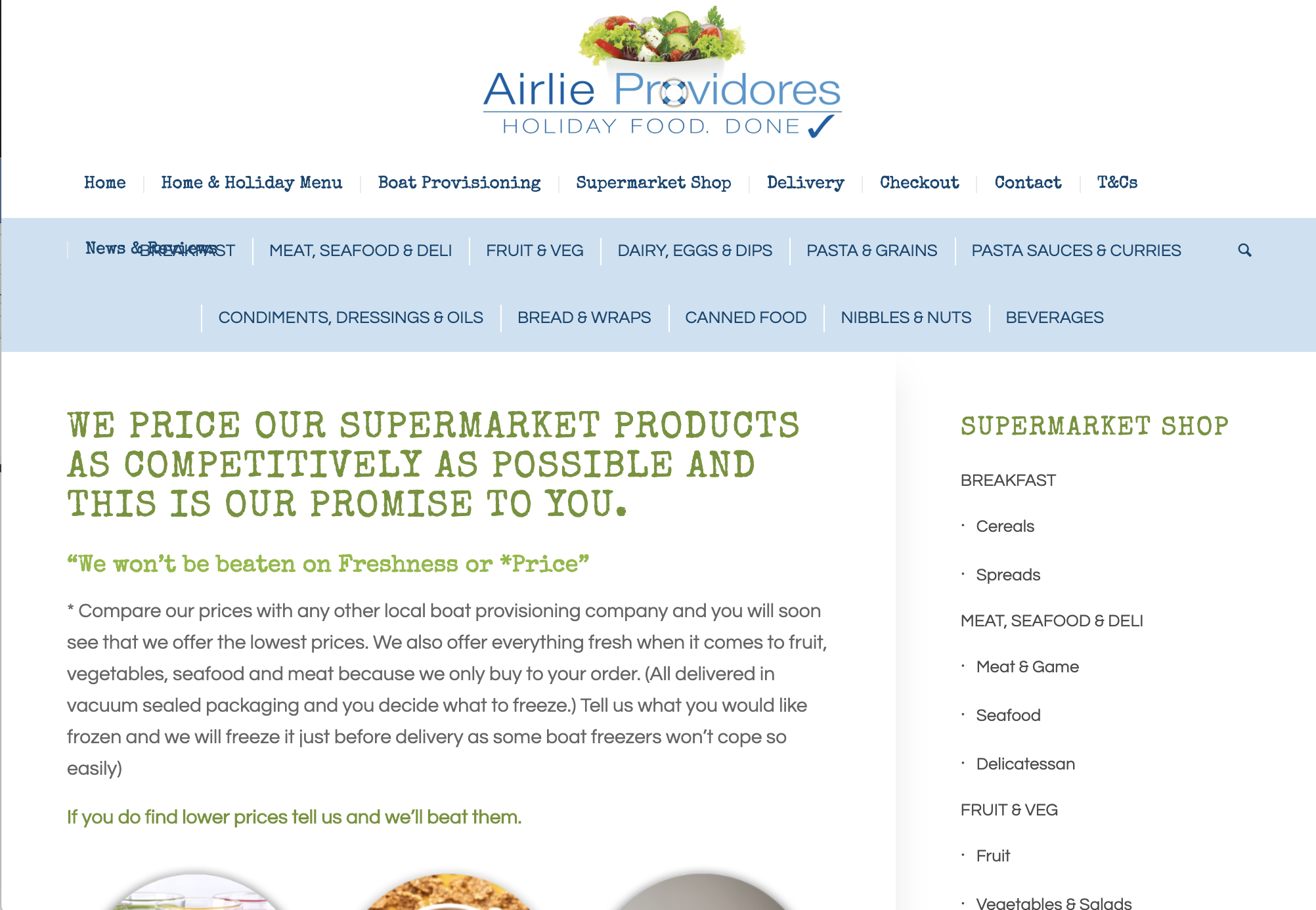
1. Menu switch point overlays onto the other menu. See screen shot
https://airlieprovidores.com.au/wp-content/uploads/2020/01/Screen-Shot-2020-01-10-at-2.25.47-pm.png
2. Less space between items in full-width sub menu
3. The dropdown arrows don’t seem to be working on the side widget feature. Works on mobile but not desktop, see screenshot
https://airlieprovidores.com.au/wp-content/uploads/2020/01/Screen-Shot-2020-01-10-at-2.26.02-pm.pngMOBILE VERSION
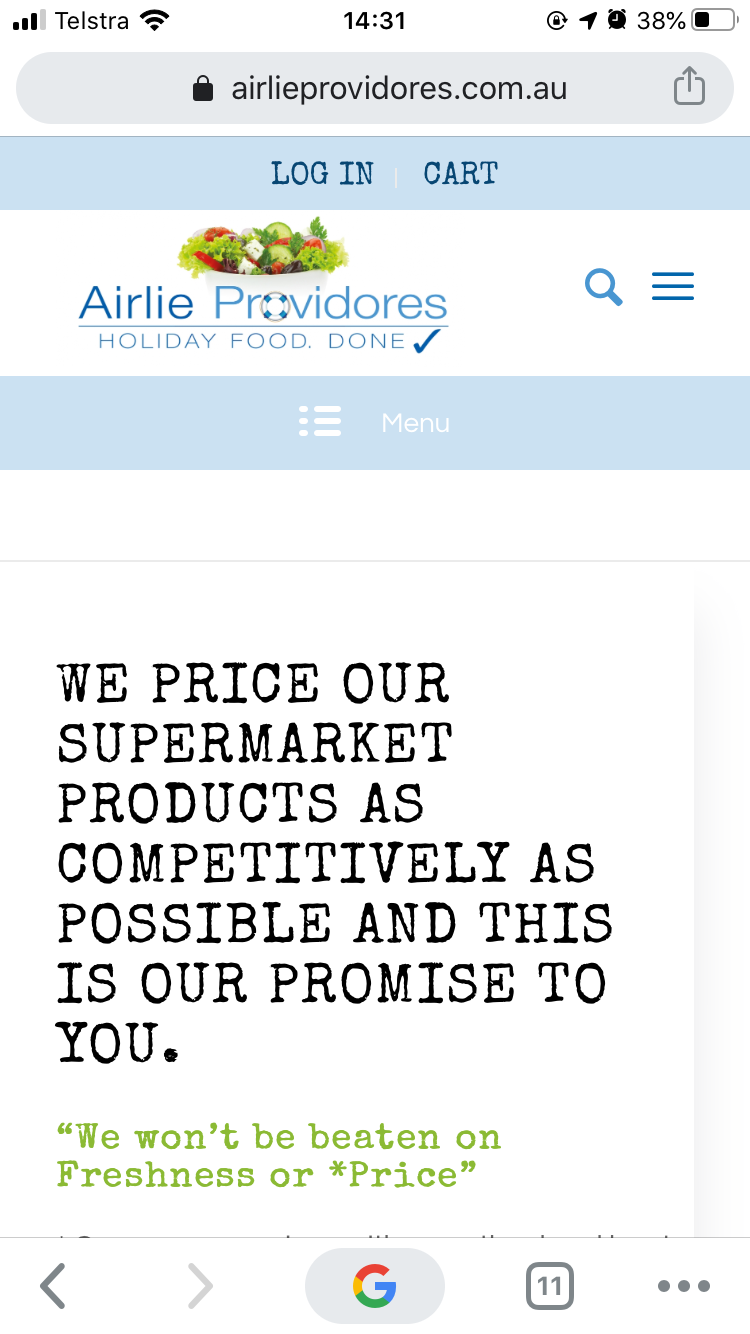
1. Need to make the full width sub header more prominent, more padding, bigger font and font in dark blue. See screen shot https://airlieprovidores.com.au/wp-content/uploads/2020/01/IMG_1709.png
2. On Desktop these icons display as 3 columns, is there any way to display them as 2 on a mobile, see screen shot https://airlieprovidores.com.au/wp-content/uploads/2020/01/IMG_1710.pngWhere have the social icons gone ):
Hi Team,
after updating several sites to the new beta successfully I still have a problem on one site. I am using these shortcodes in a text widget but the social icons still don’t display as they should:
[av_social_share style='minimal' buttons='custom' share_facebook='aviaTBshare_facebook' share_twitter='aviaTBshare_twitter' share_linkedin='aviaTBshare_linkedin' share_mail='aviaTBshare_mail' custom_class='' admin_preview_bg='' av_uid='av-670mc8']
What can I do to fix this?
Best
ThorstenHey Guys,
The social sharing icons seem to be blown out by default or with the widget see here:
This happened after the latest theme update. Have tried with plugins off to no avail. Any ideas?
Thanks
I can’t sort the icons at the top of the site
I have a code for desktop mode and I don’t know how to set the order of icons for mobileThe order of icons for desktop is good I don’t want to change it
This is the code I currently have
#top #wrap_all #socket .social_bookmarks {
float: none;
margin: 0;
text-align: center;
}
#top #wrap_all #socket .social_bookmarks li {
float: none;
display: inline-block;
}
#socket .social_bookmarks li a {
width: 50px!important;
line-height: 50px!important;
min-height: 50px!important;
font-size: 20px;
}
#socket .social_bookmarks li {
height: 50px!important;
width: 50px!important;
}
#socket .social_bookmarks {
height: 60px!important;
}
#socket span.copyright {
font-size: 15px !important;
text-align: center;
width: 100%;
}
.html_bottom_nav_header.html_cart_at_menu #top .av-logo-container .social_bookmarks {
left: auto;
right: 0;
}
.html_cart_at_menu.html_bottom_nav_header #menu-item-shop {
float: none;
right: 0;
}
#menu-item-shop .dropdown_widget {
right: auto !important;
top: 91px;
left: 0 !important;
}Thank you
YossiContact Form
How can I add the reCaptcha V3 to the theme contact form?Accordion Margin
There’s top and bottom margins on the accordions but there’s no margins on your demo.Whats the correct way to tighten this up?
Should I edit the CSS to this?
#top .main_color p {
margin: 0;
}Social Icons
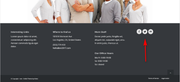
I updated your function-set-avia-frontend.php and it fixed the share icons on the postsBut the Directions icon I had, in the footer (column 1), is missing, and the social icons too. The social icons are in a Custom HTML widget below the Business Hours (column 2).
Hey,
I have some trouble with social media icons that I added to one of the footer widgets.
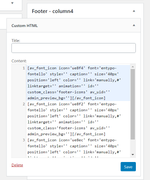
Using short codes like this:[av_font_icon icon='uf16d' font='entypo-fontello' style='' caption='' link='' linktarget='_blank' size='30px' position='left' animation='none' color='blue' av_uid='av-1bmzy' id='social-icon' custom_class='' admin_preview_bg=''][/av_font_icon]
Unfortunately, they are not visible anymore.
Looking forward to your support.
Best,
MatthiasI was asked to open a new thread:
Please read all of this – The work around I have suggested is a temporary fix and helps isolate the CSS that is causing the problem.
The fix file for social media icons missing after wordpress update does not work if you place the social icons in a sidebar widget with open in new window set.
This is something I do for all of my customers as it removes the need to add a plugin to handle social icons.Please can you add this to the fix list?
This will affect all Enfold Customers not just my own siteIn the meantime, I have only upgraded 1 customer to the latest version of WordPress so I can live with the problem for a few days if necessary.
WORKAROUND: If you change the shortcode setting to open in same window it works. So something is wrong with the CSS when you add open in new window in the icon shortcode.
I have a lot of sites with Enfold.
Since the latest updates I have issues with the social Icons.
https://www.kundendialog.ch/ Here as example, no header icons. Header icons are set in Theme Options -> Header -> additional Elements.
Latest Enfold 4.6.3.1 installed.http://new.officelab.ch/ here, I have social icons in the header, but older version of Enfold: 4.5.7
But also there, some strange icons error. I place in a post: [av_font_icon icon='ue832' font='entypo-fontello' style='' caption='' link='' linktarget='' size='40px' position='left' animation='deactivated' color='' av_uid='' custom_class='' admin_preview_bg=''][/av_font_icon] icon is shown.I put the same thing in the Footer widget : not shown. I added it via PHP to the footer like do_shortcode(“[av_font_icon icon='ue832' font='entypo-fontello' style='' caption='' link='' linktarget='' size='40px' position='left' animation='deactivated' color='' av_uid='' custom_class='' admin_preview_bg=''][/av_font_icon]“); not shown too.
There is an HTML output, but the icon is missing, as in the new version in the header too (Html there, but Icon code missing).
Since last update, the social Icons in the header are gone.