
-
AuthorSearch Results
-
July 3, 2024 at 4:52 pm #1461233
Topic: Avie elements are displayed as deactivated
in forum Enfoldemilconsor
ParticipantHi,
we’re using Enfold 5.7.1 within WordPress 6.4.4 and PHP 8.3.
Since today, a problem has been recurring which means that layout elements are no longer displayed and an admin message appears stating that the element is deactivated.We use the recommended setting that only used elements are loaded.
As the elements are built into the pages and are therefore used, we cannot understand why the theme says that the element is deactivated.Of course, we want to continue using the function for performance reasons alone.
Is this a known bug and do you know what usually triggers it?
What needs to be done here so that it works again as usual?Thank you in advance for your help.
-
This topic was modified 1 year, 9 months ago by
emilconsor. Reason: missing information
July 3, 2024 at 8:15 am #1461165there are new filters: avf_dynamic_css_additional_vars and avf_dynamic_css_after_vars
but you can redefine those var color definitions in quick css too.
but that means all elements that use these enfold default values ( set in enfold options – general styling) are replaced.
All manually set colors inside alb elements stay as they are.f.e. for your ID 777:
.html_entry_id_777,
#top.page-id-777 {
	--enfold-header-color-bg: #eee;
	--enfold-main-color-bg: #eee;
	--enfold-footer-color-bg: #eee;
	--enfold-alternate-color-bg2: #eee;
	--enfold-header-color-bg2: #eee;
	--enfold-socket-color-bg: #eee;
	--enfold-socket-color-border: #eee;
}
you can now add all page id’s comma separated in that replacement.
or like mentioned above ( Günter provided me with a working filter code ) via child-theme functions.php
(after that it is neccessary to refresh all cachings):function my_avf_dynamic_css_after_vars( $output = '' ) { $output .= "\n"; /*** Override a defined var for a specific page id*/ $output .= "html.html_entry_id_777, html.html_entry_id_12345 {\n"; $output .= "--enfold-header-color-bg: #aaa;\n"; $output .= "--enfold-header-color-bg2: #aaa;\n"; $output .= "--enfold-main-color-bg: #aaa;\n"; $output .= "--enfold-footer-color-bg: #aaa;\n"; $output .= "--enfold-alternate-color-bg: #aaa;\n"; $output .= "--enfold-alternate-color-bg2: #aaa;\n"; $output .= "--enfold-socket-color-bg: #aaa;\n"; $output .= "--enfold-socket-color-border: #aaa;\n"; $output .= "}\n"; return $output; } add_filter( 'avf_dynamic_css_after_vars', 'my_avf_dynamic_css_after_vars', 10, 1 );maybe that is the better way – because it is early in the page generation done – then replacement via css redefinition.
btw: it is possible too – to have even mediaqueries here on the filter .July 2, 2024 at 7:58 pm #1461099ok –
put this to your child-theme functions.php:
(try if the window on load is neccessary)function set_class_for_image_orientation(){ ?> <script> (function($) { $(window).on('load', function(){ var images = document.getElementsByTagName('img'); for( var i=0; i<images.length;i++){ if(images[i].naturalWidth > images[i].naturalHeight) { $(images[i]).addClass('landscape'); } else if (images[i].naturalWidth < images[i].naturalHeight) { $(images[i]).addClass('portrait'); } else { $(images[i]).addClass('square-image'); } } }); })(jQuery); </script> <?php } add_action('wp_footer', 'set_class_for_image_orientation');now every image got a class on img that belongs to its orientation
then place that code to your quick css:
#top .avia_textblock.img-with-caption-right .wp-caption img.portrait {
  margin-top: 0
}
and perhaps you like to go back to the same width if responsive case (smaller than 767px)
@media only screen and (max-width: 767px) {
  #top .avia_textblock.img-with-caption-right .wp-caption {
    grid-template-columns: 1fr 1fr;
  }
}
July 2, 2024 at 5:16 pm #1461077Topic: CLS is killing my Speed Score
in forum EnfoldnTECHgrate
ParticipantHello Enfold Team,
My site, https://iceworksus.com, is not scoring well despite only having two small images on the home page. I asked the SiteGrounds support team to take a look, and as a result, we updated to the latest PHP version and uninstalled a few plug-ins, but the problem persists. They mentioned that I should ask you all to take a look at the CLS element of the report as it didn’t “look right” to them.
<div id=”av_section_1″ class=”avia-section av-h4ap-dca29bbfa23d090095a1760e56edd8d6 main_color avia-sect…” data-section-bg-repeat=”stretch” data-av_minimum_height_pc=”95″ data-av_min_height_opt=”percent” style=””>
Can you please take a look and let me know what you would recommend?
Thank you.
July 1, 2024 at 12:48 am #1460707Topic: Update 5.7.1
in forum Pre Sale QuestionsEamonn Sheil
GuestHi Guys
Our site reported a critical error on Friday which we believe was caused by an Enfold update… I have pasted some of the responses from WordPress support below…
The Enfold theme caused the error, issuing PHP critical errors.
Our site appears to have been built with Enfold and the support guys at WordPress (Happiness Engineer) provided the following responseLet me see if I can add some context.
The third-party theme (not developed by us) you were previously using, “Enfold,” was version 4.5.1. However, the latest version is 5.7.1, which means updating to this latest version has a good chance of resolving any errors you will have once you activate the theme again. As our platform upgrades to newer versions of WordPress and PHP, any themes not regularly updated may face bugs or, in this case, a critical error.
You’ll need to contact your theme’s developer and see about getting the latest version of the theme so that you can install it on your site. You can reach the theme developers here:
I am not an IT person but have managed to familiarise myself with WordPress and our site’s back office, so would like to stay with the Enfold theme if possible.
What support advice can you offer to assist us going forward? If we update/upgrade to the Enfold 5.7.1 can we be assured that it will resolve all issues going forward? What direct support do you offer?
In the meantime, the support engineer has activated another theme “independent-publisher-2” so the site could be accessible ….. I look forward to hearing from you
Kind regardsEamonn Sheil
June 30, 2024 at 5:03 pm #1460646In reply to: How to add a second title to the footer?
Hey Jak73,
Try this CSS in your Enfold Theme Options ▸ General Styling ▸ Quick CSS field:#footer-title { font-size: 38px; font-weight: bold; font-family: arial; color: #222; float: right; top: -38px; position: relative; left: -10%; }Then add this code to the end of your child theme functions.php file in Appearance ▸ Editor:
function custom_script() { ?>
  <script>
document.addEventListener("DOMContentLoaded", function() {
    var titleText = document.querySelector("h1.av-special-heading-tag").textContent;
    var footerTitleDiv = document.createElement("div");
    footerTitleDiv.id = "footer-title";
    footerTitleDiv.textContent = titleText;
    document.getElementById("socket").appendChild(footerTitleDiv);
});
</script>
  <?php
}
add_action( 'wp_footer', 'custom_script', 99 );
This is the expected result:

Best regards,
MikeJune 29, 2024 at 12:24 am #1460026In reply to: theme constantly crashes
This reply has been marked as private.June 27, 2024 at 11:11 pm #1459899In reply to: change logo on one page
Hey mnydish,
I see a few issues, first the code should be in your child theme functions.php file, second your images don’t have the full path, third I recommend using the page ID instead of the page or post title, please see this example:add_filter('avf_logo','av_change_logo'); function av_change_logo($logo) { if(is_page(1301) ) { $logo = "http://kriesi.at/wp-content/themes/kriesi/images/logo.png"; } if(is_page(1410) ) { $logo = "http://kriesi.at/wp-content/themes/kriesi/images/logo.png"; } if(is_page(1286) ) { $logo = "http://kriesi.at/wp-content/themes/kriesi/images/logo2.png"; } return $logo; }See this thread.
Best regards,
MikeJune 27, 2024 at 3:22 pm #1459869Hi,
For 6.0 I added filter avf_form_datepicker_args that allows to change all arguments. See https://github.com/KriesiMedia/enfold-library/blob/master/actions%20and%20filters/ALB%20Elements/Contact%20Form/avf_form_datepicker_args.php
today button
This is the default behaviour of this element.
Best regards,
GünterJune 26, 2024 at 3:28 am #1459050webworm72
ParticipantI recently provisioned a new server and migrated several of my existing websites to the new server. The new server provides PHP 8.0 and above. The old server was running 7.4.
Several of the websites now have issues of not sending out notifications using Enfolds built in contact form.
As an example see website here https://bridgetbycinacounseling.com running the build below.
PHP 8.0
WordPress 6.5.5
Enfold Version: 5.6.9The built in Enfold form is at page below:
I installed a 3rd party contact form, WP Forms at test page below, and this form works properly.
I did this to all of the websites that stopped working and all of the 3rd party contact forms work! Both WP Forms and Gravity Forms.
Which means there is nothing wrong with the website settings or settings on my server as far as the forms properly sending out notifications.I prefer using Enfolds built in contact form as opposed to 3rd party plugins. If you have any insights or thoughts on what might be going on that would be great.
June 25, 2024 at 2:34 pm #1458640In reply to: Title Attribut changes title
yes – you are right – it only happens if you want to assign both to the link, then the title set here overwrites the content title.
_____________
ja – du hast Recht – es passiert auch nur wenn man dem Link beiden zuordnen will, dann überschreibt der hier gesetzte Titel den Content Titel.wenn du enfold 5.7.1 hast dann öffne mal iconbox.php
auf Zeile: 692 ff:case 'both': if( $title ) { $title = "<a href='{$link}' title='" . esc_attr( $linktitle ) . "' $blank>$linktitle</a>"; }und ersetze durch:
(replace with:)case 'both': if( $title ) { $title = "<a href='{$link}' title='" . esc_attr( $linktitle ) . "' $blank>$title</a>"; }siehe hier oben links: https://enfold.webers-webdesign.de/3-columns/
you can see on line 708 the correct way for only title case.
June 25, 2024 at 7:43 am #1458550Hey Thumphreys,
Thank you for the inquiry.
You can adjust the text by modifying the comments.php file. The specific string is located around line 174:
echo		'<span class="minitext">' . __( 'Want to join the discussion?', 'avia_framework' ) . '
' . __( 'Feel free to contribute!', 'avia_framework' ) . '</span>';
Another option is to use the following plugin:
// https://wordpress.org/plugins/say-what/
Best regards,
IsmaelJune 24, 2024 at 10:29 pm #1458528In reply to: Changes to right sidebar header
Top Header – Logo left – menu right.
to have on start to all pages first the hamburger active and to generate the widget area – this to child-theme functions.php:function custom_burger_menu_active( $active, $context ){ return true; return $active; } add_filter('avf_burger_menu_active', 'custom_burger_menu_active', 10, 2 ); add_action('ava_after_footer_output', function() { echo '<div id="extra_sidebar" class="container_wrap extra_sidebar_color" role="contentinfo" ><div class="container" style="text-align: center; padding: 10px 0 20px">'; echo do_shortcode("[av_sidebar widget_area='extra_sidebar']"); echo '</div></div>'; });this is for social bookmarks a shortcode to place inside a text-widget :
function social_bookmarks_shortcode() {
$social_args = array('outside'=>'ul', 'inside'=>'li', 'append' => '');
$social = avia_social_media_icons($social_args, false);
return $social;
}
add_shortcode('social-bookmarks', 'social_bookmarks_shortcode');
to use it as :
[social-bookmarks]now goto your widgets and create a new widget area : extra_sidebar
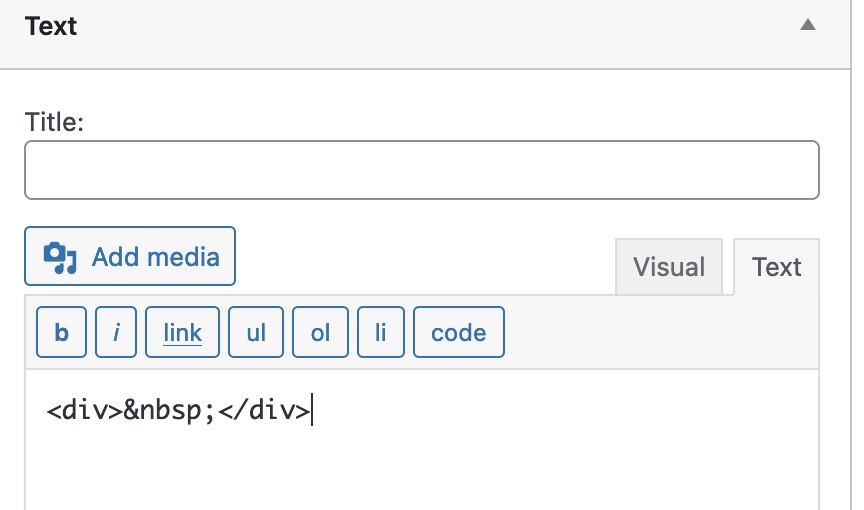
!!! to have on top a free space not to overlap the hamburger icon i placed to that a text-widget on top with an empty div container:
here is the css code: you can fit to your needs the amount of that extra bar:
 .responsive #top #wrap_all #header {
    position: fixed !important;
    height: 100px !important;
  }

.html_header_top #top #header .container {
  width: 100% !important;
  padding: 0;
  max-width: 100% !important;
}

.html_header_top #top #header .main_menu,
.html_header_top #top #header .av-main-nav-wrap,
.html_header_top #top #header .av-burger-menu-main {
  width: 100px;
  margin: 0 !important;
}

.html_header_top #top #header .av-burger-menu-main a {
  padding: 0 !important;
  text-align: center;
}

#top #header_main > .container,
#top #header_main > .container .main_menu .av-main-nav > li > a,
#top #header_main #menu-item-shop .cart_dropdown_link {
  height: 100px !important;
  line-height: 100px !important;
}

.header_color .header_bg,
.header_color .main_menu ul ul,
.header_color .main_menu .menu ul li a,
.header_color .pointer_arrow_wrap .pointer_arrow,
.header_color .avia_mega_div,
.header_color .av-subnav-menu > li ul,
.header_color .av-subnav-menu a {
  background-color: transparent !important;
}

.html_header_top.html_header_sticky #top #wrap_all #header {
  box-shadow: none
}

.html_header_top.html_header_sticky #top #wrap_all #main {
  padding-top: 0px !important;
}

.html_av-overlay-side #top .av-burger-overlay-scroll {
  background-color: rgba(0,0,0,0.5) !important;
  -webkit-backdrop-filter: blur(8px);
  backdrop-filter: blur(8px);
}

.responsive #top .av-logo-container .logo {
  display: none !important;
}

#extra_sidebar  {
  display: block;
  position: fixed;
  width: 100px !important;
  height: 100%;
  top: 0;
  right: 0px;
  left: auto;
  background-color: #FFF;
  z-index: 302 !important;
}

#extra_sidebar .container  {
  height: 100%;
}

.html_header_top #top #wrap_all #main {
  width: calc(100% - 100px);
  padding-top: 0px !important;
}

#top #extra_sidebar .avia-builder-widget-area {
  display: flex !important;
  flex-flow: column nowrap;
  justify-content: space-around !important;
  height: 90%;
  padding-top: 250px !important; /*** try your self a good looking value ******/
}

#top #extra_sidebar .avia-builder-widget-area:before,
#top #extra_sidebar .avia-builder-widget-area:after {
  display: none;
}

#top #extra_sidebar .avia-builder-widget-area > * {
  flex: 0 1 auto;
  -ms-writing-mode:tb-rl;
  writing-mode:vertical-rl;
  /*! transform:rotate(180deg); */
}

#top #extra_sidebar .avia-builder-widget-area svg,
#top #extra_sidebar .avia-builder-widget-area img  {
  width: auto;
  height: 70px;
  transform: rotate(90deg);
  transform-origin: top right;
  margin-right: 15px;
}

#top #extra_sidebar .widget ul.social_bookmarks  {
    transform: rotate(90deg) !important;
}

#top #extra_sidebar .widget ul.social_bookmarks li a {
    transform: rotate(-90deg) !important;
}

@media only screen and (min-width: 768px) and (max-width: 989px) {
  .responsive.html_mobile_menu_tablet.html_header_top.html_header_sticky #top #wrap_all #main {
    padding-top: 0px;
  }
}
I don’t know whether existing rules have played a role here. If it doesn’t work right away, please contact me again.
June 23, 2024 at 6:21 pm #1457354In reply to: Changes to right sidebar header
Hi,
To change this so it only works on screens larger than 768px I changed the code to this, which also adds some body margin so it won’t overlap the page content, and I make the menu items closer and I adjusted the social icons, please check.function create_a_sidebar_header_with_burger_menu() { ?> <script> document.addEventListener('DOMContentLoaded', function() { // Check if the HTML element has the "wp-toolbar" class if (document.documentElement.classList.contains('wp-toolbar')) { return; // Exit the script if "wp-toolbar" class is found } // Check if the screen width is larger than 768px if (window.innerWidth < 768) { return; // Exit the script if the screen width is less than 768px } // Create the main toolbar div const toolbar = document.createElement('div'); toolbar.id = 'right-toolbar'; // Create the inner content divs for (let i = 1; i <= 3; i++) { const contentDiv = document.createElement('div'); contentDiv.className = 'toolbar-content'; contentDiv.id = 'content' + i; toolbar.appendChild(contentDiv); } // Append the toolbar to the body document.body.appendChild(toolbar); // Add the CSS styles const style = document.createElement('style'); style.innerHTML = ` #right-toolbar { position: fixed; right: 0; top: 0; width: 100px; height: 100%; background-color: #f8f8f8; display: flex; flex-direction: column; justify-content: space-between; align-items: center; padding: 20px 0; box-shadow: -2px 0 5px rgba(0, 0, 0, 0.5); z-index: 999; } #content1 .main_menu { position: relative; } .toolbar-content { width: 80px; height: 100px; background-color: #f8f8f8; margin-bottom: 10px; border-radius: 5px; display: flex; justify-content: center; align-items: start; } .toolbar-content:last-child { margin-bottom: 0; } .rotated-logo { transform: rotate(90deg); transform-origin: center; } #content2 .logo { float: none; position: relative; left: unset; height: unset; } #content3 .social_bookmarks { /*transform: rotate(90deg);*/ transform-origin: center; } .html_header_top.html_header_sticky #main { padding-top: 0; } #av_section_1 { height: 100vh; } #menu-item-shop,#menu-item-search { display: none; } #top #content1 .av-small-burger-icon { transform: scale(1); } .html_cart_at_menu.html_main_nav_header #top .main_menu .menu>li:last-child { padding-right: 0; margin-right: 0; } .avia-menu.av_menu_icon_beside { padding-right: 0; margin-right: 0; border-right-width: 0; border-right-style: none; } .html_av-overlay-side-classic #top .av-burger-overlay li a { border-bottom-style: none; } @media only screen and (min-width: 768px) { .responsive #top #content1 .av-main-nav .menu-item-avia-special.av-burger-menu-main { display: block!important; } #top #content1 .av-main-nav > li.menu-item { display: none!important; } .html_av-overlay-side #top .av-burger-overlay li { margin: 0; height: 50px; } #content1 .av-main-nav-wrap { float: right; } } #header { visibility: hidden; } body { margin-right: 100px } #content3 { height: 300px; } #top .social_bookmarks li { display: inline-block; clear: both; margin-bottom: 10px; } `; document.head.appendChild(style); // Move the logo to #content2 and rotate it const logo = document.querySelector('.avia-standard-logo'); if (logo) { const content2 = document.getElementById('content2'); content2.appendChild(logo); logo.classList.add('rotated-logo'); } // Move the menu to #content1 const menu = document.querySelector('.main_menu'); if (menu) { const content1 = document.getElementById('content1'); content1.appendChild(menu); } // Move the social bookmarks to #content3 const socialBookmarks = document.querySelector('.social_bookmarks'); if (socialBookmarks) { const content3 = document.getElementById('content3'); content3.appendChild(socialBookmarks); } }); </script> <?php } add_action( 'wp_footer', 'create_a_sidebar_header_with_burger_menu', 99 );
Best regards,
MikeJune 23, 2024 at 5:32 pm #1457330In reply to: Changing title according
Hey Aubin,
You will need a addon to do this, see this documentation for this one. This article points to some other plugins and options.
I found this code in this threadfunction custom_script() { ?> <script> jQuery( document ).ready( function( $ ) { var title_text = $( '.product-type-variable .product_title' ).text(); // get default title function add_variation_txt_to_title() { var new_title_text = ''; $( '.variations select' ).each( function() { new_title_text += ' ' + $( this ).find( ':selected' ).val(); // collect all variation selected <options> }) $( '.product-type-variable .product_title' ).text( title_text + new_title_text ); // set new title } add_variation_txt_to_title(); // call on load $( '.variations select' ).change( function() { // call on <select >change add_variation_txt_to_title(); }) }) </script> <?php } add_action( 'wp_footer', 'custom_script', 99 );and it sort of works on my test site:


so give it a try. PLease note that not all plugins work with Enfold so you will need to test different plugin options to find one that works with your variable products the way you want.Best regards,
MikeJune 23, 2024 at 4:48 pm #1457258In reply to: back button to previous page
Hi,
Sorry I was thinking about the sidebar and not the sidebar header. For the sidebar header menu items, Try adding this code to the end of your child theme functions.php file in Appearance ▸ Editor:add_filter('wp_nav_menu_items', 'do_shortcode'); function go_back_shortcode() { return '<a href="javascript:history.back()" class="go-back-link">Go Back</a> <script> document.addEventListener("DOMContentLoaded", function() { var goBackLink = document.querySelector(".go-back-link"); if (goBackLink) { goBackLink.parentElement.classList.add("go-back-parent"); } }); </script>'; } add_shortcode('go_back', 'go_back_shortcode'); function custom_go_back_css() { echo ' <style> .go-back-parent a:not(.go-back-link) { padding: 0 !important; margin: 0 !important; } </style> '; } add_action('wp_head', 'custom_go_back_css');Then in the menu item use a hash tag “#” as the URL and add this shortcode [go_back] to the title:

Then on the frontend you will have a working “Go Back” menu link:

Best regards,
MikeJune 22, 2024 at 10:04 pm #1455912In reply to: Changes to right sidebar header
Hi,
This is quite tricky but perhaps this might get you started and you can adjust further to suit. Using a Menu And Logo Position of Logo left & menu right, & a sticky header with no topbar – If you are not using a child theme you could use the WP Code plugin then add a new snippet, in the top right corner use the PHP snippet as the code type:

and ensure that it is activated, then add this code and save.function create_a_sidebar_header_with_burger_menu() { ?> <script> document.addEventListener('DOMContentLoaded', function() { // Check if the HTML element has the "wp-toolbar" class if (document.documentElement.classList.contains('wp-toolbar')) { return; // Exit the script if "wp-toolbar" class is found } // Create the main toolbar div const toolbar = document.createElement('div'); toolbar.id = 'right-toolbar'; // Create the inner content divs for (let i = 1; i <= 3; i++) { const contentDiv = document.createElement('div'); contentDiv.className = 'toolbar-content'; contentDiv.id = 'content' + i; toolbar.appendChild(contentDiv); } // Append the toolbar to the body document.body.appendChild(toolbar); // Add the CSS styles const style = document.createElement('style'); style.innerHTML = ` #right-toolbar { position: fixed; right: 0; top: 0; width: 100px; height: 100%; background-color: #f8f8f8; display: flex; flex-direction: column; justify-content: space-between; align-items: center; padding: 20px 0; box-shadow: -2px 0 5px rgba(0, 0, 0, 0.5); z-index: 999; } #content1 .main_menu { position: relative; } .toolbar-content { width: 80px; height: 100px; background-color: #f8f8f8; margin-bottom: 10px; border-radius: 5px; display: flex; justify-content: center; align-items: center; } .toolbar-content:last-child { margin-bottom: 0; } .rotated-logo { transform: rotate(90deg); transform-origin: center; } #content2 .logo { float: none; position: relative; left: unset; height: unset; } #content3 .social_bookmarks { transform: rotate(90deg); transform-origin: center; } .html_header_top.html_header_sticky #main { padding-top: 0; } #av_section_1 { height: 100vh; } #menu-item-shop,#menu-item-search { display: none; } #top #content1 .av-small-burger-icon { transform: scale(1); } .html_cart_at_menu.html_main_nav_header #top .main_menu .menu>li:last-child { padding-right: 0; margin-right: 0; } .avia-menu.av_menu_icon_beside { padding-right: 0; margin-right: 0; border-right-width: 0; border-right-style: none; } .html_av-overlay-side-classic #top .av-burger-overlay li a { border-bottom-style: none; } @media only screen and (min-width: 768px) { .responsive #top #content1 .av-main-nav .menu-item-avia-special.av-burger-menu-main { display: block!important; } #top #content1 .av-main-nav > li.menu-item { display: none!important; } #content1 .av-main-nav-wrap { float: right; } } #header { visibility: hidden; } `; document.head.appendChild(style); // Move the logo to #content2 and rotate it const logo = document.querySelector('.avia-standard-logo'); if (logo) { const content2 = document.getElementById('content2'); content2.appendChild(logo); logo.classList.add('rotated-logo'); } // Move the menu to #content1 const menu = document.querySelector('.main_menu'); if (menu) { const content1 = document.getElementById('content1'); content1.appendChild(menu); } // Move the social bookmarks to #content3 const socialBookmarks = document.querySelector('.social_bookmarks'); if (socialBookmarks) { const content3 = document.getElementById('content3'); content3.appendChild(socialBookmarks); } }); </script> <?php } add_action( 'wp_footer', 'create_a_sidebar_header_with_burger_menu', 99 );Please ensure to copy the code from the forum and not an email notification so the symbols are not converted.
This should give you a sidebar header with the burger menu, logo & social icons like this:

and the burger menu should open like this:

It probably needs some more css, but perhaps you can give it a try.Best regards,
MikeJune 22, 2024 at 1:21 am #1454338Topic: Do_shortcode does not process enfold shortcode
in forum Enfoldjgax87
ParticipantHello! I have a template override for single blog post and I have a do_shortcode that brings in page content
<?php echo do_shortcode('[av_postcontent link="page,468" av_uid="av-lxp987fk" sc_version="1.0"]'); ?>So I notice that it does bring in the page content, but that page content is just shortcode and processed shortcodes…how do I get to also process as well?
June 20, 2024 at 11:55 am #1452191Hi Rikard
We keep getting this message through the hosting.[22-May-2024 09:25:16 UTC] PHP Fatal error: Out of memory (allocated 23068672) (tried to allocate 139991984728704 bytes) in … (see private message.
Many thanks
Vicki
June 20, 2024 at 8:17 am #1452089In reply to: Alb full width submenu sticky on mobile upgrade
Hi,
Thank you for the update.
Please create a backup of the previous modification, then replace it with this updated code:
function ava_custom_script_change_offset()
{ ?>
    <script>
        (function ($)
        {
            var width = $(window).width();

            $('a[href*="#"]:not([href="#"])').click(function ()
            {
                if (location.pathname.replace(/^\//, '') == this.pathname.replace(/^\//, '') && location.hostname == this.hostname)
                {
                    var target = $(this.hash);
                    target = target.length ? target : $('[name=' + this.hash.slice(1) + ']');
                    if (target.length)
                    {
                        var offset = 0;
                        if (width < 767)
                        {
                            offset = 220;
                        } else if (width >= 767 && width < 989)
                        {
                            offset = 170;
                        } else if (width >= 989)
                        {
                            offset = 180;
                        }

                        $('html, body').animate({
                            scrollTop: target.offset().top - offset
                        }, 1000);
                        return false;
                    }
                }
            });

            $(window).on('load', function ()
            {
                var hash = location.href.split("#")[1];
                if (hash)
                {
                    var target = $('#' + hash);
                    if (target.length)
                    {
                        var offset = 0;
                        if (width < 767)
                        {
                            offset = 220;
                        } else if (width >= 767 && width < 989)
                        {
                            offset = 170;
                        } else if (width >= 989)
                        {
                            offset = 180;
                        }

                        $('html, body').animate({
                            scrollTop: target.offset().top - offset
                        }, 1000);
                        return false;
                    }
                }
            });

        })(jQuery);
    </script>
    <?php
}
add_action('wp_footer', 'ava_custom_script_change_offset', 99);
Best regards,
IsmaelJune 19, 2024 at 2:12 pm #1451984In reply to: Alb full width submenu sticky on mobile upgrade
Hi
Sorry Guenny 007 but I don’t understand how this solution, although very interesting, can help me. It may also be that I misunderstood how to use the files you kindly make available, but the links on the example page point to other pages, while I am trying to solve scrolling within the same page so that the anchorpoint content does not go under the Fullwidth Sub Menu of the ALB of tablets and mobiles.Trying to resolve this issue, I had problems with pages scrolling in a jerky motion, but I figured out what my error was.
Mike had given me a function to solve the problem involving two screen widths < 989 and > 990.
Mike’s code works very well and gives no smooth scrolling problems.
I did, however, need a third screen width (> 768 < 989) because the Fullwidth Sub Menu of the ALB on mobile phones would go on two rows.
So I tried adding to the script:
else if ((width > 767 && width < 989)) {
At this point the scrolling of the site started to work horribly on all pages. It is obvious that I messed up something when I added the third screen width.
This is Mike’s code that works:function custom_change_offset() { ?> <script> (function($) { var width = $(window).width(); if ((width < 989)) { $('a[href*=#]:not([href=#])').click(function() { if (location.pathname.replace(/^\//,'') == this.pathname.replace(/^\//,'') && location.hostname == this.hostname) { var target = $(this.hash); target = target.length ? target : $('[name=' + this.hash.slice(1) +']'); if (target.length) { $('html,body').animate({ scrollTop: target.offset().top - 140 //offset }, 1000); return false; } } }); //Executed on page load with URL containing an anchor tag. if($(location.href.split("#")[1])) { var target = $('#'+location.href.split("#")[1]); if (target.length) { $('html,body').animate({ scrollTop: target.offset().top - 140 //offset }, 1000); return false; } } } else if ((width > 990)) { $('a[href*=#]:not([href=#])').click(function() { if (location.pathname.replace(/^\//,'') == this.pathname.replace(/^\//,'') && location.hostname == this.hostname) { var target = $(this.hash); target = target.length ? target : $('[name=' + this.hash.slice(1) +']'); if (target.length) { $('html,body').animate({ scrollTop: target.offset().top - 150 //offset }, 1000); return false; } } }); //Executed on page load with URL containing an anchor tag. if($(location.href.split("#")[1])) { var targett = $('#'+location.href.split("#")[1]); if (targett.length) { $('html,body').animate({ scrollTop: targett.offset().top - 150 //offset }, 1000); return false; } } } }(jQuery)); </script> <?php } add_action( 'wp_footer', 'custom_change_offset', 99 );And this is the code revised by me that makes the whole site scroll badly even though it puts the anchor points in the right place:
function custom_change_offset() { ?>
  <script>
(function($) {
	var width = $(window).width();
    if (width < 767)) {
  $('a[href*=#]:not([href=#])').click(function() {
    if (location.pathname.replace(/^\//,'') == this.pathname.replace(/^\//,'')
&& location.hostname == this.hostname) {

      var target = $(this.hash);
      target = target.length ? target : $('[name=' + this.hash.slice(1) +']');
      if (target.length) {
        $('html,body').animate({
          scrollTop: target.offset().top - 220 //offset
        }, 1000);
        return false;
      }
    }
  });
  //Executed on page load with URL containing an anchor tag.
  if($(location.href.split("#")[1])) {
      var target = $('#'+location.href.split("#")[1]);
      if (target.length) {
        $('html,body').animate({
          scrollTop: target.offset().top - 220 //offset
        }, 1000);
        return false;
      }
    }
    }
	else if ((width > 768 && width < 989)) {
  $('a[href*=#]:not([href=#])').click(function() {
    if (location.pathname.replace(/^\//,'') == this.pathname.replace(/^\//,'')
&& location.hostname == this.hostname) {

      var target = $(this.hash);
      target = target.length ? target : $('[name=' + this.hash.slice(1) +']');
      if (target.length) {
        $('html,body').animate({
          scrollTop: target.offset().top - 170 //offset
        }, 1000);
        return false;
      }
    }
  });
  //Executed on page load with URL containing an anchor tag.
  if($(location.href.split("#")[1])) {
  	var targett = $('#'+location.href.split("#")[1]);
      if (targett.length) {
        $('html,body').animate({
          scrollTop: targett.offset().top - 170//offset
        }, 1000);
        return false;
      }
    }
    }
   else if ((width > 990)) {
  $('a[href*=#]:not([href=#])').click(function() {
    if (location.pathname.replace(/^\//,'') == this.pathname.replace(/^\//,'')
&& location.hostname == this.hostname) {

      var target = $(this.hash);
      target = target.length ? target : $('[name=' + this.hash.slice(1) +']');
      if (target.length) {
        $('html,body').animate({
          scrollTop: target.offset().top - 180 //offset
        }, 1000);
        return false;
      }
    }
  });
  //Executed on page load with URL containing an anchor tag.
  if($(location.href.split("#")[1])) {
  	var targett = $('#'+location.href.split("#")[1]);
      if (targett.length) {
        $('html,body').animate({
          scrollTop: targett.offset().top - 180//offset
        }, 1000);
        return false;
      }
    }
    }
}(jQuery));
</script>
  <?php
}
add_action( 'wp_footer', 'custom_change_offset', 99 );
If anyone can help me, I’d like to figure out where I went wrong and be able to use three different offsets for the three different screen widths.
-
This reply was modified 1 year, 9 months ago by
manurimini.
June 19, 2024 at 4:15 am #1451911In reply to: Issues related to theme update
Hi Rikard,
I apologize for the delay in replying to your message. I have translated the Chinese sections into English for your reference.
Severity: Medium
CVSS Rating: 5.3
CVE::CVE-2007-3205
URL:: https://ai.ntu.edu.tw/wp-content/themes/enfold/js/waypoints/waypoints.min.js
Entity: PHP 7.4.33 (Component)
Risk: Using outdated or vulnerable versions exposes your application to potential security vulnerabilities
Cause: A vulnerable component was used in the test application.
Fix: Upgrade components to latest stable version
Testing requests and responses:
GET /wp-content/themes/enfold/js/waypoints/waypoints.min.js?ver=5.6.8 HTTP/1.1
Host: ai.ntu.edu.tw
Connection: keep-alive
sec-ch-ua: “Not)A;Brand”;v=”24″, “Chromium”;v=”116″
sec-ch-ua-mobile: ?0
User-Agent: Mozilla/5.0 (Windows NT 10.0; Win64; x64) AppleWebKit/537.36 (KHTML, like Gecko) Chrome/116.0.0.0 Safari/537.36
sec-ch-ua-platform: “Windows”
Accept: */*
Accept-Language: en-US
Sec-Fetch-Site: same-origin
Sec-Fetch-Mode: no-cors
Sec-Fetch-Dest: script
Referer: https://ai.ntu.edu.tw/
Content-Length: 0
HTTP/1.1 200 OK
Date: Thu, 06 Jun 2024 01:35:51 GMT
Server: Apache/2.4.59 (Unix) OpenSSL/3.3.0 PHP/7.4.33
Strict-Transport-Security: max-age=31536000; includeSubDomains; preload
Last-Modified: Sat, 25 Feb 2023 10:52:11 GMT
ETag: “2307-5f58409b68cc0”
Accept-Ranges: bytes
Content-Length: 8967
Keep-Alive: timeout=5, max=100
Connection: Keep-Alive
Content-Type: application/javascript
/*!
Waypoints – 4.0.1
Copyright © 2011-2016 Caleb Troughton
Licensed under the MIT license.
https://github.com/imakewebthings/waypoints/blob/master/licenses.txt
*/
!function(){“use strict”;var t=0,e={};function i(o){if(!o)throw new Error(“No options passed to Waypoint
constructor”);if(!o.element)throw new Error(“No element option passed to Waypoint constructor”);if(!o.handler)throw new
Error(“No handler option passed to Waypoint constructor”);this.key=”waypoint-
“+t,this.options=i.Adapter.extend({},i.defaults,o),this.element=this.options.element,this.adapter=new
i.Adapter(this.element),this.callback=o.handler,this.axis=this.options.horizontal?”horizontal”:”vertical”,this.enabled=this
.options.enabled,this.triggerPoint=null,this.group=i.Group.findOrCreate({name:this.options.group,axis:this.axis}),this.cont
ext=i.Context.findOrCreateByElement(this.options.context),i.offsetAliases[this.options.offset]&&
(this.options.offset=i.offsetAliases[this.options.offset]),this.group.add(this),this.context.add(this),e[this.key]=this,t+=
1}i.prototype.queueTrigger=function(t){this.group.queueTrigger(this,t)},i.prototype.trigger=function(t)
{this.enabled&&this.callback&&this.callback.apply(this,t)},i.prototype.destroy=function()
{this.context.remove(this),this.group.remove(this),delete e[this.key]},i.prototype.disable=function(){return
this.enabled=!1,this},i.prototype.enable=function(){return
this.context.refresh(),this.enabled=!0,this},i.prototype.next=function(){return
this.group.next(this)},i.prototype.previous=function(){return this.group.previous(this)},i.invokeAll=function(t){var i=
[];for(var o in e)i.push(e[o]);for(var n=0,r=i.length;n<r;n++)i[n][t]()},i.destroyAll=function()
{i.invokeAll(“destroy”)},i.disableAll=function(){i.invokeAll(“disable”)},i.enableAll=function(){for(var t in
i.Context.refreshAll(),e)e[t].enabled=!0;return this},i.refreshAll=function()
{i.Context.refreshAll()},i.viewportHeight=function(){return
window.innerHeight||document.documentElement.clientHeight},i.viewportWidth=function(){return
document.documentElement.clientWidth},i.adapters=[],i.defaults={context:window,continuous:!0,enabled:!0,group:”default”,horizontal:!1,offset:0},i.offsetAliases={“bottom-in-
view”:function(){return this.context.innerHeight()-this.adapter.outerHeight()},”right-in-view”:function(){return this.context.innerWidth()-this.adapter.outerWidth()}},window.Waypoint=i}(),function(){“use strict”;function t(t)
{window.setTimeout(t,1e3/60)}var e=0,i={},o=window.Waypoint,n=window.onload;function r(t)
{this.element=t,this.Adapter=o.Adapter,this.adapter=new this.Adapter(t),this.key=”waypoint-context-
“+e,this.didScroll=!1,this.didResize=!1,this.oldScroll=
{x:this.adapter.scrollLeft(),y:this.adapter.scrollTop()},this.waypoints={vertical:{},horizontal:
{}},t.waypointContextKey=this.key,i[t.waypointContextKey]=this,e+=1,o.windowContext||
(o.windowContext=!0,o.windowContext=new
r(window)),this.createThrottledScrollHandler(),this.createThrottledResizeHandler()}r.prototype.add=function(t){var
e=t.options.horizontal?”horizontal”:”vertical”;this.waypoints[e][t.key]=t,this.refresh()},r.prototype.checkEmpty=function()
{var
t=this.Adapter.isEmptyObject(this.waypoints.horizontal),e=this.Adapter.isEmptyObject(this.waypoints.vertical),o=this.elemen
t==this.element.window;t&&e&&!o&&(this.adapter.off(“.waypoints”),delete
i[this.key])},r.prototype.createThrottledResizeHandler=function(){var t=this;function e()
{t.handleResize(),t.didResize=!1}this.adapter.on(“resize.waypoints”,(function(){t.didResize||
(t.didResize=!0,o.requestAnimationFrame(e))}))},r.prototype.createThrottledScrollHandler=function(){var t=this;function e()
{t.handleScroll(),t.didScroll=!1}this.adapter.on(“scroll.waypoints”,(function(){t.didScroll&&!o.isTouch||
(t.didScroll=!0,o.requestAnimationFrame(e))}))},r.prototype.handleResize=function()
{o.Context.refreshAll()},r.prototype.handleScroll=function(){var t={},e={horizontal:
{newScroll:this.adapter.scrollLeft(),oldScroll:this.oldScroll.x,forward:”right”,backward:”left”},vertical:
{newScroll:this.adapter.scrollTop(),oldScroll:this.oldScroll.y,forwar
…
…
…Thank you for your help!
Best regards,
MorceptJune 18, 2024 at 6:48 pm #1451896In reply to: social sharing
This reply has been marked as private.June 17, 2024 at 11:28 am #1451618Hi,
The use this to make “Portfolio” h2function custom_script() { ?> <script> (function($) { function replaceElementTag(targetSelector, newTagString) { $(targetSelector).each(function(){ var newElem = $(newTagString, {html: $(this).html()}); $.each(this.attributes, function() { newElem.attr(this.name, this.value); }); $(this).replaceWith(newElem); }); } replaceElementTag('.page-id-4783 h1.main-title.entry-title', '<h2></h2>'); }(jQuery)); </script> <?php } add_action( 'wp_footer', 'custom_script', 99 );and manually change “NOS REALISATIONS EN CREATION DE SITES INTERNET” as h1
“Découvrez notre portfolio” is h2
as they look to be in a text element that you manually added.Best regards,
MikeJune 16, 2024 at 7:49 pm #1451396Hey YMen45,
Thank you for the link to your site, the title bar h1.main-title is the correct h1 for the page, but I see that you manually added two more on the page

use the following code at the end of your child theme functions.php file in Appearance ▸ Editor to change the correct one to a “p” tag, and then you can change the two manually added ones to use just one H1 tag.function custom_script() { ?> <script> (function($) { function replaceElementTag(targetSelector, newTagString) { $(targetSelector).each(function(){ var newElem = $(newTagString, {html: $(this).html()}); $.each(this.attributes, function() { newElem.attr(this.name, this.value); }); $(this).replaceWith(newElem); }); } replaceElementTag('.page-id-4783 h1.main-title.entry-title', '<p></p>'); }(jQuery)); </script> <?php } add_action( 'wp_footer', 'custom_script', 99 );Please ensure to copy the code from the forum and not an email notification so the symbols are not converted.
Best regards,
MikeJune 16, 2024 at 2:18 pm #1451377Hey dburton77,
Thank you for the link to your site, it looks like only some of your column rows are set as equal height:
CARDBOARD ▸ CLEAN PAPER
PET ▸ HDPE
and in these the equal height is working for the columns, but the tables in the columns are not controlled by this setting so that is what you see as not equal height.
For these adding this code to the end of your child theme functions.php file in Appearance ▸ Editor will help, for this one pagefunction custom_equal_height_tables_script() { ?> <script> document.addEventListener('DOMContentLoaded', function() { const rows = document.querySelectorAll('.page-id-4431 .av-equal-height-column-flextable'); rows.forEach(function(row) { const tables = row.querySelectorAll('.avia-table'); let maxHeight = 0; tables.forEach(function(table) { const tableHeight = table.offsetHeight; if (tableHeight > maxHeight) { maxHeight = tableHeight; } }); tables.forEach(function(table) { table.style.height = maxHeight + 'px'; }); }); }); </script> <?php } add_action( 'wp_footer', 'custom_equal_height_tables_script', 99 );Please ensure to copy the code from the forum and not an email notification so the symbols are not converted.
Please check your other columns so they also get the class av-equal-height-column-flextable and add this script.Best regards,
MikeJune 12, 2024 at 11:23 am #1449000Hi Ismael,
thx for your quick feedback….
After much trial and error, I found the bug responsible… it was a code I found here in the support to hide titles on hover (for function.php):
Apparently this code also deactivates all hover actions that have to do with a tooltip… even the tooltip for the icon element was no longer displayed on hover!
But I found another code from Guenni007:
With this titles are no longer displayed on hover WITHOUT deactivating tooltips of the “Image with hotpots”
Thx to the Enfold team AND everyone – especially Guenni007 – who shares their knowledge here with us non-programmers 👍🏻
So this problem is solved for now… hopefullyHey carollee,
Thank you for the inquiry.
What is the current version of the theme? The error above is a PHP error, which has been patched in the latest version of the theme. Please make sure to update the theme to version 5.7.1. Let us know of the result.
Best regards,
IsmaelJune 11, 2024 at 10:15 pm #1448945Topic: wordpress
in forum Pre Sale Questionscarollee
Guestyour theme on wordpress has shut me down – got this from wordpress:
An error of type E_COMPILE_ERROR was caused in line 324 of the file /data/11/0/73/34/888197/user/909130/htdocs/wordpress1/wp-content/themes/enfold/functions-enfold.php. Error message: Unparenthesized
a ? b : c ? d : eis not supported. Use either(a ? b : c) ? d : eora ? b : (c ? d : e)everything is updated. what happened?
June 11, 2024 at 5:49 pm #1448911In reply to: Theme Support
Hello,
I just purchased support for the issue detailed above. I am using version 5.7.1, WP 6.5.4 and PHP 8.2.14. There is no custom class header.php or footer.php in a child theme.
Many thanks, Paul
-
This topic was modified 1 year, 9 months ago by
-
AuthorSearch Results
-
Search Results
-
Hi,
we’re using Enfold 5.7.1 within WordPress 6.4.4 and PHP 8.3.
Since today, a problem has been recurring which means that layout elements are no longer displayed and an admin message appears stating that the element is deactivated.We use the recommended setting that only used elements are loaded.
As the elements are built into the pages and are therefore used, we cannot understand why the theme says that the element is deactivated.Of course, we want to continue using the function for performance reasons alone.
Is this a known bug and do you know what usually triggers it?
What needs to be done here so that it works again as usual?Thank you in advance for your help.
Hello Enfold Team,
My site, https://iceworksus.com, is not scoring well despite only having two small images on the home page. I asked the SiteGrounds support team to take a look, and as a result, we updated to the latest PHP version and uninstalled a few plug-ins, but the problem persists. They mentioned that I should ask you all to take a look at the CLS element of the report as it didn’t “look right” to them.
<div id=”av_section_1″ class=”avia-section av-h4ap-dca29bbfa23d090095a1760e56edd8d6 main_color avia-sect…” data-section-bg-repeat=”stretch” data-av_minimum_height_pc=”95″ data-av_min_height_opt=”percent” style=””>
Can you please take a look and let me know what you would recommend?
Thank you.
Topic: Update 5.7.1
Hi Guys
Our site reported a critical error on Friday which we believe was caused by an Enfold update… I have pasted some of the responses from WordPress support below…
The Enfold theme caused the error, issuing PHP critical errors.
Our site appears to have been built with Enfold and the support guys at WordPress (Happiness Engineer) provided the following responseLet me see if I can add some context.
The third-party theme (not developed by us) you were previously using, “Enfold,” was version 4.5.1. However, the latest version is 5.7.1, which means updating to this latest version has a good chance of resolving any errors you will have once you activate the theme again. As our platform upgrades to newer versions of WordPress and PHP, any themes not regularly updated may face bugs or, in this case, a critical error.
You’ll need to contact your theme’s developer and see about getting the latest version of the theme so that you can install it on your site. You can reach the theme developers here:
I am not an IT person but have managed to familiarise myself with WordPress and our site’s back office, so would like to stay with the Enfold theme if possible.
What support advice can you offer to assist us going forward? If we update/upgrade to the Enfold 5.7.1 can we be assured that it will resolve all issues going forward? What direct support do you offer?
In the meantime, the support engineer has activated another theme “independent-publisher-2” so the site could be accessible ….. I look forward to hearing from you
Kind regardsEamonn Sheil
I recently provisioned a new server and migrated several of my existing websites to the new server. The new server provides PHP 8.0 and above. The old server was running 7.4.
Several of the websites now have issues of not sending out notifications using Enfolds built in contact form.
As an example see website here https://bridgetbycinacounseling.com running the build below.
PHP 8.0
WordPress 6.5.5
Enfold Version: 5.6.9The built in Enfold form is at page below:
I installed a 3rd party contact form, WP Forms at test page below, and this form works properly.
I did this to all of the websites that stopped working and all of the 3rd party contact forms work! Both WP Forms and Gravity Forms.
Which means there is nothing wrong with the website settings or settings on my server as far as the forms properly sending out notifications.I prefer using Enfolds built in contact form as opposed to 3rd party plugins. If you have any insights or thoughts on what might be going on that would be great.
Hello! I have a template override for single blog post and I have a do_shortcode that brings in page content
<?php echo do_shortcode('[av_postcontent link="page,468" av_uid="av-lxp987fk" sc_version="1.0"]'); ?>So I notice that it does bring in the page content, but that page content is just shortcode and processed shortcodes…how do I get to also process as well?
Topic: wordpress
your theme on wordpress has shut me down – got this from wordpress:
An error of type E_COMPILE_ERROR was caused in line 324 of the file /data/11/0/73/34/888197/user/909130/htdocs/wordpress1/wp-content/themes/enfold/functions-enfold.php. Error message: Unparenthesized
a ? b : c ? d : eis not supported. Use either(a ? b : c) ? d : eora ? b : (c ? d : e)everything is updated. what happened?


