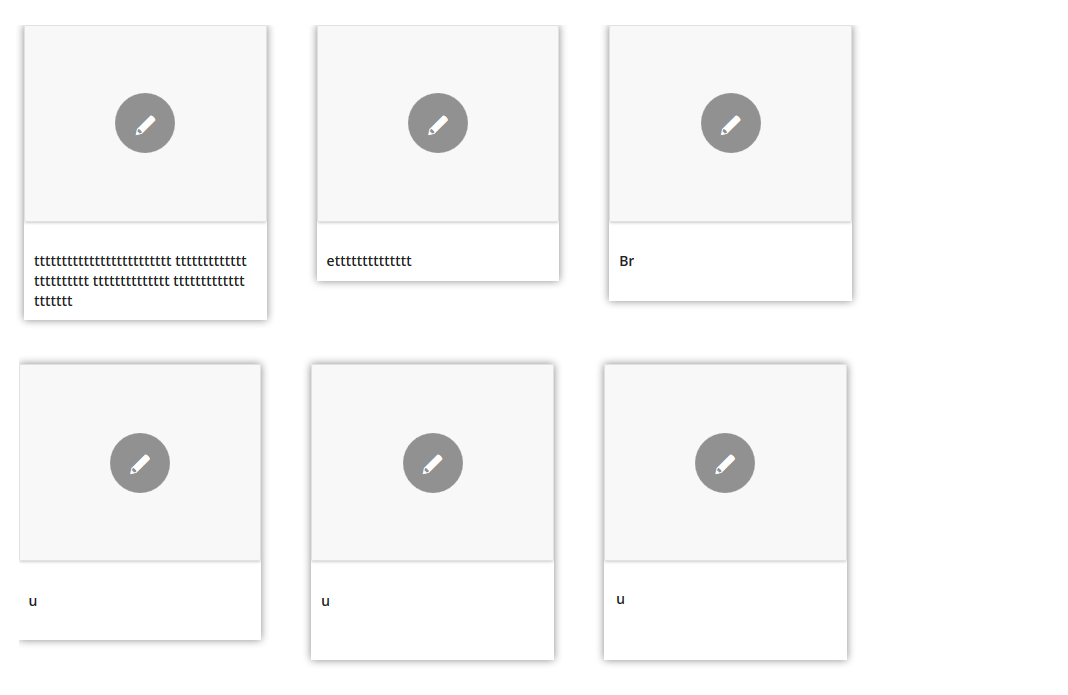
Could you advise the correct side of the images to ensure the thumbnail images generated within the 4 column portfolio gallery are rendered sharp.
When I click on the light box feature they look great- sharp as, but the thumbs are very poor quality. This is my portfolio of work so it needs to look great.
I have tried this size mentioned in the theme documentation but it looks blurry too.
$avia_config = array(‘width’=>260, ‘height’=>185 ); // images for portfolio 4 columns
I’m currently making them 800×650 (the size I got off a screen grab of the sample site)
I look forward to your response.
Hi,
I don’t understand what exactly it’s happening, can you please take a picture of it?
Regards,
Josue
If you’ve set the featured image that should be the one shown in the grid. Then the content here is what shows afterwards

Hi,
Please test if that happens with plain content in your pages/posts (edit a page, add content, save it, check if it keeps the updates). Also, if you want me to check it personally please create an administration account and send it to (Email address hidden if logged out) .
Regards,
Josue
Hi!
Im again – i tested your code Yigit :)
Here the result: http://www.pizzeriainnsbruck.at/wp-content/uploads/diverse-daten/image-2.png
1. Is it possible to see the shadow also on the top of the first row?
2. As you can see, the second row had no margin on the left side and therefore the shadow isnt visible – any idea?
3. Can you provide me the place and how i can put the FB LIKE BUTTON above the title? like here: http://pizzeriainnsbruck.at/wp-content/uploads/diverse-daten/image-1.jpg
Thank you so much – best
I have recently done a fresh theme install, imported the dummy content, and set the homepage to v7.
The featured slider functionality is stuck with text not loading, controls not working, and images being stuck. Any help would be much appreciated! Thanks
http://www.vertcy.com is the site
Hi Katharina,
Please add this code to Quick CSS section in Enfold theme options page under Styling
#top .mega_menu_title img { width: auto; }
Regards,
Yigit
After the recent update I have no backgrounds showing on pages using the plugin WP-Backgrounds Lite.
I went to the pages and noticed the links to the images were missing so attempted to add them again but they do not seem
to stick after updating the page. The url to the background image disappears after updating the page.
Have you heard of this? If so, do you know why that would happen?
Rick
Hi thanks again but this didn’t seem to fix the issue.
I tested the same content on another page, without tabs, and the alignment was fine.
It only seems to happen when placed inside of tabs.
Any other suggestions?
cheers,
Matt
Below is an example of what I’m doing.
[av_one_third first]
Plastic
[av_image src='https://kitodev.com/wp-content/uploads/2013/07/Chain-Containers_plastic.jpg' attachment='3475' align='center' animation='no-animation' link='']
[/av_one_third]
[av_one_third]
Fabric
[av_image src='https://kitodev.com/wp-content/uploads/2013/07/Chain-Containers_canvas.jpg' attachment='3477' align='center' animation='no-animation' link='']
[/av_one_third]
[av_one_third]
Steel
[av_image src='https://kitodev.com/wp-content/uploads/2013/07/Chain-Containers_Steel_a.jpg' attachment='3476' align='center' animation='no-animation' link='']
[/av_one_third]
Has anyone else experienced this?
I am having the same problem. Have set the featured images and get the blank boxes with just the name. It’s clickable and takes me to the portfolio post but there is no image in the grid.
Help.
Thanks
Hey guys, what size of image should I use to retain the best possible quality when using the huge (full-screen) single portfolio image? The one that takes up the entire screen :
http://s23.postimg.org/j30z87zyj/Full_Size_dimensions.png
Thank you.
On the gallery with the large image and thumbnails below, is it possible to transition to a thumbnail on a clicked thumbnail instead of just hovering over it?
Also, Instead of having rows upon rows of gallery thumbnails (yes I have 12 per row) is it possible to keep them all on a row and have an arrow for more thumbnails or they would scroll right to left as you went through the gallery?
The gallery as a whole would function a lot like this: http://soliloquywp.com/addons/thumbnails/
Thanks for all of your help.
Hi there,
it’s all in the title – I have a mega menu with images. Fine on desktop version. But the responsive version of the slide-out menu shows these imgs even larger as they are. Where can I adjust this img size for the slide-out menu? http://tinyurl.com/mr7p7yv
Thanks in advance, katharina
Good afternoon,
I have a question concerning the layer slider in Enfold. I would really like to you use URL’s of images in stead of Media/layer ID’s. Can someone tell me if this is possible, and if so, how I can achieve this?
Thanks in advance!
Having the same problem. Have set Featured Image for each item and still just getting portfolio page item name on grid and no image displayed.
Thanks
Thank you very much for the info. I’ll compress the image more when the site will go live.
Something on your server (probably a plugin, maybe your hoster) adds php vars to the image links. Normally the image link should look like: http://i1.wp.com/www.volantexrc.com/volantex/wp-content/uploads/2013/09/757-FPVraptor-01.jpg and the jpg extension helps the lightbox script to determine if the link points to an image or just another website. In your case the link looks like: http://i1.wp.com/www.volantexrc.com/volantex/wp-content/uploads/2013/09/757-FPVraptor-01.jpg?resize=260%2C185 and the ?resize=260%2C185 extension breaks the file type detection. Please try to deactivate all plugins to get rid of the php vars (?resize=260%2C185, etc.). Then activate them one by one to find the culprit.
I have checked the thread and the plugin.
But I fail to see how it can help me set a standard size for all th featured images shown in ur theme
I did little digging and added the code set_post_thumbnail_size( 150, 150, true ); to functions-enfold.php but seems it deprecated.
Please help
I am using a avia text block and having problem with paragraphs.
If I add this in the text:
SELECT YOUR PHOTOS<p>Why confine yourself to one favourite photograph? Collection solves the difficulty of having to choose by offering a range of frames that let you combine anything from three to sixteen of your favourite shots. Multiple images tell even more of your story.</p>
When I save it the <p> is gone. So I don’t seem to be about to use it?
http://chriswardphotography.net/consumer/products/framing/
Some images – eg http://wpdavy.bwmc.be/cms/wp-content/uploads/2013/06/campagnebeeld01-1500×1164.jpg – require 3-5 seconds to load (also compare the time line here: http://gtmetrix.com/compare/bkiyc62C/ezh2BMUl ). You might want to compress the image to reduce the loading time. In addition your server doesn’t support gzip compression (or at least it’s not activated right now – that explains the low YSlow rating (compare F grade “Compress components with gzip”).
Labdien!
It seems like image links are broken. Please try deleting them from Layer Slider and upload them again it should work.
Regards,
Yigit
Hello,
I have extra margin that happen when i overlay an image that i insert in the content of an icon box… What should i do ???
I am develloping in local so i can’t send you any link ….
Super theme that you have develloped !!!! Well done guys !
Tybo
Thanks Ismael, I sent the site details over to you this morning.
Graeme
Here you can see the problem:
http://tssk.ru/shortcodes/testimonials/
Images are small and transparent
Here is a link to the front page of the image above: http://hollenberg.tv/video-production/
Here is the Vimeo video: https://vimeo.com/64801823
I am a videographer, so I’d rather not have to delete the page and recreate it from scratch anytime I want to feature a new video – surely there is another option / solution?
I will add, all of my Vimeo videos appear this way, not just on this page.
I want to change images in the easy slider or ad new images – but modifications are not safed – always the old content is displayed. Have you any idea? (WP 3.6, Enfold 2.01, Enfold Child 1.0, Contact Form 7, Contact Form 7 Datepicker, WPML Multlingual CMS, WPML String Translation); I also tested without any activated plugin – negative.
For some reason, featured images attached to blog posts are no longer performing the way they used to. They used to span the entire width of the blog posting….no more. I’m not sure what changed but they no longer act the way the demo does. To troubleshoot, I have done the following:
-disabled every plugin on my site, which did not fix the issue
-upgraded to the current version, which did not fix the issue
In addition, the gallery feature is not working any longer either. I’ve tried to create a new gallery from uploaded images – no go. Here is a link to the blog on my site: http://tandyelisala.com/wordpress/?page_id=1010
Any suggestions for the issue / fix??
Hey,
Did you set a Featured Image for each Portfolio Items?
Please send the login details to //…
Include the word “Kriesi” on the subject. Add the link of this thread on your email.
Regards,
Ismael