Hi Support,
we use a page as our website footer. but with wp-typography our website break. How can we get this? https://snipboard.io/mM6Lvd.jpg
Maybe this threat has a solution: https://wordpress.org/support/topic/wp-typography-breaks-enfold-theme/
Best regards!
Tobias
Hello,
first thank you for the Enfold Theme and that great support. It helped me a lot.
But for one topic I could not find a solution.
I like to show Videos in full width, but only on mobile phone.
I created a color id with the name showreel. And than I put that code:
/* Color showreel */
#showreel .container {
width: 100% !important;
min-width: 100%;
padding: 0;
margin: 0;
}
It works really well on mobile phone. But the Video is too big on Desktop. So the Visitor need to scroll up and down to see the Video.
How can I resize the Video on my desktop page. But keep the Video in full width on mobile?
You can see the result here: https://afrank-3d.de/showreel/
Thank you very much!
Hi,
Very good, if you have any further questions please create a new thread and we will gladly try to help you. Thank you for using Enfold.
Best regards,
Mike
Hi Mike
Yes, I know, that we can implement other newsletter services like that.
We only wantet to know, if you recommend also other services or if you only recommend MailChimp?
Is there somewhere an actual list of recommended/compatible plugins with Enfold?
Best regards
Mike
I would indeed do it like Mike, with one exception – I would use Enfolds columns and use the Column link right away. Since the icon box is inside the column, we have the same construct as on your example page. I would assign a custom class to the column and save the whole thing as a template (e.g. icon-box-column).
If you then need this special iconbox, you can always use it via template – and only make the adjustments then ( icon, column color ).
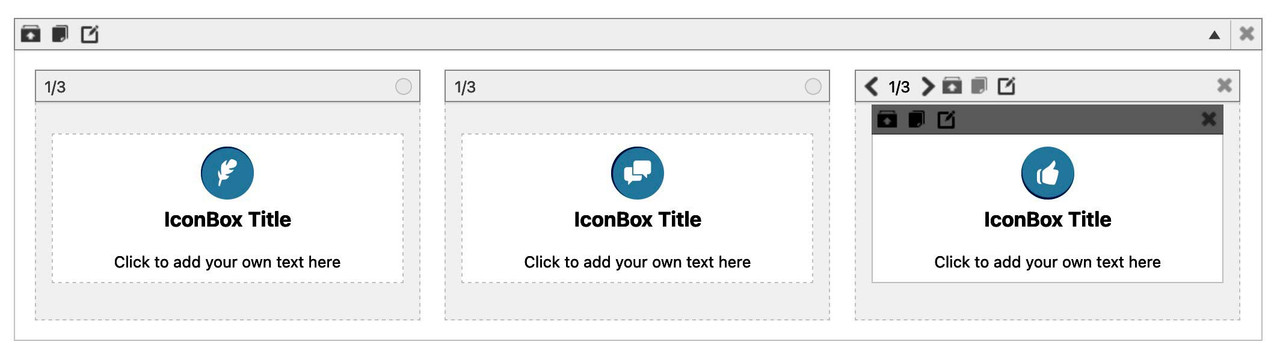
for the quick css entries and example page look: https://enfold.webers-webdesign.de/iconbox/
If you do not find nice icons on entypo-fontello iconset – use your own by uploading to fontello.com
PPS: my solution is easier to get – because it is only css and the rest will be done by Enfold alb options ;)
see example-page
Hi
I love the contact form
BUT
It is extremely glitchy. most of the time it does not send admin a copy of the form (it does send the sender their confirmation email).
I tried updating everything (plug ins, enfold is now 5.1.1) and wordpress is also up to date. Can you help? It would be much simpler to get a fix for this than have to start again from scratch with a new form builder…
Thanks
Hi,
Thanks for your feedback, the child theme doesn’t need to be updated, the parent theme (Enfold) is updated while the child theme is the activate theme.
This is because the child theme uses the core files of the parent theme (Enfold), I hope this makes sense.
Thanks for using Enfold.
Best regards,
Mike
Hi,
Glad Ismael could help, if you have any further questions please create a new thread and we will gladly try to help you. Thank you for using Enfold.
Best regards,
Mike
Hi,
Glad Rikard could help, if you have any further questions please create a new thread and we will gladly try to help you. Thank you for using Enfold.
Best regards,
Mike
Hi,
Glad Rikard could help, if you have any further questions please create a new thread and we will gladly try to help you. Thank you for using Enfold.
Best regards,
Mike
Thank you for your continued support. It means so much to me and is one of the reasons I continue to use the Enfold theme with so many of my clients.
On my phone (iPhone) I’ve cleared my cache and deleted my browsing history, however the problem with the hamburger menu persists.
Hi,
Thanks for the feedback, I disabled your Enfold Theme Options ▸ Performance ▸ JS & CSS file merging and compression to flush it and re-enabled it and this seems to have helped. Please check.
Best regards,
Mike
Hi,
Thanks for your question, to change the global WPML language switcher option from flags to text please see this documentation: Configuring Language Switchers, in Enfold you can set the Enfold WPML Language Flags option to Hide the default language flags.
To place the language switcher before the mobile menu try this solution.
Best regards,
Mike
Hi,
Thanks for your question and the link to your site, for your logo this css should help:
@media only screen and (min-width: 768px) {
.av_header_transparency #header_main svg {
    height: 200px !important;
    max-height: 200px !important;
}
}
but I notice that your main menu height is also not correct, perhaps you have tried to change the header height with some custom css instead of using the theme options at Enfold Theme Options ▸ Header ▸ Header Layout ▸ Header Size?
Perhaps it would be better to remove your custom css and try the theme option.
As for your main menu links, it seems like your page is reloading instead of jumping down to the anchor, in your menu items did you place the whole url, try just using the anchor ID.
If this doesn’t help please include an admin login in the Private Content area so we can be of more assistance.
Best regards,
Mike
Hey Steven Ridder,
Thanks for your question, typically this occurs when the child theme has a custom header.php or footer.php that is out-of-date, try saving these files to your computer for fallback and delete the ones in the child theme directory.
Another possibility is some other custom file in the child theme directory or a function in the child theme functions.php
You could save your child theme to your computer for fallback and then replace it via FTP with a new one and then add the old child theme functions one at a time until you find the Fatal Error.
If you have further questions please log in to the support forum and create a new thread and we will gladly try to help you. The contact form is not intended for support requests. Thank you for using Enfold.
Best regards,
Mike
Hey Michael,
Thanks for your question, while the MailChimp Newsletter Option is integrated into Enfold, you could use other services by adding their specific code into a code block element.
If you have any trouble using a specific newsletter service in Enfold, please let us know and we will try to help.
Best regards,
Mike
Hi,
Glad we were able to help, if you have any further questions please create a new thread and we will gladly try to help you. Thank you for using Enfold.
Best regards,
Mike
 Steven Ridder
Guest
Hello,
I took over the support of a website. The theme “Enfold Child” is installed there (version 4.9.2.3)
Updating to version 5.1.1 will destroy the website. FatalError.
How do I solve the problem?
I think I have to update the website step by step.
Kind regards
Steven
How do we get alt text in the header logo using an SVG in Enfold.
Hey Sozo,
We can’t really help out with third party plugins unfortunately. There is a conflict between the SG Optimizer and the theme when JavaScript file compression is turned on in the theme, but I see that you have turned that off in the theme options. Does your site perform much better if you switch to a different theme, but keep the same content? Slow site performance is usually related to poor server performance.
If you want a transparent header on mobile, then please refer to this: https://kriesi.at/documentation/enfold/header/#transparent-header-on-mobile
Best regards,
Rikard
Hey gb,
Thank you for your question, there are some advantages to using the specific post formats, for example the audio format shows the audio player in the grid blog layout:

the video post format hides the featured image on the post page so the video is showcased, and the same with the gallery post format.
The link post format links to another page instead of the article.
There are also different icons shown in some cases and perhaps some slight styling differences. Please check the Enfold Church Demo for more specifics.
If you don’t think that you will be using any of these features right away then you could just use the standard post format for all posts to start and adjust them in the future.
Best regards,
Mike
Hey GWS,
Thank you for the link to your site, but it is in maintenance mode so we can not see your menu. I have tested the Enfold Theme Options ▸ Main Menu ▸ Separator Between Menu Items ▸ Small Separator on my demo site and found it to be working, the css you posted also worked to change the color, so please include an admin login to your site in the Private Content area so we can investigate.
Best regards,
Mike
Hi,
Glad Rikard could help, if you have any further questions please create a new thread and we will gladly try to help you. Thank you for using Enfold.
Best regards,
Mike
Hi
The MailChimp newsletter tool is integrated in Enfold.
Do you recommend also other newsletter tools, or only MailChimp?
Thanks very much.
Best regards
Mike
Hi,
Thanks for your question, yes you would place the code at the end of your functions.php.
But I note that the site you linked to above doesn’t seem to be using a Child Theme, we would recommend that to follow the steps to install a child theme, otherwise this code that you add to the functions.php will be lost with each update.
Please give this a try, and if you need further help please include an admin login in the Private Content area so we can assist.
Best regards,
Mike
Hey yventuell,
I’m running Enfold on MAMP without any problems, so it’s likely a local problem with your server. Do you see any error messages if you inspect the page in your browser on a page where you can see the problem?
Best regards,
Rikard
Hi,
Glad we were able to help, if you have any further questions please create a new thread and we will gladly try to help you. Thank you for using Enfold.
Best regards,
Mike
Hi,
works, but only if adding !important
If its not a bug, then where can I adjust it in enfold options without tweaking with css?
Best regards
Tim
Hello,
unfortunately I have a problem that I can not solve after trying several proposed solutions here from the forum and your site. Have already reinstalled the theme, tested other browser, increased memory limit in WP etc.. When I want to edit a page, the Avia Layout Architect does not load (endless spinning wheel). I don’t have any plug ins installed yet and no content in the page, just installed everything fresh. Site is running on my Mac under MAMP with PHP 7.4.21. Theme version is 5.1.1 and wordpress is 6.0.1. Hope it can help me.
Thanks and greetings
We are cracking down on our accessibility development via Enfold. The main logo is not providing alt text or the <title> tag. Is there a simple way to do this within Enfold or the child theme?
The site in question is in Private Content.
Thanks!



