Hi,
To set the homepage in the theme you choose the page you want to use in the theme setting Enfold Theme Options ▸ Theme Options ▸ Frontpage Settings
If you want to the revision option on the other page please choose the restore point that you want to use from the slide option as we talked about in another thread, I don’t know to which point you want to go back to so I don’t want to try to do it for you.
If you don’t see the revision point that you want to use from the list then I would not be able to see it either.
If you don’t see the revision point that you want to use you could use the new page I created for you with your edits that I could see.
Best regards,
Mike
Thank You so very much, Ismael. I really appreciate that. Now I can move forward with enfold theme. I will check that and let you know. :)
PS Odd thing though: other sites that are also using Enfold on one.com are running fine..
Hi,
I re-installed Enfold and enabled debug log. There was a warning directing to a line in one of the theme files. I commented it out but your page still does not load correctly and warning changed to error on WP core files.
While I was searching online, I found this GitHub issue where one.com users had similar issue – https://github.com/nextcloud/server/issues/16752. I believe you are using one.com as well.
Could you please contact them and have them check debug.log? This seems to be related to server settings.
Best regards,
Yigit
Hi,
yes, from the forum. Just tried again, and got the same message: “erreur sur la ligne 30 du fichier wp-content/themes/enfold-child/functions.php”.
Do I have to remove the two /* sentences?
BR
JM
Hi,
Thanks for the login details. Could you try updating the theme to the latest version (5.2.1) to see if that helps please? https://kriesi.at/documentation/enfold/how-to-install-enfold-theme/#theme-update.
Best regards,
Rikard
Hey John,
Please try the following in Quick CSS under Enfold->General Styling:
p.wp-caption-text {
  line-height: 16px;
}
Best regards,
Rikard
I now get the following message in the revisions:
“Autosave ENFOLD_SUPPORT 15 hours ago (5 Dec @ 00:13)” and a button that says “Restore autosave”). Did you guys do anything else on the site at that time (Germany)? Shall I click the button or would you rather compare the revisions? What needs to be done? I’m asking for your help again, the project mustn’t be left lying around!
And please also look in the private content.
Thanks in advance.
Hi,
Glad we were able to help, if you have any further questions please create a new thread and we will gladly try to help you. Thank you for using Enfold.
Best regards,
Mike
Dear support,
i try to show the security-badge on the left side so it does not overlap the Button “Go to page-top”. I have switched in the enfold options: “Show badge on the left! but it remains on the right side. You know what to do?
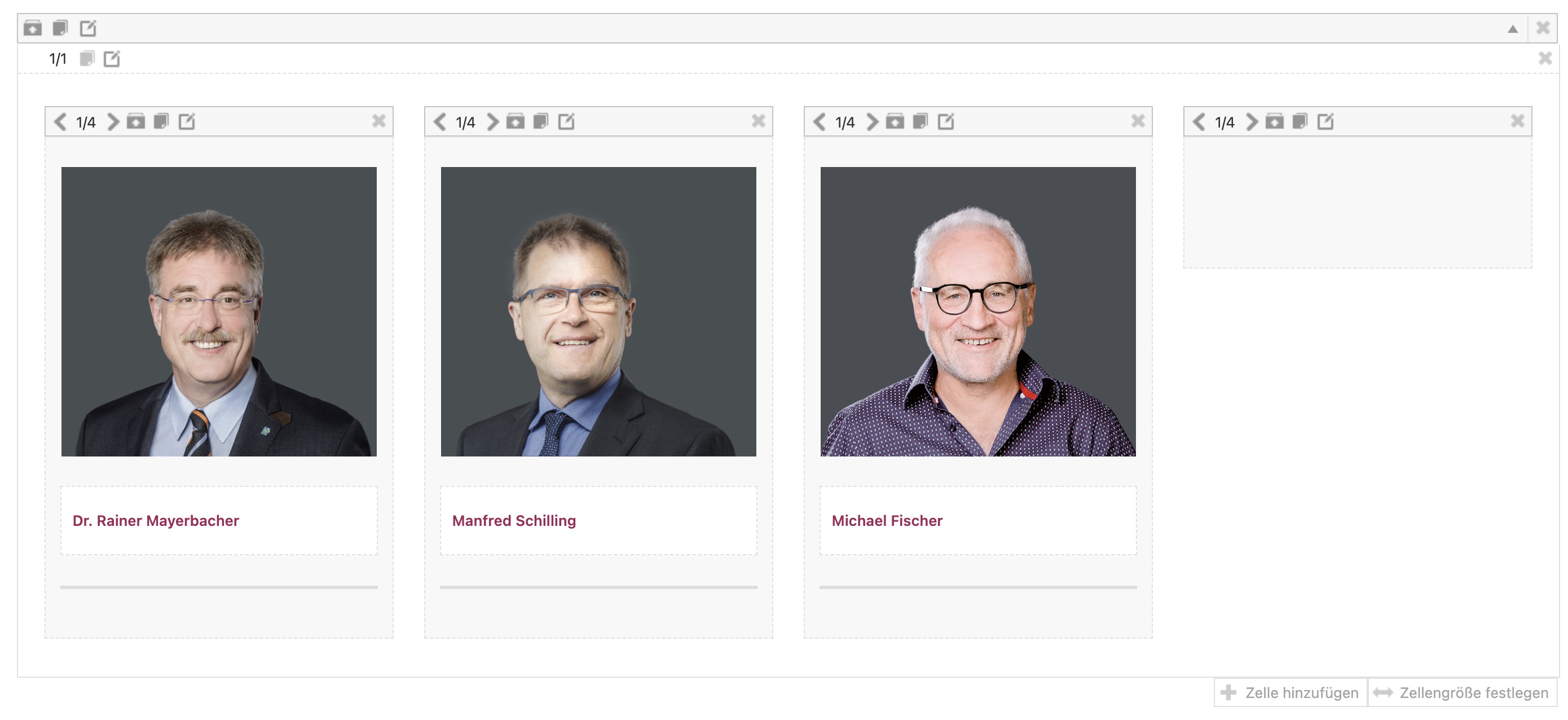
We’ve taken over a website that is using Enfold and that hadn’t been updated in years. We’ve first mirrored the page and then updated the contents page by page.
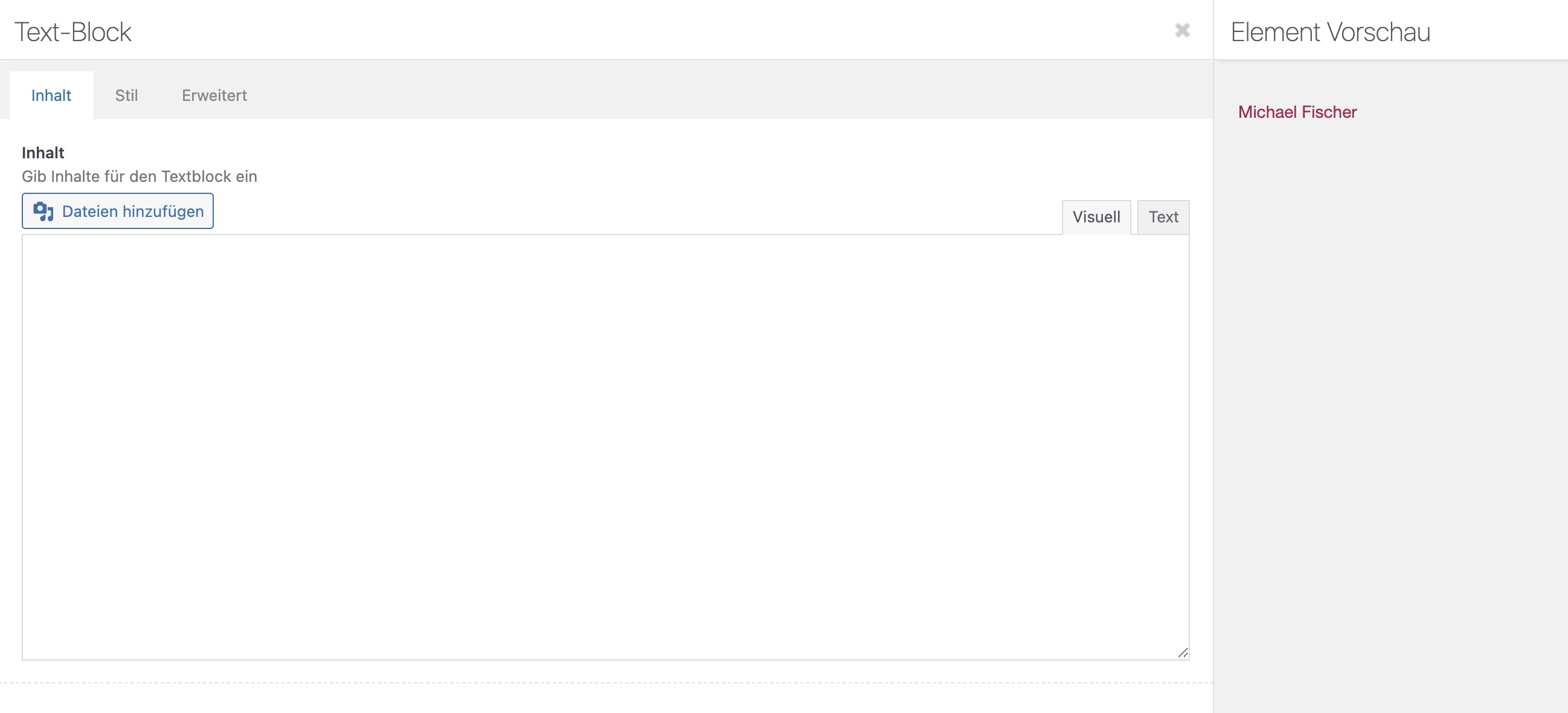
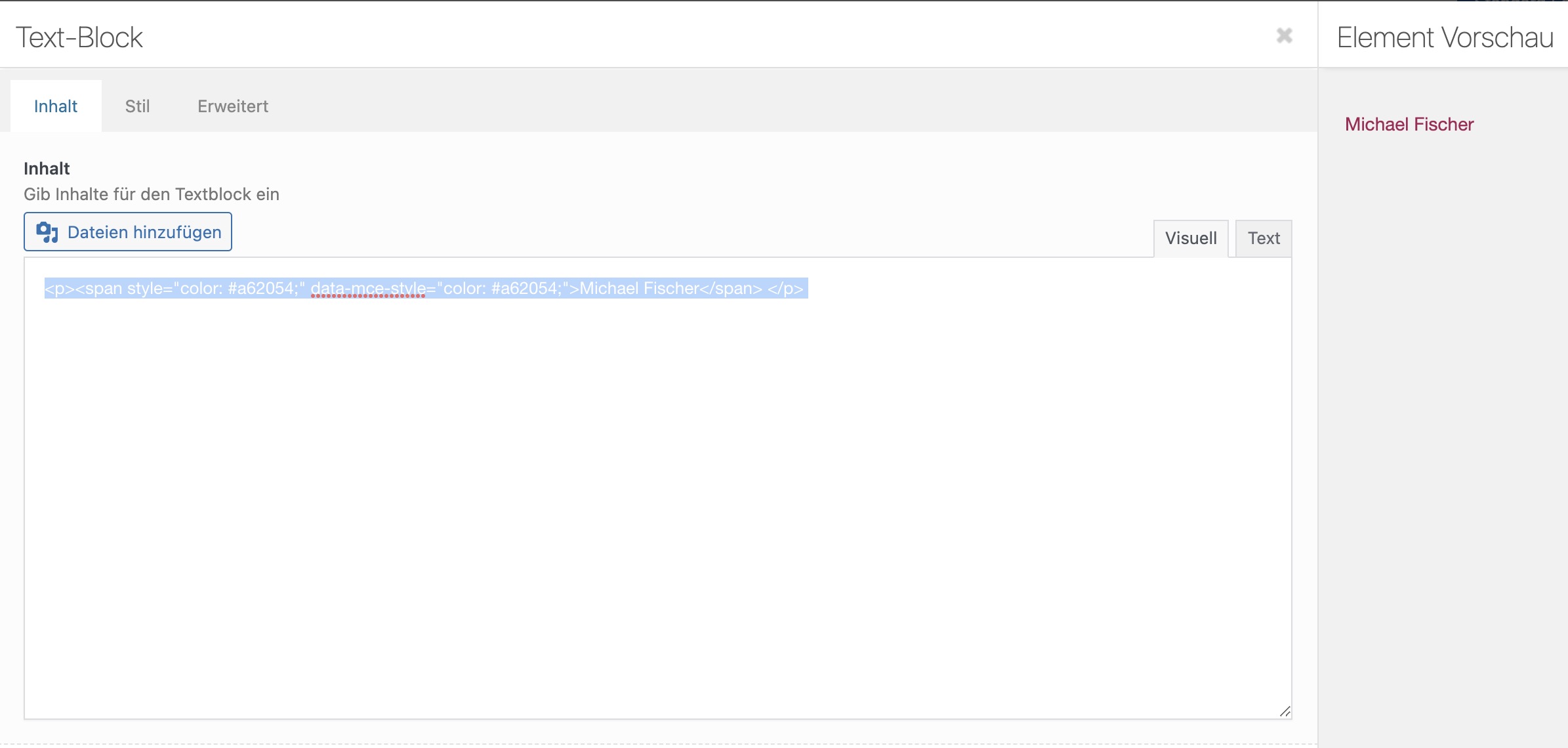
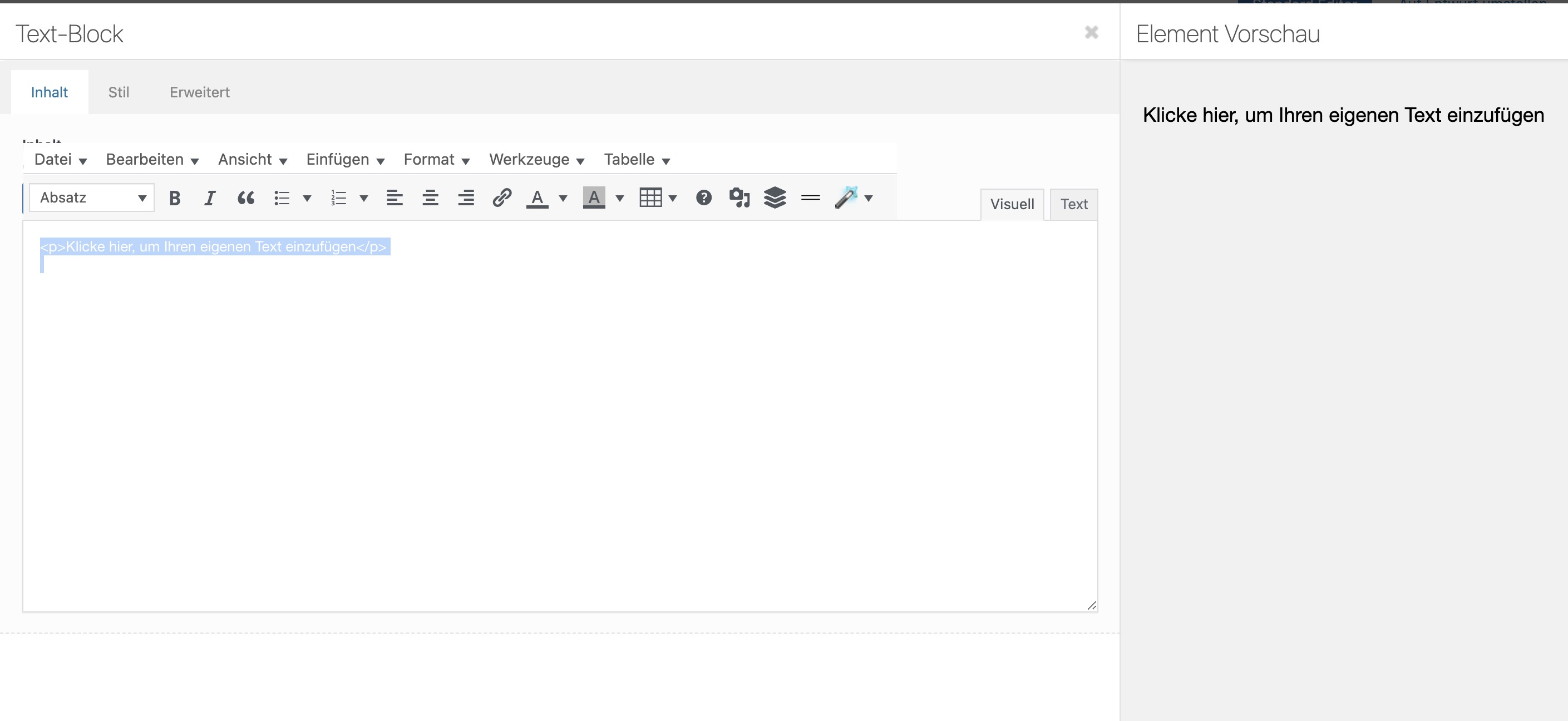
For the most part, this worked extremely well, it’s just that on some pages, it is outright impossible to edit the contents. The contents of text boxes are set to white color (without anyone having changed that as far as we’re aware) and you can only see the contents after marking everything. If you switch to text editor to just manipulate the plain HTML, a <span> (for the color of the text) gets changed to & l t ; span & g t ; etc.
None of this is making a whole lot of sense and as described, this problem only arises on certain pages.
It would be much appreciated if you could take a look and let us know how to fix the buggy behavior on these pages.
Here are some screenshots to better explain the issue:
https://nextab.de/downloads/enfold-screen-1.jpg
https://nextab.de/downloads/enfold-screen-2.jpg
https://nextab.de/downloads/enfold-screen-3.jpg
https://nextab.de/downloads/enfold-screen-4.jpg
-
This topic was modified 3 years, 4 months ago by
 truesoulwarrior. Reason: make the change in the tags more obvious (added blanks so the < wouldn't get replaced)
Hi,
Thanks for that. Please click the blue Advanced Layout Editor in the top bar, in order to activate the Enfold Layout Builder. You should be able to edit your front page after that.
Best regards,
Rikard
Good day,
I hope you are well.
We received over 5 error emails regarding the Enfold theme and PHP 8 switchover.
WordPress caught an error with your theme, Enfold.
Once the theme is disabled the following error in the backend is visible:
Enfold – This theme failed to load properly and was paused within the admin backend.
FYI:
WordPress version 6.0.3
Active theme: imatu (version )
Current plugin: (version )
PHP version 8.0.25
Hope to hear from you soon.
Thank you
Hello Kriesi-Team,
I’m currently setting up a general childtheme based on Enfold for future projects to streamline initial setup a bit.
I’d like to use the google webfonts library supplied by fontsource, but make the needed fonts available in theme setup styling options under Fonts, but without the need to upload a zip (importing the necessary files is handled via a scss and a basic config file that makes the needed fonts available in the compiled stylesheet). This way, I can minimize the deployment via a single config file that creates the necessary scss and css that’s handled during deployment and parsed in functions.php.
So tl;dr: I’d basically need to make the custom font dropdown active with a set of fonts that simply adds the necessary font-family to the layout widgets, without uploading a zip via theme setup import functions, so that the designers setting up the site have the fonts available as options in the dropdown, but don’t need to upload a zip, and I can centralize deployment via a small set of config files.
Is this possible via functions.php? Is there a hook I can use to register the font-family name so that it appears in the styling font menu?
best regards
Hi yifatcohen,
Thanks for providing us both admin access and the video.
It seems the issue was more of caching, I have disabled CSS File Merging And Compression in Enfold > Performance which fixes the issue.
Please try to enable it back after several days.
Best regards,
Nikko
Hi,
With “bottom-to-top” and -30% it comes close to the desired effect. Can I adjust the option to -50%?
This is possible but you have to modify the enfold\config-templatebuilder\avia-template-builder\php\base-classes\class-popup-templates-responsive.php file and adjust this code around line 691.
'subtype' => AviaHtmlHelper::number_array( -30, 200, 10, array( __( 'Default (= 50%)', 'avia_framework' ) => '' ), ' %' )
Adjust the first value (-30) in the number_array.
'subtype' => AviaHtmlHelper::number_array( -50, 200, 10, array( __( 'Default (= 50%)', 'avia_framework' ) => '' ), ' %' )
Unfortunately, you cannot override this file in your child theme.
Best regards,
Ismael
Hi Christopher,
Can you try adding this CSS code in Enfold > General Styling > Quick CSS:
#top .avia-content-slider .slide-entry-wrap {
    display: flex;
}

#top .avia-content-slider .slide-entry-wrap .slide-entry {
    margin: 0;
    padding: 3%;
    flex: 1;
}

#top .avia-content-slider .slide-entry-wrap .slide-entry + .slide-entry {
    border-left: 1px solid white;
}
Best regards,
Nikko
Hey Nic_007,
We could use the revision option but there is no guarantee that some of your changes won’t be undone, we would use the same options as you stepping back one at a time, as Yigit did a couple of days ago.
So instead I installed our Special Character Translation plugin I told you about in a different thread, then I created a new homepage for you from our restaurant demo and fixed all of the tags and add your phone number and restaurant name from your broken home page.
Please review the page I linked below.
I recommend deleting your broken homepage and set the page I make for you as your new homepage and make your changes to it.
I looked at your other pages and fixed the tags in them so I think this is a good and helpful solution.
Best regards,
Mike
Hi,
Glad Rikard could help, if you have any further questions please create a new thread and we will gladly try to help you. Thank you for using Enfold.
Best regards,
Mike
Hi,
I am starting to think we are talking about different things, because pressing a blue button when you go to edit a page is not an issue.
So lets back up, woocommerce products do not use the Advanced Layout Builder by default, they use the WordPress editor, such as the classic editor.
This is the default view of a woocommerce product, it is not the Advanced Layout Builder.

If you use the Advanced Layout Builder to build a product you must manually create the layout with the product elements like this:

Now you can not import products and have the theme convert them into Advanced Layout Builder product pages, you wouls need to manually do this.
I think this is where your confusion is, if you import 500 products from another theme with woocommerce then you will be using the same classic editor, or block editor that you used before.
If you are importing 500 product from a Enfold theme where you manually created each product with the Advanced Layout Builder using the ALB elements, then you would simply press the blue ALB button at the top of the page.
Best regards,
Mike
Hi,
Thanks for the feedback, to change the colors please try the Enfold Theme Options ▸ Advanced Styling and choose the element for the new green, if you have trouble with any specific styling please link to the element so we can examine and assist.
The color bar in the health demo is a grid row with a minimum height of 15px and each cell a different background color.

your screenshot didn’t work so I don’t know if you meant the green in the footer (#658529) or the darker green in the socket under the footer (#425719)
Best regards,
Mike
Hi,
Glad we were able to help, if you have any further questions please create a new thread and we will gladly try to help you. Thank you for using Enfold.
Best regards,
Mike
Hi,
Thanks for that. If you are referring to the transparency logo, then that can be changed under Enfold->Header->Transparency Options.
Best regards,
Rikard
Hey Rudi,
It says that you are running 5.2.1, but the backend does not reflect that. Could you try upload the theme files via FTP instead please? https://kriesi.at/documentation/enfold/install-enfold-theme/#ftp-install. If you need help doing so, then please include FTP login details in private.
Best regards,
Rikard
Hello,
I can’t find anymore with Enfold theme 5.2.1 (WordPress 6.1.1) where to modify the design of my home page https://www.lopb.fr/
There are 3 sections and I can only find the code for the first one when I go to “Pages / Accueil (Homepage)”.
In addition :
Is there a way to adjust the size of the 3rd section (the bottom one just above the footer banner) ?
Regards
Christian
 Rudi Vogel
Guest
Dear Team,
I have sent this before, but only received an automated answer, saying that I should use this „pre-sale“ for although I have bought licenses for Enfold already.
So here again:
I cannot find a way to post a question in the support forum, so I write you this way.
I have „Enfold“ running for a while on a website, working properly. However, when I now create a new accordion slider and give pictures a title, I cannot include a space. I. e. I can type „Little Maggie“, but the space is not taken but the wording reads „LittleMaggie“. When I type „Little Maggie“ in Microsoft WORD and copy that in the respective field, the space is accepted. So I have a „workaround“, but the slider setup does not work properly in this respect. I did not have that before.
Hey Wilfried,
Enfold has never been free, so you are likely using pirated code. If you should decide to purchase a valid copy of the theme, then please follow these steps:
The update to 5.2 has to be done manually from the version you are running, please refer to my replies in this thread: https://kriesi.at/support/topic/enfold-4-5-theme-update-update-failed-download-failed-a-valid-url-was-not-pro/#post-1021541
You can either update manually via FTP: https://kriesi.at/documentation/enfold/how-to-install-enfold-theme/#theme-update, or use a plugin to upload the theme zip file: https://wordpress.org/plugins/update-theme-and-plugins-from-zip-file/
If that doesn’t work then please try to delete the whole theme folder, then replace it with the new version. Make sure that you have backups of the site before starting updating.
Also please read this after you have updated: https://kriesi.at/documentation/enfold/theme-registration/
Best regards,
Rikard
 Wilfried van Sark
Guest
LS
We have used enfold theme 4.4.1 as it was advised to use it as it was free. It functioned very well, up to PHP7.4
Our WordPress site should be updated from PHP7.4 to 8.1, as our website provider requires that. We tested and most probably the old version of 4.4.1 of enfold is causing a problem. Also, we tried to update, but WordPress states that it is the most recent version.
So, we are thinking of purchasing enfold 5.2. But we are not sure if this theme upgrade is compatible with the original 4.4.1. version we used.
Could you advise?
best regards
Wilfried van Sark
Unfortunately, the problem with the wrong logo on the pages is still not solved. I’ve asked a few times but haven’t received an answer, perhaps because my question got lost among other questions.
I ask for support. I haven’t changed the picture. The demo should point you to the logo linked in the WP?
Thank you for your help in advance.
Hi Mike,
thanks for your answer (1st I modify the functions.php.
It says that there’s an error:
Vos modifications de code PHP ont été annulées en raison d’une erreur sur la ligne 30 du fichier wp-content/themes/enfold-child/functions.php. Veuillez la corriger et réessayer d’enregistrer.
(PHP code modifications have been cancelled due to a mistake line 30 of wp-content/themes/enfold-child/functions.php.Please modify and retry)
syntax error, unexpected ”, $wpse_excerpt, $tokens );’ (T_CONSTANT_ENCAPSED_STRING)
I have retried to copy paste but it didn’t work.
Any idea?
Best regards
JMV
PS: In case of wp upgrade or plugin or else, isn’t that a risk to modify the functions.php file?