Hey WebbR,
I believe that the Envato Market WordPress Plugin will automatically update, please try this.
Enfold is licensed though Envato so all updates must come from Envato.
Best regards,
Mike
 Thomas Roth
Guest
Hallo!
Bin gerade auf der Suche nach einer passenden Homepage für meine Firma.
Auf Themeforest / envato market bin ich unter anderem auf eure Seite Enfold gestossen.
Nun habe ich ein paar Fragen bzgl. Enfold:
1.) Gibt es Enfold auch in deutscher Sprache, oder muss man alles selbst übersetzen?
2.) Erfüllt das Shop-Modul die Anforderungen an einen Shop in Deutschland
3.) Gibt es ein Cyber Monday / week Angebot. Bis vorhin (03.12.23 / 18 Uhr) wurde mir zumindest so etwas angezeigt.
4.) Kann Enfold von einem Laien installiert und betrieben werden? Ist es intuitiv?
5.) Was macht ihr besser als eure Marktbegleiter, z.B als Avada?
Viele Grüße
Thomas
Hi everybody, I have some WP installs with Enfold who are not updated too often.
This may lead to vulnerabilities.
To prevent this, I’d like to activate an automatic update for Enfold even if I know this may cause other issues – i.e. display, etc.
Is it possible to activate the automatic update like for other themes?
Would be great to get this to work…
All the best for you! THX!
Hi,
Glad we were able to help, if you have any further questions please create a new thread and we will gladly try to help you. Thank you for using Enfold.
Best regards,
Mike
Hey Tim,
Unfortunately we don’t have a way to cheange this, as this is the default WordPress behavior even in the default WordPress themes the title & featured image are not automatically added. Categories are display in the WordPress sidebar for posts, please note that “pages” don’t have categories.

Perhaps you didn’t click the WordPress “post” option to see the options of the posts?

Try clicking it, or perhaps you are more use to the Classic Editor, you can enabled this at Enfold Theme Options ▸ Select Your Editor ▸ Use WP Classic Editor
Best regards,
Mike
Hi,
I just got ENFOLD so I’m new to the Forum.
I created a new page where I plugged EVENTS CALENDAR in. First, as soon as I want to edit the new page, Avia Layout Architect is not applicable. Second, changing from STANDARD EDITOR to ADVANCED LAYOUT EDITOR, all boxes and templates are easily put in, whereas not visible on the view modus. What exactly am I missing?
Thank you very much & kind regards!
Juan Carlos
Hi,
Are you using a child theme with any customized files like a header.php or footer.php
This is typically the top reason for errors after updating, if so try removing these.
Are you using a outdated PHP version like 5.6, WordPress now requires a minimum of v7.4
Have you tried disabling all of your plugins and/or customizations to isolate the conflict?
I imagine that your goal would be to get up to date and not be locked into a old version of the theme, so it would be a better use of time to find the error, considering there are 48 versions between 4.7.6.4 and now.
I recommend checking these steps and if you need further help finding the error on your site, please open a new thread from your support account and include a admin login and explain in detail what error you are seeing.
Please don’t reply to this email thread as it was created with our contact form and doesn’t go to our support channel, it will be easier for us to help you in our support channel, Thank you for your patience and understanding and we hope to help you get your site up-to-date.
Best regards,
Mike
Hi,
Glad we were able to help, and sorry for any extra work. Try checking our Change Log first to see if there is a new version. If you have any further questions please create a new thread and we will gladly try to help you. Thank you for using Enfold.
Best regards,
Mike
And what if I want to install an older version than the latest one?
It´s a big step from enfold theme I have installed right now in my wordpress and I want to try other versions.
Thanks in advance.
Dear support,
i have a problem with the sitemap from rankmath and enfold.
When i create/duplicate a new page, than go the page-sitemap.xml site in error and bring this: There was a critical error on your website.
Only the page-sitemap.xml
The other sites don’t go in error.
/post-sitemap.xml and /category-sitemap.xml function
Than switch i in a other theme (Twenty Twenty-Four) and than is the page-sitemap site every right visible with all pages from my site.
What could be the problem? What should I do?
Thanks strumpel
Hey annameis,
The overlay is created with the same div that is the caption field below the images, so you can’t have both at the same time.
But if you set the element to have the caption below the image and display the Title and Excerpt always, then you could move the title to the center of the image with a slight overlay and leave the caption at the bottom with no overlay with this css:
#top #wrap_all .av-flex-size .av-masonry-entry.av-masonry-item-with-image .av-inner-masonry-content .av-masonry-entry-title.entry-title {
    position: absolute;
    transform: translate(12vw,-28vh);
    color: #fff;
}
#top #wrap_all .av-flex-size .av-masonry-entry.av-masonry-item-with-image .av-masonry-outerimage-container:before {
  content:"";
  display: block;
  height: 100%;
  position: absolute;
  visibility: visible !important;
  top: 0;
  left: 0;
  width: 100%;
  background-color: rgba(0, 0, 0,.5)!important;
}
The expected results:
before mouse-over

mouse-over

Please ensure to copy the code from the forum and not an email notification so the symbols are not converted.
After applying the css to your Quick CSS field, please clear your browser cache and check.
Best regards,
Mike
Is the second time that Envato send the email notification of Enfold update but the release is always 5.6.8..
Hi,
From what I see the “button” that is added in your portfolio grid is a link that has been added in the footer with a custom class of “x”:

this is not typical, usually the footer is empty:

so this is probably some custom code to add this link and create the button, and since you are losing this customization when you update the site it would point to a possible core file that has been customized instead of this code in your child theme, or perhaps the code needs to be adjusted to work correctly.
Please post the custom function that creates this button so we can test it on our test sites. I looked in your child theme but couldn’t find anything that would do this.
Best regards,
Mike
Hi,
Making a backup is a good idea, but this update method has been working successful since WordPress added it a number of years ago :)
Glad we were able to help, if you have any further questions please create a new thread and we will gladly try to help you. Thank you for using Enfold.
Best regards,
Mike
Hi,
Glad we were able to help, if you have any further questions please create a new thread and we will gladly try to help you. Thank you for using Enfold.
Best regards,
Mike
Hey neomazic,
To see the Autoresponder option in the Enfold contact form element please look in the Backend option:

the mailchimp element doesn’t have these option as you need to do this in your mailchimp account.
Please note that the contact form element is a basic contact form and has limited Autoresponder options, if you would like more option we recommend considering the Contact Form 7 plugin and it many addon plugins.
Best regards,
Mike
Hey nonosapiens,
I believe Envato made a change in the update code shortly after that version so you will need to manually update.
To update your version of Enfold you will need to download the latest installable WP version from your Theme Forest account and upload it to your WordPress ▸ Appearance ▸ Themes ▸ Add Themes ▸ Add New

after you choose the zip file and click install, you will see a This theme is already installed message because you are updating, you can continue

then you will see the Theme updated successfully message.

Best regards,
Mike
Hey tulin88,
I have two solutions, the first is to create a “template” of each page that was created with the Advanced Layout Builder:

and the export the Enfold Theme Options ▸ Import/Export ▸ Export Layout Builder Templates, and then import it to your new site.

The second solution is to Enable the Avia Layout Builder Debugger and copy the shortcode for each page and then paste it into your new site:

But unfortunately both of these solutions will not translate the pages and will not import the images to the new site. For this you will need to go to WordPress ▸ Tools ▸ Export ▸ Media:

and then import the media into the new site using the WordPress import option:

and make sure you Download and import file attachments

Unfortunately you may need to re-choose all of the images for your imported pages because the image URLs in the shortcode will not match your new site and WordPress displays the images based on the Attachment ID, this is a unique ID number for each image, so if your new site already has a image with that number your imported image will get a new number which won’t match the shortcode. You might get lucky and the Attachment IDs all match correctly, such as when a new empty site imports a “demo”, if you are lucky then you could paste the shortcode into a text editor like VScode and perform a search & replace of the domain to match your new site, such as
search for: https://my-old-domain.com/
replace with: https://my-new-domain.com/
and if the Attachment IDs are the same then this will work good, but I expect that you will need to manually re-choose all of the images after you import them, so just be ready to do this.
Someone might have the idea to copy all of the old site images via FTP and add them to the new site via FTP, but this will not work because WordPress will not import the images and add a Attachment ID for them in the database of the new site, so this method will be a waste of time. Perhaps you will find a plugin to do this for you, but if the new site already has a image with a specific Attachment ID, your new imported image can’t have the same Attachment ID, so again this will be a waste of time.
It looks like your site doesn’t have too many images, just the hotspot image so it should be easy for you to do this.
Best regards,
Mike
Hello,
Vulnerability of Theme 5.21: update
I’ve been trying to update the Enfold theme for several days but nothing happens, it says Theme is up to date
there are two active licenses however.
Allready install Plugin envato market and create Token in theme registration.
But I certainly made a mistake somewhere :)
In Theme option : all is fine when ask Token validation ( Purchase / user / mail : ok ).
tanks
have a nice day
Hi,
Thanks for the feedback, but the links in this screenshot are not bold:
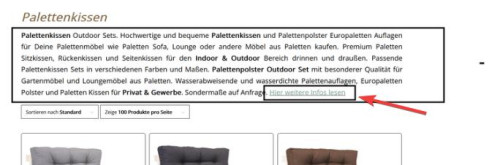
Nonetheless this css targets all of the links in the term-description sections for all of your pages, please try this:
#top .term-description p a {
	color: #000;
}
Best regards,
Mike
Hi,
This is because the custom link that you are creating is actually in the image link field in the media library and not in the element

Note that in the right hand sidebar “Attachment Details” all of these fields are for the image in the media library are are sitewide, such as “title”, ect. these are not limited to the one element.
So you can only add one link to the image. Try uploading another image with a different file name and add your second link to it, or you can use the work flow I posted above.
Best regards,
Mike
Yes, I do and thank you. Unfortunately the touch event seems to get caught behind delayed actions no matter what I exclude.
#top .dropdown_widget .buttons .button.checkout
#top .dropdown_widget .buttons .button
.woocommerce-mini-cart__buttons
a.button.wc-forward
a.button.wc-forward:hover
.woocommerce-page .button
#sv-rbadge-box
#searchform
#searchsubmit
.avia-search-tooltip
.inner-toolip
.minus
.plus
.rating_container
.woocommerce-product-gallery
.header_color .avia-tt
#top #searchform(.*)
.avia-search-tooltip #searchform(.*)
#top .avia-font-entypo-fontello
.header_color .av_ajax_search_image
.header_color .av_ajax_search_title
.header_color .ajax_search_excerpt
(.*).av_ajax_search_entry(.*)
.ajax_search_response (.*)
(.*).av_ajax_search_title
(.*).ajax_search_excerpt
(.*).av_ajax_search_image
.header_color h4
(.*).av_ajax_search_content
.main_menu
.menu-item-avia-special
.av-hamburger
.av-hamburger-box
.av-hamburger-inner
.av-burger-overlay
.av-burger-overlay-scroll
.av-burger-overlay-inner
.av-active-burger-items
.av-burger-overlay-active
.av-burger-overlay-active-delayed
.av-hamburger--spin
.av-js-hamburger
.avia_hidden_link_text
.av-burger-menu-main
#av-burger-menu-ul
#avia-menu
.av-width-submenu
.current_page_item
.current-menu-item
.avia-menu
.av-main-nav-wrap
.menu
.av-main-nav
.sub-menu
.av-burger-overlay-bg
.inner-container
#header_main
\/jquery(-migrate)?-?([0-9.]+)?(.min|.slim|.slim.min)?.js(\?(.*))?( |'|"|>)
/dynamic_avia/avia-footer-scripts-(.*).js
/enfold/js/avia-snippet-hamburger-menu.min.js
/enfold/js/avia.js
/enfold/js/shortcodes.js
/enfold/js/avia-compat.js
/enfold/js/(.*).js
/enfold/js/aviapopup/(.*).js
/enfold/config-templatebuilder/avia-shortcodes/
/wp-content/plugins/woocommerce-germanized/(.*)
var avia_is_mobile
It is a very common problem and I don´t know what the issue is but it seems that the burger-menu calls to some other function that still does get delayed.
Hi,
Thanks for the feedback, try this CSS in your Enfold Theme Options ▸ General Styling ▸ Quick CSS field:
@media only screen and (max-width: 767px) {
	#sub_menu1 {
		margin-top: 75px;
	}
}
After applying the css, please clear your browser cache and check.
Best regards,
Mike
Hey Chrisxx1982,
Thank you for your patience and the screenshots.
1: please link to this page as I couldn’t find the purple color on my Android device, you are using Android correct?
2: Try this CSS in your Enfold Theme Options ▸ General Styling ▸ Quick CSS field:
#top #menu-item-shop .av-cart-counter {
    background-color: red;
    color: #ffffff;
}
3: try this css:
#top #main div.woocommerce-error a.button, #top #main div.woocommerce-message a.button {
    background: red;
}
4: for the links on this one page only in the text element, try this css:
#top.home .avia_textblock strong a {
	color: red;
}
5: try this css:
#top ul.products li .price,
#top p.price {
	color: #000 !important;
}
Please adjust the colors to suit, after applying the css, please clear your browser cache and check.
Best regards,
Mike
Hey sharynt3,
If you don’t want this everywhere you will need to add a custom class to the H5 tag like this: <h5 class=”huge”>…</h5>

Then add this CSS in your Enfold Theme Options ▸ General Styling ▸ Quick CSS field:
#top #wrap_all #main.all_colors h5.huge {
	font-size: 48px;
}

After applying the css, please clear your browser cache and check.
Best regards,
Mike
Hey Suze,
Thank you for your patience, try this CSS in your Enfold Theme Options ▸ General Styling ▸ Quick CSS field:
.html_av-overlay-side #top #wrap_all div .av-burger-overlay-scroll #av-burger-menu-ul li:hover ul.sub-menu li a {
    background-color: unset;
}
.html_av-overlay-side #top #wrap_all div .av-burger-overlay-scroll #av-burger-menu-ul li ul.sub-menu li:hover a {
    background-color: #0073bb;
}
After applying the css, please clear your browser cache and check.
Best regards,
Mike
Hi,
Thanks for the feedback, please try disabling all of your plugins and clear your LightSpeed cache. If that resolves the issue, reactivate each one individually until you find the cause.
If not the try disabling your LightSpeed cache and see if that solves, this looks like it cold be a object-oriented cache issue.
As I investigate your LiteSpeed plugin setting further it gives a warning that you don’t have a LiteSpeed web server:

Please double check your webhost if you do and way the plugin doesn’t think you do, perhaps this conflict is the issue.
I still recommend first disabling all plugins and see if that helps, then if not the try disabling your LightSpeed cache and check again.
Best regards,
Mike
Hi,
Thanks, I corrected it for you, please check.

Unless there is anything else we can assist with on this issue, shall we close this then?
Best regards,
Mike
Thanks for your prompt response.
I just updated my theme successfully.
I also updated my PHP to version 8.0. (The old version was 7.4)
My WordPress version is: Current version: 6.4.1
Theme: latest version! (5.6.8)
My website is still not keeping the changes. Once I reload, the changes disappears
Error log:
[02-Dec-2023 17:13:10 UTC] PHP Warning: Creating default object from empty value in /home2/ab1501/public_html/wp-content/themes/enfold/config-templatebuilder/avia-shortcodes/slideshow_layerslider/slideshow_layerslider.php on line 28
[02-Dec-2023 17:15:11 UTC] PHP Warning: Creating default object from empty value in /home2/ab1501/public_html/wp-content/themes/enfold/config-templatebuilder/avia-shortcodes/slideshow_layerslider/slideshow_layerslider.php on line 28
Hey Celeranttechnologycorp,
Thank you for your patience and the link to your site, to have the slideshow arrows to the side of the slider try this CSS in your Enfold Theme Options ▸ General Styling ▸ Quick CSS field:
#top .av-horizontal-gallery {
    overflow: visible;
}
#top .av-horizontal-gallery .av-horizontal-gallery-inner{
	overflow: hidden;
}
#top .av-horizontal-gallery .avia-slideshow-arrows .prev-slide {
    transform: translateX(-100px);
}
#top .av-horizontal-gallery .avia-slideshow-arrows .next-slide {
    transform: translateX(100px);
}
Please see the screenshot in the Private Content area of the expected results
Best regards,
Mike



