but you can use the enfold contact form – but with WP Mail SMTP
The free version is all you need. – It has many mailer options
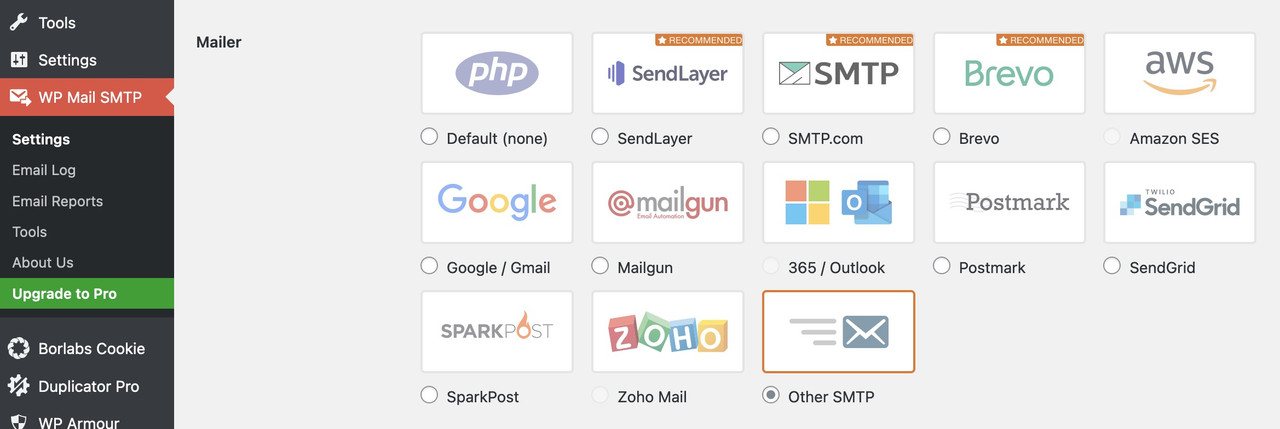
You just need to find out from your provider which smtp server settings you need to use.
By the way: Incidentally, the spf-record is probably the most important thing here if, for example, the e-mail address used in your installation to send the contact form does not match the domain.
e.g:
SPF Include Example
For example: If you have “include:_spf.google.com” in your SPF record, and emails are sent from a Google IP address, it will be considered an authorized email sender because the originating IP is found within the “include” mechanism of that domain’s SPF record. As a result of this, the email will successfully pass through the server before reaching its intended recipient.
To authorize google as a verified sending source, this should be your SPF record syntax:
v=spf1 include:_spf.google.com ~all
that means : f.e. if your wordpress domain is your-wordpress-domain.com but you try to send your e-mails via contact form by (Email address hidden if logged out)
you had to go to your provider of your-wordpress-domain.com and set a txt record with including the url : your-name.com to authorized email sender.
Ask your provider what setting might be the best for your installation.
this differs from provider to provider. For example – on former times i had my domains on hosteurope.
so i had to set a txt record : v=spf1 a mx include:spf.server-he.de -all
etc.
Als Participant sehe ich den Inhalt des Private Content nicht. Daher musst du dann in dem Fall auf einen Moderator warten.
Nun bei deinem Nick ist es allerdings nicht allzuschwer die Domain zu finden.
Eventuell ist die Einstellung: Dashboard – Enfold Child – Allgemeines Layout – Fixiertes Seitenleisten-Menü : “Fixieren, wenn Seitenleiste kleiner als die Bildschirmhöhe ist, ansonsten scrollen”
nicht uninteressant: so bleibt dann dein Menü sticky – und man muss nicht ellenlang scrollen um wieder eine Auswahl zu treffen.
When I try to download a demo theme, I get “Download of files for demo Enfold 2017 didn’t work! You might want to try reloading the page and then try again.” Refreshing doesn’t help. Resetting WordPress with WP Reset didn’t help. How can I download the demo themes?
Note I tried with another theme, and I got the same response.
I reset the account’s ini files to very high levels,
I added
@ini_set( ‘upload_max_size’ , ‘120M’ );
@ini_set( ‘post_max_size’, ‘120M’);
@ini_set( ‘max_execution_time’, ‘300’ );
to the functions.php file.
I added define(‘WP_MEMORY_LIMIT’, ‘512M’); to the wp-config.php file.
Same problem in another Enfold-Project….
Hi,
Thanks for the update. Please open a new thread if you should have any further questions or problems.
Best regards,
Rikard
yes – thats why i wrote “if you like to have gradient fillings for icons on enfold you can use that background-clip: text ”
as I used an inverted icon in my example, it was misleading – sorry
I’m using enfold 5.6.12. Yes i defined a custom taxonomy using plugin called “Custom Post Types UI”
Hey mariabuder73,
Thank you for the inquiry.
There isn’t a privacy toggle or shortcode available for Adobe fonts. However, you might be able to block these cookies in the Enfold > Privacy & Cookies > Cookie Handling > Advanced Options section. You can define or create Additional Custom Cookies.
Please refer to the link below for more info:
// https://kriesi.at/documentation/enfold/privacy-cookies/#additional-custom-cookies
Best regards,
Ismael
Hey jesusc126,
Thank you for the inquiry.
Looks like the includes/helper-privacy.php file is missing. Please completely remove the current enfold folder and any copy of the theme in the wp-content > themes folder, before uploading the latest version. Let us know if this helps.
Best regards,
Ismael
Hi,
Thank you for the info.
You may need to check this thread: https://kriesi.at/support/topic/no-in-smart-quantity-woo-plugin/#post-1435087
The plugin might be conflicting with the theme’s custom quantity button. This can be fixed by editing the enfold/config-woocommerce/woocommerce-mod.js file and removing this code around line 131:
avia_apply_quant_btn();
Best regards,
Ismael
Hey TheElear,
Thank you for the inquiry.
We are not yet sure what is causing the issue, but we noticed that the site’s SSL certificate has expired. Please renew the certificate, then toggle or temporarily disable the Enfold > Performance > File Compression settings. Make sure to purge the cache afterwards.
Best regards,
Ismael
Hi,
You can also add this code to the functions.php file to enable the Advanced Layout Builder for the default shop page, but please note that this might limit certain functionalities.
add_theme_support( 'avia_custom_shop_page' );
For more info, please check the link below:
// https://kriesi.at/documentation/enfold/woocommerce-shop/#custom-woocommerce-shop-overview-with-advanced-layout-editor
Best regards,
Ismael
Hi,
Can you send emails using a different contact form plugin? Please follow @Guenni007’s suggestions above and check the link below for more possible solutions:
// https://kriesi.at/documentation/enfold/contact-form/#my-contact-form-is-not-sending-emails-
Best regards,
Ismael
Hey xfacta,
Thank you for the inquiry.
You may need to enable the Single Post Navigation in the Enfold > Blog Layout > Single Post Options section. Let us know of the result.
Best regards,
Ismael
HI,
We installed a new Enfold license into an updated WordPress website and there is a fatal error that we can’t figure out. The wordpress files don’t have this php file and we tried to add code into the .ini file on the server, but it still there. Can you please let us know what we are missing here?
Fatal error: Uncaught Error: Failed opening required ‘includes/helper-privacy.php’ (include_path=’.:/opt/cpanel/ea-php83/root/usr/share/pear’) in /home/carprosa/public_html/wp-content/themes/enfold/functions.php:238 Stack trace: #0 /home/carprosa/public_html/wp-settings.php(663): include() #1 /home/carprosa/public_html/wp-config.php(88): require_once(‘/home/carprosa/…’) #2 /home/carprosa/public_html/wp-load.php(50): require_once(‘/home/carprosa/…’) #3 /home/carprosa/public_html/wp-blog-header.php(13): require_once(‘/home/carprosa/…’) #4 /home/carprosa/public_html/index.php(17): require(‘/home/carprosa/…’) #5 {main} thrown in /home/carprosa/public_html/wp-content/themes/enfold/functions.php on line 238
Hello everyone,
I’m hoping to make some progress here. Because so far I have not found a real solution. There are situations where the directory wp-content/uploads/dynamic_avia/avia_posts_css is empty in my wordpress blog. This also deletes the CSS file ( post-4812.css ) that is usually stored there.
I now use a Redis Object Cache plugin (from Till Krüss) for caching. After saving the theme settings, for example, this CSS file is removed but not created again. As a result, the background is missing on my start page.
I have already followed the tips at https://kriesi.at/documentation/enfold/optimization/#troubleshoot and ‘Merge and compress’ is deactivated. In addition, ‘Delete old CSS and JS files’ is deactivated in the theme settings. However, the file is not recreated. Only when I clear the Redis cache once or deactivate the Redis cache permanently does the problem go away and the background is visible again.
Maybe one of you has a decisive hint for me.
Thank you very much
-
This topic was modified 1 year, 11 months ago by
 gnilebein.
what version of Enfold you are running?
there is more support on cpt in the newest version
Have you also defined a custom taxonomy for your CPT?
Do you use a plugin to register the CPT?
First of all, I would recommend using an SMTP plugin. It makes the e-mail / contact form exchange much more secure.
How does the not sending manifest itself? Do you get an error message from Enfold – or do you not receive any test emails via the contact form?
A lot has happened with providers in terms of security.
So if you do not have an spf record in your DNS settings, your emails may go out but be intercepted by your provider.
I always set spf-record , DKIM and DMARC in the DNS settings.
you see here on your code that you have set these meta infos to display: none ( 1 and 2 ) but the separator ( text-sep ) is still there.
now – if you set the whole parent container to display : none that will do the job.

sorry it is only one css in your existing one that you can erase and insert instead mine from above
.html_elegant-blog #top .post-entry .minor-meta {
  display: none !important;
}
maybe you haven’t refreshed your merging on enfold or have some caching plugins that will preserve the old styles.
Hey nadinedomnink,
Try this CSS in your Enfold Theme Options ▸ General Styling ▸ Quick CSS field:
#top #header_main {
    border-bottom-width: 0;
    border-bottom-style: none;
}
to change the header background color use the settings at: Enfold Theme Options ▸ General Styling ▸ Logo Area Background Color
Best regards,
Mike
Hey fkm,
Thanks for the link to your page, but I don’t find a youtube link or video on it, when I check our demo page for our video element the videos don’t automatically play unles the option is enabled in the video element settings.
Please explain in further detail which element you are adding the video link to, and how we can reproduce this.
Best regards,
Mike
Hi,
Glad we were able to help, if you have any further questions please create a new thread and we will gladly try to help you. Thank you for using Enfold.
Best regards,
Mike
Hello,
My Enfold contact form no longer sends emails since last update.
I’ve tried (with no success):
change email address
check spam folder
wordpress sends emails ok
created a new default form: still no email sent
The SAME form in the English version does work.
Where could the problem come from please?
Thanks! :)
if you like to have gradient fillings for icons on enfold you can use that background-clip: text
on all icons:
[data-av_icon]:before {
  background-size: 100% 100%;
  background: var(--wp--preset--gradient--cool-to-warm-spectrum);
  -webkit-background-clip: text;
  -webkit-text-fill-color: transparent;
}

as background you can use the existing css variable gradients – or any gradient you like.
if you need to be more specific – than you had to use custom classes.
Hey Martin,
ad 1)
Datei …\enfold\framework\php\class-form-generator.php
Es gibt 2 Filter:
avf_contact_form_incoming_mail
avf_contact_form_autoresponder_mail
Im übergebenen array $mail_array:
$mail_array['Content-type'] = 'text/plain';
ad 2)
kann man leider nicht ändern – bricht sonst die komplette Logik.
Best regards,
Günter
Hello,
The following question about the WordPress form at “hotspring.de”
When a form is created via the Enfold Avia Editor object.
The email that reaches us as the recipient contains the form fields
“content type: text/html”
Unfortunately, the alternative “content-type: text/plain” is missing.
As a recipient of our CRM, we need the form data as “text/plain”.
Enfold uses ‘X-Mailer: PHPMailer 6.9.1’
I know that PHPMailer can send plain AND(!) html…
1) Where can you set form “content-type” in the Enfold?
2) Can you change the (automatic) form field names?
So instead of ‘input name=”avia_2_1″ ..’ change it to name=”last name”.
———————————————————————————————————————-
Hallo,
folgende Frage zu WordPress Formular bei “hotspring.de”
Wenn über den Enfold-Avia-Editor-Objekt ein Formular erstellt wird.
Die Mail, die bei uns als Empfänger ankommt, enthält die Formularfelder als
“content-type: text/html”
Leider fehlt der alternative “content-type: text/plain”.
Als Empfänger unseres CRM benötigen wir die FormDaten als “text/plain”.
Enfold benutzt ‘X-Mailer: PHPMailer 6.9.1’
Ich weiss dass PHPMailer plain UND(!) html senden kann…
1) Wo kann man Formular “content-type” im Enfold einstellen?
2) Kann man die (autom.) Formular Feldnamen ändern?
Also statt zb ‘input name=”avia_2_1″ ..’ in name=”Nachname” ändern.
Hi,
I have updated to the latest Enfold version and all Polish characters got replaced by gibberish.
Please advise how to fix this.
The website is http://www.paciorkiewicz.pl
thank you
Peter
Hi,
I’m currently in the process of migrating our old website onto a new website that’s developed with Enfold. On our old website, we had a few custom post types. I’ve created these post types on the new website using “Custom Post Type UI” and migrated all posts from the old site using the WP import/export tool.
I want to display these posts in masonry on my new site. I’ve followed this topic link to do so. However, even though I’ve put and customized the snippet in my functions.php file and created a custom taxonomy for the post type, when I select this taxonomy from “Display entries from: Category: Case studies,” it doesn’t display any posts in my masonry, even though the custom post type “Case studies” has a few posts already added.
What can be the problem? Am I missing something or did something change since the linked post?
Thanks in advance.



