Viewing 30 results - 3,451 through 3,480 (of 243,848 total)
  • Author
    Search Results
  • #1476335
    So Evolve
    Participant

    Has anyone else experienced issues with the Enfold theme not propagating correctly after updating Woocommerce or Woocommerce Payments plugins?

    • This topic was modified 11 months, 1 week ago by So Evolve. Reason: Additional website URL's
    #1476334
    drees202
    Participant

    Hello, we have recently noticed in our dev environment (Enfold 6.0.8) our footer is no longer appearing across every page as it should. In fact, it is not appearing at all. If you could please let me know if there is some sort of configuration that may have recently changed. Or one that could resolve this issue & restore our footer.

    #1476330
    FdB_wp
    Participant

    How can I create events in ENFOLD which no longer be displayed automatically at the end date, but the events that are still active should move up in order.
    There is a plugin for this? I have not found one.
    Thanks for a reply

    Greetings Fred

    #1476325

    because of there is only a layout with columns.
    So please go and set a 1/1 column below that – to see how enfold handles the rest.

    the first column now can be select via:
    #top.postid-335 .entry-content-wrapper .submenu-col instead of #top.postid-335 .entry-content-wrapper .flex_column.first

    on your layout there is no parent element that you can give a custom class to. So we had to work with page/post IDs
    If you have that on all single posts – than we can select more global as f.e.: single-post etc.

    PS : there is no slug of the post on default enfold.

    #1476324
    Jame’s Band 007
    Participant

    Dear Folks,
    To create a perfectly blank page, do I need to add a file to the directory that contains the page templates through FTP?
    I assume that if I create my own template they will not be overwritten when the theme is updated?
    This will save me from creating/activate a child theme.
    Is this possible to create my own blank page directly from the Enfold theme options?
    Many thans for your help.
    Best regards,
    James

    #1476322
    Blatze
    Participant

    Hello everyone, unfortunately the Paypal addon from Ninja Forms has recently stopped working with Enfold. if I set wordpress to a standard theme it works, if I activate it in Enfold, it no longer works. A customer sells his product through it, so I hope you can help. I assume it happened with the last or penultimate update, because before it worked without any problems.

    Thanks in advance and greetings KiM

    Hallo zusammen, leider funktioniert seit kurzem das Paypal Addon von Ninja Forms nicht mehr zusammen mit Enfold. setze ich wordpress auf ein standard Theme geht es, aktiviere in Enfold, geht es nicht mehr. Ein Kunde verkauft darüber sein Produkt, daher hoffe ich ihr könnt helfen. Ich vermute es ist mit dem letzten oder vorletzten Update passiert, denn zuvor ging es problemlos.

    Danke im voraus und Gruß KiM

    #1476311

    you can have both – column sticky and sidebar sticky

    .responsive body#top.postid-335 {
        overflow-x: visible;
    }
    
    #top.postid-335 #wrap_all {
        overflow: visible;
    }
    
    @media only screen and (min-width: 768px){  
      #top.postid-335 .entry-content-wrapper {
        display: flex;
        justify-content: space-around;
        align-items: flex-start;
      }
    
      #top.postid-335 .entry-content-wrapper .flex_column.first{      
        position: -webkit-sticky !important;
        position: sticky !important;
        top: 100px;   /*** depends on your header-height after scrolling ***/
        min-width: 120px;  /*** you can have here absolute Values  ***/
      }
      #top.postid-335 #main div > .container {
        display: flex;
        justify-content: space-around;
        align-items: flex-start;
      }
    
      #top.postid-335 .sidebar{
        position: -webkit-sticky !important;
        position: sticky !important;
        top: 60px;   /*** depends on your header-height after scrolling ***/
        width: 30% !important; /*** you can have here different width than on global settings of Enfold ***/
      }
    }
    #1476308

    see here the example page for sticky sidebar with code : https://webers-testseite.de/sticky-sidebar/

    Try to make a screenshot of your enfold layout you like to have. Or describe it better.

    On your sandbox the parent element is the entry-content-wrapper
    now you like to have the first column to be sticky and the second one scrolls. The sidebar on the right should scroll away too?

    #1476295
    Jak73
    Participant

    Hi,
    i am looking for a sitemap plugin that works well with enfold?
    kin d regards Jak

    #1476290

    Hey Kate,

    Thank you for the inquiry.

    Please use the following css code and make sure to toggle or temporarily disable the Enfold > Performance > File Compression settings afterward.

    #top .main_color .av-catalogue-content {
        color: #ececec;
    }

    Let us know of the result.

    Best regards,
    Ismael

    #1476280

    Hey Silvia,

    Thank you for the inquiry.

    You can adjust the settings in the Header > Extra Elements > Enfold WPML Language Flags (Global Setting). Or add this code in the functions.php file:

    function avia_remove_main_menu_flags(){
    	global $avia_WPML;
    
    	add_filter( 'wp_nav_menu_items', [ new avia_WPML, 'handler_append_lang_flags' ], 9999, 2 );
            remove_filter( 'wp_nav_menu_items', [ 'avia_WPML', 'handler_append_lang_flags' ], 9998, 2 );
    	remove_filter( 'avf_fallback_menu_items', [ 'avia_WPML', 'handler_append_lang_flags' ], 9998, 2 );
    	remove_action( 'avia_meta_header', 'avia_wpml_language_switch', 10 );
    	remove_action( 'ava_main_header_sidebar', 'avia_wpml_language_switch', 10 );
    }
    add_action('init','avia_remove_main_menu_flags', 9999);

    IMPORTANT: Please make sure to create a site backup before editing the functions.php file.

    Let us know of the result.

    Best regards,
    Ismael

    #1476272
    THP Studio
    Participant

    Hey Gunter,

    Recently needed to use the ALB Timeline element for a client, and had these observations:

    1. There appears to be zero documentation on this element? https://kriesi.at/documentation/enfold/ – can’t see it anywhere here?

    2. The real issue though is that all content within the class av-milestone-date timeline-text is duplicated in the HTML of the page (might be the case for other classes as well, but we are only using the Date field in the timeline element and not the title field, so not sure but guessing it’s probably the same). It’s not visible on the page, but is hidden. But still, this means a much bigger DOM than needed and duplication of content that crawlers can read. Is there a reason for this, or a better way around it by refactoring this element?

    You can check and example in private.

    Thanks for taking a look

    Tim.

    #1476264

    In reply to: erreur

    Hey sophie,

    For technical support, please login to the support forum and open a new thread. Also please include the URL to your actual site in the new thread.

    Best regards,
    Rikard

    #1476263

    Hi,

    Thanks for the update, we’ll close this thread for now then. Please open a new thread if you should have any further questions or problems.

    Best regards,
    Rikard

    #1476262

    Hi,

    Thanks for the update. Please open a new thread if you should have any further questions or problems.

    Best regards,
    Rikard

    #1476258

    Topic: erreur

    Sophie Breton
    Guest

    I tried : too many extensions don’t install! it doesn’t work!!!!!!

    Please add following line to Functions.php file in Appearance > Editor
    add_theme_support( ‘avia_demo_store_downloaded_files’ );

    Download the zip file of the demo you would like to import from https://github.com/KriesiMedia/enfold-library/tree/master/demos
    Extract it in uploadsavia_demo_files folder. If you are importing Enfold 2017 demo, files should be extracted inside enfold-2017 so it should look as uploadsavia_demo_filesenfold-2017
    Go to Enfold theme options > Demo Import and import the demo

    #1476247

    In reply to: error cURL error 28:

    dont bother bro the solution support will provide will be a solution that looks like chinese dealing with :

    How to manually import a theme demo

    Please add following line to Functions.php file in Appearance > Editor
    add_theme_support( ‘avia_demo_store_downloaded_files’ );

    Download the zip file of the demo you would like to import from https://github.com/KriesiMedia/enfold-library/tree/master/demos
    Extract it in \uploads\avia_demo_files\ folder. If you are importing Enfold 2017 demo, files should be extracted inside \enfold-2017\ so it should look as \uploads\avia_demo_files\enfold-2017\
    Go to Enfold theme options > Demo Import and import the demo

    ——

    i am considering buying another theme as this is just impossible for a non pro to use it

    i suggested a video tutorial but no response

    • This reply was modified 11 months, 1 week ago by hankboomer.
    #1476240
    MAlmhofer
    Participant

    Dear enfold support team

    I implemented the social media icons in my enfold mobile burger menu

    with code from Mike

    https://kriesi.at/support/topic/fullwith-dropdown-unter-hamburger-menu-mit-social-media-icons/#post-1266922

    The social icons are only shown in the burger mobile menu if the user has an account and is logged in.
    How can I fix this?

    Regards,
    Michael

    #1476236

    In reply to: Shop page

    Hi, so I’ve since installed the Barn2 plug in “Woocommerce product filters” but I can’t get it to work on Enfold’s product grid. Please can you help?

    Thank you

    Sarah

    hi team, wouldnt be a good idea to edit a video showing how to :

    How to manually import a theme demo

    Please add following line to Functions.php file in Appearance > Editor
    add_theme_support( ‘avia_demo_store_downloaded_files’ );

    Download the zip file of the demo you would like to import from https://github.com/KriesiMedia/enfold-library/tree/master/demos
    Extract it in \uploads\avia_demo_files\ folder. If you are importing Enfold 2017 demo, files should be extracted inside \enfold-2017\ so it should look as \uploads\avia_demo_files\enfold-2017\
    Go to Enfold theme options > Demo Import and import the demo

    because frankly , a newby wont even know where to start here as in the “Editor” it is clearly written : “* PLEASE DO NOT EDIT THIS FILE!”

    you guys are cool to share processes but you assume we all understand what this mean.

    a step by step video tutorial would fix the demo download headaches (also duplicator process)

    JennyGr
    Participant

    Hi Enfold is hanging whenever I try to edit causing a time out and then our sever blocks me and I need to get unblocked by our sever people.

    My feeling is this started when my server peple moved us to a new server but they say they have other WordPress sites not causing any issues.

    My theme and plugins are all up to date. I use WP cache and have cleared the cache, but the problem persists as soon as I try to edit a page or post.

    Please can you advise.

    • This topic was modified 11 months, 2 weeks ago by JennyGr.
    • This topic was modified 11 months, 2 weeks ago by JennyGr.
    #1476226

    Hi,

    Thank you for the inquiry.

    Since the page has a transparent header, the menu color must be adjusted in Enfold > Theme Options > Transparency Options > Transparency Menu Color settings. We set it to #454545 temporarily. For the default header, you can adjust the menu style in Enfold > Advanced Styling panel.

    Let us know if you need more info.

    Best regards,
    Ismael

    #1476222

    Hi,

    Thank you for the update.

    The changes above will be added in their config file if I am not mistaken: https://github.com/OnTheGoSystems/wpml-config/blob/master/enfold/wpml-config.xml

    Best regards,
    Ismael

    #1476219

    In reply to: custom element

    Hey wolfgangspelitz,

    Thank you for the inquiry.

    Once a Custom Element Template (CET) is created, go to the Custom Elements tab inside the Advanced Layout Builder (ALB). Hover over the custom element you want to modify, then click the Edit (pencil icon) button. For more details about CET, please refer to this documentation: https://kriesi.at/documentation/enfold/custom-element-templates/#basics

    Best regards,
    Ismael

    #1476206

    Hi,
    Glad we were able to help, if you have any further questions please create a new thread and we will gladly try to help you. Thank you for using Enfold.

    Best regards,
    Mike

    Hey hellsing71,
    Please link to your site so we can examine. Please note that we are now at v6.09 and updating from v4.7 will not work automatically.
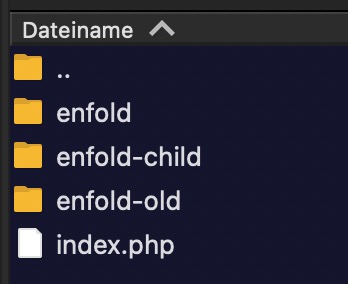
    If you tried to overwrite the theme via FTP you could have errors as old theme files will still be present.
    Try installing the theme update like this:
    To update your version of Enfold you will need to download the latest installable WP version from your Theme Forest account and upload it to your WordPress ▸ Appearance ▸ Themes ▸ Add Themes ▸ Add New
    WordPress_Appearance_Themes_Add-Themes_Add-New.jpg
    after you choose the zip file and click install, you will see a This theme is already installed message because you are updating, you can continue
    Installing_theme_from_uploaded_file_This_theme_is_already_installed.jpg
    then you will see the Theme updated successfully message.
    Theme_updated_successfully.jpg

    Best regards,
    Mike

    #1476199

    Hi,
    Glad we were able to help, if you have any further questions please create a new thread and we will gladly try to help you. Thank you for using Enfold.

    Best regards,
    Mike

    Hey Nancy,
    Your theme version is quite old, v5.4.1 please update to v6.0.9
    To update your version of Enfold you will need to download the latest installable WP version from your Theme Forest account and upload it to your WordPress ▸ Appearance ▸ Themes ▸ Add Themes ▸ Add New
    WordPress_Appearance_Themes_Add-Themes_Add-New.jpg
    after you choose the zip file and click install, you will see a This theme is already installed message because you are updating, you can continue
    Installing_theme_from_uploaded_file_This_theme_is_already_installed.jpg
    then you will see the Theme updated successfully message.
    Theme_updated_successfully.jpg

    Best regards,
    Mike

    #1476187

    In reply to: Ć caracter Lato font

    this is just the lato activation by enfold google font support? (just selecting it from the drop down menu – on general styling – fonts)
    can you show me that page where it is not changed to the correct lato font?
    how did you enter those special characters.
    Can you try to use the unicode html entity & #262; (without that space between ampersand and #)
    Lato is designed by polish Łukasz Dziedzic, so I can hardly imagine that this font is not equipped with diacritical marks.
    but reading f.e.: https://stackoverflow.com/questions/51707185/font-lato-bolded-some-czech-characters – it seem that some characters with Caron (Hatschek) are printed bold – instead of normal.

    but that C with Akut is there :

    • This reply was modified 11 months, 2 weeks ago by Guenni007.
    hellsing71
    Participant

    Dear Support,

    I just updated an abandoned website (from Enfold 4.7 to the latest) after 5 years with a new licence (the developer is out of sight). Everything seemed to be more or less OK until I tried to edit a page. The editor loaded, the content was loaded into the code editor but the page layout didn’t, and the whole site became unresponsive. I couldn’t go back to the Dashboard nor I could open the front. There were no error messages. The only thing I found is this line in my site’s error log:

    Undefined array key “controls” in /home/xxxxxxx/public_html/wp-content/themes/enfold/framework/php/function-set-avia-frontend.php on line 754″

    I had to kill the process on the server to make the site responsive again. I repeated the steps and it happened again.After setting the server to use php 7.4 I had the same error (Avia didn’t load the page to edit) except the site didn’t freeze and the front run perfectly. I switched back to php 8.4.x (for security reasons) and now the site works as long as I don’t try to edit stg.

    WP and all plugins were updated to the latest before installing the new Enfold. The site runs on php 8.4.x.

    Please help me to solve this problem.

    Thanks,

    Peter

    • This topic was modified 11 months, 2 weeks ago by hellsing71. Reason: Typos
Viewing 30 results - 3,451 through 3,480 (of 243,848 total)