http://kriesi.at/themes/enfold/pages/pricing/?skin=Splash%20Red
Used to be white text in the red buttons, now they are black and hard to read. How can we fix?
Edit:
Seem stye white buttons got white text – se further down on the page.
-
This topic was modified 12 years, 5 months ago by
 webpress.
This reply has been marked as private.
Hey ezellmt!
1) Please try to upload all (unmodified) theme files and WordPress files again. I recommend to use ftp to upload the files to your server.
2) Go to Enfold > Theme Options and hit the “Save” button. We changed some styling rules with Enfold 2.4 and you need to regenerate the dynamic stylesheet by saving the theme options.
3) If 1+2) don’t solve the issue please try to deactivate all third party plugins and check if a plugin breaks your website.
Best regards,
Peter
Hey!
Please give us a link to the contact page. The code should change the submit button. Please place the code on the child theme’s style.css.
Best regards,
Ismael
This reply has been marked as private.
I have with button styles in Enfold -> Styles the trouble, that if I use a preset style color scheme like “splash blue”, which generates nice darker blue buttons, the text in the buttons are near black which is hard to read. I switches over to the color scheme “cyan” and have now white text, which reads much better. But the button color is for me a bit to light, so I changed the color by hand to a darker blue. But now a kind of automatic is in action and outputs the button text as a kind of black.
How do I get a darker blue in buttons and links but with white text in buttons?
Hey!
I thought you’re trying to change the contact form’s submit button?
Best regards,
Ismael
This reply has been marked as private.
Hey!
Please use this:
.main_color input[type='submit'] {
background-color: #c05f5f;
color: #ffffff;
border-color: #a03d3d;
border-radius: 3px;
background-image: url("../images/layout/bg-button.png");
background-repeat: repeat-x;
background-position: 0 0;
padding: 10px;
font-size: 12px;
text-decoration: none;
display: inline-block;
border-style: solid;
border-width: 1px;
margin: 3px 0;
line-height: 1.2em;
position: relative;
font-weight: 600;
text-align: center;
max-width: 100%;
}

.avia_ajax_form .button {
margin: 0;
padding: 16px 50px;
border-radius: 2px;
border-bottom-width: 1px;
border-bottom-style: solid;
font-weight: normal;
font-size: 12px;
}

input[type="submit"], #submit, .button {
padding: 9px 22px;
cursor: pointer;
border: none;
-webkit-appearance: none;
}
Adjust the values if you want.
Cheers!
Ismael
This reply has been marked as private.
Hi David!
You can post them here privately. Make sure to check “Set as private reply (Only you and moderators will see the content of this post)” above Submit button
Best regards,
Yigit
Hey midischool!
Can you please post a screenshot of the button that you want? You can style the submit button using this selector on Quick CSS:
.main_color input[type='submit'] {
background-color: #c05f5f;
color: #ffffff;
border-color: #a03d3d;
}

.avia_ajax_form .button {
margin: 0;
padding: 16px 50px;
border-radius: 2px;
border-bottom-width: 1px;
border-bottom-style: solid;
font-weight: normal;
font-size: 12px;
}

input[type="submit"], #submit, .button {
padding: 9px 22px;
cursor: pointer;
border: none;
-webkit-appearance: none;
border-radius: 0px;
}
Cheers!
Ismael
Saw your new website at http://kriesi.at/ and thought it was great! Have some feature requests from what I saw on your site.
Feature requests:
-The OR button where there are two options to select from.
-The social media buttons that flip open to show stats.
-The circle wheel slider where you hover and it shows content in the middle.
Hi.
Can someone tell me how i can use the enfold buttons as a submit button etc on the button of a contact us form instead of the one that comes with the forms?
Them one with the forms looks out of place compared to the enfold button.
Thanks!
Hi hello
I am using the Enfold theme for http://www.rightselection.com, the Easy Slider is not working in this site only the first image is showing and its not scrolling, when we click on the buttons also its not scrolling. Please check in this page http://rightselection.com/test/.
could u help me out?
Thanks
Hi!
looks fine for me, both in windows and mac. No strange fonts, no nudging. Since I can’t see the issue I cant really offer any more assistance, the last thing I can think of is to apply a css rule that we used in an eariler version of enfold to fix similar problems, maybe it also fixes this one:
.avia_textblock,
.avia-icon-list,
.avia-button,
.avia-testimonial,
.iconbox,
.avia_message_box,
.avia-team-member,
.widget,
.post,
.team-img-container img,
.team-social,
.iconlist_icon,
.fallback-post-type-icon,
.fullsize .related_posts,
.grid-image,
.avia-caption-content, .avia-caption-title,
.entry-content-wrapper,
.avia_start_animation
{
	-webkit-perspective: 1000;
	-webkit-backface-visibility: hidden;
}
let me know if that helps. its a shot in the dark based on experience but not sure what else I can do if I can’t see the issue anymore :/
Regards,
Kriesi
Hey!
For that kind of a customization, you are going to need to hire a freelance developer. You can request such feature here as well https://kriesi.at/support/topic/enfold-feature-requests/
you can privately post screenshots here. Make sure to check “Set as private reply (Only you and moderators will see the content of this post)” above Submit button
Regards,
Yigit
-
This reply was modified 9 years, 11 months ago by
 Yigit.
QUESTION 1:
I have a button that I use on my site that is actually a picture.. 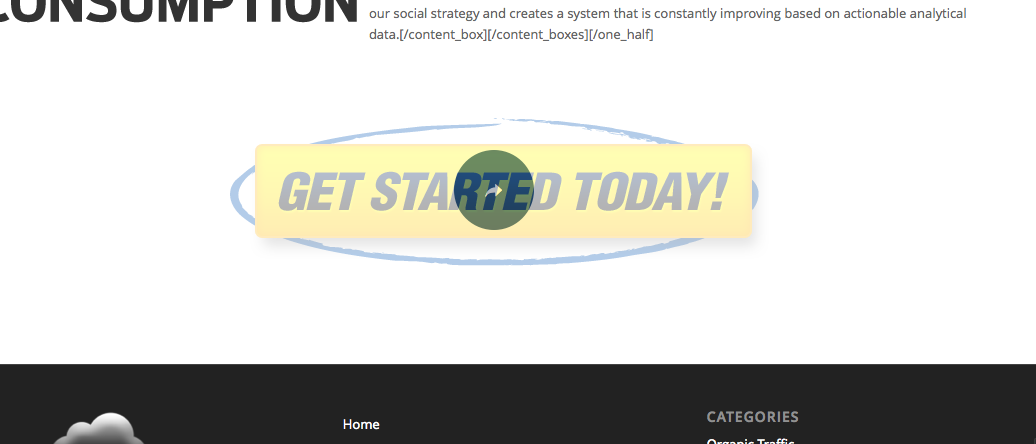 And everytime the mouse hovers over it this effect happens. And I do not like that, is there anything that I can do to change that?
QUESTION 2:
In the socket section, it has “© Copyright – BlackStorm Design – Enfold Theme by Kriesi”  And I would like it to say just “© Copyright – BlackStorm Design”. Is there any way I can change that?
Hey guys just a general question. I am loving the aesthetic look of the Masonry elements. But I tried to us the masonry gallery with with about 60 images and ran into some issues. Load times. the script is loading images by default at full resolution. Can you talk about why they don’t render as a bit smaller thumbnails and then load full res if you open the lightbox? that is how the normal enfold gallery works and it load much faster.
That being said my computer can load the larger masonry galleries pretty well. but I find that if you scroll down the page as it loads it behaves weird in that it will load many squares on top of each other and not expand down the page like it should. then when it is done if refresh the browser or change the window size (calling for a refresh) then it will expand to show all the thumbnails properly.
Then for mobile. Say an iPhone 4 on a fast wi-fi connection. that same 60 image masonry gallery is like sludge on the phone. It takes for ever to load but then after it is loaded it still hangs almost non stop if you try to scroll up and down the page. And if you want to rotate the orientation of the device it freezes also. Is there some added limitations on mobile devices with the script or something. I would think it was just the connection speed. But with the same connection the phone and computer are in different leagues. I tried to limit the initial load to a smaller amount of images, say 20 or so and then make the user hit the load more button. It was marginally faster initial load, but only slightly, but after it loaded another 20 or more the page froze up again. Is there a way to make the thumbnails be a smaller embedded size or something? If it is using the full size I could obviously upload smaller but other places that need the same image larger would have to be a completely separate image upload. Different than say a normal large size uploaded image that wordpress auto reproduces smaller and then the user picking the display size.
So basically the question is, is there anything you or I can do to make large masonry image galleries function well on mobile devices?
I’m very enthusiastic about the new Masonry option, but also a bit disappointed by certain limitations. For example:
- The Masonry Gallery doesn’t seem to allow me to use thumbnails for the grid overview. In my case, where they click to view high quality jpgs, this means they load in a bunch of way too big pictures in the overview. The Media Gallery does have this option, making me wonder why this wasn’t implemented here.
- It would have been nice to set our own link to the items, for example link an item to a page, image, file (like PDF) or manual link.
- A “Load more” button instead of automatic loading when the visitor scrolls down.
Hi homemadebyx!
You can add following code to Quick CSS in Enfold theme options under Styling tab
.avia-button.avia-size-large { min-width: 127px; }
This is default value, you can adjust it depending on your text on your buttons
Cheers!
Yigit
I’d love for the header to be a bit more modern. I’d like the header to act like http://disqus.com/community/ or https://www.uservoice.com/stories/. Where on scroll it goes white and is backed by a background image.
I definitely agree with this, not digging the header options too much.
I would also like some lightbox effects for buttons and contact forms. It would really aid in the process of lead generation.
I totally agree with this too!
Hey!
Can you please give us a link to your website? Please re-create the social buttons on Enfold > Header > Social Icons. Remove all of them then add them again.
Cheers!
Ismael
I’d love for the header to be a bit more modern. I’d like the header to act like http://disqus.com/community/ or https://www.uservoice.com/stories/. Where on scroll it goes white and is backed by a background image.
I definitely agree with this, not digging the header options too much.
I would also like some lightbox effects for buttons and contact forms. It would really aid in the process of lead generation.
Hi!
You can post it here privately. Just make sure to check ” Set as private reply (Only you and moderators will see the content of this post)” above Submit button
Best regards,
Yigit
Hi!
1) Please go to Appearance > Menus and check “Enfold Footer Menu” in Menu Settings http://i.imgur.com/x7yzSVv.jpg
2) Back to top button will appear automatically when you have enough content on your pages
Best regards,
Yigit
Hey!
Do you mind creating a temporary admin login and posting it here privately? Make sure to check “Set as private reply (Only you and moderators will see the content of this post)” above Submit button
Cheers!
Yigit



