Hey Synne!
Please make sure that you are using the latest version of Enfold which is 2.7 – http://kriesi.at/documentation/enfold/updating-your-theme-files/
After updating the theme, please flush cache
Best regards,
Yigit
This reply has been marked as private.
Hi.
After I updated to the latest Enfold version, I can no longer choose which page my buttons (or any other link oriented features) go to. I can choose to set it manually, page etc., but the field that normally show’s up underneath, is gone?!
I tried to deactivate all plugins – nothing changed? I’m using Safari for Mac,but have also tried on Firefox and Chrome.
What gives??
Jesper
@yigit thank you for your quick responses, unfortunately I have deactivated all plugins and I still have the same issue. I have also added all the CSS in the other posts.
Please refer this URL: http://themakeupfactory.com.au/product/flawless-mineral-foundation-suvi/
Does not recognise that a variant is selected and the *clear selection* does not work.
Any other suggestions?
Hey!
Please add following code to Quick CSS as well
form.variations_form.cart { height: 187px !important; }
Best regards,
Yigit
Thanks Yigit, now the description/review box is jumping.
Please check this page http://www.gcoutureshop.co.za/product/animal-print-cardigan-dpamn01
Thanks,
Nicolas
Hey!
I cannot see green button since i am not logged in :) I also updated the code i posted in my previous post. It should make it look even better
Cheers!
Yigit
Hello Yigit,
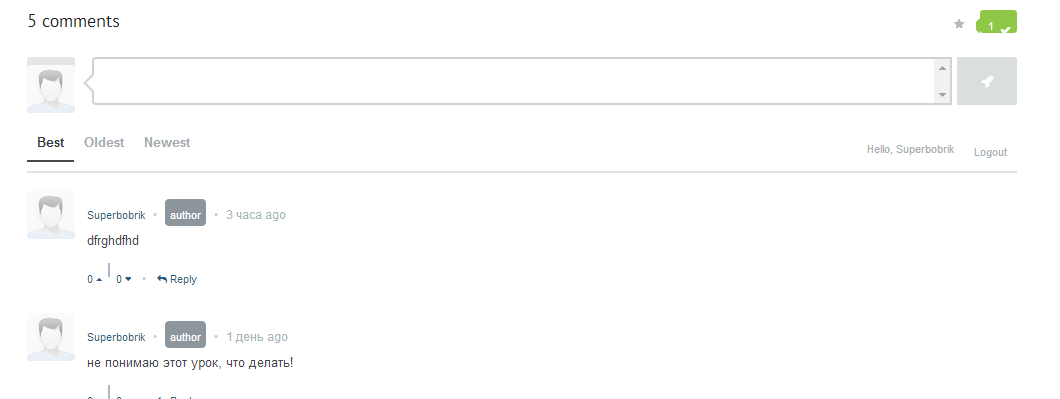
That helped a lot and almost fixed everything. The only thing left is the green button on the top right:
http://i.gyazo.com/febe2c1d92b1930fbac6f4592fd0586d.png
(ot s seen via link tht I gave in https://kriesi.at/support/topic/enfold-and-commentarot-plugin/#post-258971)
I am sorry to ask to fix that in case you are not commonly fix issues regarding other plugins. I would appreciate any help and if not- that is not a problem, anyway you are great support)
Hey!
Please add following code to Quick CSS as well
.single_variation_wrap { height: auto !important; }
Cheers!
Yigit
Hi squaic!
Thank you for using the theme!
You can utilize the anchor page navigation as described on this link: http://kriesi.at/documentation/enfold/add-anchors-to-your-page-for-single-page-navigation/
Instead of using it on the theme menu, use it on the buttons.
Regards,
Ismael
Hello, I’m also still having this problem. Are there any ideas? I deactivated all my plugins but it still has the same jumping effect on the add to cart button after I added the quick CSS code posted here.
=Nicolas
Thanks guys, solution worked perfectly!
Hi!
@bluff03 Please deactivate all active plugins except for WooCommerce and check if that helps
Cheers!
Yigit
Hi, the new sharing buttons on blog posts are not translatable, no entries in .po file (Share on…).
I made changes to the file helper-social media.php but it is not a good solution.
Thank you thinking of adding these terms in the next version of language.
Regards.
Jean
Hello,
my System is WordPress 3.9 and Enfold 2.7.
When i create a new LayerSlider i can not choose an image with click of the Image Button.
I get the following javascript error:
TypeError: ‘undefined’ is not an object (evaluating ‘this.toolbar.get(“spinner”).show’)
Please help!
regards Mario
Hello,
I just created a Paypal button but it appears not to be working.When clicking on the paypal buttom I am given this error response message:
Error:
We can not decode the certificate ID
Here is a link to my website where you can see the paypal buttom.
http://www.bmspanish.com/prices-and-reservation/
Cheers,
Beatriz
Hey grpetz!
Unfortunately, this particular request is beyond the scope of support and is not a theme related issue. I’m not sure if there is a plugin available that can do the same thing. You can hire a freelance developer to create a jquery script that will call the featured image of the product once the add to cart button is click and open it on a lightbox. The task is a bit complicated, unfortunately. Please visit Werkpress for further customization. You can also vote or post the feature on our Feature Requests page.
If you have any further questions about the theme, we are more than happy to provide you with assistance on these inquiries. Thank you for your understanding.
Regards,
Ismael
Thanks you very much!
I have a quick question. I created a table and I try to add the paypal button, but I dont know how I can do it.
Thank you in advance.
Hi mexi33330!
Thank you for using the theme!
Do you mind if we take a look at the actual page with the shopping cart widget? We would like to check it.
Regards,
Ismael
Sorry to bother you again, but could somebody please have a look at this, as my client wishes to sell her products now.
Hi,
ist es möglich die Buttons des Warenkorbes in der Sidebar nebeneinander zu setzen? Ich hab schon die CSS aus diesem Threat verwendet #247866
#top div .widget_shopping_cart .button {
width: 51%;
float: left;
margin-bottom: 10px;
}
allerdings sind anschließend die Buttons untereinander. Ich hätte sie gern nebeneinander ;-)
Vielen Dank für die Hilfe.
Hello!
Thank you for all your help.
Finally I fixed the problem. It was a problem with chrome. Now I´m using Mozilla and everythin is correct.
Thanks you very much!
I have a quick question. I created a table and I try to add the paypal button, but I dont know how I can do it.
In paypal I just create the codex but I dont know where I can paste the codex from Paypal.
Also, I want to create a button with a link to one of my pages., and I can´t make it.
And the last question is that I would like delete the submenu that look like this: You are here: Home / Prices and reservation
Please, can you help me?
Thanks a lot.
Cheers,
Beatriz
Hi uychkinnear!
You can add the class names to your buttons or the shortcodes themselves into the layers you want them to appear. You can pull the individual class names from this page using dev tools in your browser: http://kriesi.at/themes/enfold/shortcodes/buttons/
Regards,
Devin
Hey!
Please add following code to Quick CSS in Enfold theme options under Styling tab
.page-id-19 .read-more-portfolio {
display: none!important;
}
Regards,
Yigit
Peter,
Thanks for your response. That’s what I wasn’t sure about either. I knew Enfold uses mediaelements, but the SeriesEngine player functions properly – the only thing that’s not working or showing up is the Download button (as seen in this screenshot from another site using SeriesEngine):

I’m unsure why everything will function properly…but it’s only one button that doesn’t show up? All of the other buttons show up and it’s not a setting to enable or anything like that.
Stacy
Hello,
I want to change the button of the menu on Iphone and Ipad.
I want to place the text ‘Menu’ there. I believe I have to alter the helper-main-menu.php file. Is this correct?
I work with the latest update of Enfold, version 2.7
I also use a child-theme so can you explain me that if I alter the file helper-main-menu.php how I can activate this in the child theme?
Gr. Jeen
Hi there…
We’re thrilled with the theme, but I’m having an error that I’m not sure if you guys can help pinpoint where the issue is. We use a media player called SeriesEngine to play our church’s audio sermons (and usually an intro video). A “Download” button should appear on the player itself, but it does not. Aside from the Download button not showing up, the media player works fine (we’ve just had church members requesting to have the Download button). I contacted the SeriesEngine developer, and his response was the following:
“It looks like another audio player from your theme or another plugin is overriding the MediaElement player that Series Engine uses, a result of which is that it’s covering up the download button. You may want to have your developer check it out and see if they can track down the culprit.”
Is it something within the Enfold theme that is causing the conflict or one of my plugins? I only use Calendarize It! for WordPress, SeriesEngine, Gravity Forms, Google XML Sitemaps, StatPress and Social Media Widget.
Any insight you could provide would be appreciated.
Our site is http://www.fpcosms.com – if you go to the Sermons page, you can click on any of the Portfolio Items to take you to the media player.
Thank you!
Stacy
Hello, I had the same problem.
I updated the CSS and it brought up the add to cart button, but when I select an option and click add to cart, it returns a message saying ‘Please choose product options…’.
Sample product is here http://themakeupfactory.com.au/product/flawless-mineral-foundation-suvi/
Also, the ‘clear selection’ does not work.
Thanks
Julie
-
This reply was modified 11 years, 12 months ago by
 bluff03.
Hi grassrootsEE52!
Maybe Enfold can’t regenerate the dynamic stylesheet. Please use a ftp client and connect to your server. Navigate to wp-content/uploads/dynamic_avia/ and set the folder permission to 777. Then delete the enfold.css file inside the dynamic_avia folder and go to Enfold > Theme Options to regenerate the dynamic stylesheet (hit the green “Save all changes” button).
Cheers!
Peter
Hi codepantry!
If you need assistance beyond that it would need to be handled by a freelance developer. Ismaels suggestion is a general one but the theme just doesn’t have that kind of built in capacity to dynamically add in an ID to each and every element.
You can also add it in as a feature request here: https://kriesi.at/support/enfold-feature-requests/
Best regards,
Devin