Viewing 30 results - 571 through 600 (of 11,218 total)
  • Author
    Search Results
  • #1422507
    kaneljeff
    Participant

    Two questions:

    1. I am starting from the Enfold Gym demo and noticed that the Main Menu search box does not following my font settings. Is there a way to force the search box to use the Body Text Font?

    2. I noticed in the demo that hovering on the Main Menu items turns the button background a different color (red)? That does not work for my site no matter how I configure the Logo Area colors. How can I make this work on my site?

    Thank you.

    • This topic was modified 2 years, 6 months ago by kaneljeff.
    • This topic was modified 2 years, 6 months ago by kaneljeff.
    • This topic was modified 2 years, 6 months ago by kaneljeff.
    #1422487

    Hi,
    Please note that your shortcode is using single quote marks:
    Enfold_Support_3684.jpeg
    so you need to use a double quote marks after echo do_shortcode( that wrap the inner shortcode:
    Enfold_Support_3686.jpeg
    and you can’t have any line breaks, try this code:

    function ava_woocommerce_before_main_content() {
    if ( is_product() ) {
    echo do_shortcode("[av_submenu which_menu='' menu='49' position='left' sticky='aviaTBsticky' color='alternate_color' mobile='disabled' mobile_switch='av-switch-768' alb_description='' id='' custom_class='' template_class='' av_uid='av-lnbxc8ss' sc_version='1.0'][av_submenu_item title='Menu Item 1' button_style='' link='' linktarget='' av_uid='av-fdyw7' sc_version='1.0'][av_submenu_item title='Menu Item 2' button_style='' link='' linktarget='' av_uid='av-70t2n' sc_version='1.0']");
    }
    }
    add_action( 'woocommerce_before_main_content', 'ava_woocommerce_before_main_content', 10 );

    Please ensure to copy the code from the forum and not an email notification so the symbols are not converted.

    Best regards,
    Mike

    #1422464
    karinkropik
    Participant

    Hi,
    I bought the Enfold theme recently; I have a token and everything – but suddenly the layout (certain headings) went back to the previous problems when I did not have the latest version of Enfold. As I understood, I don’t need to make an update as it should be done automatically with the token??! Although I put the correct code to show the headings they are not showing the way they are supposed to. Also, the circle/button is shown again in my main menu. All of this has been solved with your help but now everything came back without me touching anything except changing the date of a heading. This is really very annoying, please help.

    Hallo, ich habe plötzlich Probleme mit dem Layout/den Überschriften, ebenso wird wieder der Kreis der aktiven oben auf der Leiste im Hauptmenü angezeigt. All diese Probleme hatte ich vor einiger Zeit mit eurer Hilfe gelöst, jetzt ist wieder alles wie vorher, ohne dass ich etwas verändert hätte (außer, ein neues Datum in die bestehende Überschrift eingetragen.) Ich war der Meinung, ich müsste Enfold nicht mehr updaten, da das über das Token automatisch passieren soll. Das ist sehr ärgerlich, bitte um Hilfe.

    https://img.savvyify.com/image/9fsQ5
    https://img.savvyify.com/image/9fHyf

    #1422249

    Hi,

    Thanks for that. Please try the following in Quick CSS under Enfold->General Styling:

    @media only screen and (min-width: 768px) and (max-width: 990px) {
    #buttonbottom {
        position: absolute;
        bottom: 28px;
        left: 22%;
    }
    }

    Best regards,
    Rikard

    #1422162

    In reply to: TikTok

    Hey,

    Currently, you would need to add it manually: https://kriesi.at/documentation/enfold/social-share-buttons/#how-to-add-custom-social-icons-to-enfold-options.

    We added TikTok icon and updated Twitter icon to X in version 5.6.7. We don’t have a release date yet but we’re planning to release it soon.

    Best regards,
    Yigit

    #1422157

    Topic: Problems

    Elske Elisen
    Guest

    Dear Kriesi,

    We are facing several issues that we are unable to resolve.

    The website http://www.mijnsteen.eu does not provide an option to log in via WordPress. No login credentials are available or known; previously, this could be done through an external button on Cloud86. Additionally, WordPress does not recognize the email address: (Email address hidden if logged out) .

    In the footer, it displays “powered by Enfold WordPress theme.” We would like this to be removed. Last time, you provided us with the following tips to remove it:

    You can remove the default link in the footer by adding the [nolink] placeholder in the Enfold > Footer > Copyright field.

    We hope you can assist us with these issues.

    Best regards,

    #1421983

    Hello Ismael… i’m so sorry but do not working…
    i did what you told me… I even reset the options and did it again.
    but when I change the colors it doesn’t work… neither the buttons, icons and the basic colors of enfold too…
    I also tried on the test page you created and it doesn’t work.
    on the homepage, i can’t change colors in all boxes… I have purchased Elfold many times and it has never happened to me….

    please… look inside the boxes on the home page… I selected the colors and they are not visible on the front end…
    same thinks for menu link… i have chang colour but they are the same…

    #1421535

    In reply to: RADIO on ENFOLD FORM

    Hey webba,
    Unfortunately we don’t have a radio option, but you could use the checkbox option and try this CSS in your Enfold Theme Options ▸ General Styling ▸ Quick CSS field:

    input[type="checkbox"]{
      visibility: hidden;
      position: absolute;
    }
    input[type="checkbox"] + label:before{
      height:12px;
      width:12px;
      margin-right: 2px;
      content: " ";
      display:inline-block;
      vertical-align: baseline;
      border:1px solid #777;
    }
    input[type="checkbox"]:checked + label:before{
      background-color: black;
    }
    input[type="checkbox"] + label:before{
      border-radius:50%;
    }

    to make it look like a radio button. If you are also using checkboxes and this causes a conflict, please link to your form and tell us which ones should be a radio button and we can adjust this css to help.

    Best regards,
    Mike

    #1421516

    Hey,

    Please refer to this post: https://kriesi.at/documentation/enfold/footer/#display-scroll-to-top-button-mobile

    If this doesn’t work for you, please check if you have any errors in your custom CSS. You can use this website to do that http://csslint.net/.

    Regards,
    Yigit

    #1421175

    In reply to: Social Media icons

    Hi,

    Please try the following in Quick CSS under Enfold->General Styling:

    #top #wrap_all .social_bookmarks:hover a {
      background-color: #000;
    }
    
    #top #wrap_all .social_bookmarks a:before {
      font-size: 16px;
    }

    The documentation you linked to is for the social share element, not the icons in the header. I’m not sure which example you would like to mimic, but I don’t think large rectangle buttons would look nice or fit inside the header unfortunately.

    Best regards,
    Rikard

    #1421163

    In reply to: Social Media icons

    http://www.powerkleen.co.za
    I would like guidance on how to customise the social media icons please. I would really like to have them look like your enfold style 2 that is shared in this link https://kriesi.at/documentation/enfold/social-share-buttons/
    but I cannot get it to work

    #1421136

    Topic: Social Media icons

    in forum Enfold
    M-Graphics24
    Participant

    Please help with how to edit my social media buttons in the header in enfold theme. I would like them black, not colour background on hover and bigger.

    #1420929
    This reply has been marked as private.
    #1420846
    ricedean
    Participant

    When I click on the submit button the form field colors turn to green instead of blue like the submit button on rollover. The green appears to be a holdover from the green styling that the enfold theme comes with. I can’t figure out the css to fix. Can you help?

    #1420721
    jamesedwardcouncill
    Participant

    Hello – I have tried following the instructions here (https://kriesi.at/documentation/enfold/social-share-buttons/#how-to-add-custom-social-icons-to-enfold-options) to add the Spotify icon (I need Apple podcast too), but it’s not working for me. I must be doing something wrong.

    I am not using a child theme (should I be?), so I added the code where the instructions indicate in the functions.php file and changed the icon code to uf328 for the Spotify one. Nothing happens. Now when I add the code to the top of the functions.php file, it does allow me to use a fontello icon (ue800), but not the Spotify one. I currently have the code placed below this line: if(isset($avia_config[‘use_child_theme_functions_only’])) return; but no addtional icons are available in the theme options.

    Code I am using:
    if( isset( $avia_config[‘use_child_theme_functions_only’] ) )
    {
    return;
    // Register new icon as a theme icon
    function avia_add_custom_icon($icons) {
    $icons[‘icon_name’] = array( ‘font’ =>’entypo-fontello’, ‘icon’ => ‘uf328’);
    return $icons;
    }
    add_filter(‘avf_default_icons’,’avia_add_custom_icon’, 10, 1);

    // Add new icon as an option for social icons
    function avia_add_custom_social_icon($icons) {
    $icons[‘Icon Label’] = ‘icon_name’;
    return $icons;
    }
    add_filter(‘avf_social_icons_options’,’avia_add_custom_social_icon’, 10, 1);
    }`

    Any help is appreciated.

    #1420691

    Topic: Toggle section issue

    in forum Enfold
    dweddell
    Participant

    Hi

    I have attempted to toggle a section following this guide https://kriesi.at/documentation/enfold/button/#toggle-id-7), however, I cant get it to work on this page:

    Can you assist please

    Kind regards

    Duncan

    #1420642

    Hi grafix_,

    You’re correct, it will not work because Enfold 4.4.1 was released June 2018, while PHP 8 was just released November of 2020.
    You will need to update Enfold to the latest version for it to work properly.

    Please do the following process:

    First make a backup:
    – Site Backup: https://kriesi.at/documentation/enfold/backup-wordpress-site/
    – Theme Settings Backup: https://kriesi.at/documentation/enfold/backup-theme-settings/

    Option 1: Use Envato Market to update your site
    – link: https://envato.com/market-plugin/

    Option 2: Update manually
    1. Login to ThemeForest and download the Enfold theme, right-click over the downloaded zip file and extract/unzip it.
    2. It should generate a new folder, open it and look for the enfold folder
    3. Right-click the enfold folder then zip it, here’s a tutorial on how to create a zip file in windows: https://www.howtogeek.com/668409/how-to-zip-and-unzip-files-on-windows-10/ (this should create enfold.zip
    4. Log in to WordPress as and Admin.
    5. Install and activate a maintenance plugin and put your site in Maintenance mode.
    6. Go to Appearance > Themes, switch to a default WordPress theme like TwentyTwenty then delete Enfold.
    7. Click on the ADD NEW button.
    8. Click on the UPLOAD THEME button.
    9. Click BROWSE and choose enfold.zip file
    10. Click the INSTALL NOW button and switch to Enfold or your child theme.
    11. Remove the maintenance mode then deactivate and remove the maintenance plugin.

    Then register the theme by following the instructions in https://kriesi.at/documentation/enfold/theme-registration/
    Once this is done, the next time you update, you’ll only need to go to Enfold > Theme Updates and click on the Update button.

    Hope it helps.

    Best regards,
    Nikko

    #1420639

    Hi Jamison Williams,

    Yes, it’s possible, please do the following process instead:

    First make a backup:
    – Site Backup: https://kriesi.at/documentation/enfold/backup-wordpress-site/
    – Theme Settings Backup: https://kriesi.at/documentation/enfold/backup-theme-settings/

    Option 1: Use Envato Market to update your site
    – link: https://envato.com/market-plugin/

    Option 2: Update manually
    1. Login to ThemeForest and download the Enfold theme, right-click over the downloaded zip file and extract/unzip it.
    2. It should generate a new folder, open it and look for the enfold folder
    3. Right-click the enfold folder then zip it, here’s a tutorial on how to create a zip file in windows: https://www.howtogeek.com/668409/how-to-zip-and-unzip-files-on-windows-10/ (this should create enfold.zip
    4. Log in to WordPress as and Admin.
    5. Install and activate a maintenance plugin and put your site in Maintenance mode.
    6. Go to Appearance > Themes, switch to a default WordPress theme like TwentyTwenty then delete Enfold.
    7. Click on the ADD NEW button.
    8. Click on the UPLOAD THEME button.
    9. Click BROWSE and choose enfold.zip file
    10. Click the INSTALL NOW button and switch to Enfold or your child theme.
    11. Remove the maintenance mode then deactivate and remove the maintenance plugin.

    Then register the theme by following the instructions in https://kriesi.at/documentation/enfold/theme-registration/
    Once this is done, the next time you update, you’ll only need to go to Enfold > Theme Updates and click on the Update button.

    Hope it helps.

    Best regards,
    Nikko

    #1420276

    In reply to: Burger overlay

    Hello,

    hot to have space between the logo and the first button (ENG)?

    There isn’t an option for that in Enfold. You’re going to need to use custom CSS.

    Is it possible to set a bold font into a MENU?

    Please go to Enfold theme options > Advanced Styling, edit the Menu Links in overlay/slide out, and set the Font Weight to Bold ( https://i.imgur.com/a4NwjJb.png ).

    Best regards,
    Yigit

    #1420143

    Hey zeustrucker,
    Try using a grid row element with the text and button on the left and table image on the right, you can even use 1/3 + 2/3 instead of 50/50 when you set the cell size:
    Enfold_Support_3419.jpeg

    Best regards,
    Mike

    #1420140

    In reply to: Main menu and footer

    Hi,
    Thank you for your patience and the link to your site, I couldn’t find the above css on your site, but I believe the reason it doesn’t work is because the css is for the social share buttons and not the custom [social-bookmarks] shortcode that you are using. Nonetheless try this CSS in your Enfold Theme Options ▸ General Styling ▸ Quick CSS field:

    /* Icon style */
    .widget .social_bookmarks li a {
      width: 30px!important;
       height: 30px!important;
       line-height: 24px !important;
       border-radius: 30px!important; 
       padding: 3px 0 !important;
       background: #fff !important;
    }
    /* Icon color */
    .widget .social_bookmarks li a:before {
      color: #00737A;
      transition: all .5s ease;
    }
    /* Icon color on hover */
    .widget .social_bookmarks li a:hover:before {
      color: #000;
      transition: all .35s ease;
    }
    

    After applying the css, please clear your browser cache and check.

    Best regards,
    Mike

    #1420017

    Topic: Video startet ohne Ton

    in forum Enfold
    heldentraeume
    Participant

    Ich habe ein Mp4 Video hochgeladen und eingebunden, folgende beiden Probleme treten auf.

    1. In den Player Einstellung ist Video stummschalten nicht angehakt – funktioniert nicht

    2. Auf dem Handy fehlt der Lautstärke Regler/ Button auf der normalen Webansicht ist er da.
    Es macht keinen Unterschied ob ich das Video per Url -Youtube einbinde oder direkt einbette – Problem ist dasselbe.

    Wenn ich das Video ohne die Funktion Automatische Wiedergabe – Player Einstellungen einbinde
    Dann startet es zwar nicht automatisch, aber der Ton ist auf an.
    Wie kann ich die automatische Stummschaltung deaktivieren

    Automatische Wiedergabe habe ich aktiviert – funktioniert.

    Genutzt wird Enfold 5.6.6 auf WordPress 6.3.1

    #1419942

    Hi,
    For your special heading subheadline, when you choose a special heading with a Subheading you will see a option in the font tab to set the font size, there is not a site wide font size for each specific element, but you could create a CET – Custom Element Templates and then use your element on your site. You can also do this for your buttons, or since your buttons are set to use the theme color you can change the color in your styling, but this will also effect other elements, so it would probably be better to create a “read more” CET button instead.
    Hopefully this answers your two new questions, but please note that we ask that each thread stays on a specific topic, this helps other users find solutions based on the opening subject line quicker, and makes it easier for Mods to help. For further questions please open a new thread
    Please let us know if your original question has been answered and we can close this thread, thanks for your understanding.

    Best regards,
    Mike

    enic5
    Participant

    Hi,

    Can a moderator please help out? Everything has been tested and run multiple times, there’s some issue with the Enfold “Contact Form”. When testing the sender will recieve the confirmation email, but the mail sent won’t land in designated inbox.

    Sending regular e-mail to the adress however works and everything is normal. We launched a site but now we can’t have contact forms so we temporarily replaced them with buttons…

    Kind regards

    #1419531

    Hi pampself,

    Please add this CSS code in Enfold > General Styling Quick CSS:

    #top .products .avia_cart_buttons {
        background-color: #524e63;
        opacity: 1;
        display: flex;
    }

    Best regards,
    Nikko

    #1419354

    Hi,
    Thank you for your patience and the password to your site but I don’t see a user name, please include.
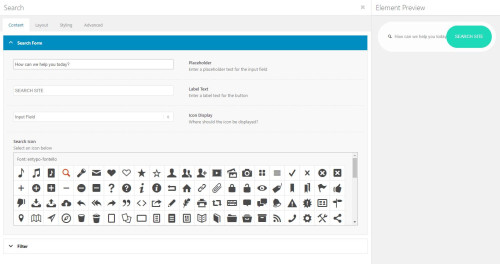
    I see the [avia_search] shortcode in your topbar, it looks like you have not added the code to the end of your child theme functions.php file in Appearance ▸ Editor: add_shortcode('avia_search', 'get_search_form'); or if you did the symbols may be converted, please ensure to copy the code from the forum and not an email notification so the symbols are not converted. You said that you are using SearchWP, did you add the code for it to be the search for your site? And doesn’t it have it’s own shortcode, this page explains how to adjust the SearchWP shortcode for the options you want, you should end up with something like this: [searchwp_search_form engine="default" var="searchvar" button_text="Find Results"] (this code may not work on your site, follow the instructions)
    Your asking for a Amazon search bar, have you thought about adding a larger one like in our Knowledge Base Demo below your menu? We have a search bar element:
    Enfold_Support_3290.jpeg
    that will allow you to adjust the style better it you want a big search bar like on Amazon.

    Best regards,
    Mike

    #1419352

    Hey ijnavas,
    If you are placing each team member element in a column then you could add a button under it, otherwise you could install our Special Character Translation plugin, please see our documentation: Using special characters to allow shortcode in the Team Member Description and the use the shortcode wand to create a button and add it ensuring to replace the brackets in the shortcode with ###91### and ###93###

    Best regards,
    Mike

    #1419214
    bbertuzzi7
    Participant

    I have a site setup to pull in post types from six different tags using the OR option. The first tag loads the first 6 entires as is set in the pagination settings.

    As you click through the other tags across the top, none of the others load there respective first six, and the last tag across the top doesn’t show up until you use the LOAD MORE button on any of them.

    Thanks in advance for the help. My team and I have tried everything we could think of.

    Enfold version 5.6.6.

    #1419189

    Hi,
    The shop cart button is a woocommerce menu item, you want it removed from the menu and float at the bottom right of the screen?
    I don’t see a way to do that, please try using a plugin like these:
    Floating Cart for WooCommerce
    XT Floating Cart for WooCommerce
    Perhaps there are other options in the WordPress Plugin library, you may need to try them to see if they work with Enfold.

    Best regards,
    Mike

    #1418953
    gatehealing
    Participant

    ***note: the codes below are displaying weird, so the tool I used to identify these issues is https://www.seoptimer.com/gatehealing.com#uimobile . . . go down to Usability issues and expand those sections to see the tables that outline these issues***
    regarding: https://gatehealing.com/

    I have 2 types of usability issues:
    1) 3 Font Usability issues, and
    2) 5 Tap Target Sizes

    I cannot find the css file in the Theme editor to fix these issues:

    1) Summary: Legible Font Sizes (THREE issues)
    There is some text on your page that is small and may not be legible enough for particular users.
    We recommend reviewing all text on your page in different devices to ensure that it is of appropriate size.

    1) Font Size
    11px

    Text Block
    html, body, div, span, applet, object, iframe, h1, h2, h3, h4, h5, h6, p, blockquote, pre, a, abbr, acronym, address, big, cite, code, del, dfn, em, img, ins, kbd, q, s, samp, small, strike, strong, sub, sup, tt, var, b, u, i, center, dl, dt, dd, ol, ul, li, fieldset, form, label, legend, table, caption, tbody, tfoot, thead, tr, th, td, article, aside, canvas, details, embed, figure, figcaption, footer, header, hgroup, menu, nav, output, ruby, section, summary, time, mark, audio, video

    Style Location
    https://gatehealing.com/wp-content/themes/enfold/css/base.css?ver=5.6.6
    ———————————————–
    2) Font Size
    11px

    Text Block
    .pagination span, .pagination a

    Style Location
    https://gatehealing.com/wp-content/themes/enfold/css/layout.css?ver=5.6.6
    ———————————————–
    3) Font Size
    11px

    Text Block
    .pagination .current

    Style Location
    https://gatehealing.com/wp-content/themes/enfold/css/layout.css?ver=5.6.6
    -_—_____—–_______—–______—–_______—–______—–______
    2) Summary: Tap Target Sizing (FIVE issues)
    Some of the links or buttons on your page may be too small for a user to easily tap on a touchscreen.
    Consider making these tap targets larger to provide a better user experience.

    1) Element Label
    Search

    CSS Selector
    nav.main_menu > div.avia-menu > ul#avia-menu > li#menu-item-search

    HTML Block
    <li id=”menu-item-search” class=”noMobile menu-item menu-item-search-dropdown menu-item-avia-special” role=”menuitem”>
    ———————————————–
    2) Element Label
    EVERYDAY LIFE

    CSS Selector
    div.slide-content > header.entry-content-header > span.blog-categories > a

    HTML Block

    ———————————————–
    3) Element Label
    FAMILY AND PARENTING

    CSS Selector
    div.slide-content > header.entry-content-header > span.blog-categories > a

    HTML Block

    ———————————————–
    4) Element Label
    EVERYDAY LIFE

    CSS Selector
    div.slide-content > header.entry-content-header > span.blog-categories > a

    HTML Block

    ———————————————–
    5) Element Label
    FAMILY AND PARENTING

    CSS Selector
    div.slide-content > header.entry-content-header > span.blog-categories > a

    HTML Block

    —–_____——______—–_____——_____——_____—–______—–_____

    • This topic was modified 2 years, 7 months ago by gatehealing.
Viewing 30 results - 571 through 600 (of 11,218 total)