-
Search Results
-
Hi folks,
I’ve been trying to get the testimonials on my website styled similar to the one shown on the Enfold 2017 Demo and I am almost there but have hit a couple of snags.
I have used the CSS below to try to style the sub-title, but whilst the font-size and font-weight values are working, the center alignment and color values are not working? (The sub-title is staying left aligned and the text color is still grey)
.avia-testimonial-subtitle {
text-align: center !important;
font-size: 14px;
font-weight: bold;
color: #fff !important;
}Also, can you advise how to reduce the height of the testimonial content area so that the Name & Sub-title fields are much closer to the testimonial content text? Currently there is quite a large space between them.
Finally, is there way to stop the page “bouncing” when the testimonial slider rotates and there is a testimonial with slightly longer text content? In the demo it doesn’t bounce but that is because the Lorem Ipsum placeholder text is all very similar length in terms of word / character count. On live customer testimonials the text length will often vary and this is what causes the page to move as the testimonial slider rotates.
In case it is needed I have included my wbsite URL and some login details in the private section.
Many thanks in advance of your help.
Ray
When trying to assign a custom CSS to a textblock, the Tab “Developers” is empty. No input-fields available.
The settings to show these ( Builder Options For Developers in the child theme) are all set to “Show and allow to edit classes”.
In another previous project of ours this worked fine but in this new website the tab “Developer” remains empty.
How can we assign a custom CSS to a Textblock?Hi,
the custom class fields in my Avia-Editor-Elements have disappeared after the last Enfold update. I have tried the following in the functions.php but it didn’t work:
add_theme_support('avia_template_builder_custom_css');How can I get the custom class fields back?
Best regards,
MichaelI am using the latest Enfold version and several people have reported about their difficulty to use the contact form as it displays the message that no consent was given to use Re-Captcha.
I have now added the consent buttons on the contact page using the “[av_privacy_google_recaptcha]” key directly.
I suggest that the form functionnality is improved by automatically adding the consent button (with the possibility to customize the text to the local language) if no consent was provided explicitally before and automatically reload the page once the user provided consent (so that the consent actually applies to the form).
Another method would be to allow the user of enfold to conditionally show the “[av_privacy_google_recaptcha]” fields, and ideally trigger a page reload when consent is activated.
This would help to help the visitor enable the required Re-Captcha functionnality, while at the same time keep a clean page layout if it is already enabled.
Hello. Please, would you be so kind as to tell me the css to personalize the contact form? At the bottom of the page
http://www.brunocover.it/CMS/wordpress/trikego/?page_id=62
I use the contact form, I would like to be able to change the color of all the borders of the fields and the color of the INVIA button when the mouse hover, but without changing the color of the button I use as a submenu in PRODOTTI, which I would like to keep blue: I would like to change the color of the field borders and the color of the button to the mouse hover, but only for the contact form.
I’m using it as a quick css/ * Contact Form * /
#top div .av-dark textarea form, #top div.av-dark-form select, div div .av-dark-form .button {
color: # 24305e;
border-color: # 24305e;
border-width: 2px! important;
background-color: transparent;
}but as you will see in the image in
with this css I managed to change only the border of the MESSAGGIO field and not the others and I can’t change the color of the INVIA button to the mouse hover. As you can see from the image, I would however like to keep the color # 24305e that I use for the submenu (in the image, above, under PRODOTTI \ CARGO BIKE) and as already written, change only the color of the INVIA button of the contact form: keep the #24305e in the submenu (set in general style) and change only the color of the SEND button with the appropriate css. Many thanks for your support. Best regards. Bruno
Hi,
We have just acquired a client whose WP site is built around the Enfold theme, and which makes use of the Avia layout tool.
Q1. They are using version: 4.0.6, and as far as I am aware, have not paid for support options – how much will it cost for them to upgrade to the latest version?
Q2. They are experiencing problems with the interaction between the WP Gutenberg editor and Avia.
We have tried using the ‘classic editor plugin’ to revert the editor back to how it was, but there are still problems editing the custom fields. Does the latest version of Enfold work OK with the Gutenberg editor?Q3. They have 7 or 8 related sites, some of which appear to be in a WP Multisite setup. We are waiting for access to the remaining sites, but it would seem that they are all using the Enfold theme – would this require an individual upgrade licence payment for each site?
thanks in advance
I love Enfold. I really do.
When we started using Enfold 2016 for our own and for customer sites – of which there are more than 40 active installations now – Enfold was the theme that introduced our editorial staff and customers to basic site building. Gone were the days where the Admins had to be called for even the most minute of changes to the look of pages or sites overall. Sure, billings went down at first and we did alot less custom coding as a matter of business. But that was more than made up by the sheer number of sites and customers we could serve. We are doing just fine and couldn’t have done as much going the self-customized theme way.
As of today, we run event sites, shops, e-learning sites (Learndash) and standard landing pages with Kriesis Enfold theme. And all those sites work very well.
(Un)fortunately, this new way of doing things resulted in staff and customers who are much more capable to run and administer sites. And with that, ideas and demands popped up that people simply hadn’t thought of before or weren’t aware of as a possibility.
- dynamic content and “the loop”: Our customers want more freedom in how to present their unique content, be that events, product lists. Its not enough anymore to, basically speaking, allow or disallow comments when showing a list of content. A easily customizable loop and archive pages are in top demand.
- deep custom post type integration, advanced custom fields
- dynamic visibility (above and beyond responsiveness): should elements be shown only to logged in users, certain roles, at certain times or when other conditions are met?
- the influence of the Gutenberg-editor on what customers and staff expect in terms of usability from and a content and page editor/builder
- Plugin- and theme-updates via wordpress (and let me tell you, Envatos way of handling license codes in my opinion is really the worst in the entire wordpress market right now)
- a market place of addons for every major Theme or plugin in use on our sites, for new UX-ideas and simply a huge supply of specialized developers. Premium addons for example for site builders like Elementor and divi, plugins like Gravity Forms, Learndash, membership plugins and WooCommerce
That is a good position to be in, from our point of view. But its a road we will have to take without Enfold, for which we don’t seem to be the right customer anymore. To be clear: We couldn’t have gotten there without Kriesis Enfold. But we also cannot go further with Kriesis Enfold, I am afraid. Which is why we will be phasing out of using Enfold over the next 12 months.
We wish Kriesi and his staff all the best.
We’re running the latest version of Enfold (4.6.3.1) on multiple websites and have found that we can’t add custom CSS classes or IDs to the text block element.
Custom IDs and CSS Classes have been enabled in the Enfold settings and are working for other element types, however when you switch to the “Developer” tab when editing a text block element the fields do not show.
Adding a class parameter to the shortcode using the shortcode debugger doesn’t work either, it strips the value from the class parameter.
We’ve always used custom classes for text blocks, so this must be a bug.Hi there,
using latest wp & enfold-update with child-theme. turned all switches at layout builder for developer-mode.
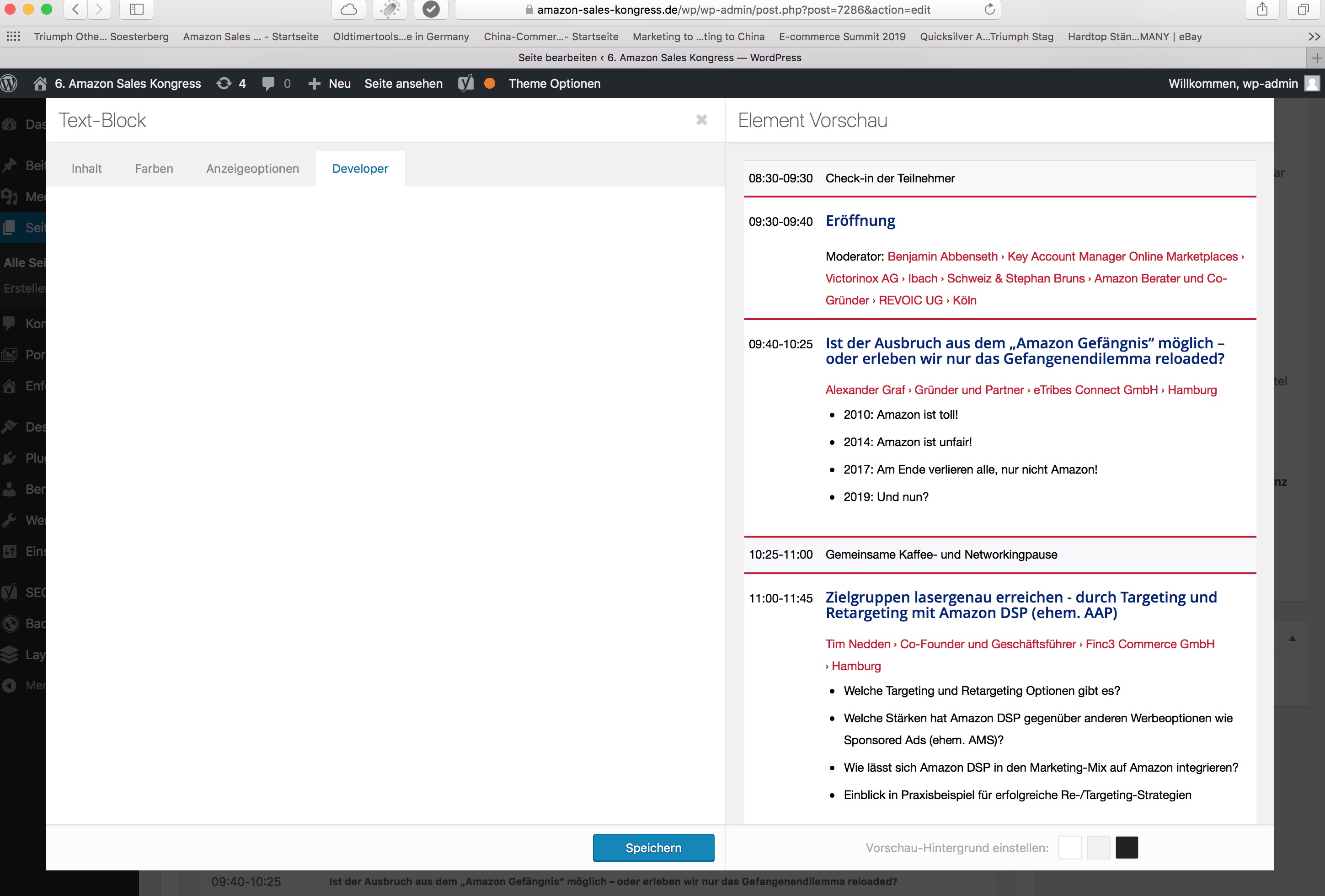
ISSUE: Using a text-element: there is no display of the input-fields nor the explanation-text in the devolper-settings-tab -> just blank-space :-(
screenshot:
link:
nearly everything else e.g. color-section has these fields …wondering: how to obtain the missing fields?
thx in advance
dreisatz
Hi,
Is there a document or thread somewhere that links a php file to an element?
Over the last year I’ve begun customising Enfold and each time I want to change some php I have to raise a ticket asking which file to ammend.
The lastest change was to add a reading time to the blog elements when displayed in a grid. To do this I had to edit the postslider.php.
That to me doesn’t seem intuitive. I was looking for a php file called blog or grid or bloggrid.I now want to edit the standard blog layout so that I can pull custom fields into it. The section is the post-meta-info. Is that controlled by its own php file or within another file somewhere?
What do the php files in the folders below do?
config-templatebuilder\avia-shortcode….. do these create the elements in the backend editor?
frameword\php…. what do these all do, broadly speaking, not individually
includes…. what do they these do?Not only do I want to change the blog page I also want to change widgets so knowing which php file does what will be handy.
Hope that makes sense.
Thanks
TJ
We’re using a Google Maps field from Advanced Custom Fields to select a location when creating a new post (custom post type).
The suggestions for an address don’t show up when using Enfold. We’re using an Enfold child theme, but the error persists when switching to Enfold. Works just fine when changing to twentynineteen theme.
WP version is 5.2.3 and Enfold is 4.6.3.1Any ideas to what may cause this?
Hi all, i’ve been working on it but it doesn’t seem to display on the archive/shop products page.
I’ve downloaded the plugin advanced custom field and put some new fields on it example: Actieradius.The follow code i’ve coded it on my child theme functions.php
add_action( ‘woocommerce_after_shop_loop_item’, ‘actieradius_woocommerce_product_excerpt’, 12 );
function actieradius_woocommerce_product_excerpt() {
global $post;
if ( is_home() || is_shop() || is_product_category() || is_product_tag() ) {
echo ‘<div class=”specs-item-block”>’;
echo get_post_meta( $post->ID, ‘actieradius’, true );
echo ‘</div>’;
}
}Please help if you can.
Dear support team,
as suggested from Ismael here, I open a new thread to find a solution to my problem.
After creating a new Custom Post Type named ‘FAQ’ I made and associate to it a Custom Taxonomy named ‘Categorie FAQ’.
I made them in the function.php file of the child theme whitch is the active theme.Unfortunatelly I’m workin on a private server so I can’t share temporary access credentials.
Here is the code i used to create the CPT:
function cd_custom_post() {
register_post_type( 'faq',
        array('labels'              => array(
            'name'                    => 'FAQ',
            'singular_name'         => 'FAQ',
            'all_items'             => 'Tutte le FAQ',
            'add_new'               => 'Aggiungi nuova',
            'add_new_item'          => 'Aggiungi nuova FAQ',
            'edit_item'             => 'Modifica FAQ',
            'new_item'              => 'Nuova FAQ',
            'view_item'             => 'Visualizza FAQ',
            'search_items'          => 'Cerca FAQ',
            'not_found'             =>  'Nessuna FAQ trovata',
            'not_found_in_trash'    => 'Nessun FAQ trovata nel cestino',
            'parent_item_colon'     => ''
            ),

            'description'           => 'Raccolta delle FAQ del portale',
            'public'                => true,
            'publicly_queryable'    => true,
            'exclude_from_search'   => false,
            'show_ui'               => true,
            'query_var'             => true,
            'show_in_menu'          => true,
            'show_in_nav_menus'     => true,
            'menu_position'         => 6,
            'menu_icon'             => 'dashicons-editor-spellcheck',
            'rewrite'               => array( 'slug' => 'faq', 'with_front' => true ),
            'has_archive'           => false,
            'capability_type'       => 'page',
            'hierarchical'          => true,
            'taxonomies'            => array('Categoria FAQ'),
            'supports'              => array( 'title', 'editor', 'trackbacks', 'custom-fields', 'revisions', 'sticky', 'custom-fields',)
        )
    );
}
add_action( 'init', 'cd_custom_post');
And this is the code I used to create the Custom Taxonomy associated:
add_action( 'init', 'crea_tassonomia_categoria_faq', 0 );

function crea_tassonomia_categoria_faq() {
$labels = array(
        'name'              => _x( 'Categorie FAQ', 'taxonomy general name' ),
        'singular_name'     => _x( 'Categoria FAQ', 'taxonomy singular name' ),
        'search_items'      => __( 'Cerca per categoria FAQ' ),
        'all_items'         => __( 'Tutte le FAQ' ),
        'parent_item'       => __( 'Categoria Principale' ),
        'parent_item_colon' => __( 'Categoria Principale:' ),
        'edit_item'         => __( 'Modifica Categoria FAQ' ),
        'update_item'       => __( 'Aggiorna Categoria FAQ' ),
        'add_new_item'      => __( 'Aggiungi Nuova Categoria FAQ' ),
        'new_item_name'     => __( 'Nome Nuova Categoria FAQ' ),
        'menu_name'         => __( 'Categoria FAQ' ),
    );

register_taxonomy('Categoria FAQ',array('FAQ'), array(
        'hierarchical' => true,
        'labels' => $labels,
        'show_ui' => true,
        'show_admin_column' => true,
        'query_var' => true,
        'rewrite' => array( 'slug' => 'categoria-faq' ),
    ));
}
As I mentioned in the previous thread, when I want to show a masonry grid filtered by taxonomy, if I use the “filter by taxonomy” funcionality to select posts to show, it gives me back the taxonomies list I’ve used to categoraize my blog posts img.
But when i do the same with Custom taxonomy i made before, it doesn’t populate any list of voices imgThere is any way to solve this problem?
Thanks in advance for your help!Topic: CONTACT FORM
Hi!
I would like my field to date the same day as the fields below, namely a transparent background, the same color, and that we do it the day before the chosen date.
I already have this custom css code for this contact form:#top .main_color .input-text, #top .main_color input[type=’text’], #top .main_color input[type=’input’], #top .main_color input[type=’password’], #top .main_color input[type=’email’], #top .main_color input[type=’number’], #top .main_color input[type=’url’], #top .main_color input[type=’tel’], #top .main_color input[type=’search’], #top .main_color textarea {
color: #ffffff;
border-color: #ffffff;
border-width: 2px !important;
background-color: transparent;
margin-bottom: 0px !important;
}What do I add to get what I want?
Thanks for your help!
Gaëlle