Viewing 30 results - 2,911 through 2,940 (of 18,730 total)
  • Author
    Search Results
  • #1283655

    Hi,
    Sorry for the late reply, I didn’t notice that this is not your thread, that is why you can not see the Private Content area and the screenshots.
    Anyways, you said you like the result now, but you would like to have the read more button like it was in the “list layout”, unfortunately, the “Single Author, small preview Pic” layout doesn’t have a read more button, so for a workaround I added the “read more” to one of your posts:
    2021-02-25_062635.jpg
    Then I added this css to your Quick CSS:

    #top.blog .entry-content .more-link {
        text-align: right;
        position: relative;
        margin-top: 40px;
    }
    #top.blog .entry-content .more-link {
        display: inline-block;
        border-width: 1px;
        border-style: solid;
        border-radius: 100px;
        padding: 0 20px;
        text-transform: uppercase;
        font-size: 0.8em;
        font-weight: bold;
        position: relative;
        z-index: 2;
        background-color: #ffffff;
        color: inherit;
        line-height: 2.1em;
        font-size: 0.75em;
    }

    Now for the one post on your Blog the read more button is showing like on the “List Layout”
    2021-02-25_063053.jpg
    Please try adding the “read more” to the other posts, to show less of the excerpt try adding the “read more” above the post content.
    The page is [your-domain]/news/

    Best regards,
    Mike

    #1283513

    Victoria,

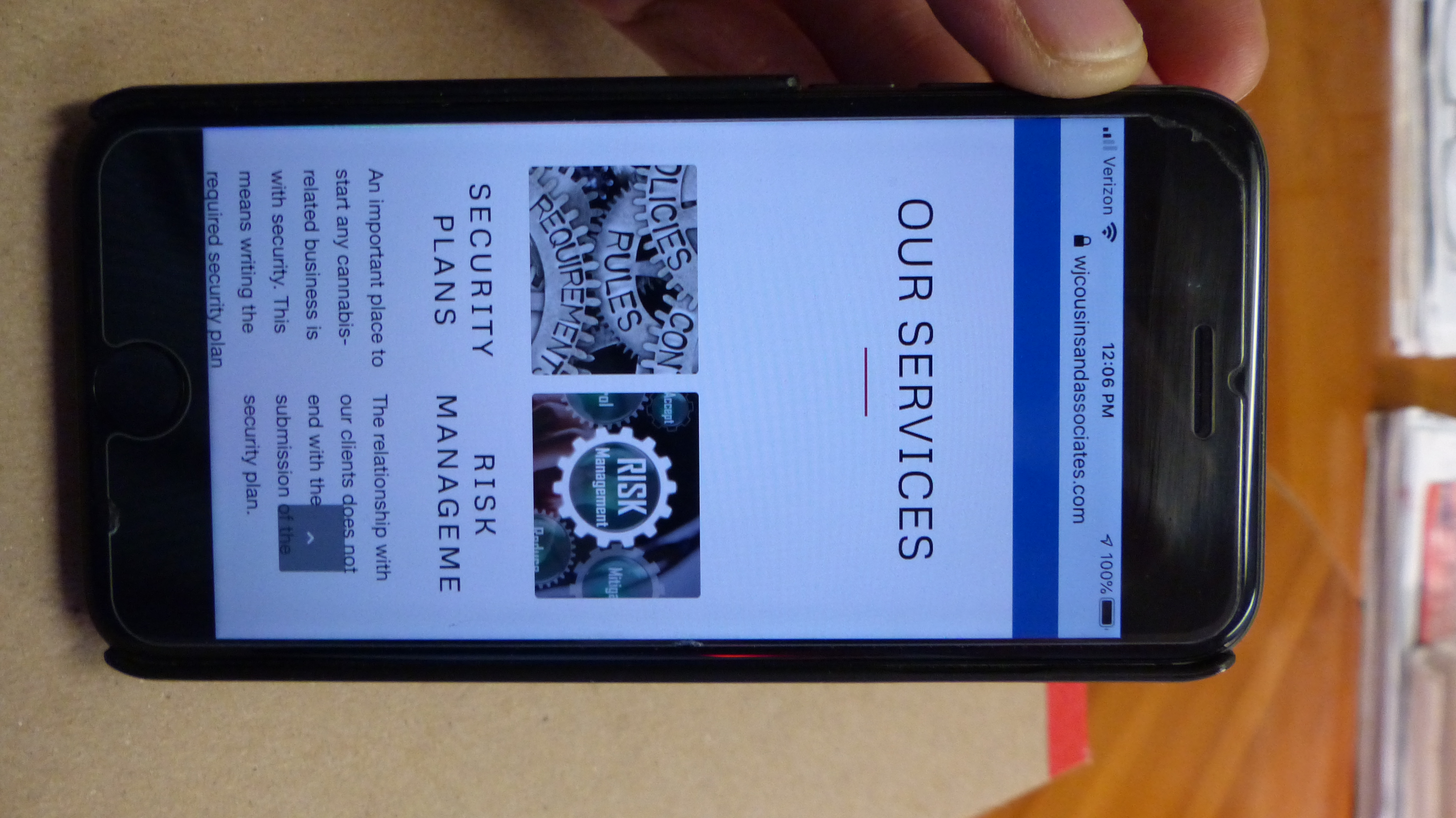
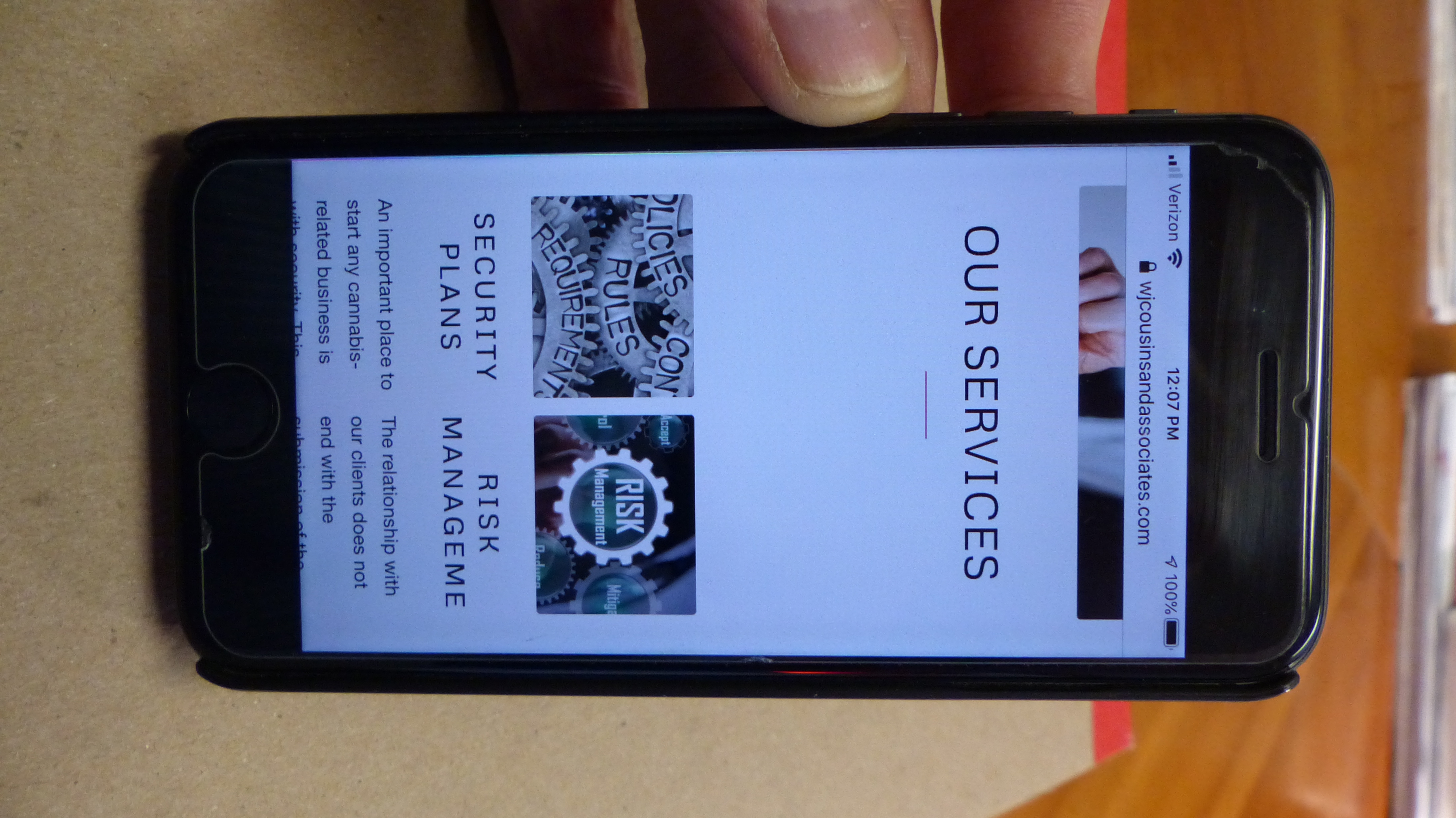
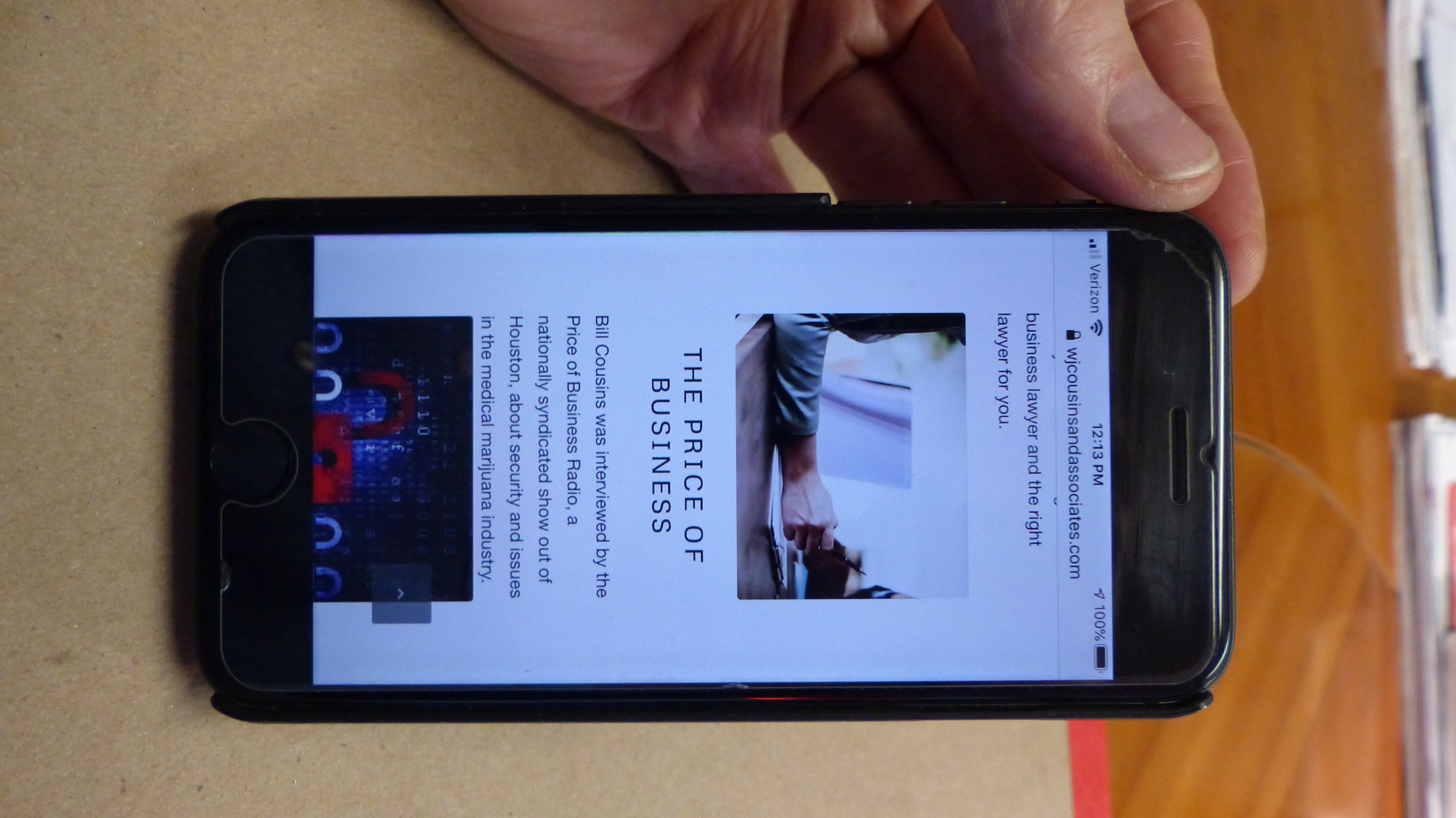
    Changed both instances to 989, flushed both caches, and it did not change anything—it is still ‘chopping off’ the end of “Management,” the spacing below the red line is still huge and there is no spacing above the third blog post pic (like there is above the second blog post pic).

    http://visualimpactsystems.com/WJCousinsAndAssociates-HomePage.JPG
    http://visualimpactsystems.com/WJCousinsAndAssociates-ServicesPage.JPG
    http://visualimpactsystems.com/WJCousinsAndAssociates-BlogPage.JPG
    (Pics of iPhone 8 with iOS 13.5.1)
    [ Other more up-to-date iPhones with the latest iOS also show the same thhing].

    Thanks for looking into this for us.

    Mark Besh
    Visual Impact Systems

    P.S. Custom CSS file below…

    ============

    /* Have fun adding your style here :) – PS: At all times this file should contain a comment or a rule, otherwise opera might act buggy :( */

    /* General Custom CSS */

    /*
    Desktop Styles
    ================================================== */
    /* Note: Add new css to the media query below that you want to only effect the desktop view of your site */

    @media only screen and (min-width: 768px) {
    /* Add your Desktop Styles here */

    }

    /*
    Mobile Styles
    ================================================== */
    /* Note: Add new css to the media query below that you want to only effect the Mobile and Tablet Portrait view */

    @media only screen and (max-width: 989px) {
    /* Add your Mobile Styles here */

    }

    @media only screen and (max-width: 989px) {
    #top.home #av-layout-grid-1 .avia-builder-el-8,
    #top.home #av-layout-grid-1 .avia-builder-el-11,
    #top #av-layout-grid-1 .avia-builder-el-5 {
    display: none;
    padding: 0 !important;
    }
    #top h3 a {
    font-size: 18px;
    text-transform: none;
    }

    .responsive #top.postid-25 #wrap_all .flex_column {
    margin-bottom: 0;
    }
    #top.postid-25 .content {
    padding-bottom:0;
    }
    }

    #1283480

    Hey the_digital_manager,

    Here is the code you can put in Enfold > General Styling > Quick Css,  if it does not work, put into themes/enfold/css/custom.css

    
    #top #wrap_all .all_colors h2.woocommerce-Reviews-title {
      font-size: 18px;
    }
    

    It is showing in poppins on my end.

    If you need further assistance please let us know.

    Best regards,
    Victoria

    #1283353
    the_digital_manager
    Participant

    Hi,

    How do I change the font and font size of the product review section? the title BEOORDELINGEN is in caps and Helvetica, whereas the site’s font is poppins. also the font size is too small in various parts of the review section.

  • https://1drv.ms/u/s!AqR2jDw4h-rJ0lwymachmKhUw85f?e=qxSsyW
#1283298

In reply to: Caption size

Hi,

Add this to quick css:

@media only screen and (max-width: 767px){{
#top #wrap_all .slideshow_caption h2.avia-caption-title, #top #wrap_all .av-slideshow-caption h2.avia-caption-title {
    font-size: 30px!important;
}}

Best regards,
Jordan Shannon

santinimedia
Participant

Hi,

On the linked page we have a text block (example 1) with H6 text. In the Advanced Styling we set up the H6 with text color, font size and line height. Additionally we added the following to get the background color and opacity:

h6 { background: rgba(14, 76, 117, 0.3) !important; }
h6 { margin-bottom: .60em; !important; }

However, we would like to have spacing of coloration between the lines/rows and not like this when it looks like one big background of color.

I know it can be done by backspacing every paragraph like we did it in example 2 but it doesn’t look so good because the spacing is only between paragraphs.

In short, we would like to have every row with its own background color and spacing between rows without any background color.

Anything we can add to quick CSS?

Thanks in advance

Hi StefanMayrhofer,

Yes, I can see it now. Thank you.

Here is the code you can put in Enfold > General Styling > Quick Css,  if it does not work, put into themes/enfold/css/custom.css


.wc-gzd-additional-info .woocommerce-Price-amount.amount bdi,
.wc-gzd-additional-info .unit-base,
.wc-gzd-additional-info .unit {
    color:#666;
    font-size: 14px !important;
}
.wc-gzd-additional-info {
      color:#666 !important;
 }

If you need further assistance please let us know.

Best regards,
Victoria

#1283215

Hey mbesh,

Here is the code you can put in Enfold > General Styling > Quick Css,  if it does not work, put into themes/enfold/css/custom.css


@media only screen and (max-width: 767px) {
#top.home #av-layout-grid-1 .avia-builder-el-8,
#top.home #av-layout-grid-1 .avia-builder-el-11,
#top #av-layout-grid-1 .avia-builder-el-5 {
  display: none;
  padding: 0 !important;
}
#top h3 a {
  font-size: 18px;
  text-transform: none;
}

.responsive #top.postid-25  #wrap_all .flex_column {
  margin-bottom: 0;
}
#top.postid-25 .content {
  padding-bottom:0;
}
}

If you need further assistance please let us know.

Best regards,
Victoria

#1283127

That worked great Rikard and I will change the image size appropriately …

I know I posted the following Q in my other posting but just to keep my thoughts together..

1. What is the size and resolution you would recommend for the header?
2. Where is the option in enfold to change the font color of my menu bar (I tried a few under styling with no success) ?

Tnx

Alan

#1283087

Hi Manuel,

Thanks for contacting us!

1- We only provide support through our support forum so whenever you have a question or an issues, please start a new thread under Enfold sub forum – https://kriesi.at/support/forum/enfold#new-post

2- Please add following code to Quick CSS field in Enfold theme options > General Styling tab and adjust it as needed


#socket {
    font-size: 14px;
}

3- Please go to Enfold theme options > Advanced Styling and edit “Main Menu sublevel Links”

4- Enfold numeric captcha adds a simple mathematical equation that needs to be answered correctly. It is of course not as advanced as Google reCaptcha but does not require you to mention anything in privacy policy as it does not use any data.

I hope that helps. Let us know if you have any other questions :)

Regards,
Yigit

#1283049
Manuel Zelzer
Guest

Hi !
I bought enfold (4th feb.) and I’m a registered user…
I have several questions while I’m building up the new website
Can I ask you via email or do I have to ask in a forum?

How can I change the font size in the socket?
How can I change the font size of a sub-menu?
whats the enfold captcha? Do I have to mention something in my privacy policy?
thank you
Manuel Zelzer

#1283001

first it is set to 100% in base.css ( inside the css folder )
a little down that definition it is set to:

/*default*/
h1, h2, h3, h4, h5, h6 {
/*	font-family: "Georgia", "Times New Roman", Helvetica, Arial, sans-serif; */
	font-weight: 600; }
#top h1 a, #top h2 a, #top h3 a, #top h4 a, #top h5 a, #top h6 a { font-weight: inherit; text-decoration: none; color: inherit; }
#top h1 strong, #top h2 strong, #top h3 strong, #top h4 strong, #top h5 strong, #top h6 strong { color: inherit; }
h1 { font-size: 34px; line-height: 1.1em; margin-bottom: 14px;}
h2 { font-size: 28px; line-height: 1.1em; margin-bottom: 10px; }
h3 { font-size: 20px; line-height: 1.1em; margin-bottom: 8px; }  /*28*/
h4 { font-size: 18px; line-height: 1.1em; margin-bottom: 4px; }  /*21*/
h5 { font-size: 16px; line-height: 1.1em; }  /*17*/
h6 { font-size: 14px; line-height: 1.1em; }

the option in the Enfold settings dialog “Default content font size” sets the size for the body. Many font size definitions go back to this value

#1283000
holgerlietz
Participant

Hi,

I need to deviate from the default header font-size (H1, H2, H3, etc.) just partially in hard-coding, not generally – i.e. I want in the general set-up to stick to the pre-set default settings.

However, what are the default pre-setting in terms of header font-sizes? I can see and change the font-size for the content (in general styling), but I cannot see the default setting of headers. I can change them in the expanded section (erweitertes Styling), but it just says “default” in all settings (font-size, line-height, etc.). Thus, I cannot see the base/default settings.

Is there a table somewhere, where I can see the default settings of header font size, etc.?in terms of headers it is either % or an “em-ratio” – that’s my guess.

Thanks for any reply,

Holger

#1282981

Topic: Problems for footer

in forum Enfold
rolanddon
Participant

Hello,

I would like to change the height of my footer. Could you please help me? I know how to add CSS but it doesn’t seem to be changing anything on the front end.

Secondly, I would like to change the size of my font in the footer widget areas. Please tell me how to do it.

Lastly, I would like to use a socket below my footer but I don’t want the “themes by Kriesi” and “WordPress” text to show. Is that possible?

Please reply at (Email address hidden if logged out)

Thank you.

#1282643

Hi oestersund,

Here is the code you can put in Enfold > General Styling > Quick Css,  if it does not work, put into themes/enfold/css/custom.css


#top #wrap_all .av-masonry h3.av-masonry-entry-title {
    font-size: 8px;
}

If you need further assistance please let us know.

Best regards,
Victoria

#1282367

Hey Tilman,

Please try this CSS as well:

.av-masonry h3.av-masonry-entry-title {
  font-size: 8px;
}

Best regards,
Rikard

#1282217

Hi,

Thank you for the update.

Try to add this css code to create more space for the icon and the title.

.avia-icongrid-tooltip li .avia-icongrid-front {
	padding: 0;
}

Make sure to include it inside the css media query that we created above. And to increase the size of the icon, try to adjust this css code.

.avia-icongrid-icon {
	font-size: 18px;
	line-height: 1;
	margin-bottom: 0.5em;
	color: initial;
}

Increase the font-size from 18px to 30px or to any value that you prefer.

Best regards,
Ismael

#1282195

see same example page on top: https://webers-testseite.de/excerpt/
take an enfold button – light transparent and give to those buttons a custom class: button-liner

.avia-button-wrap.button-liner {
    width: 100%;
    float: none !important;
    height: 100%;
    display: block;
    overflow: hidden !important;
}

.avia-button-wrap.button-liner:before {
	display: inline-block;
	content: "";
	position: relative !important;
	top: 8px;     /*depending on your setting - like font-size etc. */
	left: 0;
	width: calc(100% - 150px) !important;     /*you know best how long this had to be for your text */
	border-bottom: 2px solid #ccc;
}
  • This reply was modified 5 years, 1 month ago by Guenni007.
#1282182

Hi John,

This CSS which is added to Quick CSS, it currently applying the black colour:

.price span.woocommerce-Price-amount bdi, .price span.woocommerce-Price-amount bdi span {
    color: #000000 !important;
    font-size: 18px;
}

If you change that to blue, it’s should apply as expected.

Best regards,
Rikard

sandreucci
Participant

Hi All,

I removed the fields ‘number of comments’ and ‘author’ in all my posts (see the CSS code added, suggested by your support).
When I click on categories I see again ‘number of comments’ and author. How is it possible to remove it even in this case?

.entry-content-wrapper .post-title {
font-size: 38px !important;
}
p {line-height: 1.6em}
.slide-entry-excerpt {
display: none;
}
span.text-sep-date {
display: none;
}
.side-container-comment-inner {
display: none;
}

#1282064

Hi Hamidechi,

Here is the code you can put in Enfold > General Styling > Quick Css,  if it does not work, put into themes/enfold/css/custom.css


@media only screen and (max-width: 767px) {
    #top #wrap_all .av-inherit-size .av-special-heading-tag {
        font-size: 0.6em;
    }
    #top h2.av-rotator-container-inner {
        font-size: 28px;
    }

}

The masonry and the logo slider are built to work like that and the logo slider cannot be adjusted via css.

If you need further assistance please let us know.

Best regards,
Victoria

#1282041
oestersund
Participant

Hi,
on my page below I have a masonry gallery at the bottom. I was able to change font color and background of the overlay, but not the size via CSS

Actual the CSS entry acc. reads:
/* masonry gallery design */
#top figcaption.av-inner-masonry-content.site-background, #top .av-masonry-entry .avia-arrow{
background-color: #ebebeb;
font-color: #000000;
font-size: 8px !important;

Any idea what I have to change to see the effect of the last CSS part re. font size?

Thx a lot, Tilman

#1282026

Hi,

If i change the icon the code for that icon must be found somewhere in the code, right?

Yes, that is true. That change will be reflected in the iconbox shortcode, which should look something like this in the shortcode field, located below the builder, if debug mode is enabled.

[av_icon_box icon='ue81f' font='entypo-fontello' title='IconBox Title' position='left' icon_style='' boxed='' font_color='' custom_title='' custom_content='' color='' custom_bg='' custom_font='' custom_border='' custom_title_size='' av-medium-font-size-title='' av-small-font-size-title='' av-mini-font-size-title='' custom_content_size='' av-medium-font-size='' av-small-font-size='' av-mini-font-size='' heading_tag='' heading_class='' link='' linktarget='' linkelement='' id='' custom_class='' template_class='' element_template='' one_element_template='' av_uid='av-klazh7am' sc_version='1.0' admin_preview_bg='']
Click to add your own text here
[/av_icon_box]

To enable the debug mode and to actually see the shortcodes below the advance layout builder, please use the snippet from the documentation.

// https://kriesi.at/documentation/enfold/intro-to-layout-builder/#debug-mode

That value does not even matter because the icon_select parameter, which is a flag whether to display the icon for the av_button shortcode, is set to “no”, which means that the value ue800 will never be used and no icon will show for the av_button shortcode.

icon_select='no' icon='ue800

This is the whole av_button shortcode inside the Icon Box content.

[av_button label='FAQ' link='manually,#tab-id-2' link_target='' size='x-large' position='left' icon_select='no' icon='ue800' font='entypo-fontello' color='theme-color' custom_bg='#444444' custom_font='#ffffff' av_uid='av-pwom0ms'][av_button label='Preise' link='manually,#tab-id-1' link_target='' size='x-large' position='right' icon_select='no' icon='ue800' font='entypo-fontello' color='theme-color' custom_bg='#444444' custom_font='#ffffff' av_uid='av-pdbb4xg']

Again, the av_button shortcode is a custom content previously added manually by someone in the Icon Box element’s Content editor and it is not a default option or it is not part of the Icon Box shortcode, so you can remove it if necessary.

Thank you for your understanding.

Best regards,
Ismael

#1281974

Hey,

Thanks for contacting us!

Please add following code to Quick CSS field in Enfold theme options > General Styling tab and adjust as needed


#top .title_container.alternate_color .main-title a {
    color: orange;
    font-size: 20px;
}

:)

Best regards,
Yigit

#1281963
lisarein
Participant

Hello there. I’m having trouble finding the right screen to make the font size of the page titles larger.

By “page title” I am referring to “Home” in the pic below. I’d like to make the font larger and perhaps make the color darker (notice it is currently dark gray over light gray.

I’ve looked around in the “Enfold” menus on the section for formatting such as “general styling” and “advanced “styling” but I just can’t seem to find it.

Thank you so much :)

(hosted on WPengine) />

#1281792

In reply to: events countdown

Hi Karin,

You can use this code to change the looks of the title:


#top h3 .av-countdown-timer-title {
    font-size: 20px;
    color: green;
}

But to change the text you will need to modify the element template. Do you know any PHP?

Best regards,
Victoria

#1281749

Hi,

Sorry for the delay. We could use the following css code to adjust the size of the icon grid columns and decrease the font size of the icon and the title.

@media only screen and (max-width: 767px) {
.avia-icongrid-numrow-3 li, .avia-icongrid-numrow-4 li, .avia-icongrid-numrow-5 li {
	width: 50%;
}

.avia-icongrid-icon {
	font-size: 18px;
	line-height: 1;
	margin-bottom: 0.5em;
	color: initial;
}

.av_icongrid_title.icongrid_title {
	font-size: 13px;
	text-align: center;
}
}

Here is how it should look after adding the css code above.

Screenshot: https://imgur.com/80Sr1eQ

And for the revolution slider or the image, try to insert the css code inside the css media query that we have just created above to decrease the height of the wrapper.

#rev_slider_26_3_wrapper {
	height: 200px !important;
}

Best regards,
Ismael

#1281688

In reply to: events countdown

Hi Victoria
This is the link to the page: https://www.ringdorpdreischor.nl/test/

I would like to get rid of the word “Aankomend”in the title of the events countdown and i would like to decrease the font size in the title.
Is het possible also to change the font color in the title?

Hope you can help me
Greetz
Karin

Hi bkatzdesign,

No, they need to be changed with css. Could you please attach a mockup of what you’re trying to achieve?

I gave you the css for the font-size in the css above.

Best regards,
Victoria

#1280766
envato99
Participant

I don’t see an option to edit this in the ADVANCED STYLING panel.

Thanks,
Stephen.

Viewing 30 results - 2,911 through 2,940 (of 18,730 total)