
-
AuthorSearch Results
-
May 23, 2018 at 5:20 pm #960993
In reply to: Text Block font sizing doesn't work
Hi,
The advanced styling of the “p” tags overrides the element’s custom styling. Please remove the “p” tag in the advanced styling panel.
#top .all_colors p {
    font-size: 20px;
    line-height: 1.6em;
}
Best regards,
IsmaelMay 23, 2018 at 5:08 pm #960979In reply to: Out of stock products still showing up
Does anyone read this? I also unable to change the font and it’s size in menu. But on the site font-family works.
May 23, 2018 at 4:39 pm #960937In reply to: Misaligned header/menu on site and mobile
Hi NIkko
I managed to make a quick-fix by adding these lines into Quick-CSS:
#header_meta {
   top: -20px;
}

#header_main {
   top: -20px;
   padding-bottom: 10px;
   padding-top: 10px;
   line-height: 70px !important;
   font-size: 18px;
}
It solved the problem temporarily, but there is still a “space” below the main menu (in the Investor Relations – tab).
I’ve provided you with FTP access. Thanks in advanceMay 23, 2018 at 4:06 pm #960900Mariusz86
ParticipantWelcome,
Enfold updated to version 4.4. Great work! Thank you.
Unfortunately, I have a problem with the Google Maps activation button.
I want to make a couple of changes. I added such code to Custom CSS in Enfold Child Theme Settings:
.av_gmaps_sc_main_wrap .av_gmaps_show_delayed.av-no-fallback-img .av_text_confirm_link, .av_gmaps_sc_main_wrap .av_gmaps_show_page_only.av-no-fallback-img .av_text_confirm_link {
     width: 340px !important;
}

.av_gmaps_sc_main_wrap .av_text_confirm_link {
     margin-left: 0px !important;
     font-size: 0.9em !important;
     left: 39% !important;
}
Unfortunately, these changes can only be seen in Google Chrome. I can’t put it in the middle. When I change the size of the browser, the button moves.
Who has the same problem? What to do about it?
-
This topic was modified 7 years, 11 months ago by
Mariusz86.
May 23, 2018 at 3:46 am #960621In reply to: Footer page demo shortcode
Hey Sophie,
Here’s the shortcode from the demo footer[av_section min_height='' min_height_px='500px' padding='default' shadow='no-shadow' bottom_border='no-border-styling' bottom_border_diagonal_color='#333333' bottom_border_diagonal_direction='' bottom_border_style='' custom_arrow_bg='' id='footer-template' color='footer_color' background='bg_color' custom_bg='' background_gradient_color1='' background_gradient_color2='' background_gradient_direction='diagonal_bt' src='' attachment='' attachment_size='' attach='scroll' position='top left' repeat='no-repeat' video='' video_ratio='16:9' overlay_opacity='0.5' overlay_color='' overlay_pattern='' overlay_custom_pattern='' av_element_hidden_in_editor='0' av_uid='av-jfgi5bwp'] [av_buttonrow alignment='center' button_spacing='20' button_spacing_unit='px' av_uid='av-jfj7zffg' admin_preview_bg=''] [av_buttonrow_item label='Follow me on Twitter' link='manually,#' link_target='' size='large' label_display='av-button-label-on-hover' icon_select='yes' icon='ue8f1' font='entypo-fontello' color='black' custom_bg='#444444' custom_font='#ffffff' av_uid='av-13flxu' icon_hover=''] [av_buttonrow_item label='Follow me on Facebook' link='manually,#' link_target='' size='large' label_display='av-button-label-on-hover' icon_select='yes' icon='ue8f3' font='entypo-fontello' color='black' custom_bg='#444444' custom_font='#ffffff' av_uid='av-y5cei' icon_hover=''] [av_buttonrow_item label='Follow me on Dribbble' link='manually,#' link_target='' size='large' label_display='av-button-label-on-hover' icon_select='yes' icon='ue8fe' font='entypo-fontello' color='black' custom_bg='#444444' custom_font='#ffffff' av_uid='av-rviru' icon_hover=''] [av_buttonrow_item label='Follow me on Instagram' link='manually,#' link_target='' size='large' label_display='av-button-label-on-hover' icon_select='yes' icon='ue909' font='entypo-fontello' color='black' custom_bg='#444444' custom_font='#ffffff' av_uid='av-m6ojm' icon_hover=''] [av_buttonrow_item label='Follow me on LinkedIn' link='manually,#' link_target='' size='large' label_display='av-button-label-on-hover' icon_select='yes' icon='ue8fc' font='entypo-fontello' color='black' custom_bg='#444444' custom_font='#ffffff' av_uid='av-gz0de' icon_hover=''] [av_buttonrow_item label='Get in touch' link='manually,#' link_target='' size='large' label_display='av-button-label-on-hover' icon_select='yes' icon='ue805' font='entypo-fontello' color='black' custom_bg='#444444' custom_font='#ffffff' av_uid='av-xw4y' icon_hover=''] [/av_buttonrow] [av_hr class='custom' height='50' shadow='no-shadow' position='center' custom_border='av-border-thin' custom_width='50px' custom_border_color='#eaeaea' custom_margin_top='30px' custom_margin_bottom='30px' icon_select='yes' custom_icon_color='#000000' icon='ue808' font='entypo-fontello' av_uid='av-jfj8eyp1' admin_preview_bg='rgb(255, 255, 255)'] [av_one_third first min_height='' vertical_alignment='av-align-top' space='' custom_margin='aviaTBcustom_margin' margin='0px' margin_sync='true' link='' linktarget='' link_hover='' padding='0px' padding_sync='true' border='' border_color='' radius='0px' radius_sync='true' background='bg_color' background_color='' background_gradient_color1='' background_gradient_color2='' background_gradient_direction='vertical' src='' attachment='' attachment_size='' background_position='top left' background_repeat='no-repeat' animation='' mobile_breaking='' mobile_display='' av_uid='av-2gdk2'] [/av_one_third][av_one_third min_height='' vertical_alignment='' space='' custom_margin='' margin='0px' link='' linktarget='' link_hover='' padding='0px' border='' border_color='' radius='0px' background='bg_color' background_color='' background_gradient_color1='' background_gradient_color2='' background_gradient_direction='vertical' src='' background_position='top left' background_repeat='no-repeat' animation='' mobile_breaking='' mobile_display='' av_uid='av-lejfe'] [av_textblock size='' font_color='' color='' av-medium-font-size='' av-small-font-size='' av-mini-font-size='' av_uid='av-jfiohzkt' admin_preview_bg=''] <h4 style="text-align: center;">Subscribe</h4> <p style="text-align: center;">Get our latest news, tips and tricks</p> [/av_textblock] [av_contact (Email address hidden if logged out) ' title='' button='Submit' on_send='' sent='Your message has been sent!' link='manually,http://' subject='' autorespond='' captcha='' hide_labels='aviaTBhide_labels' form_align='' color='av-custom-form-color av-dark-form' av_uid='av-jfiogcbk' admin_preview_bg=''] [av_contact_field label='E-Mail' type='text' options='' check='is_email' width='element_three_fourth' multi_select='' av_contact_preselect='' av_uid='av-fmhgi'][/av_contact_field] [/av_contact] [av_textblock size='12' font_color='' color='' av-medium-font-size='' av-small-font-size='' av-mini-font-size='' av_uid='av-jfiohzkt' admin_preview_bg=''] <p style="text-align: center;"><a href="#">About</a> | <a href="#">Imprint</a> | <a href="#">Contact</a> | <a href="#">Terms</a></p> [/av_textblock] [av_textblock size='12' font_color='' color='' av-medium-font-size='' av-small-font-size='' av-mini-font-size='' av_uid='av-jfiohzkt' admin_preview_bg=''] <p style="text-align: center;"><a href="http://kriesi.at">© 2018 Enfold by Kriesi</a></p> [/av_textblock] [/av_one_third][av_one_third min_height='' vertical_alignment='' space='' custom_margin='' margin='0px' link='' linktarget='' link_hover='' padding='0px' border='' border_color='' radius='0px' background='bg_color' background_color='' background_gradient_color1='' background_gradient_color2='' background_gradient_direction='vertical' src='' background_position='top left' background_repeat='no-repeat' animation='' mobile_breaking='' mobile_display='' av_uid='av-6l59m'] [/av_one_third] [/av_section]Best regards,
MikeMay 23, 2018 at 12:29 am #960570In reply to: Disable google font loading via google
Hi,
thank you @stephan_h for your answer but i am no good with css at all. I don’t even know where to begin :/
I decided to use the route with @font-face entries in custom.css and the function below as i am not planning to change the fonts often .It seems that a lot of the general styling is ignored when i use the function `add_action( ‘init’, ‘enfold_customization_switch_fonts’ );
function enfold_customization_switch_fonts() {
global $avia;
$avia->style->print_extra_output = false;
}`Before the change it looked like that:
Home:
Post:
After the change:
Home:
Post:
Is it planned to have an option to load fonts from local storage without disabling the design (font size and position) of the theme to be compliant with the GDPR (DSGVO)?
Best Regards,
OlafMay 22, 2018 at 9:47 pm #960533In reply to: Enfold 4.3. 2 and Gravity forms compatibility
I disabled the CSS plugin so there is no additional CSS on the form.
Then flipped back to new Enfold.
Still same issue.FYI:
My Quick CSS settings:
#footer .widget {
text-align: center;
}.logo { display: none; }
.title_container .breadcrumb {
display: none;
}.gf-off-screen { position: absolute; left: -999em; }
.main_menu ul:first-child > li > a { font-size: 18px; }
#header_main>.container {
margin-bottom: -10px;
}
main.template-page.content.twelve.alpha.units {
padding-top: 0;
}
.responsive .logo { display: none !important; }
#colorsectionone .container {
width: 100%;
max-width: none !important;
padding: 75;
}#colorsectionone {
position: absolute;
width: 90.6%;
}Hey june,
Please try the following in Quick CSS under Enfold->General Styling:
#top .iconbox_left_content.av-icon-style-no-border .iconbox_icon {
    height: 60px !important;
    width: 60px !important;
    line-height: 60px !important;
    font-size: 60px !important;
}
Best regards,
RikardMay 22, 2018 at 11:33 am #960251In reply to: Disable google font loading via google
Hi,
I followed the instructions here for the plugin and it worked so far really good. But there are two problems now:- The size of the font is not correct anymore for the header, it seems that the size setting is not used anymore
- The header of a is not centered anymore
Is this happening to other also?
Best Regards,
Olaf-
This reply was modified 7 years, 11 months ago by
Shashahan.
May 22, 2018 at 8:46 am #960192In reply to: Accordion icons not showing up
Hi,
Thanks for the update.
1.) This css code should help.
.toggle_icon {
    left: 0;
}

.toggler {
    padding: 9px 3px 9px 25px;
}
2.) Use this css code to change the font size.
.togglecontainer {
    font-size: 10px;
}
Best regards,
IsmaelMay 22, 2018 at 7:43 am #960158Hi,
Thanks for the info.
We adjusted the filter and moved it inside the functions.php file.
add_action( 'woocommerce_single_product_summary', 'woocommerce_total_product_price', 25 );
function woocommerce_total_product_price() {
	if(!is_admin()) {
    global $woocommerce, $product;
    // let's setup our divs
    echo sprintf('
<div id="product_total_price" style="font-size: 16px; font-weight: 200;">%s %s</div>
',__('Total Price (incl Tax):','woocommerce'),'<span class="price">'. get_woocommerce_currency_symbol() .' ' .$product->get_price().'</span>');
    ?>
        <script>
            jQuery(function($){
				$(document).ready(function() {
					function setMinMax() {
						var price = <?php echo $product->get_price(); ?>;
						var currency = '<?php echo get_woocommerce_currency_symbol(); ?>';
						var qtycont =  $('.quantity');
						var qty =  qtycont.find('[name=quantity]');
						var max = qty.attr('max');
						var min = qty.attr('min');

						if(typeof max === typeof undefined && max === false) return;

						qty.attr('data-qty', 1);

						$('.variations select').on('change', function() {
							qty.attr('data-qty', 1);
							qty.attr('value', 1);
							qty.text(1);
						});

						qtycont.on('click', '.plus, .minus', function(){
							var qtythis = $(this).find('[name=quantity]');
							var qtyNum = $(qtythis.selector).attr('data-qty');
							var max = $(qtythis.selector).attr('max');
							var min = $(qtythis.selector).attr('min');
							var totalQty = parseInt(qtyNum);

							if($(this).is('.plus') && qtyNum < max) {
								totalQty = parseInt(qtyNum) + 1;
								$(qtythis.selector).attr('data-qty', totalQty);
							} else if($(this).is('.minus') && qtyNum > min) {
								totalQty = parseInt(qtyNum) - 1;
								$(qtythis.selector).attr('data-qty', totalQty);
							}

							$(qtythis.selector).attr('value', totalQty);

							if (!totalQty < 1) {
								var product_total = parseFloat(price * totalQty);
								$('#product_total_price .price').html( currency + product_total);
							}
						});
					}

					setTimeout(function() {
						setMinMax();
					}, 300);

					$(document).on('updated_cart_totals', setMinMax);
				});
            });
        </script>
    <?php
	}
}
It limits the quantity based on the stock. Please remove browser cache prior to checking the page.
Best regards,
IsmaelMay 22, 2018 at 2:53 am #960094Topic: Adjusting Font Size on Accordion Slider
in forum Enfoldsdsitetechdotcom
ParticipantHi there,
I’m trying to figure out how to change the accordion slider’s title font size so that when it is displayed on lower-width devices, such as tablets or phones, the title doesn’t become unreadable (see screenshots provided in Private Content area).
Thanks for your help.
May 21, 2018 at 9:45 pm #959999In reply to: Text Block font sizing doesn't work
Thanks but this targets only that instance of the text block, what if I want to do this on other pages, I will then have to code each block individually. Why isn’t the font size toggle in the builder working?
May 21, 2018 at 3:42 pm #959817Topic: Blog Post preview Title change fontsize which CSS selector?
in forum EnfoldfabienneRedUmb
ParticipantHi there!
i would like to make the font size of the blog titles smaller in the preview. Could you please tell me the css selector?Thank you!
May 21, 2018 at 10:14 am #959615In reply to: Text Block font sizing doesn't work
Hi robnelson4,
Here is the code you can put in Enfold > General Styling > Quick Css, if it does not work, put into themes/enfold/css/custom.css
.home #av_section_1 .avia_textblock p {
  font-size: 40px;
}
If you need further assistance please let us know.
Best regards,
VictoriaMay 21, 2018 at 5:14 am #959564Hey websevent_1321,
Thank you for using Enfold.
The filter may require a few adjustments. Please try this instead.
add_action( 'woocommerce_single_product_summary', 'woocommerce_total_product_price', 25 );
function woocommerce_total_product_price() {
    global $woocommerce, $product;
    // let's setup our divs
    echo sprintf('<div id="product_total_price" style="font-size: 16px; font-weight: 200;">%s %s</div>',__('Total Price (incl Tax):','woocommerce'),'<span class="price">'. get_woocommerce_currency_symbol() .' ' .$product->get_price().'</span>');
    ?>
        <script>
            jQuery(function($){
                var price = <?php echo $product->get_price(); ?>,
                    currency = '<?php echo get_woocommerce_currency_symbol(); ?>',
					qtycont =  $('.quantity'),
					qty =  qtycont.find('[name=quantity]');

					qty.attr('data-qty', 1);

				qtycont.on('click', '.plus, .minus', function(){
					var qtythis = $(this).find('[name=quantity]');
					var qtyNum = $(qtythis.selector).attr('data-qty');
					var totalQty = parseInt(qtyNum);

					if($(this).is('.plus') && qtyNum < $(qtythis.selector).attr('max')) {
						totalQty = parseInt(qtyNum) + 1;
						$(qtythis.selector).attr('data-qty', totalQty);

					} else if($(this).is('.minus') && qtyNum > $(qtythis.selector).attr('min')) {
						totalQty = parseInt(qtyNum) - 1;
						$(qtythis.selector).attr('data-qty', totalQty);
					}

                    if (!totalQty < 1) {
                        var product_total = parseFloat(price * totalQty);
                        $('#product_total_price .price').html( currency + product_total);
                    }
                });
            });
        </script>
    <?php
}
Best regards,
IsmaelMay 20, 2018 at 11:41 pm #959540In reply to: Accordion icons not showing up
Thanks, looks great. just a few more things
1- how do I left align the icon
see screenshot – https://imgur.com/a/PD9VqGa – i need to remove that left space so it will left align with the text below2- how to make the font size for the accordion text (Toggle Title and Toggle Content) both 10 pt.
Thanks
May 20, 2018 at 11:16 pm #959527Topic: Problem with transparent header and size of blog titels
in forum EnfoldCevik_Kuersad
ParticipantHi,
I just made an update to the latest Enfold version and now I have the following two issues:1.) our header was transparent but now has changed to a white background
2.) the font size of the blog titels are now way too largeHow can I change this back?
grizzlies.de ist the address of the page.
Thanks
Alex-
This topic was modified 7 years, 11 months ago by
Cevik_Kuersad.
May 20, 2018 at 10:41 pm #959518Hi,
Please try this also:@media only screen and (max-width: 1023px) { #top.home .avia-builder-el-24 .av-magazine .av-magazine-content-wrap .av-magazine-title { line-height: 6.3em !important; font-size: 10px !important; } } @media only screen and (min-width: 1024px) and (max-width: 1439px) { #top.home .avia-builder-el-24 .av-magazine .av-magazine-content-wrap .av-magazine-title { line-height: 3.3em !important; font-size: 16px !important; } }Best regards,
MikeMay 20, 2018 at 11:18 am #959411Hi pantoni,
Maybe, Basilis got something wrong. That can be adjusted via css.
Here is the code you can put in Enfold > General Styling > Quick Css, if it does not work, put into themes/enfold/css/custom.css
@media only screen and (max-width: 479px) {
  .responsive #top .slideshow_caption h2.avia-caption-title  {
    font-size: 24px !important;
  }
  .responsive #top .slideshow_caption .avia-caption-content p {
    font-size: 18px;
  }
}
If you need further assistance please let us know.
Best regards,
VictoriaMay 20, 2018 at 4:16 am #959283Hi Basilis
You mean there is no css I can add in just to increase the font size??May 19, 2018 at 9:27 pm #959203In reply to: Column layout question
Hey steviger,
How about this layout:
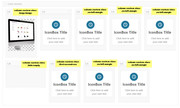
this css:.no-left-margin { margin-left: 0px !important; } .hide-empty { display: none !important; } .large-image { min-width: 30%!important; } .first-second-row { margin-left: 13%!important; }result:

Avia Layout Builder Debug code:[av_section min_height='' min_height_px='500px' padding='default' shadow='no-border-styling' bottom_border='no-border-styling' bottom_border_diagonal_color='#333333' bottom_border_diagonal_direction='scroll' bottom_border_style='scroll' scroll_down='' custom_arrow_bg='' id='' color='main_color' background='bg_color' custom_bg='' background_gradient_color1='' background_gradient_color2='' background_gradient_direction='vertical' src='' attach='scroll' position='top left' repeat='no-repeat' video='' video_ratio='16:9' video_mobile_disabled='' overlay_enable='' overlay_opacity='0.5' overlay_color='' overlay_pattern='' overlay_custom_pattern='' av-desktop-hide='' av-medium-hide='' av-small-hide='' av-mini-hide='' av_element_hidden_in_editor='0' av_uid='av-gqiqn1'] [av_one_fifth first min_height='' vertical_alignment='av-align-top' space='' margin='0px' margin_sync='true' link='' linktarget='' link_hover='' padding='0px' padding_sync='true' border='' border_color='' radius='0px' radius_sync='true' background='bg_color' background_color='' background_gradient_color1='' background_gradient_color2='' background_gradient_direction='vertical' src='' attachment='' attachment_size='' background_position='top left' background_repeat='no-repeat' animation='' mobile_breaking='' mobile_display='' av_uid='av-1jsljh' custom_class='large-image'] [av_image src='https://127.0.0.1/2017demo1/wp-content/uploads/2018/05/Computer_Left.png' attachment='3166' attachment_size='full' align='center' styling='' hover='' link='' target='' caption='' font_size='' appearance='' overlay_opacity='0.4' overlay_color='#000000' overlay_text_color='#ffffff' copyright='' animation='no-animation' av_uid='av-jhdrcmnr' admin_preview_bg=''][/av_image] [/av_one_fifth][av_one_fifth min_height='' vertical_alignment='' space='' custom_margin='' margin='0px' link='' linktarget='' link_hover='' padding='0px' border='' border_color='' radius='0px' background='bg_color' background_color='' background_gradient_color1='' background_gradient_color2='' background_gradient_direction='vertical' src='' background_position='top left' background_repeat='no-repeat' animation='' mobile_breaking='' mobile_display='' av_uid='av-eue3vx'] [av_icon_box position='top' icon_style='' boxed='av-no-box' icon='ue862' font='entypo-fontello' title='IconBox Title' link='' linktarget='' linkelement='' font_color='' custom_title='' custom_content='' color='' custom_bg='' custom_font='' custom_border='' av-medium-font-size-title='' av-small-font-size-title='' av-mini-font-size-title='' av-medium-font-size='' av-small-font-size='' av-mini-font-size='' av_uid='av-jhdr7h82' admin_preview_bg=''] Click here to add your own text [/av_icon_box] [/av_one_fifth][av_one_fifth min_height='' vertical_alignment='av-align-top' space='' margin='0px' margin_sync='true' link='' linktarget='' link_hover='' padding='0px' padding_sync='true' border='' border_color='' radius='0px' radius_sync='true' background='bg_color' background_color='' background_gradient_color1='' background_gradient_color2='' background_gradient_direction='vertical' src='' attachment='' attachment_size='' background_position='top left' background_repeat='no-repeat' animation='' mobile_breaking='' mobile_display='' av_uid='av-chz20t' custom_class='no-left-margin'] [av_icon_box position='top' icon_style='' boxed='av-no-box' icon='ue862' font='entypo-fontello' title='IconBox Title' link='' linktarget='' linkelement='' font_color='' custom_title='' custom_content='' color='' custom_bg='' custom_font='' custom_border='' av-medium-font-size-title='' av-small-font-size-title='' av-mini-font-size-title='' av-medium-font-size='' av-small-font-size='' av-mini-font-size='' av_uid='av-jhdr7h82' admin_preview_bg=''] Click here to add your own text [/av_icon_box] [/av_one_fifth][av_one_fifth min_height='' vertical_alignment='av-align-top' space='' margin='0px' margin_sync='true' link='' linktarget='' link_hover='' padding='0px' padding_sync='true' border='' border_color='' radius='0px' radius_sync='true' background='bg_color' background_color='' background_gradient_color1='' background_gradient_color2='' background_gradient_direction='vertical' src='' attachment='' attachment_size='' background_position='top left' background_repeat='no-repeat' animation='' mobile_breaking='' mobile_display='' av_uid='av-be0vbx' custom_class='no-left-margin'] [av_icon_box position='top' icon_style='' boxed='av-no-box' icon='ue862' font='entypo-fontello' title='IconBox Title' link='' linktarget='' linkelement='' font_color='' custom_title='' custom_content='' color='' custom_bg='' custom_font='' custom_border='' av-medium-font-size-title='' av-small-font-size-title='' av-mini-font-size-title='' av-medium-font-size='' av-small-font-size='' av-mini-font-size='' av_uid='av-jhdr7h82' admin_preview_bg=''] Click here to add your own text [/av_icon_box] [/av_one_fifth][av_one_fifth min_height='' vertical_alignment='av-align-top' space='' margin='0px' margin_sync='true' link='' linktarget='' link_hover='' padding='0px' padding_sync='true' border='' border_color='' radius='0px' radius_sync='true' background='bg_color' background_color='' background_gradient_color1='' background_gradient_color2='' background_gradient_direction='vertical' src='' attachment='' attachment_size='' background_position='top left' background_repeat='no-repeat' animation='' mobile_breaking='' mobile_display='' av_uid='av-91o6cd' custom_class='no-left-margin'] [av_icon_box position='top' icon_style='' boxed='av-no-box' icon='ue862' font='entypo-fontello' title='IconBox Title' link='' linktarget='' linkelement='' font_color='' custom_title='' custom_content='' color='' custom_bg='' custom_font='' custom_border='' av-medium-font-size-title='' av-small-font-size-title='' av-mini-font-size-title='' av-medium-font-size='' av-small-font-size='' av-mini-font-size='' av_uid='av-jhdr7h82' admin_preview_bg=''] Click here to add your own text [/av_icon_box] [/av_one_fifth][av_one_fourth first min_height='' vertical_alignment='av-align-top' space='' margin='0px' margin_sync='true' link='' linktarget='' link_hover='' padding='0px' padding_sync='true' border='' border_color='' radius='0px' radius_sync='true' background='bg_color' background_color='' background_gradient_color1='' background_gradient_color2='' background_gradient_direction='vertical' src='' attachment='' attachment_size='' background_position='top left' background_repeat='no-repeat' animation='' mobile_breaking='' mobile_display='' av_uid='av-893l0t' custom_class='hide-empty'] [/av_one_fourth][av_one_fifth min_height='' vertical_alignment='av-align-top' space='' margin='0px' margin_sync='true' link='' linktarget='' link_hover='' padding='0px' padding_sync='true' border='' border_color='' radius='0px' radius_sync='true' background='bg_color' background_color='' background_gradient_color1='' background_gradient_color2='' background_gradient_direction='vertical' src='' attachment='' attachment_size='' background_position='top left' background_repeat='no-repeat' animation='' mobile_breaking='' mobile_display='' av_uid='av-577tm5' custom_class='first-second-row'] [av_icon_box position='top' icon_style='' boxed='av-no-box' icon='ue862' font='entypo-fontello' title='IconBox Title' link='' linktarget='' linkelement='' font_color='' custom_title='' custom_content='' color='' custom_bg='' custom_font='' custom_border='' av-medium-font-size-title='' av-small-font-size-title='' av-mini-font-size-title='' av-medium-font-size='' av-small-font-size='' av-mini-font-size='' av_uid='av-jhdr7h82' admin_preview_bg=''] Click here to add your own text [/av_icon_box] [/av_one_fifth][av_one_fifth min_height='' vertical_alignment='av-align-top' space='' margin='0px' margin_sync='true' link='' linktarget='' link_hover='' padding='0px' padding_sync='true' border='' border_color='' radius='0px' radius_sync='true' background='bg_color' background_color='' background_gradient_color1='' background_gradient_color2='' background_gradient_direction='vertical' src='' attachment='' attachment_size='' background_position='top left' background_repeat='no-repeat' animation='' mobile_breaking='' mobile_display='' av_uid='av-4tns65' custom_class='no-left-margin'] [av_icon_box position='top' icon_style='' boxed='av-no-box' icon='ue862' font='entypo-fontello' title='IconBox Title' link='' linktarget='' linkelement='' font_color='' custom_title='' custom_content='' color='' custom_bg='' custom_font='' custom_border='' av-medium-font-size-title='' av-small-font-size-title='' av-mini-font-size-title='' av-medium-font-size='' av-small-font-size='' av-mini-font-size='' av_uid='av-jhdr7h82' admin_preview_bg=''] Click here to add your own text [/av_icon_box] [/av_one_fifth][av_one_fifth min_height='' vertical_alignment='av-align-top' space='' margin='0px' margin_sync='true' link='' linktarget='' link_hover='' padding='0px' padding_sync='true' border='' border_color='' radius='0px' radius_sync='true' background='bg_color' background_color='' background_gradient_color1='' background_gradient_color2='' background_gradient_direction='vertical' src='' attachment='' attachment_size='' background_position='top left' background_repeat='no-repeat' animation='' mobile_breaking='' mobile_display='' av_uid='av-30xqzx' custom_class='no-left-margin'] [av_icon_box position='top' icon_style='' boxed='av-no-box' icon='ue862' font='entypo-fontello' title='IconBox Title' link='' linktarget='' linkelement='' font_color='' custom_title='' custom_content='' color='' custom_bg='' custom_font='' custom_border='' av-medium-font-size-title='' av-small-font-size-title='' av-mini-font-size-title='' av-medium-font-size='' av-small-font-size='' av-mini-font-size='' av_uid='av-jhdr7h82' admin_preview_bg=''] Click here to add your own text [/av_icon_box] [/av_one_fifth][/av_section]You can tweak it some more, but it should be a good start.
Best regards,
MikeMay 19, 2018 at 4:11 pm #959100Topic: Comment Form broken
in forum EnfoldVSG_DE
ParticipantHello Support,
the default comment form of my blog seems to be ok.
Please see here:
http://www.eymann.info/download/form_ok.png
But when I reply on a given comment the form is broken. The field alignment is scrambled.
Please see here:
http://www.eymann.info/download/form_broken.pngThe URL of the site is: https://www.videospielgeschichten.de/mea-culpa-kingdom-come-deliverance/#comments
Maybe it has something to do with some style changes in have in my child theme css.
Therefore i list my custom.css here:/* Have fun adding your style here :) - PS: At all times this file should contain a comment or a rule, otherwise opera might act buggy :( */ /* General Custom CSS */ /* Standard comment text */ #top .comment_text { font-size: 14px; } /* Category title */ .custom-cat-title { font-family: Roboto; font-size: 30px; letter-spacing: 2px; text-transform: uppercase; } /* Category link color */ /*.blog-categories a { color:#02a8e8 !important; }*/ /* Latest comments */ #top .recentcomments { font-size: 14px; } /* Submit buttons */ input[type="submit"]{ font-size: 14px !important; } /* Comment reply */ #top .comment-reply-link { font-size: 14px; } /* Meta info post */ .html_elegant-blog #top .post-entry .minor-meta { font-size: 13px !important; } /* Meta info blog grid */ .html_elegant-blog #top .slide-meta-comments { font-size: 13px !important; } .html_elegant-blog #top .slide-meta-del { font-size: 13px !important; } .html_elegant-blog #top .slide-meta-time { font-size: 13px !important; } /* Comment author name */ .html_elegant-blog #top .comment_author_name { text-transform:uppercase !important; } /* Comment meta info */ .html_elegant-blog #top .comment-meta { font-size: 13px !important; } /* Post grid h3 */ h3.slide-entry-title{ font-size: 1.3em !important; } /* Reading time not on pages*/ .page .rt-reading-time { display: none !important; } /* Reading time formatting*/ .rt-reading-time { font-size: 13px !important; margin-top:15px;margin-bottom:15px; } /* Blog post */ .html_modern-blog #top .post-entry .post-meta-infos { float: none; } /* Align meta infos under post title */ .html_modern-blog #top.single-post .post-entry .post-meta-infos { margin-top: 0px !important; padding: 0px !important; top: -22px !important; } /* Blog post image */ .html_elegant-blog #top.single-post .entry-content-wrapper .big-preview.single-big { margin-top: 0px !important; margin-bottom: 30px !important; padding-bottom: 0px !important; } .page-thumb { margin-top: 0px !important; margin-bottom: 30px !important; padding-bottom: 0px !important; } /* Dropcap at post beginning */ .vsg_big_letter { float: left; font-family: Georgia; font-size: 70px; line-height: 60px; padding-top: 2px; padding-right: 10px; padding-left: 1px; } /* Show page image in full size */ .page-thumb img { width:100% !important; } /* Author bio description */ .single .author_description_text p { margin-bottom: 50px; } @media only screen and (min-width: 768px) { .single .author_description_text p { margin-left: 130px; margin-right: 50px; } } /* Do not show sidebar on mobile */ @media only screen and (max-width: 990px) { #top #main .sidebar { display: none !important; } .content { width: 100% !important; border: none !important; } } /* Magazine style formatting */ #top .av-magazine-content-wrap { min-height: 161px; } #top .av-magazine-thumbnail img { width: 100%; } #top .av-magazine-thumbnail { width: 161px; min-height: 161px; } #top .av-magazine-time { float: right; } /* Comment content and gravatar */ #top .comment_content { margin: 0; padding: 0; } #top .gravatar { float: none; margin-bottom: 20px; } #top .comment_content { position: relative; overflow: visible; } #top .comment-header { position: absolute; left: 80px; top: -70px; } #top .commentlist ul { margin: 0 0 0 34px; } /* Align meta infos under post title (for landing page) */ .html_modern-blog #top.page-template-default .post-entry .post-meta-infos { margin-top: 0px !important; padding: 0px !important; top: -22px !important; } .html_modern-blog #top.page-template-default .entry-content-wrapper .big-preview.single-big { margin-top: 0px !important; padding-bottom: 0px !important; } /* Pagination meta info */ #top .main_color .pagination .pagination-meta{ font-size: 14px; } #top .main_color .pagination .current{ font-size: 14px; } #top .main_color .pagination .inactive{ font-size: 14px; } /* Removing Excerpt Text from Grid Style Blog Page .slide-entry-excerpt { display: none !important; } */ /* Desktop Styles ================================================== */ /* Note: Add new css to the media query below that you want to only effect the desktop view of your site */ @media only screen and (min-width: 768px) { /* Add your Desktop Styles here */ /* Sidebar */ .sidebar_right .comment_container { padding-right: 50; } } /* Mobile Styles ================================================== */ /* Note: Add new css to the media query below that you want to only effect the Mobile and Tablet Portrait view */ @media only screen and (max-width: 767px) { /* Add your Mobile Styles here */ /* Sidebar */ .sidebar_right .comment_container { padding-right: 0; } /* Sticky header on mobile */ @media only screen and (max-width: 767px) { .responsive #top #main { /* Margin top value should be equal to header height*/ margin-top: 50px; } .responsive #top #wrap_all #header { position: fixed; } } }Please give me advise.
Kind regards
AndreMay 19, 2018 at 12:41 pm #959033Topic: Tab Section: title not centered?
in forum Enfoldaderal2016
ParticipantHello guys,
I think it’s not a big deal, but I tried and nothing… seems nobody talked about in the forum so this is the issue: I love the tab section and I actually have section with 4 tabs. I changed the size
.av-inner-tab-title {
   font-size: 18px !important;
}
but for the larger title it doesn’t align to center (image link) https://cl.ly/riKh
any idea?
Thanks in advance
May 19, 2018 at 9:38 am #958983In reply to: Typo Größe in Button ändern
Hi Andy,
Thanks for that. You can try this in Quick CSS to see if you have any luck with it:
.avia-button span {
  font-size:24px !important;
}
If you want to send login details then you can use (Email address hidden if logged out) , just remember to post user and password privately here in the thread so all moderators have access to the details.
Best regards,
RikardMay 19, 2018 at 8:22 am #958958In reply to: Woocommerce pagination doesn't work
# BEGIN All In One WP Security
#AIOWPS_BLOCK_WP_FILE_ACCESS_START
<Files license.txt>
order allow,deny
deny from all
</files>
<Files wp-config-sample.php>
order allow,deny
deny from all
</Files>
<Files readme.html>
order allow,deny
deny from all
</Files>
#AIOWPS_BLOCK_WP_FILE_ACCESS_END
#AIOWPS_BASIC_HTACCESS_RULES_START
<Files .htaccess>
order allow,deny
deny from all
</Files>
ServerSignature Off
LimitRequestBody 10240000
<Files wp-config.php>
order allow,deny
deny from all
</Files>
#AIOWPS_BASIC_HTACCESS_RULES_END
#AIOWPS_PINGBACK_HTACCESS_RULES_START
<Files xmlrpc.php>
order deny,allow
deny from all
</Files>
#AIOWPS_PINGBACK_HTACCESS_RULES_END
#AIOWPS_DEBUG_LOG_BLOCK_HTACCESS_RULES_START
<Files debug.log>
order deny,allow
deny from all
</Files>
#AIOWPS_DEBUG_LOG_BLOCK_HTACCESS_RULES_END
#AIOWPS_DISABLE_INDEX_VIEWS_START
Options -Indexes
#AIOWPS_DISABLE_INDEX_VIEWS_END
#AIOWPS_DISABLE_TRACE_TRACK_START
RewriteEngine On
RewriteCond %{REQUEST_METHOD} ^(TRACE|TRACK)
RewriteRule .* - [F]
#AIOWPS_DISABLE_TRACE_TRACK_END
#AIOWPS_FORBID_PROXY_COMMENTS_START
RewriteCond %{REQUEST_METHOD} ^POST
RewriteCond %{HTTP:VIA} !^$ [OR]
RewriteCond %{HTTP:FORWARDED} !^$ [OR]
RewriteCond %{HTTP:USERAGENT_VIA} !^$ [OR]
RewriteCond %{HTTP:X_FORWARDED_FOR} !^$ [OR]
RewriteCond %{HTTP:X_FORWARDED_HOST} !^$ [OR]
RewriteCond %{HTTP:PROXY_CONNECTION} !^$ [OR]
RewriteCond %{HTTP:XPROXY_CONNECTION} !^$ [OR]
RewriteCond %{HTTP:HTTP_PC_REMOTE_ADDR} !^$ [OR]
RewriteCond %{HTTP:HTTP_CLIENT_IP} !^$
RewriteRule wp-comments-post\.php - [F]
#AIOWPS_FORBID_PROXY_COMMENTS_END
#AIOWPS_DENY_BAD_QUERY_STRINGS_START
RewriteCond %{QUERY_STRING} tag=     [NC,OR]
RewriteCond %{QUERY_STRING} ftp:     [NC,OR]
RewriteCond %{QUERY_STRING} http:    [NC,OR]
RewriteCond %{QUERY_STRING} https:   [NC,OR]
RewriteCond %{QUERY_STRING} mosConfig [NC,OR]
RewriteCond %{QUERY_STRING} ^.*(globals|encode|localhost|loopback).* [NC,OR]
RewriteCond %{QUERY_STRING} (\;|'|\"|%22).*(request|insert|union|declare|drop) [NC]
RewriteRule ^(.*)$ - [F,L]
#AIOWPS_DENY_BAD_QUERY_STRINGS_END
#AIOWPS_ADVANCED_CHAR_STRING_FILTER_START
<IfModule mod_alias.c>
RedirectMatch 403 \,
RedirectMatch 403 \:
RedirectMatch 403 \;
RedirectMatch 403 \=
RedirectMatch 403 \@
RedirectMatch 403 \[
RedirectMatch 403 \]
RedirectMatch 403 \^
RedirectMatch 403 \
RedirectMatch 403 \{
RedirectMatch 403 \}
RedirectMatch 403 \~
RedirectMatch 403 \”
RedirectMatch 403 \$
RedirectMatch 403 \<
RedirectMatch 403 \>
RedirectMatch 403 \|
RedirectMatch 403 \.\.
RedirectMatch 403 \%0
RedirectMatch 403 \%A
RedirectMatch 403 \%B
RedirectMatch 403 \%C
RedirectMatch 403 \%D
RedirectMatch 403 \%E
RedirectMatch 403 \%F
RedirectMatch 403 \%22
RedirectMatch 403 \%27
RedirectMatch 403 \%28
RedirectMatch 403 \%29
RedirectMatch 403 \%3C
RedirectMatch 403 \%3E
RedirectMatch 403 \%3F
RedirectMatch 403 \%5B
RedirectMatch 403 \%5C
RedirectMatch 403 \%5D
RedirectMatch 403 \%7B
RedirectMatch 403 \%7C
RedirectMatch 403 \%7D
# COMMON PATTERNS
Redirectmatch 403 \_vpi
RedirectMatch 403 \.inc
Redirectmatch 403 xAou6
Redirectmatch 403 db\_name
Redirectmatch 403 select\(
Redirectmatch 403 convert\(
Redirectmatch 403 \/query\/
RedirectMatch 403 ImpEvData
Redirectmatch 403 \.XMLHTTP
Redirectmatch 403 proxydeny
RedirectMatch 403 function\.
Redirectmatch 403 remoteFile
Redirectmatch 403 servername
Redirectmatch 403 \&rptmode\=
Redirectmatch 403 sys\_cpanel
RedirectMatch 403 db\_connect
RedirectMatch 403 doeditconfig
RedirectMatch 403 check\_proxy
Redirectmatch 403 system\_user
Redirectmatch 403 \/\(null\)\/
Redirectmatch 403 clientrequest
Redirectmatch 403 option\_value
RedirectMatch 403 ref\.outcontrol
# SPECIFIC EXPLOITS
RedirectMatch 403 errors\.
RedirectMatch 403 config\.
RedirectMatch 403 include\.
RedirectMatch 403 display\.
RedirectMatch 403 register\.
Redirectmatch 403 password\.
RedirectMatch 403 maincore\.
RedirectMatch 403 authorize\.
Redirectmatch 403 macromates\.
RedirectMatch 403 head\_auth\.
RedirectMatch 403 submit\_links\.
RedirectMatch 403 change\_action\.
Redirectmatch 403 com\_facileforms\/
RedirectMatch 403 admin\_db\_utilities\.
RedirectMatch 403 admin\.webring\.docs\.
Redirectmatch 403 Table\/Latest\/index\.
</IfModule>
#AIOWPS_ADVANCED_CHAR_STRING_FILTER_END
#AIOWPS_FIVE_G_BLACKLIST_START
# 5G BLACKLIST/FIREWALL (2013)
# @ http://perishablepress.com/5g-blacklist-2013/
# 5G:[QUERY STRINGS]
<IfModule mod_rewrite.c>
RewriteEngine On
RewriteBase /
RewriteCond %{QUERY_STRING} (\”|%22).*(<|>|%3) [NC,OR]
RewriteCond %{QUERY_STRING} (javascript:).*(\;) [NC,OR]
RewriteCond %{QUERY_STRING} (<|%3C).*script.*(>|%3) [NC,OR]
RewriteCond %{QUERY_STRING} (\\|\.\./|`|=’$|=%27$) [NC,OR]
RewriteCond %{QUERY_STRING} (\;|’|\”|%22).*(union|select|insert|drop|update|md5|benchmark|or|and|if) [NC,OR]
RewriteCond %{QUERY_STRING} (base64_encode|localhost|mosconfig) [NC,OR]
RewriteCond %{QUERY_STRING} (boot\.ini|echo.*kae|etc/passwd) [NC,OR]
RewriteCond %{QUERY_STRING} (GLOBALS|REQUEST)(=|\[|%) [NC]
RewriteRule .* – [F]
</IfModule>
# 5G:[USER AGENTS]
<IfModule mod_setenvif.c>
# SetEnvIfNoCase User-Agent ^$ keep_out
SetEnvIfNoCase User-Agent (binlar|casper|cmsworldmap|comodo|diavol|dotbot|feedfinder|flicky|ia_archiver|jakarta|kmccrew|nutch|planetwork|purebot|pycurl|skygrid|sucker|turnit|vikspider|zmeu) keep_out
<limit GET POST PUT>
Order Allow,Deny
Allow from all
Deny from env=keep_out
</limit>
</IfModule>
# 5G:[REQUEST STRINGS]
<IfModule mod_alias.c>
RedirectMatch 403 (https?|ftp|php)\://
RedirectMatch 403 /(https?|ima|ucp)/
RedirectMatch 403 /(Permanent|Better)$
RedirectMatch 403 (\=\\\’|\=\\%27|/\\\’/?|\)\.css\()$
RedirectMatch 403 (\,|\)\+|/\,/|\{0\}|\(/\(|\.\.\.|\+\+\+|\||\\\”\\\”)
RedirectMatch 403 \.(cgi|asp|aspx|cfg|dll|exe|jsp|mdb|sql|ini|rar)$
RedirectMatch 403 /(contac|fpw|install|pingserver|register)\.php$
RedirectMatch 403 (base64|crossdomain|localhost|wwwroot|e107\_)
RedirectMatch 403 (eval\(|\_vti\_|\(null\)|echo.*kae|config\.xml)
RedirectMatch 403 \.well\-known/host\-meta
RedirectMatch 403 /function\.array\-rand
RedirectMatch 403 \)\;\$\(this\)\.html\(
RedirectMatch 403 proc/self/environ
RedirectMatch 403 msnbot\.htm\)\.\_
RedirectMatch 403 /ref\.outcontrol
RedirectMatch 403 com\_cropimage
RedirectMatch 403 indonesia\.htm
RedirectMatch 403 \{\$itemURL\}
RedirectMatch 403 function\(\)
RedirectMatch 403 labels\.rdf
RedirectMatch 403 /playing.php
RedirectMatch 403 muieblackcat
</IfModule>
# 5G:[REQUEST METHOD]
<ifModule mod_rewrite.c>
RewriteCond %{REQUEST_METHOD} ^(TRACE|TRACK)
RewriteRule .* – [F]
</IfModule>
#AIOWPS_FIVE_G_BLACKLIST_END
#AIOWPS_PREVENT_IMAGE_HOTLINKS_START
<IfModule mod_rewrite.c>
RewriteEngine on
RewriteCond %{HTTP_REFERER} !^$
RewriteCond %{REQUEST_FILENAME} -f
RewriteCond %{REQUEST_FILENAME} \.(gif|jpe?g?|png)$ [NC]
RewriteCond %{HTTP_REFERER} !^http(s)?://solo-interier\.kz [NC]
RewriteRule \.(gif|jpe?g?|png)$ – [F,NC,L]
</IfModule>
#AIOWPS_PREVENT_IMAGE_HOTLINKS_END
# END All In One WP Security
# BULLETPROOF .53.1 >>>>>>> SECURE .HTACCESS
# CUSTOM CODE TOP PHP/PHP.INI HANDLER/CACHE CODE
FileETag MTime Size
<ifmodule mod_expires.c>
<filesmatch “\.(jpg|gif|png|css|js)$”>
ExpiresActive on
ExpiresDefault “access plus 1 year”
</filesmatch>
</ifmodule>
# TURN OFF YOUR SERVER SIGNATURE
# Suppresses the footer line server version number and ServerName of the serving virtual host
ServerSignature Off
# DO NOT SHOW DIRECTORY LISTING
# Disallow mod_autoindex from displaying a directory listing
# If a 500 Internal Server Error occurs when activating Root BulletProof Mode
# copy the entire DO NOT SHOW DIRECTORY LISTING and DIRECTORY INDEX sections of code
# and paste it into BPS Custom Code and comment out Options -Indexes
# by adding a # sign in front of it.
# Example: #Options -Indexes
Options -Indexes
# DIRECTORY INDEX FORCE INDEX.PHP
# Use index.php as default directory index file. index.html will be ignored.
# If a 500 Internal Server Error occurs when activating Root BulletProof Mode
# copy the entire DO NOT SHOW DIRECTORY LISTING and DIRECTORY INDEX sections of code
# and paste it into BPS Custom Code and comment out DirectoryIndex
# by adding a # sign in front of it.
# Example: #DirectoryIndex index.php index.html /index.php
DirectoryIndex index.php index.html /index.php
# BRUTE FORCE LOGIN PAGE PROTECTION
# PLACEHOLDER ONLY
# Use BPS Custom Code to add Brute Force Login protection code and to save it permanently.
# See this link: http://forum.ait-pro.com/forums/topic/protect-login-page-from-brute-force-login-attacks/
# for more information.
# BPS ERROR LOGGING AND TRACKING
# Use BPS Custom Code to modify/edit/change this code and to save it permanently.
# BPS has premade 400 Bad Request, 403 Forbidden, 404 Not Found, 405 Method Not Allowed and
# 410 Gone template logging files that are used to track and log 400, 403, 404, 405 and 410 errors
# that occur on your website. When a hacker attempts to hack your website the hackers IP address,
# Host name, Request Method, Referering link, the file name or requested resource, the user agent
# of the hacker and the query string used in the hack attempt are logged.
# All BPS log files are htaccess protected so that only you can view them.
# The 400.php, 403.php, 404.php, 405.php and 410.php files are located in /wp-content/plugins/bulletproof-security/
# The 400, 403, 405 and 410 Error logging files are already set up and will automatically start logging errors
# after you install BPS and have activated BulletProof Mode for your Root folder.
# If you would like to log 404 errors you will need to copy the logging code in the BPS 404.php file
# to your Theme’s 404.php template file. Simple instructions are included in the BPS 404.php file.
# You can open the BPS 404.php file using the WP Plugins Editor or manually editing the file.
# NOTE: By default WordPress automatically looks in your Theme’s folder for a 404.php Theme template file.
ErrorDocument 400 /wp-content/plugins/bulletproof-security/400.php
ErrorDocument 401 default
ErrorDocument 403 /wp-content/plugins/bulletproof-security/403.php
ErrorDocument 404 /404.php
ErrorDocument 405 /wp-content/plugins/bulletproof-security/405.php
ErrorDocument 410 /wp-content/plugins/bulletproof-security/410.php
# DENY ACCESS TO PROTECTED SERVER FILES AND FOLDERS
# Use BPS Custom Code to modify/edit/change this code and to save it permanently.
# Files and folders starting with a dot: .htaccess, .htpasswd, .errordocs, .logs
RedirectMatch 403 \.(htaccess|htpasswd|errordocs|logs)$
# WP-ADMIN/INCLUDES
# Use BPS Custom Code to remove this code permanently.
RewriteEngine On
RewriteBase /
RewriteRule ^wp-admin/includes/ – [F]
RewriteRule !^wp-includes/ – [S=3]
RewriteRule ^wp-includes/[^/]+\.php$ – [F]
RewriteRule ^wp-includes/js/tinymce/langs/.+\.php – [F]
RewriteRule ^wp-includes/theme-compat/ – [F]
# WP REWRITE LOOP START
RewriteEngine On
RewriteBase /
RewriteRule ^index\.php$ – [L]
# REQUEST METHODS FILTERED
# If you want to allow HEAD Requests use BPS Custom Code and copy
# this entire REQUEST METHODS FILTERED section of code to this BPS Custom Code
# text box: CUSTOM CODE REQUEST METHODS FILTERED.
# See the CUSTOM CODE REQUEST METHODS FILTERED help text for additional steps.
RewriteCond %{REQUEST_METHOD} ^(TRACE|DELETE|TRACK|DEBUG) [NC]
RewriteRule ^(.*)$ – [F]
RewriteCond %{REQUEST_METHOD} ^(HEAD) [NC]
RewriteRule ^(.*)$ – [R=405,L]
# PLUGINS/THEMES AND VARIOUS EXPLOIT FILTER SKIP RULES
# To add plugin/theme skip/bypass rules use BPS Custom Code.
# The [S] flag is used to skip following rules. Skip rule [S=12] will skip 12 following RewriteRules.
# The skip rules MUST be in descending consecutive number order: 12, 11, 10, 9…
# If you delete a skip rule, change the other skip rule numbers accordingly.
# Examples: If RewriteRule [S=5] is deleted than change [S=6] to [S=5], [S=7] to [S=6], etc.
# If you add a new skip rule above skip rule 12 it will be skip rule 13: [S=13]
# Adminer MySQL management tool data populate
RewriteCond %{REQUEST_URI} ^/wp-content/plugins/adminer/ [NC]
RewriteRule . – [S=12]
# Comment Spam Pack MU Plugin – CAPTCHA images not displaying
RewriteCond %{REQUEST_URI} ^/wp-content/mu-plugins/custom-anti-spam/ [NC]
RewriteRule . – [S=11]
# Peters Custom Anti-Spam display CAPTCHA Image
RewriteCond %{REQUEST_URI} ^/wp-content/plugins/peters-custom-anti-spam-image/ [NC]
RewriteRule . – [S=10]
# Status Updater plugin fb connect
RewriteCond %{REQUEST_URI} ^/wp-content/plugins/fb-status-updater/ [NC]
RewriteRule . – [S=9]
# Stream Video Player – Adding FLV Videos Blocked
RewriteCond %{REQUEST_URI} ^/wp-content/plugins/stream-video-player/ [NC]
RewriteRule . – [S=8]
# XCloner 404 or 403 error when updating settings
RewriteCond %{REQUEST_URI} ^/wp-content/plugins/xcloner-backup-and-restore/ [NC]
RewriteRule . – [S=7]
# BuddyPress Logout Redirect
RewriteCond %{QUERY_STRING} action=logout&redirect_to=http%3A%2F%2F(.*) [NC]
RewriteRule . – [S=6]
# redirect_to=
RewriteCond %{QUERY_STRING} redirect_to=(.*) [NC]
RewriteRule . – [S=5]
# Login Plugins Password Reset And Redirect 1
RewriteCond %{QUERY_STRING} action=resetpass&key=(.*) [NC]
RewriteRule . – [S=4]
# Login Plugins Password Reset And Redirect 2
RewriteCond %{QUERY_STRING} action=rp&key=(.*) [NC]
RewriteRule . – [S=3]
# TIMTHUMB FORBID RFI and MISC FILE SKIP/BYPASS RULE
# Use BPS Custom Code to modify/edit/change this code and to save it permanently.
# Remote File Inclusion (RFI) security rules
# Note: Only whitelist your additional domains or files if needed – do not whitelist hacker domains or files
RewriteCond %{QUERY_STRING} ^.*(http|https|ftp)(%3A|:)(%2F|/)(%2F|/)(w){0,3}.?(blogger|picasa|blogspot|tsunami|petapolitik|photobucket|imgur|imageshack|wordpress\.com|img\.youtube|tinypic\.com|upload\.wikimedia|kkc|start-thegame).*$ [NC,OR]
RewriteCond %{THE_REQUEST} ^.*(http|https|ftp)(%3A|:)(%2F|/)(%2F|/)(w){0,3}.?(blogger|picasa|blogspot|tsunami|petapolitik|photobucket|imgur|imageshack|wordpress\.com|img\.youtube|tinypic\.com|upload\.wikimedia|kkc|start-thegame).*$ [NC]
RewriteRule .* index.php [F]
#
# Example: Whitelist additional misc files: (example\.php|another-file\.php|phpthumb\.php|thumb\.php|thumbs\.php)
RewriteCond %{REQUEST_URI} (timthumb\.php|phpthumb\.php|thumb\.php|thumbs\.php) [NC]
# Example: Whitelist additional website domains: RewriteCond %{HTTP_REFERER} ^.*(YourWebsite.com|AnotherWebsite.com).*
RewriteCond %{HTTP_REFERER} ^.*solo-interier.kz.*
RewriteRule . – [S=1]
# BEGIN BPSQSE BPS QUERY STRING EXPLOITS
# The libwww-perl User Agent is forbidden – Many bad bots use libwww-perl modules, but some good bots use it too.
# Good sites such as W3C use it for their W3C-LinkChecker.
# Use BPS Custom Code to add or remove user agents temporarily or permanently from the
# User Agent filters directly below or to modify/edit/change any of the other security code rules below.
RewriteCond %{HTTP_USER_AGENT} (havij|libwww-perl|wget|python|nikto|curl|scan|java|winhttp|clshttp|loader) [NC,OR]
RewriteCond %{HTTP_USER_AGENT} (%0A|%0D|%27|%3C|%3E|%00) [NC,OR]
RewriteCond %{HTTP_USER_AGENT} (;|<|>|’|”|\)|\(|%0A|%0D|%22|%27|%28|%3C|%3E|%00).*(libwww-perl|wget|python|nikto|curl|scan|java|winhttp|HTTrack|clshttp|archiver|loader|email|harvest|extract|grab|miner) [NC,OR]
RewriteCond %{THE_REQUEST} (\?|\*|%2a)+(%20+|\\s+|%20+\\s+|\\s+%20+|\\s+%20+\\s+)HTTP(:/|/) [NC,OR]
RewriteCond %{THE_REQUEST} etc/passwd [NC,OR]
RewriteCond %{THE_REQUEST} cgi-bin [NC,OR]
RewriteCond %{THE_REQUEST} (%0A|%0D|\\r|\\n) [NC,OR]
RewriteCond %{REQUEST_URI} owssvr\.dll [NC,OR]
RewriteCond %{HTTP_REFERER} (%0A|%0D|%27|%3C|%3E|%00) [NC,OR]
RewriteCond %{HTTP_REFERER} \.opendirviewer\. [NC,OR]
RewriteCond %{HTTP_REFERER} users\.skynet\.be.* [NC,OR]
RewriteCond %{QUERY_STRING} [a-zA-Z0-9_]=http:// [NC,OR]
RewriteCond %{QUERY_STRING} [a-zA-Z0-9_]=(\.\.//?)+ [NC,OR]
RewriteCond %{QUERY_STRING} [a-zA-Z0-9_]=/([a-z0-9_.]//?)+ [NC,OR]
RewriteCond %{QUERY_STRING} \=PHP[0-9a-f]{8}-[0-9a-f]{4}-[0-9a-f]{4}-[0-9a-f]{4}-[0-9a-f]{12} [NC,OR]
RewriteCond %{QUERY_STRING} (\.\./|%2e%2e%2f|%2e%2e/|\.\.%2f|%2e\.%2f|%2e\./|\.%2e%2f|\.%2e/) [NC,OR]
RewriteCond %{QUERY_STRING} ftp\: [NC,OR]
RewriteCond %{QUERY_STRING} http\: [NC,OR]
RewriteCond %{QUERY_STRING} https\: [NC,OR]
RewriteCond %{QUERY_STRING} \=\|w\| [NC,OR]
RewriteCond %{QUERY_STRING} ^(.*)/self/(.*)$ [NC,OR]
RewriteCond %{QUERY_STRING} ^(.*)cPath=http://(.*)$ [NC,OR]
RewriteCond %{QUERY_STRING} (\<|%3C).*script.*(\>|%3E) [NC,OR]
RewriteCond %{QUERY_STRING} (<|%3C)([^s]*s)+cript.*(>|%3E) [NC,OR]
RewriteCond %{QUERY_STRING} (\<|%3C).*embed.*(\>|%3E) [NC,OR]
RewriteCond %{QUERY_STRING} (<|%3C)([^e]*e)+mbed.*(>|%3E) [NC,OR]
RewriteCond %{QUERY_STRING} (\<|%3C).*object.*(\>|%3E) [NC,OR]
RewriteCond %{QUERY_STRING} (<|%3C)([^o]*o)+bject.*(>|%3E) [NC,OR]
RewriteCond %{QUERY_STRING} (\<|%3C).*iframe.*(\>|%3E) [NC,OR]
RewriteCond %{QUERY_STRING} (<|%3C)([^i]*i)+frame.*(>|%3E) [NC,OR]
RewriteCond %{QUERY_STRING} base64_encode.*\(.*\) [NC,OR]
RewriteCond %{QUERY_STRING} base64_(en|de)code[^(]*\([^)]*\) [NC,OR]
RewriteCond %{QUERY_STRING} GLOBALS(=|\[|\%[0-9A-Z]{0,2}) [OR]
RewriteCond %{QUERY_STRING} _REQUEST(=|\[|\%[0-9A-Z]{0,2}) [OR]
RewriteCond %{QUERY_STRING} ^.*(\(|\)|<|>|%3c|%3e).* [NC,OR]
RewriteCond %{QUERY_STRING} ^.*(\x00|\x04|\x08|\x0d|\x1b|\x20|\x3c|\x3e|\x7f).* [NC,OR]
RewriteCond %{QUERY_STRING} (NULL|OUTFILE|LOAD_FILE) [OR]
RewriteCond %{QUERY_STRING} (\.{1,}/)+(motd|etc|bin) [NC,OR]
RewriteCond %{QUERY_STRING} (localhost|loopback|127\.0\.0\.1) [NC,OR]
RewriteCond %{QUERY_STRING} (<|>|’|%0A|%0D|%27|%3C|%3E|%00) [NC,OR]
RewriteCond %{QUERY_STRING} concat[^\(]*\( [NC,OR]
RewriteCond %{QUERY_STRING} union([^s]*s)+elect [NC,OR]
RewriteCond %{QUERY_STRING} union([^a]*a)+ll([^s]*s)+elect [NC,OR]
RewriteCond %{QUERY_STRING} \-[sdcr].*(allow_url_include|allow_url_fopen|safe_mode|disable_functions|auto_prepend_file) [NC,OR]
RewriteCond %{QUERY_STRING} (;|<|>|’|”|\)|%0A|%0D|%22|%27|%3C|%3E|%00).*(/\*|union|select|insert|drop|delete|update|cast|create|char|convert|alter|declare|order|script|set|md5|benchmark|encode) [NC,OR]
RewriteCond %{QUERY_STRING} (sp_executesql) [NC]
RewriteRule ^(.*)$ – [F]
# END BPSQSE BPS QUERY STRING EXPLOITS
RewriteCond %{REQUEST_FILENAME} !-f
RewriteCond %{REQUEST_FILENAME} !-d
RewriteRule . /index.php [L]
# WP REWRITE LOOP END
# DENY BROWSER ACCESS TO THESE FILES
# Use BPS Custom Code to modify/edit/change this code and to save it permanently.
# wp-config.php, bb-config.php, php.ini, php5.ini, readme.html
# To be able to view these files from a Browser, replace 127.0.0.1 with your actual
# current IP address. Comment out: #Deny from all and Uncomment: Allow from 127.0.0.1
# Note: The BPS System Info page displays which modules are loaded on your server.
<FilesMatch “^(wp-config\.php|php\.ini|php5\.ini|readme\.html|bb-config\.php)”>
Order Allow,Deny
Deny from all
#Allow from 127.0.0.1
</FilesMatch>
# HOTLINKING/FORBID COMMENT SPAMMERS/BLOCK BOTS/BLOCK IP/REDIRECT CODE
# PLACEHOLDER ONLY
# Use BPS Custom Code to add custom code and save it permanently here.
# BEGIN W3TC Browser Cache
<IfModule mod_mime.c>
AddType text/css .css
AddType text/x-component .htc
AddType application/x-javascript .js
AddType application/javascript .js2
AddType text/javascript .js3
AddType text/x-js .js4
AddType text/html .html .htm
AddType text/richtext .rtf .rtx
AddType image/svg+xml .svg
AddType text/plain .txt
AddType text/xsd .xsd
AddType text/xsl .xsl
AddType text/xml .xml
AddType video/asf .asf .asx .wax .wmv .wmx
AddType video/avi .avi
AddType image/bmp .bmp
AddType application/java .class
AddType video/divx .divx
AddType application/msword .doc .docx
AddType application/vnd.ms-fontobject .eot
AddType application/x-msdownload .exe
AddType image/gif .gif
AddType application/x-gzip .gz .gzip
AddType image/x-icon .ico
AddType image/jpeg .jpg .jpeg .jpe
AddType image/webp .webp
AddType application/json .json
AddType application/vnd.ms-access .mdb
AddType audio/midi .mid .midi
AddType video/quicktime .mov .qt
AddType audio/mpeg .mp3 .m4a
AddType video/mp4 .mp4 .m4v
AddType video/mpeg .mpeg .mpg .mpe
AddType application/vnd.ms-project .mpp
AddType application/x-font-otf .otf
AddType application/vnd.ms-opentype ._otf
AddType application/vnd.oasis.opendocument.database .odb
AddType application/vnd.oasis.opendocument.chart .odc
AddType application/vnd.oasis.opendocument.formula .odf
AddType application/vnd.oasis.opendocument.graphics .odg
AddType application/vnd.oasis.opendocument.presentation .odp
AddType application/vnd.oasis.opendocument.spreadsheet .ods
AddType application/vnd.oasis.opendocument.text .odt
AddType audio/ogg .ogg
AddType application/pdf .pdf
AddType image/png .png
AddType application/vnd.ms-powerpoint .pot .pps .ppt .pptx
AddType audio/x-realaudio .ra .ram
AddType image/svg+xml .svg .svgz
AddType application/x-shockwave-flash .swf
AddType application/x-tar .tar
AddType image/tiff .tif .tiff
AddType application/x-font-ttf .ttf .ttc
AddType application/vnd.ms-opentype ._ttf
AddType audio/wav .wav
AddType audio/wma .wma
AddType application/vnd.ms-write .wri
AddType application/font-woff .woff
AddType application/font-woff2 .woff2
AddType application/vnd.ms-excel .xla .xls .xlsx .xlt .xlw
AddType application/zip .zip
</IfModule>
<IfModule mod_expires.c>
ExpiresActive On
ExpiresByType text/css A31536000
ExpiresByType text/x-component A31536000
ExpiresByType application/x-javascript A31536000
ExpiresByType application/javascript A31536000
ExpiresByType text/javascript A31536000
ExpiresByType text/x-js A31536000
ExpiresByType text/html A7200
ExpiresByType text/richtext A7200
ExpiresByType image/svg+xml A7200
ExpiresByType text/plain A7200
ExpiresByType text/xsd A7200
ExpiresByType text/xsl A7200
ExpiresByType text/xml A7200
ExpiresByType video/asf A31536000
ExpiresByType video/avi A31536000
ExpiresByType image/bmp A31536000
ExpiresByType application/java A31536000
ExpiresByType video/divx A31536000
ExpiresByType application/msword A31536000
ExpiresByType application/vnd.ms-fontobject A31536000
ExpiresByType application/x-msdownload A31536000
ExpiresByType image/gif A31536000
ExpiresByType application/x-gzip A31536000
ExpiresByType image/x-icon A31536000
ExpiresByType image/jpeg A31536000
ExpiresByType image/webp A31536000
ExpiresByType application/json A31536000
ExpiresByType application/vnd.ms-access A31536000
ExpiresByType audio/midi A31536000
ExpiresByType video/quicktime A31536000
ExpiresByType audio/mpeg A31536000
ExpiresByType video/mp4 A31536000
ExpiresByType video/mpeg A31536000
ExpiresByType application/vnd.ms-project A31536000
ExpiresByType application/x-font-otf A31536000
ExpiresByType application/vnd.ms-opentype A31536000
ExpiresByType application/vnd.oasis.opendocument.database A31536000
ExpiresByType application/vnd.oasis.opendocument.chart A31536000
ExpiresByType application/vnd.oasis.opendocument.formula A31536000
ExpiresByType application/vnd.oasis.opendocument.graphics A31536000
ExpiresByType application/vnd.oasis.opendocument.presentation A31536000
ExpiresByType application/vnd.oasis.opendocument.spreadsheet A31536000
ExpiresByType application/vnd.oasis.opendocument.text A31536000
ExpiresByType audio/ogg A31536000
ExpiresByType application/pdf A31536000
ExpiresByType image/png A31536000
ExpiresByType application/vnd.ms-powerpoint A31536000
ExpiresByType audio/x-realaudio A31536000
ExpiresByType image/svg+xml A31536000
ExpiresByType application/x-shockwave-flash A31536000
ExpiresByType application/x-tar A31536000
ExpiresByType image/tiff A31536000
ExpiresByType application/x-font-ttf A31536000
ExpiresByType application/vnd.ms-opentype A31536000
ExpiresByType audio/wav A31536000
ExpiresByType audio/wma A31536000
ExpiresByType application/vnd.ms-write A31536000
ExpiresByType application/font-woff A31536000
ExpiresByType application/font-woff2 A31536000
ExpiresByType application/vnd.ms-excel A31536000
ExpiresByType application/zip A31536000
</IfModule>
<IfModule mod_deflate.c>
<IfModule mod_filter.c>
AddOutputFilterByType DEFLATE text/css text/x-component application/x-javascript application/javascript text/javascript text/x-js text/html text/richtext image/svg+xml text/plain text/xsd text/xsl text/xml image/bmp application/java application/msword application/vnd.ms-fontobject application/x-msdownload image/x-icon image/webp application/json application/vnd.ms-access application/vnd.ms-project application/x-font-otf application/vnd.ms-opentype application/vnd.oasis.opendocument.database application/vnd.oasis.opendocument.chart application/vnd.oasis.opendocument.formula application/vnd.oasis.opendocument.graphics application/vnd.oasis.opendocument.presentation application/vnd.oasis.opendocument.spreadsheet application/vnd.oasis.opendocument.text audio/ogg application/pdf application/vnd.ms-powerpoint image/svg+xml application/x-shockwave-flash image/tiff application/x-font-ttf application/vnd.ms-opentype audio/wav application/vnd.ms-write application/font-woff application/font-woff2 application/vnd.ms-excel
<IfModule mod_mime.c>
# DEFLATE by extension
AddOutputFilter DEFLATE js css htm html xml
</IfModule>
</IfModule>
</IfModule>
<FilesMatch “\.(css|htc|less|js|js2|js3|js4|CSS|HTC|LESS|JS|JS2|JS3|JS4)$”>
<IfModule mod_headers.c>
Header set Pragma “public”
Header append Cache-Control “public”
Header set X-Powered-By “W3 Total Cache/0.9.7”
</IfModule>
</FilesMatch>
<FilesMatch “\.(html|htm|rtf|rtx|svg|txt|xsd|xsl|xml|HTML|HTM|RTF|RTX|SVG|TXT|XSD|XSL|XML)$”>
<IfModule mod_headers.c>
Header append Vary User-Agent env=!dont-vary
Header set Pragma “public”
Header append Cache-Control “public”
Header set X-Powered-By “W3 Total Cache/0.9.7”
</IfModule>
</FilesMatch>
<FilesMatch “\.(asf|asx|wax|wmv|wmx|avi|bmp|class|divx|doc|docx|eot|exe|gif|gz|gzip|ico|jpg|jpeg|jpe|webp|json|mdb|mid|midi|mov|qt|mp3|m4a|mp4|m4v|mpeg|mpg|mpe|mpp|otf|_otf|odb|odc|odf|odg|odp|ods|odt|ogg|pdf|png|pot|pps|ppt|pptx|ra|ram|svg|svgz|swf|tar|tif|tiff|ttf|ttc|_ttf|wav|wma|wri|woff|woff2|xla|xls|xlsx|xlt|xlw|zip|ASF|ASX|WAX|WMV|WMX|AVI|BMP|CLASS|DIVX|DOC|DOCX|EOT|EXE|GIF|GZ|GZIP|ICO|JPG|JPEG|JPE|WEBP|JSON|MDB|MID|MIDI|MOV|QT|MP3|M4A|MP4|M4V|MPEG|MPG|MPE|MPP|OTF|_OTF|ODB|ODC|ODF|ODG|ODP|ODS|ODT|OGG|PDF|PNG|POT|PPS|PPT|PPTX|RA|RAM|SVG|SVGZ|SWF|TAR|TIF|TIFF|TTF|TTC|_TTF|WAV|WMA|WRI|WOFF|WOFF2|XLA|XLS|XLSX|XLT|XLW|ZIP)$”>
<IfModule mod_headers.c>
Header set Pragma “public”
Header append Cache-Control “public”
Header set X-Powered-By “W3 Total Cache/0.9.7”
</IfModule>
</FilesMatch>
<FilesMatch “\.(bmp|class|doc|docx|eot|exe|ico|webp|json|mdb|mpp|otf|_otf|odb|odc|odf|odg|odp|ods|odt|ogg|pdf|pot|pps|ppt|pptx|svg|svgz|swf|tif|tiff|ttf|ttc|_ttf|wav|wri|woff|woff2|xla|xls|xlsx|xlt|xlw|BMP|CLASS|DOC|DOCX|EOT|EXE|ICO|WEBP|JSON|MDB|MPP|OTF|_OTF|ODB|ODC|ODF|ODG|ODP|ODS|ODT|OGG|PDF|POT|PPS|PPT|PPTX|SVG|SVGZ|SWF|TIF|TIFF|TTF|TTC|_TTF|WAV|WRI|WOFF|WOFF2|XLA|XLS|XLSX|XLT|XLW)$”>
<IfModule mod_headers.c>
Header unset Last-Modified
</IfModule>
</FilesMatch>
<IfModule mod_headers.c>
Header set Referrer-Policy “”
</IfModule>
# END W3TC Browser Cache
# BEGIN W3TC Page Cache core
<IfModule mod_rewrite.c>
RewriteEngine On
RewriteBase /
RewriteCond %{HTTPS} =on
RewriteRule .* – [E=W3TC_SSL:_ssl]
RewriteCond %{SERVER_PORT} =443
RewriteRule .* – [E=W3TC_SSL:_ssl]
RewriteCond %{HTTP:X-Forwarded-Proto} =https [NC]
RewriteRule .* – [E=W3TC_SSL:_ssl]
RewriteCond %{HTTP:Accept-Encoding} gzip
RewriteRule .* – [E=W3TC_ENC:_gzip]
RewriteCond %{HTTP_COOKIE} w3tc_preview [NC]
RewriteRule .* – [E=W3TC_PREVIEW:_preview]
RewriteCond %{REQUEST_METHOD} !=POST
RewriteCond %{QUERY_STRING} =””
RewriteCond %{REQUEST_URI} \/$
RewriteCond %{HTTP_COOKIE} !(comment_author|wp\-postpass|w3tc_logged_out|wordpress_logged_in|wptouch_switch_toggle) [NC]
RewriteCond “%{DOCUMENT_ROOT}/wp-content/cache/page_enhanced/%{HTTP_HOST}/%{REQUEST_URI}/_index%{ENV:W3TC_SSL}%{ENV:W3TC_PREVIEW}.html%{ENV:W3TC_ENC}” -f
RewriteRule .* “/wp-content/cache/page_enhanced/%{HTTP_HOST}/%{REQUEST_URI}/_index%{ENV:W3TC_SSL}%{ENV:W3TC_PREVIEW}.html%{ENV:W3TC_ENC}” [L]
</IfModule>
# END W3TC Page Cache core# BEGIN rlrssslReallySimpleSSL rsssl_version[2.5.26]
<IfModule mod_rewrite.c>
RewriteEngine on
RewriteCond %{HTTP:X-Forwarded-Proto} !https
RewriteRule ^(.*)$ https://%{HTTP_HOST}%{REQUEST_URI} [R=301,L]
</IfModule>
# END rlrssslReallySimpleSSL
# BEGIN WordPress
<IfModule mod_rewrite.c>
RewriteEngine On
RewriteBase /
RewriteRule ^index\.php$ – [L]
RewriteCond %{REQUEST_FILENAME} !-f
RewriteCond %{REQUEST_FILENAME} !-d
RewriteRule . /index.php [L]
</IfModule># END WordPress
`May 19, 2018 at 6:30 am #958913In reply to: Text and Icon Size in Buttons
Hey catchbudapest,
Please try the following in Quick CSS under Enfold->General Styling:
.buy-button a span {
  font-size:20px !important;
}
Best regards,
RikardMay 19, 2018 at 6:13 am #958903In reply to: How to add a custom web font?
Hey ZacharyKnight,
When you use the css method above to add a font, you will need to apply the changes to your elements via css. Such as:h1.entry-title { font-family: 'YOUR-FONT-NAME'; font-size: 18px; }Then all other elements will follow the built in Google fonts.
Here is our latest documentation: Using custom fonts
There you will also find how to add your custom font to the theme options.Best regards,
MikeMay 18, 2018 at 8:29 pm #958811In reply to: Text Block font sizing doesn't work
Not from what I can tell. I just toggled off all the CSS and it still doesn’t move the font up to the larger size.
May 18, 2018 at 8:04 pm #958803In reply to: Icon Box Title font size
Hey madmanbean,
Add this to quick css:
article.iconbox h3 a{
font-size:10px!important;
}
This should work, just add whatever or styles you need to it.
Best regards,
Jordan Shannon -
This topic was modified 7 years, 11 months ago by
-
AuthorSearch Results
-
Search Results
-
Welcome,
Enfold updated to version 4.4. Great work! Thank you.
Unfortunately, I have a problem with the Google Maps activation button.
I want to make a couple of changes. I added such code to Custom CSS in Enfold Child Theme Settings:
.av_gmaps_sc_main_wrap .av_gmaps_show_delayed.av-no-fallback-img .av_text_confirm_link, .av_gmaps_sc_main_wrap .av_gmaps_show_page_only.av-no-fallback-img .av_text_confirm_link { width: 340px !important; } .av_gmaps_sc_main_wrap .av_text_confirm_link { margin-left: 0px !important; font-size: 0.9em !important; left: 39% !important; }Unfortunately, these changes can only be seen in Google Chrome. I can’t put it in the middle. When I change the size of the browser, the button moves.
Who has the same problem? What to do about it?
Hi there,
I’m trying to figure out how to change the accordion slider’s title font size so that when it is displayed on lower-width devices, such as tablets or phones, the title doesn’t become unreadable (see screenshots provided in Private Content area).
Thanks for your help.
Hi there!
i would like to make the font size of the blog titles smaller in the preview. Could you please tell me the css selector?Thank you!
Hi,
I just made an update to the latest Enfold version and now I have the following two issues:1.) our header was transparent but now has changed to a white background
2.) the font size of the blog titels are now way too largeHow can I change this back?
grizzlies.de ist the address of the page.
Thanks
AlexTopic: Comment Form broken
Hello Support,
the default comment form of my blog seems to be ok.
Please see here:
http://www.eymann.info/download/form_ok.png
But when I reply on a given comment the form is broken. The field alignment is scrambled.
Please see here:
http://www.eymann.info/download/form_broken.pngThe URL of the site is: https://www.videospielgeschichten.de/mea-culpa-kingdom-come-deliverance/#comments
Maybe it has something to do with some style changes in have in my child theme css.
Therefore i list my custom.css here:/* Have fun adding your style here :) - PS: At all times this file should contain a comment or a rule, otherwise opera might act buggy :( */ /* General Custom CSS */ /* Standard comment text */ #top .comment_text { font-size: 14px; } /* Category title */ .custom-cat-title { font-family: Roboto; font-size: 30px; letter-spacing: 2px; text-transform: uppercase; } /* Category link color */ /*.blog-categories a { color:#02a8e8 !important; }*/ /* Latest comments */ #top .recentcomments { font-size: 14px; } /* Submit buttons */ input[type="submit"]{ font-size: 14px !important; } /* Comment reply */ #top .comment-reply-link { font-size: 14px; } /* Meta info post */ .html_elegant-blog #top .post-entry .minor-meta { font-size: 13px !important; } /* Meta info blog grid */ .html_elegant-blog #top .slide-meta-comments { font-size: 13px !important; } .html_elegant-blog #top .slide-meta-del { font-size: 13px !important; } .html_elegant-blog #top .slide-meta-time { font-size: 13px !important; } /* Comment author name */ .html_elegant-blog #top .comment_author_name { text-transform:uppercase !important; } /* Comment meta info */ .html_elegant-blog #top .comment-meta { font-size: 13px !important; } /* Post grid h3 */ h3.slide-entry-title{ font-size: 1.3em !important; } /* Reading time not on pages*/ .page .rt-reading-time { display: none !important; } /* Reading time formatting*/ .rt-reading-time { font-size: 13px !important; margin-top:15px;margin-bottom:15px; } /* Blog post */ .html_modern-blog #top .post-entry .post-meta-infos { float: none; } /* Align meta infos under post title */ .html_modern-blog #top.single-post .post-entry .post-meta-infos { margin-top: 0px !important; padding: 0px !important; top: -22px !important; } /* Blog post image */ .html_elegant-blog #top.single-post .entry-content-wrapper .big-preview.single-big { margin-top: 0px !important; margin-bottom: 30px !important; padding-bottom: 0px !important; } .page-thumb { margin-top: 0px !important; margin-bottom: 30px !important; padding-bottom: 0px !important; } /* Dropcap at post beginning */ .vsg_big_letter { float: left; font-family: Georgia; font-size: 70px; line-height: 60px; padding-top: 2px; padding-right: 10px; padding-left: 1px; } /* Show page image in full size */ .page-thumb img { width:100% !important; } /* Author bio description */ .single .author_description_text p { margin-bottom: 50px; } @media only screen and (min-width: 768px) { .single .author_description_text p { margin-left: 130px; margin-right: 50px; } } /* Do not show sidebar on mobile */ @media only screen and (max-width: 990px) { #top #main .sidebar { display: none !important; } .content { width: 100% !important; border: none !important; } } /* Magazine style formatting */ #top .av-magazine-content-wrap { min-height: 161px; } #top .av-magazine-thumbnail img { width: 100%; } #top .av-magazine-thumbnail { width: 161px; min-height: 161px; } #top .av-magazine-time { float: right; } /* Comment content and gravatar */ #top .comment_content { margin: 0; padding: 0; } #top .gravatar { float: none; margin-bottom: 20px; } #top .comment_content { position: relative; overflow: visible; } #top .comment-header { position: absolute; left: 80px; top: -70px; } #top .commentlist ul { margin: 0 0 0 34px; } /* Align meta infos under post title (for landing page) */ .html_modern-blog #top.page-template-default .post-entry .post-meta-infos { margin-top: 0px !important; padding: 0px !important; top: -22px !important; } .html_modern-blog #top.page-template-default .entry-content-wrapper .big-preview.single-big { margin-top: 0px !important; padding-bottom: 0px !important; } /* Pagination meta info */ #top .main_color .pagination .pagination-meta{ font-size: 14px; } #top .main_color .pagination .current{ font-size: 14px; } #top .main_color .pagination .inactive{ font-size: 14px; } /* Removing Excerpt Text from Grid Style Blog Page .slide-entry-excerpt { display: none !important; } */ /* Desktop Styles ================================================== */ /* Note: Add new css to the media query below that you want to only effect the desktop view of your site */ @media only screen and (min-width: 768px) { /* Add your Desktop Styles here */ /* Sidebar */ .sidebar_right .comment_container { padding-right: 50; } } /* Mobile Styles ================================================== */ /* Note: Add new css to the media query below that you want to only effect the Mobile and Tablet Portrait view */ @media only screen and (max-width: 767px) { /* Add your Mobile Styles here */ /* Sidebar */ .sidebar_right .comment_container { padding-right: 0; } /* Sticky header on mobile */ @media only screen and (max-width: 767px) { .responsive #top #main { /* Margin top value should be equal to header height*/ margin-top: 50px; } .responsive #top #wrap_all #header { position: fixed; } } }Please give me advise.
Kind regards
AndreHello guys,
I think it’s not a big deal, but I tried and nothing… seems nobody talked about in the forum so this is the issue: I love the tab section and I actually have section with 4 tabs. I changed the size
.av-inner-tab-title { font-size: 18px !important; }but for the larger title it doesn’t align to center (image link) https://cl.ly/riKh
any idea?
Thanks in advance


