Viewing 30 results - 4,651 through 4,680 (of 18,734 total)
  • Author
    Search Results
  • #1146289

    Hey schwabino,

    Add this to quick css:

    #top .social_bookmarks li a {
        font-size: 20px;
    }

    Best regards,
    Jordan Shannon

    Hi,

    This does not work.
    I added this in custom CSS
    #top .avia-smallarrow-slider .avia-slideshow-arrows a {
    opacity: 1;
    margin: 0;
    width: 28px;
    height: 28px;
    border-radius: 20px;
    line-height: 30px;
    font-size: 12px;
    margin-right: -6px;
    top: 0;
    }
    However from a clean perspective this is not 100% clean as arrows not seem to be centered.

    If I remove it the navigation is not in front of the slider anymore. But the logo is still vertically aligned at the top of the navigation container, no matter what I do.… I cant imagine it’s because of something I did with my Quick CSS.

    If I remove all Quick CSS the logo still isn’t centered. So this gives me reason to believe that there is something wrong with the logo or Enfold… I dont know.

    Quick CSS I used:

    /* TOPBAR */
    #header_meta {
    min-height: 55px;
    }
    
    #top #header_meta {
    background: #a6022e;
    }
    
    /* Hide Topbar on mobile */
    @media only screen and (max-width: 767px) {
        #header_meta {
            display:none;
        }
    }
    
    #top #header_meta li {
    border: none;
    margin-top: 13px;
    margin-left: 25px;
    }
    
    #top #header_meta li a {	
    color:#ffffff;
    font-size: 16px;
    font-weight: normal;
    }
    
    #top #header_meta li a:hover {	
    color:#fafafa;
    text-decoration: none;
    }

    Feel free to log-in and see for yourself. It should be fairly straightforward. The error can be seen on the homepage.

    #1146167

    In reply to: Font Size

    Thanks Mike,
    How would I adjust the font size of the blog post heading rather than the text?

    #1146126
    steviger
    Participant

    Hi,
    In Firefox there’s no problem at all but the Font Awesome icon are not showing up in Chrome (you’ll see squares).

    This is what I have so far:
    1. Added in functions.php:

    function custom_script_name(){
    ?>
    <script src="https://kit.fontawesome.com/b27ee40481.js" crossorigin="anonymous"></script>
    <?php
    }
    add_action('wp_head', 'custom_script_name');

    2. Added in htaccess:

    <FilesMatch ".(ttf|otf|woff)$">
    <IfModule mod_headers.c>
    Header set Access-Control-Allow-Origin "*"
    </IfModule>
    </FilesMatch> 

    3. Use this CSS:

    .textblock_vervolg ul li::before {
        content: "\f054";
    	font-family: "Font Awesome 5 Free";
    	color:#f3a200;
    	font-size:18px;
    	padding: 0 10px 0 0;
    }

    No caching enabled..
    Please see screenshot here.

    Any ideas on how to fix this?

    Thanks in advance!

    regards,
    Steven

    Hi guys, I’ve run into a small, but frustrating issue with my above outlined solution, in that on the pages that use my French Template (see above for how I created it), some of the Avia Layout Builder elements are adding an additional line break below them in the output HTML source code, which is of course causing my page layout to be incorrect and different from my English site. In the screenshot below you can see the first column is the way it should be, and the second column is what it looks like with the added line break:

    Screenshot showing added line break...

    Here is how the output source code differs between the two columns in the screenshot above:

    Left Column:

    <span class='hr-inner-style'></span></span></div><section class="av_textblock_section " itemscope="itemscope" itemtype="https://schema.org/CreativeWork" ><div class='avia_textblock text-justify ' itemprop="text" ><p>Ces deux îles sont étonnamment...

    Right Column (note the line break tag before the section tag):

    <span class='hr-inner-style'></span></span></div><br />
    <section class="av_textblock_section "  itemscope="itemscope" itemtype="https://schema.org/CreativeWork" ><div class='avia_textblock text-justify '   itemprop="text" ><p>Les îles vierges...

    I’ve manged to narrow down the issue to the line spaces in the Layout Builder’s short code editor field. If I remove all the line breaks between the line space shortcode and the preceding image shortcode, and do the same for the text box shortcode that follows, then the additional line break is not added to the frontend page.

    So this:

    ...Antigua & Barbuda</a>
    [ /av_image]
    
    [ av_hr class='invisible' height='5' shadow='no-shadow' position='center' custom_border='av-border-thin' custom_width='50px' custom_border_color='' custom_margin_top='30px' custom_margin_bottom='30px' icon_select='yes' custom_icon_color='' icon='ue808' font='entypo-fontello' av_uid='av-jl0ywt24' custom_class='' admin_preview_bg='']
    
    [ av_textblock size='' font_color='' color='' id='' custom_class='text-justify' av-medium-font-size='' av-small-font-size='' av-mini-font-size='' av_uid='av-vd96' admin_preview_bg='']
    These 2 islands offer an amazing contrast despite being a short sail apart. Antigua boasts rich history and culture whilst Barbuda is the picture perfect desert island. This trip covers 5 outstanding kite spots on both islands and offers outstanding flat water conditions. <a href="https://caribbeankitecruise.com/antigua-barbuda/">Explore Antigua & Barbuda</a>.
    [ /av_textblock]

    Becomes this:

    Antigua & Barbuda</a>
    [ /av_image][av_hr class='invisible' height='5' shadow='no-shadow' position='center' custom_border='av-border-thin' custom_width='50px' custom_border_color='' custom_margin_top='30px' custom_margin_bottom='30px' icon_select='yes' custom_icon_color='' icon='ue808' font='entypo-fontello' av_uid='av-jl0ywt24' custom_class='' admin_preview_bg=''][av_textblock size='' font_color='' color='' av-medium-font-size='' av-small-font-size='' av-mini-font-size='' av_uid='av-vd96' custom_class='text-justify' admin_preview_bg='']
    Ces deux îles sont étonnamment différentes bien que très proches l'une de l'autre. Antigua arbore une histoire et une culture très riche, tandis que Barbuda est à l'image de la parfaite île déserte. Au cours de cette croisière vous aurez l'opportunité de découvrir cinq superbes spots de kitesurf et de naviguer sur un plan d’eau plat translucide. Découvrez Antigua & Barbuda.
    [ /av_textblock]

    However the normal default template doesn’t parse line breaks in the shortcode as line breaks in the output HTML, so why is my French template doing this, do you think? Have I used the wrong enfold template to base my French template on? I used template-builder.php and made no other changes other than calling a different header and footer file. And I’ve tested removing those modified calls (so an identical copy of template-builder.php), and it doesn’t fix this issue.

    Or is there something else that could be causing this issue that I am missing?

    Any help with this would be greatly appreciated, because if I can’t solve this issue, I would have to go back and edit 40 French pages to remove the line breaks from the shortcode editor – and not all template builder elements are affected like this, so I’d first have keep figuring out which line breaks to remove.

    Thank you.

    Brendon

    #1145956

    well i do not see your site – but if it is not to complicated – maybe only text – with links
    then you can use the headline-rotator shortcode as Rikard said and maybe a hook to embed this.

    https://webers-testseite.de/guenni/datenschutzerklaerung/
    it is simply done via child-theme functions.php and on styled before on a post or page. to get the shortcode:
    here just for the page-id-3:

    in this manner: echo do_shortcode(“…”);

    add_action('ava_main_header', function() {
    if(is_page(3)){
    echo do_shortcode("[ av_headline_rotator before_rotating='' after_rotating='' interval='5' animation='' margin='' margin_sync='true' tag='h2' size='36' align='center' custom_title='' av-medium-font-size-title='' av-small-font-size-title='' av-mini-font-size-title='' alb_description='' id='' custom_class='' av_uid='av-k1gw6wo0' admin_preview_bg='']
    	[ av_rotator_item title='today we offer abc' link='' linktarget='' custom_title='' av_uid='av-it587']
    	[ av_rotator_item title='but the whole week it is' link='' linktarget='' custom_title='' av_uid='av-egknj']
    	[ av_rotator_item title='another line to present' link='' linktarget='' custom_title='' av_uid='av-6u493']
    [ /av_headline_rotator]");
    };
    });

    here is a little description on how you get this shortcode: Link

    #1145607

    Hi,
    Sorry for the late reply, thanks for the login, if I understand correctly you should add a custom class to your element such as “gf-icon-box” and then use the css Jordan gave you with the custom class like:

    .gf-icon-box h3.iconbox_content_title{
    font-size:10px!important;
    }

    then this would work wherever it was posted. Please note have the custom class for the element is all lowercase letters and there is no preceding dot, but in the css there is a preceding dot.
    The page you linked to above returned a 404 so I couldn’t demonstrate. Sorry but I can’t help with your CPTUI questions, I’m not that sure with it.

    Best regards,
    Mike

    Hi,
    Thank you for the login, I couldn’t find where “Footer Einstellungen” was getting added so I added the css below to overwrite it with “Datenschutzrichtlinie” I assume this is the correct text, if not just let us know what you would like it to say, or nothing.

    .mfp-content h3.av-special-heading-tag {
    	visibility: hidden;
    }
    .mfp-content h3:before {
      content: 'Datenschutzrichtlinie' !important; 
      font-size: 18px !important; 
      visibility: visible;
    }

    Please see the screenshot in Private Content area.
    Please clear your browser cache and check.

    Best regards,
    Mike

    #1145474

    In reply to: Font Size

    Hi,
    Thank you for the link and screenshots, please try this css in the General Styling > Quick CSS field or in the WordPress > Customize > Additional CSS field and then clear your browser cache and any cache plugin, and check.
    The css is in the order of your questions and is specific for your homepage so it will not interfere with other pages, except the logo & footer css. Also feel free to adjust to suit.

    
    #top.home .avia-content-slider-inner .slide-entry-excerpt {
    	font-size: 12px !important; 
    }
    
    #top.home .avia-content-slider-inner .blog-categories.minor-meta,#top.home .avia-content-slider-inner .slide-meta {
    	display: none !important;
    }
    #footer #recent-posts-3 a {
    	font-family:'quicksand'!important; 
    	font-size: 16px !important;
    	font-style:normal !important; 
    	font-weight:400 !important; 
    }
    .logo img,.logo a img {
        padding: 5px 0 !important; 
    }
    
    #top.home #av_section_4 > div.container > div > div > div > div.avia-testimonial-wrapper.avia-slider-testimonials {
    	min-height: 201px !important; 
    }

    For your logo padding after scroll the header container has a max-height of 58px which skews the logo after adding the padding, I assume that you have set a custom height at: Enfold Theme Options > Header > Header Layout > Header Size please adjust this to allow for your new padding.

    Best regards,
    Mike

    #1145414

    Hey MiikkaSalminen,
    Please try this code in the General Styling > Quick CSS field or in the WordPress > Customize > Additional CSS field:

    #avia-menu span.avia-menu-text {
    	font-size: 16px !important; 
    }

    Then clear your browser cache and check.

    Best regards,
    Mike

    #1145412

    Hey geraldinetay27,
    To have the team members images in a circle and have their icon links below, Please try this code in the General Styling > Quick CSS field or in the WordPress > Customize > Additional CSS field:

    .team-img-container img {
        border-radius: 100%;
    }
    #top .avia-team-member .team-social {
        background: transparent;
        border: none;
        opacity: 1 !important; 
        visibility: visible;
        top: 100% !important; 
        left: 0;
        right: 0;
        bottom: 5px;
        height: 60px;
        text-align: center;
        border-radius: 3px;
        border-top-right-radius: 0px;
        border-top-left-radius: 0px;
        font-size: 15px;
        z-index: 1;
        position: relative !important; 
    }
    .team-social a {
        background: #f8f8f8 !important; 
    }
    

    Please adjust to suit and clear your browser cache and check.
    2019-10-05-203743

    Best regards,
    Mike

    #1145403
    MiikkaSalminen
    Participant

    Hi,

    I can`t edit font size in my main menu. I have tried to change it Advanced Styling > and so on.

    I wat to change it from 13px to 16px but it just wont work.

    Best regards,
    Miikka Slaminen

    #1145383

    Hi,
    Thank you, I see that the difference is that in my shortcode I was using the “currly quote”, please try using this shortcode:

    [ av_notification title='Murphy’s Law: A case study in stress' icon_select='yes' icon='ue83f' font='entypo-fontello' color='green' border='' custom_bg='#444444' custom_font='#ffffff' size='large' close_btn='' cookie_lifetime='60' custom_class='' av_uid='av-5vd8dd' admin_preview_bg='']
    You’re buried under paperwork, are behind on bills, your car won’t start, you know there’s that famous Austin traffic, and you have a big meeting with your boss and a VP of the company in 10 minutes. And GPS says you’re 25 minutes away.
    
    [ av_hr class='invisible' height='5' shadow='no-shadow' position='center' custom_border='av-border-thin' custom_width='50px' custom_border_color='' custom_margin_top='30px' custom_margin_bottom='30px' icon_select='yes' custom_icon_color='' icon='ue808' font='entypo-fontello' id='' custom_class='' av_uid='av-4w2875' admin_preview_bg='']
    
    Ug. Your mind is racing, you’re starting to sweat through your dress shirt, and now you cannot find your phone to call the mechanic, Uber, and your boss. But your phone is right where you left it: on the dashboard, but you forgot. Now, where are those keys? Probably in the ignition.
    [ /av_notification]

    2019-10-05-154102

    Best regards,
    Mike

    #1145356

    Sorry, the page is the Stress Management one: https://gatehealing.com/counseling-austin-tx/stress-management-counseling/

    The green box is about halfway down. You can see that in the title of the box there is no apostrophe. Here’s the shortcode that the Insert Theme Shortcode tool puts in (remember, this is all being done within a text box, so I have to use that magic wand icon to insert the shortcode):
    [ av_notification title=’Murphy’s Law: A case study in stress’ icon_select=’yes’ icon=’ue83f’ font=’entypo-fontello’ color=’green’ border=” custom_bg=’#444444′ custom_font=’#ffffff’ size=’large’ close_btn=” cookie_lifetime=’60’ custom_class=” av_uid=’av-5vd8dd’ admin_preview_bg=”]
    You’re buried under paperwork, are behind on bills, your car won’t start, you know there’s that famous Austin traffic, and you have a big meeting with your boss and a VP of the company in 10 minutes. And GPS says you’re 25 minutes away.

    [ av_hr class=’invisible’ height=’5′ shadow=’no-shadow’ position=’center’ custom_border=’av-border-thin’ custom_width=’50px’ custom_border_color=” custom_margin_top=’30px’ custom_margin_bottom=’30px’ icon_select=’yes’ custom_icon_color=” icon=’ue808′ font=’entypo-fontello’ id=” custom_class=” av_uid=’av-4w2875′ admin_preview_bg=”]

    Ug. Your mind is racing, you’re starting to sweat through your dress shirt, and now you cannot find your phone to call the mechanic, Uber, and your boss. But your phone is right where you left it: on the dashboard, but you forgot. Now, where are those keys? Probably in the ignition.
    [ /av_notification]

    When I use the apostrophe, the title completely vanishes.

    #1145276

    Hey FeedXL2019,

    Even if the theme is applying inline styles they can still be overridden with !important; and yes, you can reduce the font size too, You can play with both options to come up with the best solution for you. There is no other way.

    Best regards,
    Victoria

    #1144987

    In reply to: Font Size

    1. I would like to reduce the size of the font for the blog posts inserted into the homepage – how can I perform this?
    1b. I would also like to remove the category for the blog posts shown on the homepage – also the date – can that be removed?
    1c. Is it possible to change the font in the footer for the blog posts so that they are consistent with the rest of the site?
    2. I would like to add padding around the logo in the header for both the normal logo and the transparency logo.
    3. I have a testimonial slider on the main page – how can I make it a fixed height so that a small testimonial doesn’t force the section to shrink and grow as it loads testimonials of various lengths?

    #1144379
    FeedXL2019
    Participant

    Hello. Using the page builder, I have added a column to my page, and specified it to have a left/right padding of 50px (screenshot). But at certain screen widths I would like to ensure the left and right padding changes to 10px. In my case, those screen widths are between 1360 px and 1475, and below 530 px. How can I do that?

    Ordinarily I would do this with custom CSS. But I don’t believe I can do so in this case, since the theme is applying padding: 50px as inline style.

    The motivation for this is because I will soon add more text content to that column. And with left/right padding set to 50px, at those particular screen widths, the text content becomes too wide for the column, and becomes off-center (screenshot). I realize a workaround might be to reduce the font size, I’m hoping to avoid that.

    Thanks.

    #1144072

    Hey groupindependent,

    Please try the following in Quick CSS under Enfold->General Styling:

    .av-subnav-menu .avia-menu-text {
        text-transform: uppercase;
        font-size: 16px;
        font-weight: 600;
    }

    Best regards,
    Rikard

    #1144053

    Hey beachcitiescryo,

    Thank you for the inquiry.

    Did you add this css code? It resizes the slideshow title to 20px.

    @media only screen and (max-width:479px) {
    .responsive #top .slideshow_caption h2 {
    	font-size: 20px !important;
    }
    }

    If you didn’t add it, use that same code in the Quick CSS field and decrease the font size value. Please don’t forget to disable the file compression settings temporarily.

    Best regards,
    Ismael

    #1143977

    Hey adoptionformychild,

    Add this to quick css:

    .postid-39730 h3.iconbox_content_title{
    font-size:10px!important;
    }

    Adjust to whatever size you would need.

    Best regards,
    Jordan Shannon

    #1143954

    Hi,

    Add this to quick css:

    .slide-content  h3{
    font-size:10px!important;
    }

    Best regards,
    Jordan Shannon

    #1143953
    adoptionformychild
    Participant

    I believe that my icon boxes are using H3 title font size at the moment, but I need to make the font slightly smaller for a very specific page I’m building.

    What code should I paste in the Quick CSS General Styling Section and what do I type in the “Custom Css Class” field in the element itself.

    Any help would be greatly appreciated.

    #1143720

    Hey smarta-brett,

    Please try this instead:

    .single-product .entry-title {
      font-size: 20px !important;
    }

    Best regards,
    Rikard

    #1143598
    smarta-brett
    Participant

    Hi
    I am trying to adjust the font of the product page title
    https://harrietjane.com.au/product/stormy-sky-lotus-fabric-dress/ – on this page the wording I want to change is “Stormy Sky Lotus Fabric Dress”
    when I inspect it says it is <h1 class=”product_title entry-title”>Stormy Sky Lotus Fabric Dress</h1>
    I have tried many css options including

    .product_title entry-title {font-size: 20px;
    }

    but it does not seem to apply
    I can change the typeface in General Styling (but I cannot change the size here)
    When I try to change H1 in Advanced Styling the changes do not take effect

    #1143503

    Hi,

    I changed the code to following one

    @media only screen and (max-width: 768px) {
    .home #av_section_4 a.av-icon-char {
       padding: 15px;
    }
    .home #av_section_4 .av_icon_caption{
        font-size: 12px;
    }
    .home #av_section_4 h1.av-special-heading-tag {
        font-size: 30px;
    }}

    And now both social media and stream music sections are in one row on tablet and smartphone. Please make sure to flush cache and refresh your page a few times :)

    Best regards,
    Yigit

    #1143283

    Hey sescha,

    Well, we can reduce the padding here and maybe the font size, and/or make the background a bit more transparent. The height cannot be added here with the images you have here.

    If you need help with the css, please post link to your website?

    Best regards,
    Victoria

    #1143224

    Hi,
    After reading your question I was going to suggest excaping your apostrophe like this:
    Murphy/’s Law
    but I wanted to double check first so I took a look at your page but couldn’t find a Notification Box on it nor the text “Murphy’s Law”
    So I tried to recreate your error on my own site with this shortcode:

    [av_notification title='Murphy’s Law' icon_select='yes' icon='ue8d2' font='entypo-fontello' color='green' border='' custom_bg='#444444' custom_font='#ffffff' size='large' close_btn='' cookie_lifetime='60' custom_class='' av_uid='av-2begx3' admin_preview_bg='']
    Murphy’s Law
    [/av_notification]
    <div id="gtx-trans" style="position: absolute; left: 240px; top: 93.4px;">
    <div class="gtx-trans-icon"></div>
    </div>

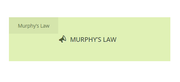
    But I had no issues with the apostrophe:
    2019-09-29-234741
    So please try explaining again so we can try to help.

    Best regards,
    Mike

    #1143218

    Hi,

    Thank you for the update.

    There are a lot of template modifications (header.php, footer.php, includes > loop-page.php) in the child theme folder. Please make sure that those files are up to date. Or disable them temporarily. The background was added directly in the body tag. You will find this code in the child theme’s header.php file.

    
    <body id="top" <?php body_class($style." ".$avia_config['font_stack']." ".$blank." ".$sidebar_styling); avia_markup_helper(array('context' => 'body')); ?> style="background:url(<?php echo get_the_post_thumbnail_url();?>) no-repeat center top transparent;background-size:100% 370px;">
    

    Best regards,
    Ismael

    #1143183

    In reply to: menu font size

    Hi,
    Please try this code in the General Styling > Quick CSS field or in the WordPress > Customize > Additional CSS field:

    #avia-menu li a .avia-menu-text {
        font-size: 22px !important; 
    }

    If this doesn’t help, please include an admin login in the private content area so we can check for a rouge bracket or comma in your css causing the error.

    Best regards,
    Mike

Viewing 30 results - 4,651 through 4,680 (of 18,734 total)