Forum Replies Created
-
AuthorPosts
-
Hi smarta-brett,
We apologize for the inconvenience.
You may want to check on Guenni007’s post here: https://kriesi.at/support/topic/media-upload-and-enfolds-thumbnail-sizes/#post-1270140
It would require using a child theme, you can download and find instructions on how to use it here: https://kriesi.at/documentation/enfold/child-theme/Best regards,
NikkoHi vivienne2020,
Can you tell us the name of the post and please post us your login credentials (in the “private data” field), so we can take a look at your backend.
- Install and activate ” Temporary Login Without Password “.
- Go to ” Users > Temporary Logins ” on the left-side menu.
- Click ” Create New “.
- Add the email address for the account ( you can use (Email address hidden if logged out) ), as well as the ” Role ” making that the highest possible and the expiry about four days
( to be sure that we have enough time to debug ). - Click ” Submit “.
- You’ll now have a temporary account. Please provide us here in the private section the URL, so we can login and help you out.
When your issue is fixed, you can always remove the plugin!
If you prefer to not use the plugin, you can manually create an admin user and post the login credentials in the “private data” field.Best regards,
NikkoHi odiyuda,
Can you give us the FTP access and temporary admin access? so we can inspect it.
Just post the credentials in private content.Best regards,
NikkoHi Jorge,
There’s no frontend editor, Enfold is using its own page builder called the Advanced/Avia Layout Builder, however, it’s only a backend editor.
Best regards,
NikkoHi RosannaK,
Please add this CSS code as well:
.woocommerce ul.products li.product .inner_product_header_cell {
    text-align: center;
}
Best regards,
NikkoFebruary 5, 2021 at 5:53 am in reply to: Portfolio Items. Navigation elements suddenly gone #1277838Hi tribaleye13,
You’re welcome :)
I believe there are some elements that may have caused to change some of the values (posted in the code) which prevents the required condition for the portfolio navigation to run.
Basically, the code above just make sure that the conditions to run the portfolio navigation is met.Best regards,
NikkoHi mai,
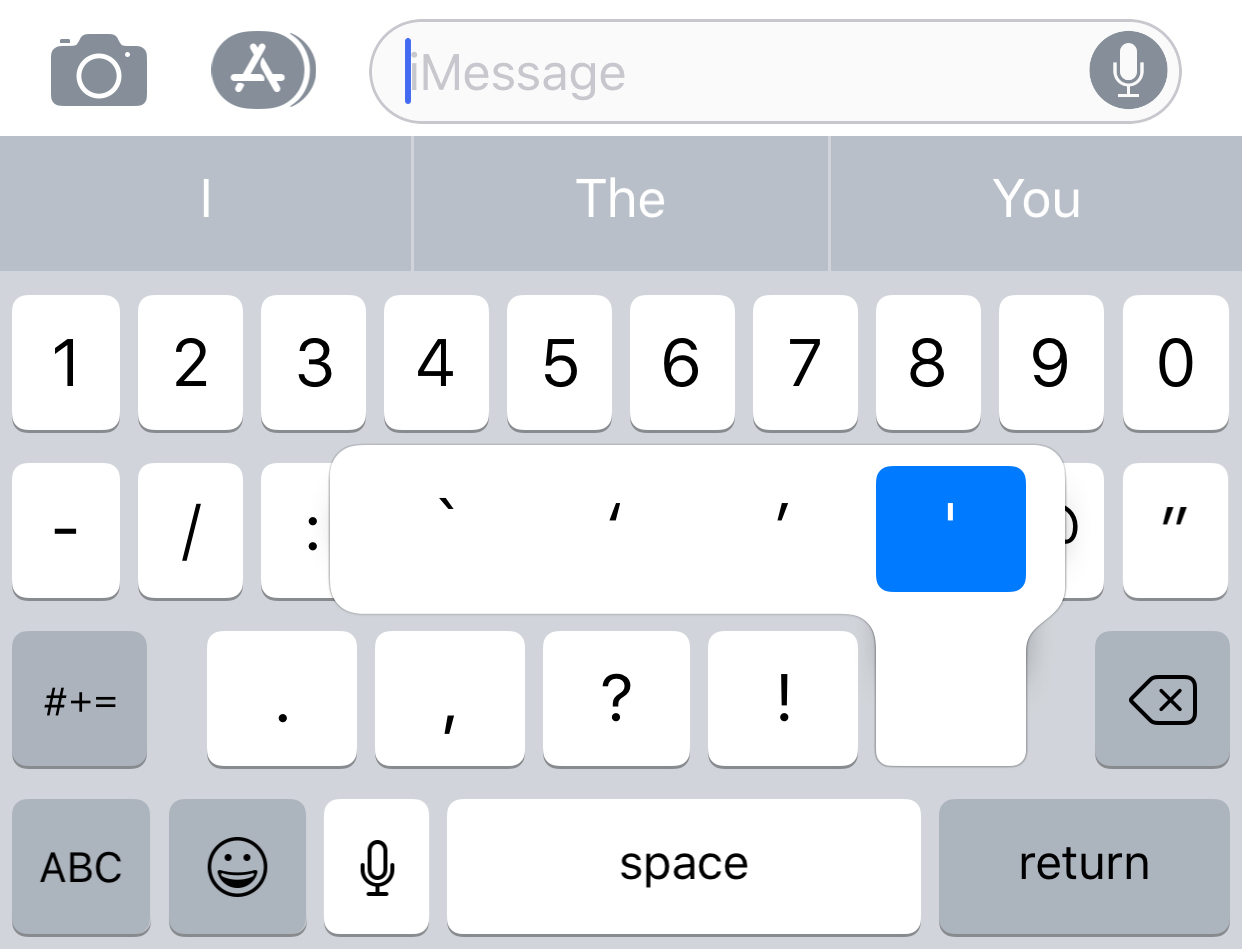
This one is the single quote: https://forums.macrumors.com/proxy.php?image=http%3A%2F%2Fi.imgur.com%2FZ06YS1D.jpg&hash=1afbf31cdff26025d7b6230d3194d3cc
As for the CSS code, it basically is the initial state of the description, when you first load it, it is using All the category therefore all descriptions should be hidden, this will be shown when you click on a filter/category, the javascript code is triggered when clicking it and displays the correct description.
And yes, I’m sure that it’s correct since I have applied it on my local server that’s why I think there might be some conflict that’s causing the code not to work properly but I’m unable to reproduce this on my end.Best regards,
NikkoHi callumwhitehouse,
You’re welcome :)
Just let us know if you need further assistance.Best regards,
NikkoHi Anamitra,
You’re very much welcome :)
We’re just glad that we could help.
Thanks for using Enfold and have a great day!Best regards,
NikkoHi Josh,
We’re glad that we could help :)
Thanks for using Enfold and have a great day!Best regards,
NikkoFebruary 5, 2021 at 5:31 am in reply to: The featured image is not shown at the beginning of the articles. #1277827Hi spamp,
You’re welcome :)
Thanks for using Enfold and have a great day!Best regards,
NikkoHi jd2011,
We’re glad that we could help :)
Thanks for using Enfold and have a great day!Best regards,
NikkoHi jordip,
You’re welcome, please try adding this CSS code as well:
@media only screen and (max-width:959px) {
  .page-id-4145 .av_promobox .avia-button-wrap {
    float: none;
  }

  .page-id-4145 .av_promobox .avia-button {
    position: static;
    margin-top: 0;
    float: none;
  }
}
Best regards,
NikkoHi troupdim,
Yes, this code will only apply on the special heading and the condition is it should be inside a Color Section with an ID of top_section.
This will not apply on menu items, you can see this class av-special-heading-tag which targets the special heading.Best regards,
NikkoHi kouamx100,
Try adding this CSS code in Enfold > General Styling > Quick CSS:
.html_modern-blog #top #wrap_all .avia-content-slider .slide-entry-title {
    font-weight: normal;
    text-transform: none;
    letter-spacing: 0;
    font-size: 18px !important;
}
just adjust the font size value.
Hope it helps.Best regards,
NikkoHi,
I have removed the changes I made, basically it was just “I switched to classic editor in Enfold > Theme Options > Choose your editor set this to Use WP Classic Editor”
Best regards,
NikkoHi Harald,
We apologize for the inconvenience and we’re just happy that we could help :)
If there’s anything you will need you can always open up a new thread here and also you can always check our documentation: https://kriesi.at/documentation/enfold/Best regards,
NikkoHi jordip,
Thanks for the link.
Please go to Enfold > General Styling > Quick CSS and add this CSS code:.page-id-4145 .avia-promocontent { margin-right: 240px; }Best regards,
NikkoHi vantagepointmg,
Please try to do the following.
1. Set Menu and Logo Position to Logo left, Menu right.
2. Go to Enfold > General Styling > Quick CSS, then add this CSS code:#header #header_main .main_menu { right: auto; left: 0; } #header #header_main .logo { left: 50%; transform: translateX(-50%); }Best regards, NikkoHey callumwhitehouse,
Can you try adding this CSS code in Enfold > General Styling > Quick CSS:
.page-id-108 #main .container_wrap_first {
    min-height: 65vh;
}
just adjust the value (100vh is the whole height of the screen).
Best regards,
NikkoHi harst53,
Have you tried to check the following permissions: https://kriesi.at/documentation/enfold/wp-content/uploads/sites/22/2017/07/Token-Permission.jpg
Here’s the full link of the documentation: https://kriesi.at/documentation/enfold/theme-registration/#toggle-id-5
Let us know if it helps or not.Best regards,
NikkoHey Enffie,
Please post us your login credentials (in the “private data” field), so we can take a look at your backend.
- Install and activate ” Temporary Login Without Password “.
- Go to ” Users > Temporary Logins ” on the left-side menu.
- Click ” Create New “.
- Add the email address for the account ( you can use (Email address hidden if logged out) ), as well as the ” Role ” making that the highest possible and the expiry about four days
( to be sure that we have enough time to debug ). - Click ” Submit “.
- You’ll now have a temporary account. Please provide us here in the private section the URL, so we can login and help you out.
When your issue is fixed, you can always remove the plugin!
If you prefer to not use the plugin, you can manually create an admin user and post the login credentials in the “private data” field.Best regards,
NikkoHi troupdim,
Please do the following:
1. Edit the Color Section (where the heading is located), go to Advanced > Developer Settings > Custom ID Attribute set value to top_section then save.
2. Go to Enfold > General Styling > Quick CSS, then add this CSS code:#top_section .av-special-heading-tag { display: inline-block; padding: 10px 15px; background-color: rgba(0,0,0,0.5); }To apply this on other pages, just repeat step 1 (skip step 2).
Best regards,
NikkoHi gugler,
To prevent homepage’s header from scrolling, please add this CSS code in Enfold > General Styling > Quick CSS:
#top.home #header {
    position: absolute !important;
}
Best regards,
NikkoHi daves1997,
We’re glad to hear that :)
Thanks for using Enfold and have a great day!Best regards,
NikkoFebruary 4, 2021 at 6:55 am in reply to: Wie kann ich das Enfold Theme 4.2.6 auf die aktuelle Version updaten? #1277562Hi streetbunny80,
You can check this on how to update via FTP: https://kriesi.at/documentation/enfold/theme-update/#update-via-ftp
Hope it helps.Best regards,
NikkoFebruary 4, 2021 at 6:50 am in reply to: Changing the background color or hiding header bar on mobile devices #1277560Hi karthik16,
Can ou try adding this in Enfold > General Styling > Quick CSS:
@media only screen and (max-width:767px) {
  .responsive #top #wrap_all #header {
    background-color: black;
  }
}
Best regards,
NikkoFebruary 4, 2021 at 6:46 am in reply to: Couldn't add the font because the server didn’t respond. Please reload the page. #1277559Hi renita01,
We’re glad to hear that :)
Let us know if you need further assistance.Best regards,
NikkoHi jordip,
Can you give us a link to the page mentioned?
Best regards,
NikkoHi kouamx100,
I would like to use this as a reference this demo for the Blog Grid: https://kriesi.at/themes/enfold-2017/blog/blog-default/
I could see the title is not in capital letters (displayed as it is written) and not in bold (visually it looks bold because of the large font size and darker color).
Can you give us the link to your blog page? so we can try to inspect it and give some css to adjust it.Best regards,
Nikko -
AuthorPosts