

Forum Replies Created
-
AuthorPosts
-
Hey christianschoen,
Perhaps it is the icon pack you used, is it the only add-on pack you added?
I tested with the pack in the Private Content area, in Enfold v4.3.1 and it worked good:
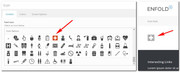
Best regards,
MikeHi,
Try this code in the General Styling > Quick CSS field:#header_main_alternate { background-color: #5C6DB5!important; } .header_color .main_menu ul:first-child > li.current-menu-item > a { color: #ACD4E1 !important; }Best regards,
MikeMay 3, 2018 at 12:06 pm in reply to: Youtube link on image no longer opens Lightbox but redirects to Youtube.com #950700Hey mcbaile,
Please check that Enfold Theme Options > Lightbox Modal Window is checked.
If this doesn’t solve, please include a admin login in the private content area so we can take a closer look.Best regards,
MikeMay 3, 2018 at 11:57 am in reply to: How to set distances in Avia Layout Builder between elements #950697Hi,
It looks as though you included the dot in your class on the page “.home_slider” please remove the dot “home_slider”Best regards,
MikeHi,
I added:#color-footer .twitter a:hover { color: #a3d1f9; } #color-footer .youtube a:hover { color: #d2463a; } #color-footer .linkedin a:hover { color: #3472a4; } #color-footer .vimeo a:hover { color: #808080; }Please clear your cache and check.
Best regards,
MikeHi,
That could explain it, is there anything else we can assist with today?Best regards,
MikeHi,
For the background color #2C353D, I choose it in the color section background settings.
For the font color I updated the above css:#color-footer a,#color-footer p,#color-footer strong.news-headline { font-size: 12px; color: #fff; }For the headlines I added:
#color-footer h3.widgettitle {
font-weight: normal !important;
}
To add some padding to the “links” widget I added a ID and this quick css:
#color-footer .color-links {
padding-left: 70px;
}
Please adjust to suit.
Best regards,
MikeHey Lara,
When I compare your color section and footer I see the font is correct, and I assume you don’t want the same colors as the background of the color section would make white text hard to read, so I believe you want the font-size to match. So I added a ID to the color section, and this to your quick css:#color-footer a,#color-footer p {font-size: 12px;}For the icons I added this code:
#color-footer #text-7 .avia-icon-pos-left {
    margin-right: 20px;
}
Please clear your browser cache and check.
Best regards,
MikeMay 3, 2018 at 3:35 am in reply to: How to set distances in Avia Layout Builder between elements #950418Hey ecounited,
In this case please try adding the space to the element below, like this:#top.home #layerslider_6 { padding-top: 15px !important; }As a rule of thumb, if pushing down something is not working, try pushing up from the next element.
Now for your slider, you should add a custom ID and replace the default “#layerslider_6” because if you make any changes to the page the layerslider_6 could change.Best regards,
MikeHi,
I see you have used the function for changing the category to “blog-grid” But there are a couple of other choices you can use, one is “single-big” which I believe the one you want:add_filter('avf_blog_style','avia_change_category_blog_layout', 10, 2); function avia_change_category_blog_layout($layout, $context){ if($context == 'archive') $layout = 'single-big'; return $layout; }Please give this one a try.
Best regards,
MikeHi,
Enfold will be updated to v4.3.1 tomorrow, or the next day, please update the staging site via FTP when you see this, and post here, as I’m sure it will be the first thing the team suggests.*Please note that when updating via FTP, You will need the delete the old theme folder and replace it with the new one. Please do not try to overwrite as it will leave old files behind.
Best regards,
MikeMay 3, 2018 at 1:45 am in reply to: Search result counter background color of numbers in circles #950403Hi,
Glad we were able to help, we will close this now. Thank you for using Enfold.For your information, you can take a look at Enfold documentation here
and the video tutorials here
And if there are features that you wish Enfold had, you can request them and vote the requested ones here
For any other questions or issues, feel free to start new threads under Enfold sub forum and we will gladly try to help you :)Best regards,
MikeHi,
Thank you for sharing your solution, we will close this now. Thank you for using Enfold.For your information, you can take a look at Enfold documentation here
and the video tutorials here
And if there are features that you wish Enfold had, you can request them and vote the requested ones here
For any other questions or issues, feel free to start new threads under Enfold sub forum and we will gladly try to help you :)Best regards,
MikeMay 3, 2018 at 1:41 am in reply to: Cant change the font size style and weight of the links in the Header #950400Hi,
The font Roboto was in place when I logged in, for some of the specialties such as light 100, you may find Use Any Font plugin helpfulBest regards,
MikeHi,
Glad we were able to help, we will close this now. Thank you for using Enfold.For your information, you can take a look at Enfold documentation here
and the video tutorials here
And if there are features that you wish Enfold had, you can request them and vote the requested ones here
For any other questions or issues, feel free to start new threads under Enfold sub forum and we will gladly try to help you :)Best regards,
MikeHi,
Oh, I see now, that looks like a plugin conflict, yet I know you said you tried that. Are all 20 sites doing this? I would like to login and check, do you have a staging site or a all-in-one-wp-migration export for us to test locally?Best regards,
MikeHi,
I corrected the YouTube background video link and removed the error, please note the link format in the Private Content area.
But it didn’t solve the menu, I do note that you have a custom function / script that targets the mobile menu, please remove and test, a slight js error anywhere can cause an issue.
Also try disabling your plugins. If that resolves the issue, reactivate each one individually until you find the cause.Best regards,
MikeHi,
Glad we were able to help, we will close this now. Thank you for using Enfold.
@Guenni007 :)For your information, you can take a look at Enfold documentation here
and the video tutorials here
And if there are features that you wish Enfold had, you can request them and vote the requested ones here
For any other questions or issues, feel free to start new threads under Enfold sub forum and we will gladly try to help you :)Best regards,
MikeHi,
Glad we were able to help, we will close this now. Thank you for using Enfold.For your information, you can take a look at Enfold documentation here
and the video tutorials here
And if there are features that you wish Enfold had, you can request them and vote the requested ones here
For any other questions or issues, feel free to start new threads under Enfold sub forum and we will gladly try to help you :)Best regards,
MikeHi,
Glad we were able to help, we will close this now. Thank you for using Enfold.For your information, you can take a look at Enfold documentation here
and the video tutorials here
And if there are features that you wish Enfold had, you can request them and vote the requested ones here
For any other questions or issues, feel free to start new threads under Enfold sub forum and we will gladly try to help you :)Best regards,
MikeMay 2, 2018 at 1:18 pm in reply to: Cant change the font size style and weight of the links in the Header #950033Hey Felix-A,
Please try using the Enfold Theme Options > Extended styling
I changed your main menu font size to 18px, and font to “Droid Sans” and once I cleared my browser cache I could see the change.
Please clear your browser cache and check.Best regards,
MikeMay 2, 2018 at 1:00 pm in reply to: Search result counter background color of numbers in circles #950028Hey studiovene,
Try this code in the General Styling > Quick CSS field:.main_color .search-result-counter { background-color: #13599F !important; color: #fff !important; font-family: 'Lato', 'HelveticaNeue', 'Helvetica Neue', Helvetica, Arial, sans-serif !important; }Please adjust to suit.
Best regards,
MikeHey studiovene,
Try this code in the General Styling > Quick CSS field:.ajax_search_entry.ajax_search_entry_view_all:hover { color: #13599f !important; }Please adjust to suit.
Best regards,
MikeHi,
I’m seeing a couple of js errors on your YouTube video, in Chrome on Win10, Can you please include a admin login in the private content area so we can take a closer look.Best regards,
MikeHey studiovene,
It seems to be showing for me in Chrome, Firefox, & Edge on Win10, Please see screenshot in Private Content area.
What browser are you using?
Perhaps try clearing your cache.Best regards,
MikeHi,
Probieren Sie diesen Code im Feld General Styling> Quick CSS aus:
—-
Try this code in the General Styling > Quick CSS field:#top .fullsize .template-blog .big-preview.multi-big { margin-bottom: 0px !important; }Best regards,
MikeHey mikestichel,
Bitte fügen Sie die URL zu der betreffenden Seite hinzu, damit wir genauer hinsehen können.—————-
Please include the url to the page in question so we can take a closer look.Best regards,
MikeHey hackoffseries,
Try this code in the General Styling > Quick CSS field:@media only screen and (max-width: 767px) { #av_section_1 .flex_column_div.first,#av_section_1 .flex_column.el_after_av_one_half { padding: 0px !important; }Best regards,
MikeHi,
I wanted to update you, So I found that the error only occurs with WPML on the transition page. It looks like you can create the translation page and then disable WPML, and the video works fine. But I have asked the rest of the team to take a look and help.
Thanks a lot for your patience and for using Enfold.Best regards,
Mike -
AuthorPosts
