

Forum Replies Created
-
AuthorPosts
-
Hey dvalansi,
For a background-image in your header, try this code in the General Styling > Quick CSS field:#header_main { background-image: url(https://haschiavone.com/wp-content/uploads/2018/05/BVE__0001_1.png) !important; background-repeat: no-repeat; }For a background-image in the footer, try this code:
#footer {
background-image: url(https://haschiavone.com/wp-content/uploads/2018/05/BVE__0001_1.png) !important;
background-repeat: no-repeat;
}
Please see screenshots in Private Content area.
Best regards,
MikeHey NashurstDesign,
To remove, Try this code in the General Styling > Quick CSS field:.wpulike {display: none !important;}Best regards,
MikeMay 13, 2018 at 10:54 pm in reply to: Trying to get property of non-object in function-set-avia-frontend.php, line 66 #956145Hi,
Glad we were able to help, we will close this now. Thank you for using Enfold.For your information, you can take a look at Enfold documentation here
And if there are features that you wish Enfold had, you can request them and vote the requested ones here
For any other questions or issues, feel free to start new threads under Enfold sub forum and we will gladly try to help you :)Best regards,
MikeMay 13, 2018 at 10:51 pm in reply to: Email signup form requires 2 calls to CSS to display correctly #956144Hey aevans130,
It seems that you have found a good solution for the issue, I assume that what you don’t like about it is having to call the stylesheet again. My first thought is that although you are calling it again I don’t believe the browser is going to download it again, only reorder it while parsing it.
But I thought of another way around this, by adding the styles to WordPress > Customize > Additional CSS which is the last one to load.#mc_embed_signup form {text-align:center; padding:10px 0 10px 0;} .mc-field-group { display: inline-block; } /* positions input field horizontally */ #mc_embed_signup input.email {font-family:"Open Sans","Helvetica Neue",Arial,Helvetica,Verdana,sans-serif; font-size: 15px; border: 1px solid #ABB0B2; -webkit-border-radius: 3px; -moz-border-radius: 3px; border-radius: 3px; color: #343434; background-color: #fff; box-sizing:border-box; height:32px; padding: 0px 0.4em; display: inline-block; margin: 0; width:350px; vertical-align:top;} #mc_embed_signup label {display:block; font-size:16px; padding-bottom:10px; font-weight:bold;} #mc_embed_signup .clear {display: inline-block;} /* positions button horizontally in line with input */ #mc_embed_signup .button {font-size: 13px; border: none; -webkit-border-radius: 3px; -moz-border-radius: 3px; border-radius: 3px; letter-spacing: .03em; color: #fff; background-color: #aaa; box-sizing:border-box; height:32px; line-height:32px; padding:0 18px; display: inline-block; margin: 0; transition: all 0.23s ease-in-out 0s;} #mc_embed_signup .button:hover {background-color:#777; cursor:pointer;} #mc_embed_signup div#mce-responses {float:left; top:-1.4em; padding:0em .5em 0em .5em; overflow:hidden; width:90%;margin: 0 5%; clear: both;} #mc_embed_signup div.response {margin:1em 0; padding:1em .5em .5em 0; font-weight:bold; float:left; top:-1.5em; z-index:1; width:80%;} #mc_embed_signup #mce-error-response {display:none;} #mc_embed_signup #mce-success-response {color:#529214; display:none;} #mc_embed_signup label.error {display:block; float:none; width:auto; margin-left:1.05em; text-align:left; padding:.5em 0;} @media (max-width: 768px) { #mc_embed_signup input.email {width:100%; margin-bottom:5px;} #mc_embed_signup .clear {display: block; width: 100% } #mc_embed_signup .button {width: 100%; margin:0; } }I then removed this from your widget:
<link href="//cdn-images.mailchimp.com/embedcode/horizontal-slim-10_7.css" rel="stylesheet" type="text/css">and it is working, please check.
Best regards,
MikeHey jeroenvandessel,
Sorry for the late reply, I took a look at your site:
2 I looked at your breadcrumbs for mobile and the only thing that looked wrong was “U bevindt zich hier” I translated it to find it was 3 words “U is here” is this correct or should it have no spaces, sorry I don’t speak German.
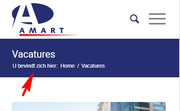
3 your link to the page with no breadcrumbs does show breadcrumbs, please see screenshot above, I assume you fixed this?
4 to show the breadcrumbs on category pages you need to make that setting at Enfold > Header > Header Layout > Header Title and Breadcrumbs I set it to “breadcrumbs only” for you but if you want to see the title also just change that setting.
5 the white space you saw below the custom footer was actually the sidebar being pushed to the bottom, on this page I corrected it by choosing “no sidebar” in the layout for the page, please check and make the same change on your other pages.Best regards,
MikeHey summer_time,
There is a issue with using only layerslider shortcodes, the devs are working on it. For now please use the layerslider element in the advanced layout builder or you can try this temporary fix.Best regards,
MikeMay 13, 2018 at 9:09 pm in reply to: enfold: problem befoore transfer in other host. Lost icon and other ! #956132Hi,
I see that you have a lot of issues with the site and a lot of errors, I believe this has to do with the way it was cloned over to the site. I recommend trying again with the Duplicator plugin
Try using the plugin to clone the .com site to the .it site
Here is a good video on how to use it: https://youtu.be/L8M_Ei2odukBest regards,
MikeMay 13, 2018 at 8:24 pm in reply to: how to manage automated a daily changing saying within the content #956125Hi,
We have not added this to Enfold yet, but I hope this works for you. Shall we close this then?Best regards,
MikeHi,
Glad we were able to help, we will close this now. Thank you for using Enfold.For your information, you can take a look at Enfold documentation here
And if there are features that you wish Enfold had, you can request them and vote the requested ones here
For any other questions or issues, feel free to start new threads under Enfold sub forum and we will gladly try to help you :)Best regards,
MikeHi,
Glad we were able to help, we will close this now. Thank you for using Enfold.For your information, you can take a look at Enfold documentation here
And if there are features that you wish Enfold had, you can request them and vote the requested ones here
For any other questions or issues, feel free to start new threads under Enfold sub forum and we will gladly try to help you :)Best regards,
MikeHi,
I believe that the reason the button is not working is because the input box above is hidden, and without a input there is no action for the button to take:
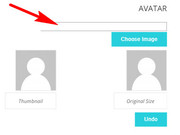
I don’t know a lot about this plugin and it’s settings, I recommend asking at the plugin’s forum to find out more.
The “User Forum Signature” is in the same h2.entry-title element as the other titles on the page, I’m not sure why it’s not translating for you.Best regards,
MikeHi,
I believe I recognize this issue, please try replacing the “asset-manager.class.php” with the one linked in the Private Content area.
via ftp at: \wp-content\themes\enfold\config-templatebuilder\avia-template-builder\php\asset-manager.class.php
then re-save your Enfold settings, to do this go to Enfold Theme Options > General Styling > Quick CSS field and enter a space to make the “Save all changes” button clickable.
Then clear your browser cache.Best regards,
MikeHi,
Thank you for sharing your solution, we will close this now. Thank you for using Enfold.For your information, you can take a look at Enfold documentation here
And if there are features that you wish Enfold had, you can request them and vote the requested ones here
For any other questions or issues, feel free to start new threads under Enfold sub forum and we will gladly try to help you :)Best regards,
MikeHi,
This is good news, thanks for keeping us up to date, we look forward to hearing the final outcome.Best regards,
MikeMay 13, 2018 at 7:18 pm in reply to: Replace logo with site title or custom text on mobile too #956099Hi,
Glad we were able to help, we will close this now. Thank you for using Enfold.For your information, you can take a look at Enfold documentation here
And if there are features that you wish Enfold had, you can request them and vote the requested ones here
For any other questions or issues, feel free to start new threads under Enfold sub forum and we will gladly try to help you :)Best regards,
MikeHi,
I changed the link to your logo image to the full size version and removed this css:.html_header_top.html_logo_center .logo { left: 0; -webkit-transform: none; -ms-transform: none; transform: none; }It seems correct now, please clear your browser cache and check.
Best regards,
MikeHi,
Glad we were able to help, we will close this now. Thank you for using Enfold.For your information, you can take a look at Enfold documentation here
And if there are features that you wish Enfold had, you can request them and vote the requested ones here
For any other questions or issues, feel free to start new threads under Enfold sub forum and we will gladly try to help you :)Best regards,
MikeHey ladislavhrabal,
Can you please include a admin login in the private content area so we can take a closer look.Best regards,
MikeHi,
Please try the Envato Market WordPress Plugin to update your theme via the admin panel. If this doesn’t work for you we could assist with a ftp update if you link to your version via DropBox.
Your page error seems to be due to a plugin conflict, Try disabling your plugins. If that resolves the issue, reactivate each one individually until you find the cause.
But please update first as the conflict may be in part due to your very old theme.Best regards,
MikeHi,
@paulikwiat & @noble_murphy
Please open a new thread so we can assist, we will want communicate in the Private Content area, such as your URL & admin login, but as this is not your thread your info will not be private. Thanks for your patience and understanding.
In your new thread please provide admin login info.Best regards,
MikeMay 13, 2018 at 5:33 pm in reply to: how to manage automated a daily changing saying within the content #956080Hey hansloe,
This would be best handled with a plugin, I did a quick search for you and found there are many to try, Quotes Collection lets you add your own quotes and display them with a shortcode that you can place in a code block element.Best regards,
MikeHi,
Try this code in the General Styling > Quick CSS field:#av_section_2.footer_color .av_font_icon.avia_animate_when_visible { -webkit-animation: none !important; animation: none !important; }Best regards,
MikeHey Dimitry,
Sorry your links & images are not working correctly, do you mean you would like this:
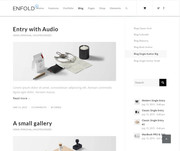
This is the setting in the blog post element:
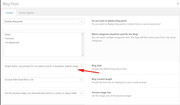
Perhaps it would help to see your setting, Can you please include a admin login in the private content area so we can take a closer look.Best regards,
MikeHey farangsamui,
I’m not sure that I understand correctly, do you mean this:
Best regards,
MikeHey Susanne,
The current logo image is 300px wide, please see link in Private Content area. I believe I understand what you would like to see, Please see screenshot in Private Content area.
Can you please include a admin login in the private content area so we can assist.Best regards,
MikeHey Mazigh,
I looked at your service page, and I believe you are referring to the sidebar, Please see screenshot in Private Content area.
For your “projecten” page the sidebar is below the content because you are using a color section that forces the sidebar down.
I have put your masonry in a column which allows your sidebar, please check.Best regards,
MikeHey Susanne,
Try this code in the General Styling > Quick CSS field:#top.home .flex_column { margin-top: 0px !important; } #top.home #after_full_slider_1 .template-page.content { padding-top: 0px !important; }This is designed to work on the homepage only so it won’t effect other pages negatively, please let us know if you have other pages that you need this to work on.
Best regards,
MikeMay 13, 2018 at 3:33 pm in reply to: Replace logo with site title or custom text on mobile too #956045Hey danielromanin,
Try this code in the General Styling > Quick CSS field:span.logo.bg-logo img {display: none !important;}Best regards,
MikeMay 13, 2018 at 3:14 pm in reply to: Saving Enfold Contact Form to Database (Finally Solved!!) #956041Hi,
To reset the site completely please use the plugin WordPress Reset
But as I see you are working on your site this should not be necessary at this point, lets look at your questions.
1: Without logging in, it looks as though the background color for your cell that contains the contact form is not set, it’s getting the black as the default body color. Please try changing the color in the 1/2 flex cell (grid row) What color did you want it?
2: the footer widgets look the same in mobile & desktop for me, what color are they in iPhone?
3: the slider at the top seems to be inside a color section, please try moving the slider outside the color section, or if you are only going to have one background-image, thus not sliding, try removing the slider and add the background-image to the color section, then add your text block to the color section as a 1/2 column using a empty 1/2 column for the other side.
Or try this code in the General Styling > Quick CSS field to just hide the space:#top.home #main .container_wrap.container_wrap_first.main_color.fullsize { display: none !important; }4: the text on the slider will move some, as the width is a percentage of the screen width, it seems minimal, what size is frustrating you the most? Please include screenshots.
5: Please explain how your site is braking, I’m not really seeing it.Sorry to hear that this has been frustrating, I know Enfold has a lot of options and controls. Perhaps if you include a admin login in the private content area we can help with these and explain the steps to help you learn the theme.
You can see the Enfold documentation hereBest regards,
Mike -
AuthorPosts
