

Forum Replies Created
-
AuthorPosts
-
August 26, 2022 at 1:27 pm in reply to: Warning: Cannot modify header information – headers already sent by (output star #1362879
Hey badoes,
Thanks for your question, the file creating this error is a core WordPress file and not an Enfold file: /public_html/wp-includes/functions.php
the error line 5831 is a part of WordPress Debug notice for developers and your Sitediagnose recommends that you disable the WordPress Debug:

I also see that you are using an old version of Enfold: v4.7.6.4 with no Envato persoonlijk token, please enter a valid token and update to v5.1.1
If you have trouble updating your version of Enfold you may need to download the latest version from your Theme Forest account and upload it to your WordPress ▸ Appearance ▸ Themes ▸ Add Themes ▸ Add New

after you choose the zip file and click install, you will see a This theme is already installed message because you are updating, you can continue

then you will see the Theme updated successfully message.

After you update, you may also need to update your child theme footer.php as it has changed in the latest version and your old one will probably cause errors, I also see that your child theme has quite a lot of custom files.
I believe that the cause for the error is because Enfold v4.7.6.4 didn’t support the Gutenberg Widget interface at that time, so updating should solve.Best regards,
MikeHi,
Glad to hear that you have this sorted out, if you have any further questions please create a new thread and we will gladly try to help you. Thank you for using Enfold.Best regards,
MikeHi,
Ok, we will leave this open while you try in case you have any further questions, once you are successful please let us know that we can close the thread.Best regards,
MikeHi,
Thanks for your question, if you are using Enfold v3.8 then you must manually update because that version will not accept the Envato Token and will only use the Envato API which Envato has disabled. Second, if your PHP is v7.3 then you must update to v7.4, then update Enfold to v5.1.1, then update WordPress to v6+, then you can update to PHP v8+
To update your version of Enfold you will need to download the latest version from your Theme Forest account and upload it to your WordPress ▸ Appearance ▸ Themes ▸ Add Themes ▸ Add New
after you choose the zip file and click install, you will see a This theme is already installed message because you are updating, you can continue
then you will see the Theme updated successfully message.
Before you do anything else !!
Please backup your site with your webhost full site backup tool.
Please do not rely on a backup plugin unless you have personal experience restoring from such a backup!
Many backup plugins only backup and do not restore!Best regards,
MikeHey patde22,
Thanks for your question, as I recall there was an update issue with that old version, when I check your site the Debugging Info for Theme support says that Updates are disabled.
To update your version of Enfold you will need to download the latest version from your Theme Forest account and upload it to your WordPress ▸ Appearance ▸ Themes ▸ Add Themes ▸ Add New
after you choose the zip file and click install, you will see a This theme is already installed message because you are updating, you can continue
then you will see the Theme updated successfully message.
Best regards,
MikeAugust 25, 2022 at 10:59 pm in reply to: Show category in Masonry gallery with link to overview posts in that category #1362840Hi,
Please include an admin login & a direct link to the page in your screenshot in the Private Content area, so we can examine.Best regards,
MikeHi,
Glad Guenni007 could help, thank you Guenni007, unless there is anything else we can assist with on this issue, shall we close this then?
Best regards,
MikeHi,
Glad Guenni007 could help, thank you Guenni007, if you have any further questions please create a new thread and we will gladly try to help you. Thank you for using Enfold.Best regards,
MikeHi,
I looked into this a little further and found another solution but please only use this solution on the same domain URLs, as I pointed out above.I found an ajax request on stack overflow and worked it out by adding this code to a code block section:
<script>
window.addEventListener('DOMContentLoaded', function() {
  (function ($) {
  $.ajax({
      url:'https://savvyify.com/enfold/' +
          '3x4-buton-grid',
           type:'GET',
   success: function(data) {
       var content = $('<div>').append(data).find('#main');
      $('#av_section_1').html($(data).find('#test').html());
   }
});
  })(jQuery);
  });;
</script>
please note the domain url, the page url, the ID of the page section, and the element ID, of the source page:

Please note that here the color section minimum height is set to 100%:
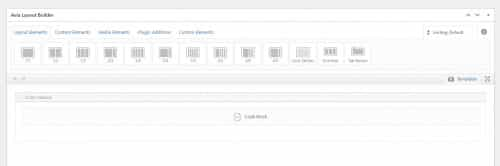
the result is:

Best regards,
MikeHey schweg33,
Thanks for your question, please try adding this javascript and iframe code into a code block element, and note that the iframe source page must be on the same domain.<script type="text/javascript"> function calcHeight(iframeElement){ var the_height= iframeElement.contentWindow.document.body.scrollHeight; iframeElement.height= the_height; } </script> <iframe src="./3x4-buton-grid" onLoad="calcHeight(this);" frameborder="0" scrolling="no" width="100%" ></iframe>In the above example replace /3×4-buton-grid with your source page.
Best regards,
MikeHi,
Glad Guenni007 could help, thank you Guenni007, if you have any further questions please create a new thread and we will gladly try to help you. Thank you for using Enfold.Best regards,
MikeHi,
Glad we could help, this is correct, your issues were caused by the WP Rocket plugin and the code added to your header.php was custom and not standard for the Enfold header.php file. Unless there is anything else we can help with on this issue, shall we close this then?Best regards,
MikeHey rixi,
Thanks for your question and the link to your site, typically for mobile the grid should show only a single column, so I’m not sure why your page is not, but this css in your Quick CSS should correct:@media only screen and (max-width: 767px){ .responsive #top #wrap_all .slide-entry { width: 100%; margin-left: 0%; } }After applying the css, please clear your browser cache and check.
If this doesn’t correct please include admin login in the Private Content area so we can investigate.Best regards,
MikeHi,
Glad we were able to help, if you have any further questions please create a new thread and we will gladly try to help you. Thank you for using Enfold.Best regards,
MikeHi,
Tha for your question and the link to your page, please try this css:#header_meta #avia2-menu .av-icon-char { color: #ae9b57; }After applying the css, please clear your browser cache and check.
the expected results ▸ https://savvyify.com/img/image/JIOcBest regards,
MikeAugust 23, 2022 at 12:46 pm in reply to: Accordion Tab Sort Filter break on select browsers #1362489Hi,
Glad Rikard could help, if you have any further questions please create a new thread and we will gladly try to help you. Thank you for using Enfold.Best regards,
MikeHey Ploti,
Thanks for your question and the link to your site, I see that for mobile your slider is hidden because of this css from the layerslider:.ls-forcehide { display: none !important; }typically this is added when the option LayerSlider ▸ Project Settings ▸ Mobile ▸ Hide On Mobile is enabled:

Please check and disable this option and then publish your slider again.
Then clear your browser cache and any cache plugin, and check.Best regards,
MikeHi,
Glad we were able to help, if you have any further questions please create a new thread and we will gladly try to help you. Thank you for using Enfold.Best regards,
MikeHi,
Thanks for the feedback, and the example to /portfolios/gallery/ the space you are seeing from the masonry gallery below the header is because the color section is vertically centering the element, please note in this screenshot the green space is padding, but the masonry element is centered:

So while on a low content page this would be desired, centering the content, if you would rather have the extra white space below the content please try this css:#av_section_1.avia-section.av-minimum-height.av-minimum-height-100 .container .content { vertical-align: top; }After applying the css, please clear your browser cache and check.
Please note that typically we would recommend adding a custom class to your color section so this would only affect the certain color sections that you wish, but in this case I believe that I have successfully targeted these low content page color sections in the css rule with the ID #av_section_1 which would only occur on the first section, and with the added class .av-minimum-height-100, which means it must be a color section with a minimum height of 100%
But please test and check your other pages for any conflicts and link to any you find so we can adjust.Best regards,
MikeAugust 23, 2022 at 12:04 am in reply to: Font-size in search result list pages, editing of search-result pages, e #1362433Hi,
Thanks for the feedback, try adding this css to your Quick CSS:#top.search-results .container_wrap_first:before { content: ""; background-image: url(https://parkinson-journal.de/wp-content/uploads/2022/05/Headpic.png); width: 100%; height: 100%; position: absolute; background-repeat: no-repeat; background-size: contain; } #top.search-results .container_wrap_first .template-search { margin-top: 12%; }After applying the css, please clear your browser cache and check.
Please see the screenshot in the Private Content area of the expected results.Best regards,
MikeHi,
Thank you for the login, after much research I found that part of this issue was from the WP Rocket plugin adding the google font preconnect link to the site:

to disable this you have to install a extra plugin from WP Rocket:

I did this for you to ensure that this would work, which it did but you also had a google font link in your header.php so I removed this also:

I also found that WP Rocket was also preloading the fonts at Preload ▸ URLs to prefetch, so I removed these URLs:

//fonts.gstatic.com
//fonts.googleapis.com
//www.google-analytics.com
//www.google.com
//www.googletagmanager.com
//www.gstatic.com
and this solved your issue:

The one last thing that I noticed was a 404 error for the url in the WP Rocket Preload ▸ Fonts to preload
/wp-content/uploads/avia_fonts/type_fonts/open-sans-v34-latin/open-sans-v34-latin-regular.ttf
so I removed this to solve the 404 error:

please clear your browser cache and check.Best regards,
MikeHi,
Thanks for the screenshot of your /books/ page, the black space under the masonry gallery is from your page content smaller that the browser height of the page. So you can either add more content or place the masonry gallery inside of a color section and set the minimum height of the color section to 100%.Best regards,
MikeAugust 21, 2022 at 11:34 pm in reply to: [Question] Masonry sorting does not show all categories #1362368Hi,
Glad this helped, if you have 300+ posts your page would still load all of them.
So for best results use the “load more” option and draw attention to the button so your visitors will know to use it.
In order for 300+ posts to be sorted all of them will need to be loaded, either on page load or later when the user clicks “load more”.Best regards,
MikeHi,
Thanks for your question, currently on your page /gallery/ when an image is clicked you can see the other images from the gallery in the background:

I believe that you want the other images from the gallery to not be seen, so we should change the background opacity with this css in the General Styling ▸ Quick CSS field:.mfp-zoom-in.mfp-ready.mfp-bg { opacity: 1; }After applying the css, please clear your browser cache and check, this is the expected results:

Best regards,
MikeHi,
Thanks, I see how the image is after the first “p” tag, but on your site the first “p” tag is a single line:I love a good spritz cocktail. These drinks are light and refreshing and lower in alcohol than the average cocktail.
and not really a “paragraph” so I don’t think this would help in your situation.
For your site, we could count the first two or three “p” tags, but we would need to find a consistent target for your 800+ pages.Best regards,
MikeAugust 21, 2022 at 9:44 pm in reply to: Can't bring elements closer together for some reason #1362363Hey Dzimnikov,
Thanks for your question, so I’m not sure how close you want them, but the .template-page.content has a padding-bottom: 50px and #packageitems .template-page.content has a padding-top: 50px
So this css should help:#top.page-id-467 .template-page.content { padding-bottom: 0; } #top.page-id-467 #packageitems .template-page.content { padding-top: 0; }After applying the css, please clear your browser cache and check.
Best regards,
MikeHi,
Thanks for the feedback, and I’m certain we can help you with this using javascript, but consisting that we are looking to modify 800+ pages a little more feedback about your post structure would help.
So looking at /limoncello-cocktail/ I see that you have “jump to recipe” and “print recipe” buttons ▸ wprm-recipe-template-snippet-basic-buttons
but I assume that this is not far enough down.
I also see a Table of Contents ▸ ez-toc-container perhaps after this is ok?
Or perhaps the first H2 after the Table of Contents?
Please check your posts and hopefully there is a standard placement that we can use.Best regards,
MikeHi,
Glad we were able to help, if you have any further questions please create a new thread and we will gladly try to help you. Thank you for using Enfold.Best regards,
MikeHi,
I assume that you are using an image widget in your column 3 footer widget:

after you have added the image widget and saved the URL, go back and click the “edit image” button and you will see the “Open link in a new tab” check box:

select this and save again and now the link will open in a new tab.

Best regards,
MikeAugust 21, 2022 at 6:11 pm in reply to: [Question] Masonry sorting does not show all categories #1362351Hey ScenesBySevy,
Thanks for your question, when the number of items are limited the sort option will only show from the items currently shown.
Perhaps give this a try, in your masonry element select Display all entries and Pagination ▸ Post Number ▸ All with sorting enabled.
Then add this css to your Quick CSS:#av-masonry-1 .av-masonry-container:not([id*="masonry_id_"]) .av-masonry-entry:nth-child(n+6) { display: none; }If you are using a masonry element on multiple pages and want to limit this behavior to one page then add a page ID to the css rule.
Now on page load only 4 items will show, because all other items are hidden:

but if any sort options are clicked all items for that sort will show, because the above css to hide items will be disabled:

I linked to my example page below, and in my example, I only have 8 items.Best regards,
Mike -
AuthorPosts
