

Tagged: custom fonts, wordpress dashboard, zip files
-
AuthorPosts
-
January 9, 2026 at 3:59 am #1493742
How can we zip files for custom fonts and remove the MacOS files attached to the fonts? In Enfold Theme.
January 9, 2026 at 6:35 am #1493757Hey jocelynwasham,
Thank you for the inquiry.
You can follow these steps to zip files for custom fonts and remove the default MacOS files from the folder.
1. Place all your font files (.woff, .woff2, .ttf, .eot) in a single folder.
2. To remove the hidden MacOS hidden files, open the Terminal and navigate to your folder, the use the following commands.
cd /path/to/your/font-folder
find . -name ".DS_Store" -delete
find . -name "__MACOSX" -delete
3. Create a clean zip of your font folder by right clicking the folder + Compress (Mac) or Send to Compressed (zipped) folder on windows. Make sure the zip contains only your font files.
4. To upload it, go to the Enfold > Import/Export > Custom Font Manager.
Please check this link for more info: https://kriesi.at/documentation/enfold/typography/#how-to-upload-custom-fonts
Let us know the result.
Best regards,
IsmaelJanuary 12, 2026 at 11:29 am #1493841you can use f.e. keka (download) to compress or : you can still download a little app i wrote. it is a shell-script. Just unzip that file and place the app to your desktop.
Now you can drag&drop files or folders to that icon. If you do not enter a new name – the generated zip will be named as the source file or folder:https://webers-testseite.de/zip-it.zip
because it is then an app from the internet you had to allow it on OSX the first time to execute.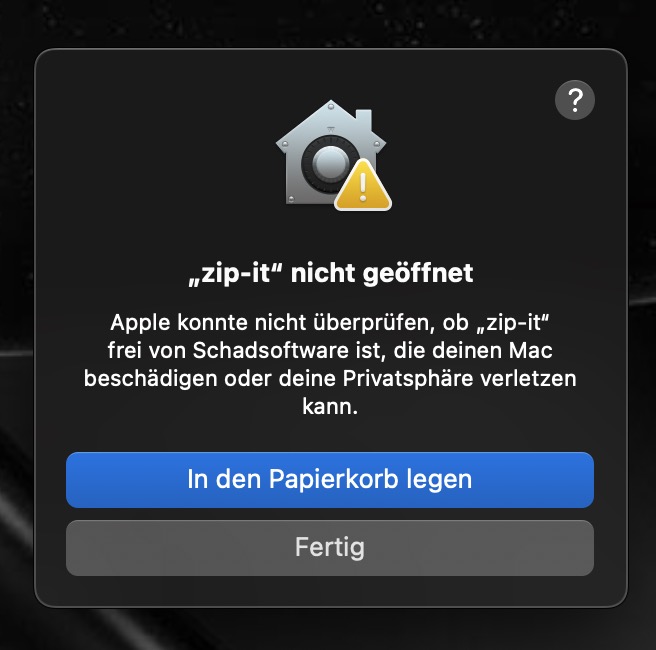
(sorry these are screenshots from my german OSX Mac.)
do not move to bin – klick the gray button and then open : system preferences – Data protection and security and on Security allow the app to open anyway.
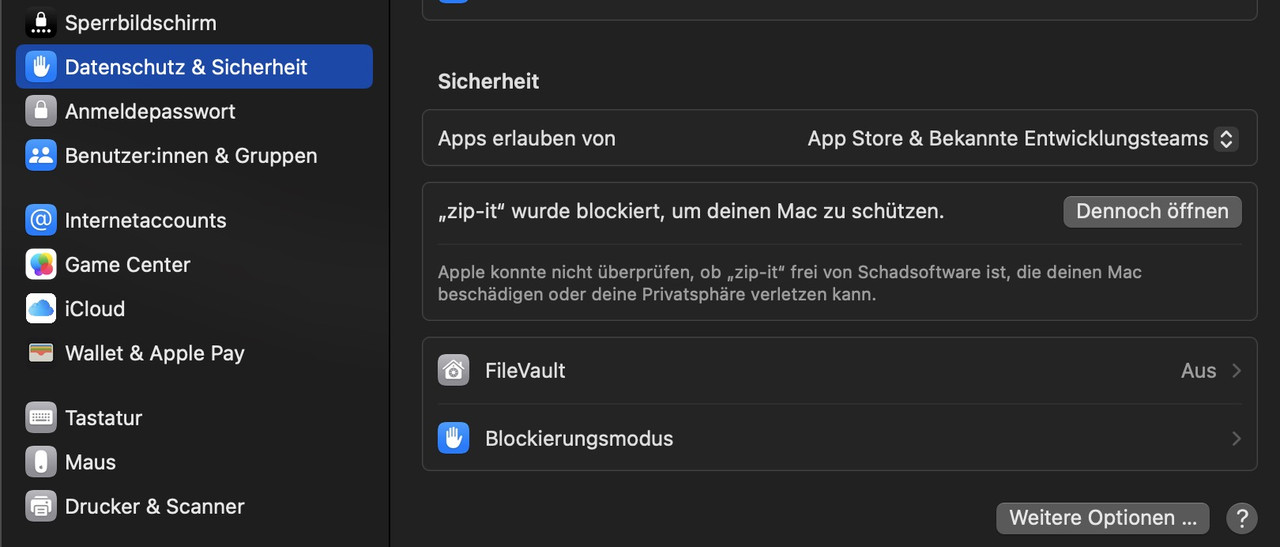
see here how i made that automator app: https://kriesi.at/support/topic/how-to-submit-and-use-custom-fonts/#post-1470903
the downloaded app will have now an included icon and it will look like this :

see here for keka usage: https://kriesi.at/support/topic/trouble-importing-tff-or-woff-fonts/#post-1492002
_____________ :lol
PS: That’s only because I’m lazy. For example, I also created an Automator app that converts an mkv with dts sound into an mkv with ac3 sound via ffmpeg. Without remuxing the video ;) -
AuthorPosts


- You must be logged in to reply to this topic.