

-
AuthorPosts
-
January 14, 2026 at 6:50 pm #1493915
Can you please look at my site and see why both forms are not working now. When you hit Submit, they dont’ do anything. I have many websites that use Enfold and have form issues a lot. Hopefully you can find a solution here so I don’t lose any clients because this is how people contact them. And if it doesn’t work, there’s no point of the website. Please help.
January 14, 2026 at 9:42 pm #1493920And especially this site below. the contact form has never worked. I didn’t do anything different and tried numerous options. Please help to figure this out. I really dont want to have to use Elfsight or Contact Form. Thanks!!
January 14, 2026 at 9:45 pm #1493921And specifically this form: https://soazcoad.org/join-soaz-coad/
January 15, 2026 at 5:34 am #1493939Hi,
Thank you for the inquiry.
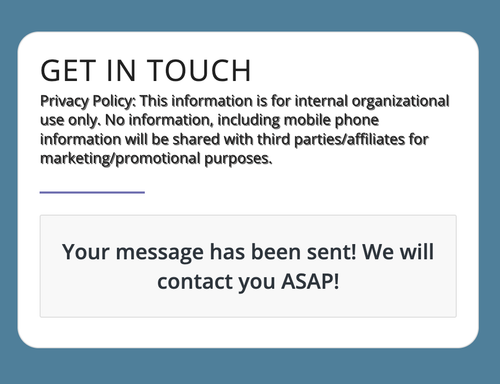
The contact form seems to be sending messages properly when we tested it, as shown in the screenshot below. Is this still an issue?
Best regards,
IsmaelJanuary 15, 2026 at 6:03 am #1493946Yes, no one gets emails. That is the problem.
January 15, 2026 at 6:04 am #1493947Did you get a response email after you filled out form?
January 15, 2026 at 9:26 am #1493958Hi,
I checked the contact page and the email is delivered, but as spam. Note that Enfold does not deliver your emails, your mail server does. If emails from your site are classified as spam, then you need to whitelist them in your local email client, and/or improve the delivery of the messages. Your hosting provider should be able to help you out with the latter.
Best regards,
RikardJanuary 15, 2026 at 7:04 pm #1493991I don’t even see spam. But what doesn’t make sense is that if I use Contact Form 7 or another form app, it works.
January 16, 2026 at 6:07 am #1494010Hi,
Thank you for the update.
Have you tried the steps provided in the following link? https://kriesi.at/documentation/enfold/contact-form/#my-contact-form-is-not-sending-emails-
Try to configure a plugin like WP Mail SMTP using your domain email (eg. (Email address hidden if logged out) ) to make sure messages are sent via an authenticated mail server, set the form’s From email to match your domain (avoid gmail, yahoo or outlook), and make sure SPF/DKIM/DMARC records are correct — please contact your hosting or email provider. If the issues persist, consider using Contact Form 7, Gravity Forms or WPForms.
Best regards,
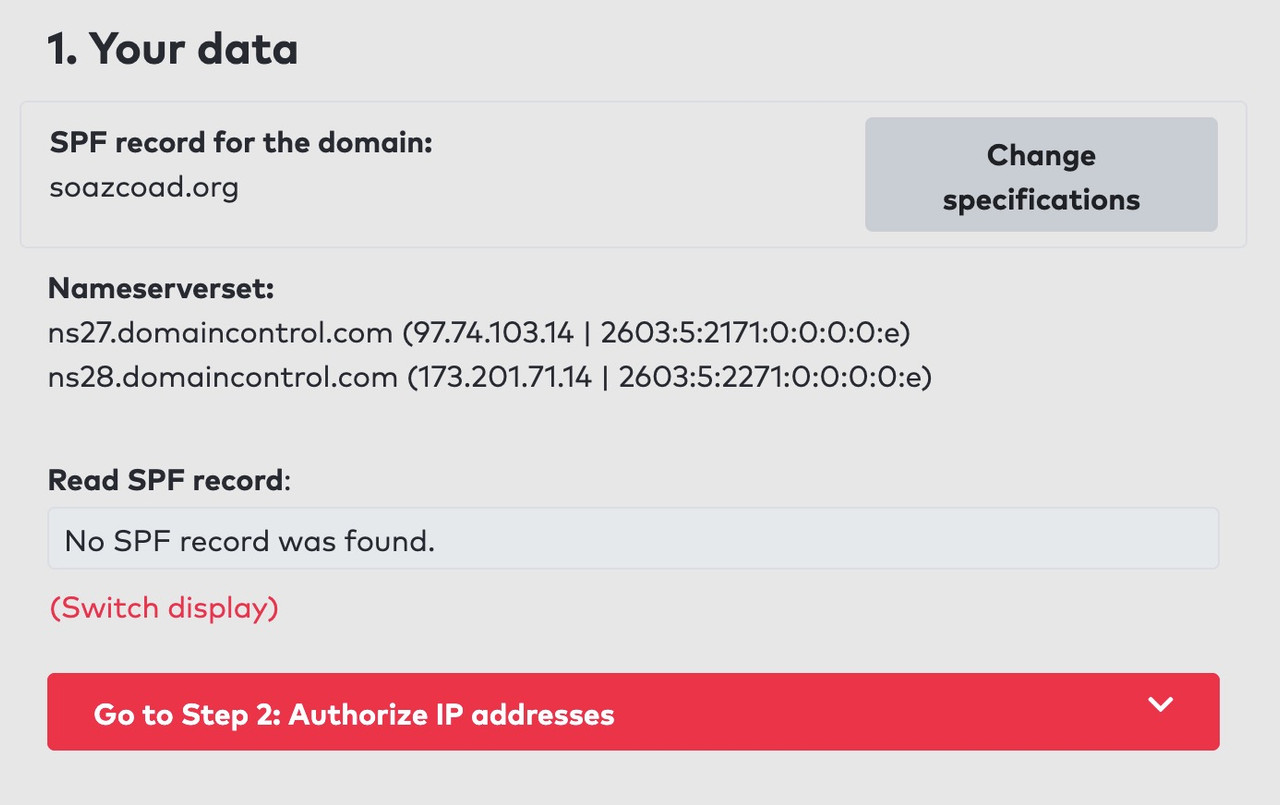
IsmaelJanuary 17, 2026 at 2:49 pm #1494036In addition to the important settings mentioned above by Ismael (spf-record, DKIM1 and DMARC), you should definitely follow the recommendation to send via SMTP.
If you wish to send the form using an email address that does not belong to the domain, it is advisable to include this domain in your SPF record for the domain from which it is being sent.
by the way –
-
AuthorPosts


- You must be logged in to reply to this topic.